Author: ehudsegev

  • The ‘Triple Stack Subscribe & Save’ Hack: How To Turn One Boring Household Reorder Into A Hidden Promo-Code Payday

    The ‘Triple Stack Subscribe & Save’ Hack: How To Turn One Boring Household Reorder Into A Hidden Promo-Code Payday

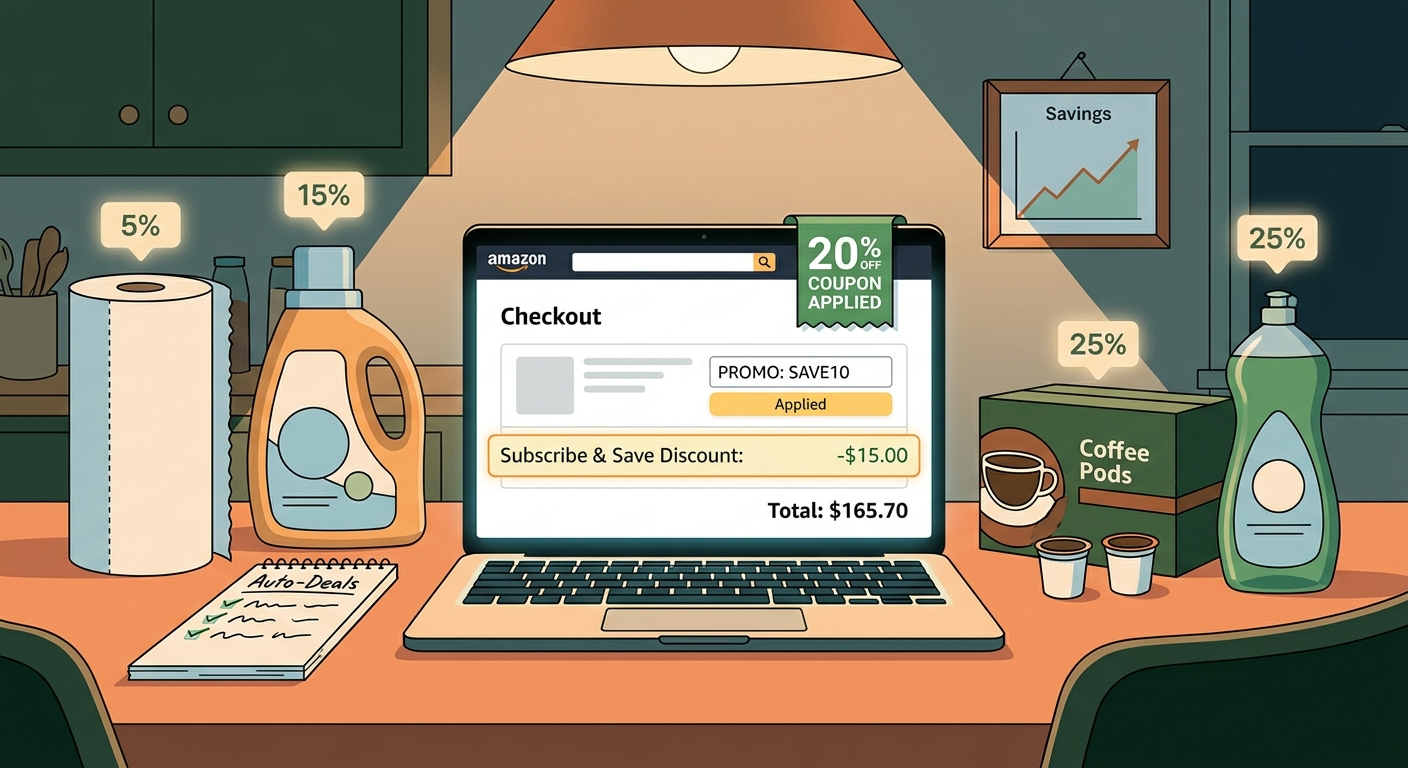
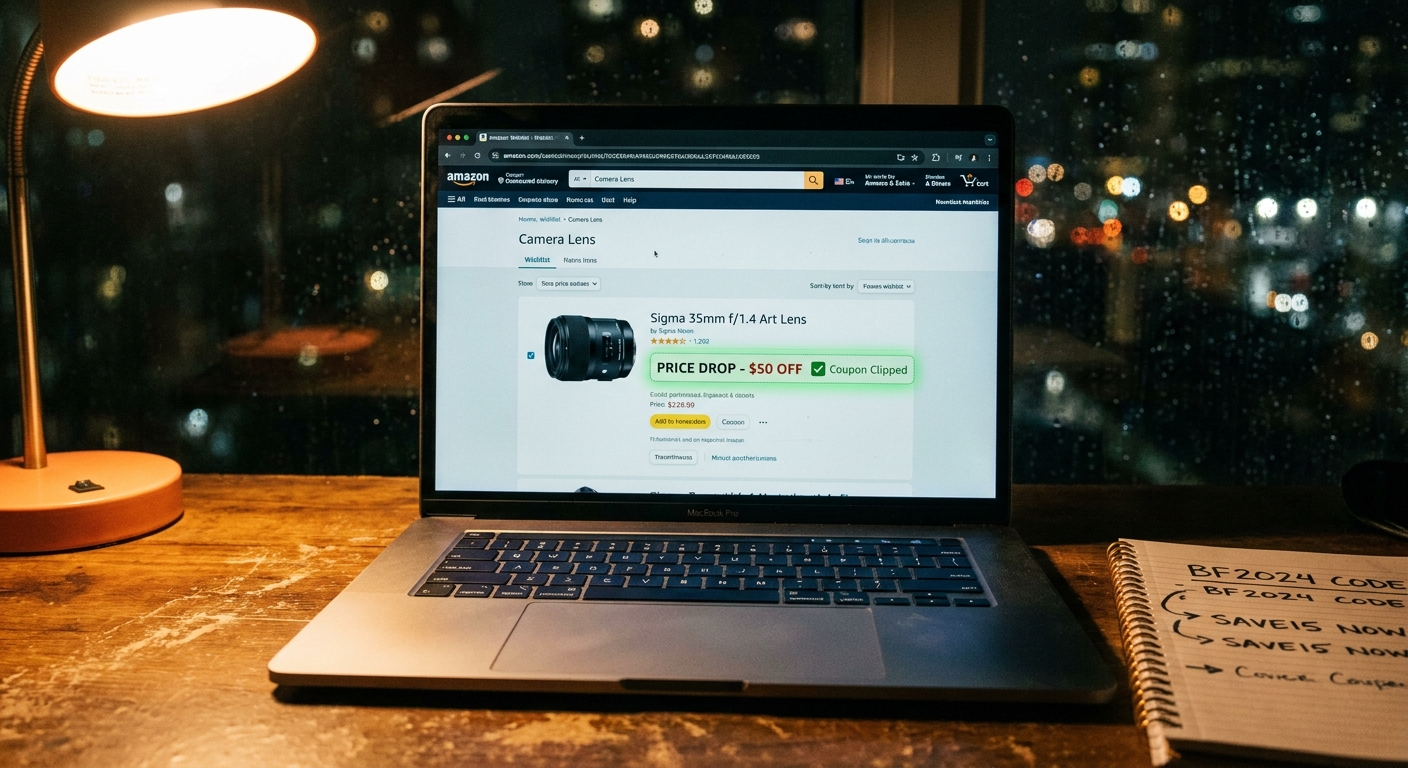
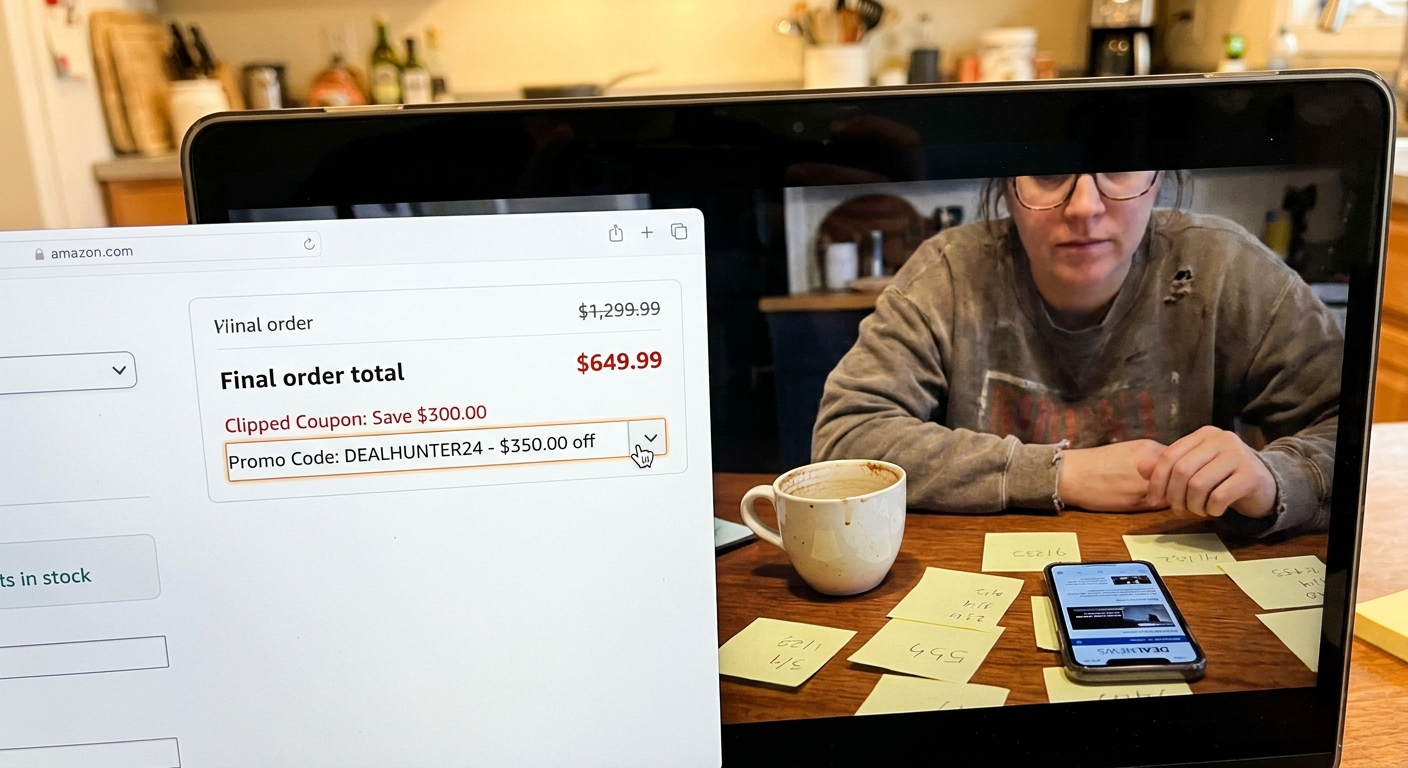
    You are not imagining it. The price of boring stuff like detergent, paper towels, pet food, diapers, coffee pods and protein snacks keeps creeping up, while the little Subscribe & Save badge acts like it is doing you a huge favor. For a lot of shoppers, it is not. The good news is that Amazon sometimes lets three different discounts land on the same item at once: a clipped coupon, a first-delivery Subscribe & Save boost, and a separate promo or credit. That is the real trick behind how to stack amazon coupon and subscribe and save discounts without doing anything shady. You are simply building the order in the right sequence and checking for the signs that the stack will hold through checkout. Done right, one routine reorder can turn into a quiet 35 to 60 percent win on things you already needed to buy.

    ⚡ In a Hurry? Key Takeaways

    • The best household deals often come from stacking a clipped coupon, Subscribe & Save, and a seller promo or Amazon credit on the same item.
    • Build the cart in order. Clip the coupon first, choose Subscribe & Save second, then verify any extra promo on the product page and again at checkout.
    • Watch for red flags like coupon text disappearing, sold-by changes, or checkout totals that “recalculate” at the last step. That usually means the stack broke.

    Why this works better than chasing random gadget deals

    Most people think the biggest Amazon savings are on flashy electronics. Right now, that is often not true.

    A lot of the strongest discounts are buried in everyday essentials. Household brands and third-party sellers are pushing inventory with overlapping promos. Amazon’s own system does not always advertise that clearly. It just quietly allows the discounts to mix if the item is set up the right way.

    That means your boring reorder can beat a so-called “deal” on a gadget you did not need in the first place.

    What “triple stack” actually means

    Here is the simple version. A triple stack usually looks like this:

    • Discount 1: A clickable coupon on the product page, often 5 percent to 25 percent off.
    • Discount 2: A Subscribe & Save discount, sometimes boosted for the first delivery.
    • Discount 3: A separate promo, such as “save an extra 10%,” “buy 2 get credit,” or a limited-time brand promotion.

    If all three survive checkout, your effective discount can get surprisingly big. Not fantasy big. Real big.

    The copy-and-paste checklist for building a working triple-stack cart

    1. Start on the product page, not the cart

    This matters more than it should. Amazon often hides promo details better on the cart page than on the product page.

    Check for these boxes:

    • A visible coupon with a checkbox or “Apply” button
    • A Subscribe & Save option, especially one mentioning first delivery savings
    • A promo line such as “Extra savings,” “Limited time deal,” or “Purchase 2 items and receive…”

    2. Clip the coupon first

    Always do this first. If you skip it and jump straight into Subscribe & Save, you can forget to come back, and sometimes the page refresh loses the coupon state.

    Once clipped, take a quick screenshot. It sounds fussy, but it helps if the discount vanishes later.

    3. Switch to Subscribe & Save

    Select the Subscribe & Save option after clipping the coupon. Watch the price area carefully. You want to see the updated percentage or delivery savings reflected on the page.

    If it is your first time buying that item through Subscribe & Save, there may be an extra boost. That is where some of the biggest household savings show up.

    4. Double-check who is selling the item

    This is a sneaky one. A stack can break if the item changes from one seller to another, even when the product page looks almost identical.

    Make sure the coupon, promo, and Subscribe & Save option all belong to the same listing. Look at:

    • Sold by
    • Ships from
    • Pack size or variation

    5. Add to your Subscribe & Save list

    Do not rush to checkout yet. Add the item with the Subscribe & Save setting active.

    If the promo requires multiple items, add the second eligible item now. Sometimes it can be the exact same product. Sometimes it must be a specific variation from the brand page. Read the fine print.

    6. Go to checkout and inspect every line

    This is the truth-telling step.

    You are looking for all the discounts to appear somewhere before you place the order. They may not show in one neat block. Amazon often spreads them across:

    • Item-level coupon savings
    • Subscribe & Save discount lines
    • Promotional credits or order summary reductions

    If one piece is missing, stop. Back out and recheck the listing.

    The red flags that usually mean the stack will fail

    There are a few warning signs that save a lot of frustration.

    The coupon vanishes after you select Subscribe & Save

    This often means the coupon only applies to the one-time purchase option. If the coupon text disappears or grays out, the stack probably will not hold.

    The seller changes when you pick a different size or scent

    This happens all the time with detergents, vitamins, snacks and pet supplies. Same brand. Same page. Different backend listing. The promo may only apply to one version.

    The item says “extra savings” but no actual amount appears at checkout

    That usually means there is a hidden quantity requirement, a brand restriction, or an expiration that just hit.

    The total drops in cart, then rises again on the final review page

    That is the classic fake-out. Do not assume the earlier total is locked in. The review page is the one that counts.

    A simple example of how the math can work

    Let’s say a household item is listed at $24.99.

    • Clip a 20% coupon
    • Use a 15% first Subscribe & Save discount
    • Add a separate 10% promo or small credit

    You are not always getting a perfect straight 45% off because Amazon may calculate some discounts in sequence, not all at once. But your effective final price can still land in the 35% to 60% savings range depending on how the promo is structured.

    That is serious money on items you buy repeatedly.

    Best categories for triple-stack hunting

    You will usually have better luck in repeat-purchase categories than in trendy electronics.

    • Laundry detergent and fabric care
    • Diapers and baby wipes
    • Pet food and treats
    • Protein bars and snack packs
    • Coffee pods and drink mixes
    • Paper goods and cleaning supplies
    • Vitamins and personal care basics

    If you liked the idea of catching hidden deal leftovers after major sale events, you might also like The ‘Prime Day Leftover Stacks’ Hack: How To Turn Yesterday’s Deals Into Today’s Secret Amazon Promo Code Prices. It pairs nicely with this strategy because both rely on Amazon’s promo system being a little messy in the shopper’s favor.

    How to screenshot and share a live working stack

    If you find a real stack, it helps other shoppers if you capture it clearly before the setup changes.

    Take three screenshots

    • Screenshot 1: Product page with clipped coupon visible
    • Screenshot 2: Subscribe & Save option selected with the savings shown
    • Screenshot 3: Checkout or review page showing the promo lines and final total

    Include the key details

    When you share it with the Best Amazon Coupons community, add:

    • The exact product name
    • Size, scent, flavor, or variation
    • Sold by and shipped from details
    • How many you added
    • The final effective discount you got

    That makes it far easier for someone else to copy your exact setup before the promo disappears.

    Small rules that make this safer and smarter

    Do not subscribe and forget

    Set a reminder to review or cancel future deliveries if you only wanted the first order savings. There is nothing wrong with using Subscribe & Save for the discount, but you should stay in control of the schedule.

    Compare with local store pricing

    A triple stack is only a good deal if the base price is reasonable. Sometimes an item starts higher on Amazon, which shrinks the real win.

    Check unit price, not just the percent off

    A 40% discount on a weirdly inflated bundle can still be worse than a warehouse club or grocery sale. Look at cost per ounce, count, or load.

    Move quickly when you find a live stack

    These setups can disappear without warning. Coupons get pulled. Sellers change. Promo text updates. If it works and you needed the item anyway, it is usually best not to overthink it.

    At a Glance: Comparison

    Feature/Aspect Details Verdict
    Single Subscribe & Save discount Usually simple, but often only 5% to 15% off and easy to overestimate. Fine for convenience, not usually the best savings.
    Coupon + Subscribe & Save A solid middle ground. Works often on household essentials if the coupon applies to subscription orders. Worth checking every time.
    Triple stack Coupon, first-delivery Subscribe & Save boost, plus an extra promo or credit on the same ASIN. Best value when all terms align and the checkout math holds.

    Conclusion

    The best Amazon savings right now are often hiding in plain sight inside the stuff you buy on autopilot. Not the flashy gadgets. Not the headline-grabbing lightning deal. Everyday essentials. Sellers are quietly running overlapping household promos using coupons, first-delivery Subscribe & Save boosts and limited-time credits, and Amazon’s own promo engine often lets all three interact on the same ASIN if you build the cart in the right order. For anyone feeling grocery and household inflation every week, getting a real 35 to 60 percent effective discount on necessities is a much bigger win than chasing random codes for things you did not plan to buy. Use the checklist, watch for the red flags, and screenshot live working stacks when you find them so the Best Amazon Coupons community can copy them before the setup quietly disappears.

  • The ‘Prime Day Leftover Stacks’ Hack: How To Turn Yesterday’s Deals Into Today’s Secret Amazon Promo Code Prices

    The ‘Prime Day Leftover Stacks’ Hack: How To Turn Yesterday’s Deals Into Today’s Secret Amazon Promo Code Prices

    You did the whole Prime Day thing. You compared prices, watched countdown timers, maybe even lost sleep refreshing deal pages. And now that the sale is over, it feels like the good stuff is gone and all that is left is “regular price” and sketchy coupon codes that fail at checkout. That frustration is real. The annoying part is that many shoppers quit looking at exactly the wrong time. Right after a big Amazon event, sellers often still have extra inventory to move. Instead of shouting about it on the homepage, they quietly add clipped coupons, reset pricing on less popular colors or sizes, and let Amazon Warehouse listings sit next to the main product page. That creates a short, weird window where yesterday’s deal hunters are tired, but today’s patient shoppers can still find real savings. If you want an amazon prime day leftover deals hack that actually works, this is the moment to use it.

    ⚡ In a Hurry? Key Takeaways

    • The best post-Prime Day deals often come from leftover stock, clipped coupons, and Warehouse listings, not the main Prime Day page.
    • Check product variations, the “Other sellers” box, and Amazon Resale or Warehouse options before you assume the deal is dead.
    • Ignore fake strike-through prices and compare the final checkout total, because that is the only number that matters.

    Why the best leftovers show up after the sale ends

    Prime Day trains people to think like sprinters. Fast click. Fast checkout. Fast panic. But the day after a giant sale, the market gets sloppy.

    Some sellers sold out. Others did not. The ones sitting on too much inventory still need it gone, especially if they stocked up expecting more Prime Day traffic. So they start making quieter moves.

    That can mean:

    • Adding a clickable coupon on the listing page
    • Dropping price on one color or storage size
    • Letting a third-party seller undercut the main listing
    • Moving returned or open-box units into Amazon Warehouse or Resale

    This is the basic amazon prime day leftover deals hack. You stop shopping the event page and start shopping the product page like a detective.

    Start with products that were featured during Prime Day

    Do not start from scratch. Begin with items you already watched during the sale. Maybe it was earbuds, an air fryer, a robot vacuum, or printer ink. Search those exact products again now.

    Why? Because products that had heavy traffic during Prime Day are more likely to have leftover inventory and follow-up discounts. Sellers know shoppers are still interested. They just stop advertising it loudly.

    Check these spots on the product page

    Amazon hides useful discounts in plain sight. Slow down and scan the full page.

    • Coupon box. Look for a small checkbox offering 5 percent, 10 percent, or a dollar amount off.
    • Other sellers on Amazon. Sometimes the cheapest version is not the default seller.
    • Style or color options. Black may be full price while blue is still discounted.
    • Subscribe & Save. On basics like vitamins, detergent, razors, and pet food, this can beat the visible sale price.

    If you have been wasting time with old code lists, it also helps to read The ‘Deprecation Escape Hatch’ Hack: How To Turn Amazon’s Vanishing Promo Codes Page Into One Last Round Of Secret Discounts. It explains why random copied promo codes so often fail and where the real discount signals are moving now.

    The leftover stacks trick

    The real win is not one discount. It is stacking two or three small ones that other shoppers miss.

    What a “leftover stack” looks like

    Here is a common example:

    • Item price is reset lower than it was the day before
    • There is a clipped coupon on the page
    • An Amazon Warehouse or Resale option is available for less
    • A card-linked or Subscribe & Save discount still applies

    You may not be able to combine every one of these at the same time on every item. But even two layers can turn a “normal” looking listing back into a sale.

    For example, a coffee maker that appears to have bounced back to $89 might also have a hidden 15 percent coupon. Then you notice the stainless steel version is $79 instead of $89. Then a “Used Like New” Warehouse option shows up under buying choices at $67. That is where the real savings are living.

    Do not trust the strike-through price

    This matters a lot. Amazon and third-party sellers love a dramatic crossed-out number. It makes you feel like you are getting a huge deal. Sometimes you are. Sometimes you are absolutely not.

    How to sanity-check a deal fast

    • Compare the final checkout price, not just the listing price.
    • Check whether the coupon only appears after you click it.
    • Look at recent pricing on your browser history, wishlist, or cart if you tracked it before.
    • Compare similar models, because brands often inflate “was” prices on weaker versions.

    A fake 40 percent discount is still more expensive than a plain-looking item with a real clipped coupon.

    Use Amazon Warehouse and Resale like a grown-up, not a gambler

    Post-sale periods are especially good for open-box shopping. People return impulse buys after Prime Day. That feeds Amazon Warehouse and Resale inventory.

    This is one of the easiest ways to turn a decent leftover discount into a great one.

    What to buy used or open-box

    • Kitchen appliances
    • Monitors
    • Headphones
    • Smart home devices
    • Office gear

    What to be more careful with

    • Personal care items
    • Storage drives without a clear return policy check
    • Gifts where box condition matters

    Read the condition notes. “Like New” and “Very Good” can be great. “Acceptable” is where you should slow down and ask if saving a few bucks is worth the hassle.

    The 24 to 48 hour rule

    This post-event window does not stay open long. Most of the weird pricing settles down within a day or two after the sale. That is why this hack works now, not next week.

    If an item was on your Prime Day maybe-list, check it again today and tomorrow. After that, many of the best leftovers are gone, or the stock gets cleaned up by other shoppers who know the pattern.

    Best categories for leftover deals

    Not every category behaves the same way. Some are much better for this trick.

    Usually strong

    • Small electronics
    • Home and kitchen
    • Smart home gear
    • Supplements and household basics
    • Accessories like chargers, cables, cases, and stands

    More hit or miss

    • Big-name Apple gear
    • Game consoles
    • Brand-new flagship products

    Mainstream, high-demand gear can still get a discount, but the sloppy leftover pricing usually happens more often on accessories, mid-range gadgets, and products with lots of variations.

    A simple post-Prime Day checklist

    Use this before you buy anything.

    1. Search the exact item you wanted during Prime Day.
    2. Check all colors, sizes, and versions.
    3. Clip any on-page coupon.
    4. Open “Other sellers” and compare shipped-by-Amazon options.
    5. Check for Amazon Warehouse or Resale.
    6. Compare final total at checkout.
    7. Skip it if the “deal” only looks good because of a silly strike-through price.

    That is the whole system. Nothing fancy. Just better habits than the average frantic shopper.

    At a Glance: Comparison

    Feature/Aspect Details Verdict
    On-page coupons Often appear quietly after Prime Day on product pages and can cut 5 to 20 percent off. One of the best leftover deal signals.
    Amazon Warehouse or Resale Returned or open-box stock can drop below Prime Day pricing, especially for electronics and home gear. Great value if condition notes and returns look good.
    Strike-through “regular” pricing Can make discounts look bigger than they really are if the crossed-out number was inflated. Treat with skepticism. Check the final total.

    Conclusion

    If you thought Prime Day ending meant the bargains were over, that is exactly the assumption that creates this little shopping edge. Right after a major Amazon sale, lots of people stop looking. Sellers do not. They keep clearing leftover stock with small coupons, quiet price resets, and Warehouse listings that can beat the headline deal from yesterday. If you spend the next day or two checking product pages carefully, mixing clipped discounts with open-box options, and ignoring fake strike-through drama, you can still come out ahead. The weird post-event window is short, but it is real. Use it while it is still open.

  • The ‘Deprecation Escape Hatch’ Hack: How To Turn Amazon’s Vanishing Promo Codes Page Into One Last Round Of Secret Discounts

    The ‘Deprecation Escape Hatch’ Hack: How To Turn Amazon’s Vanishing Promo Codes Page Into One Last Round Of Secret Discounts

    You are not imagining it. Amazon bargain hunting just got more annoying. A lot of shoppers are still being told to dig through the old Promo Codes page, paste random strings at checkout, and hope something sticks. Then comes the familiar letdown. “Code not eligible.” “Promotion expired.” “Not valid for this account.” It feels like you showed up to a party after the lights were already turned off. The big change is that Amazon is quietly winding down that old promo code system, and the useful deals are moving elsewhere. That means the smart move right now is not to keep chasing dead codes. It is to use the last days of the old setup as a quick testing tool, then switch to a better routine built around live seller coupons, the Coupons hub, and short-lived targeted offers. If you do that, you can still find real discounts while everyone else is wasting time on ghost codes.

    ⚡ In a Hurry? Key Takeaways

    • The amazon promo codes page deprecation hack is simple. Use the fading promo code system only as a last-chance filter for still-live deals, then move to Amazon’s newer coupon paths.
    • Start with product pages that show a clickable coupon box, then check the Amazon Coupons hub, then test any community or influencer code before spending time building a cart.
    • Skip sketchy coupon sites and never buy a code. Real Amazon savings now are more often public coupons, seller promos, or invite-only offers tied to your account.

    What’s actually happening with Amazon’s Promo Codes page?

    Amazon appears to be phasing out its old Promo Codes page. That matters because a huge chunk of coupon advice online still points people there as if nothing changed. So shoppers keep following outdated steps and hitting expired offers.

    This is why the whole thing feels broken. The old page used to act like a central spot for discoverable promo strings. Now Amazon is pushing more discounts into other formats. Think clipped coupons on product pages, category-based coupon listings, account-targeted promotions, and invite-only deals.

    In plain English, the old road is closing. Traffic is being rerouted.

    The “Deprecation Escape Hatch” hack, explained simply

    This is not a magic trick. It is a timing trick.

    The hack is to use the old promo code setup while it still exists, but only for one job. Verification. Not discovery.

    Here’s the smarter workflow

    Instead of searching broad coupon blogs for giant lists of codes, do this:

    1. Find the product you want on Amazon first.
    2. Check whether the listing already has a visible coupon box or promo banner.
    3. If you see a code from a community post, seller page, social account, or deal group, test it quickly.
    4. If it fails once, move on. Do not keep rebuilding the same cart for ten dead codes.
    5. Use the old Promo Codes infrastructure only as a final check for still-active overlap, not as your main hunting ground.

    That is the escape hatch. You squeeze the last useful signal out of the old system, then stop depending on it.

    Why most coupon advice is suddenly bad

    Most coupon content is written to stay “evergreen.” That sounds nice until the platform changes under it. Then you get stale instructions with fresh publish dates.

    Amazon’s discount system is now more fragmented. Some deals are public. Some are account-specific. Some are tied to certain sellers. Some appear only on the product page itself. Some show up through creators, communities, or short campaign links and vanish fast.

    So if a blog promises “50 working Amazon promo codes” without showing where those codes came from or when they were last tested, treat that list like leftovers in the back of the fridge.

    Where the real discounts are moving now

    1. Product page coupons

    These are often the easiest wins. You will see a small checkbox or clickable coupon on the item page, usually with a percent-off or dollar-off amount.

    Clip it before checkout. Sounds obvious, but lots of people miss this and go code hunting instead.

    2. The Amazon Coupons hub

    This is Amazon’s cleaner replacement for casual deal browsing. It is less romantic than secret code hunting, but usually more useful.

    Look by category. Filter by what you actually need. Household items, beauty, tech accessories, pet supplies, and kitchen gear often show up here.

    3. Seller promotions on listing pages

    Some sellers stack a visible coupon with a separate promotion such as “save 10% when you buy 2” or “extra discount at checkout.” These can be better than a code string because they are built right into the listing.

    4. Invite-only and targeted promos

    These are the sneaky ones. Amazon has been leaning more into offers that only certain users can access. You might see them in your account, email, app notifications, or on selected product pages.

    If your friend can see a discount and you cannot, that does not always mean the deal is fake. It may simply be targeted.

    5. Influencer and community code drops

    Some creators, niche forums, and deal communities still surface valid short-term codes. The difference is speed. These offers often work for a day, a few hours, or until a redemption cap is hit.

    That means you should test them early, not bookmark them for the weekend.

    How to test Amazon promo codes without wasting your evening

    Here is the low-stress method.

    Build a “test cart”

    Add only the item you want. Do not mix five products from different sellers. Mixed carts create confusion because many promos apply to one seller, one ASIN, one category, or one quantity threshold.

    Check the listing details first

    Look for clues like:

    • Sold by a third-party seller, not Amazon
    • Coupon checkbox on the page
    • Promo language in the bullet area or below the price
    • Minimum quantity requirements
    • Prime-only or account-specific wording

    Apply one code at a time

    Do not paste a pile of codes and hope for the best. Amazon may block stacking, and it becomes harder to tell what actually worked.

    Watch the discount line, not just the error message

    Sometimes a code changes the total in a way that is easy to miss, especially if shipping, subscription discounts, or clipped coupons are involved.

    Quit fast on dead codes

    This is the biggest time-saver. If a code has no visible source, no date, and no sign of matching the seller or item, give it one shot and move on.

    Red flags that a promo code is never going to work

    Here are the warning signs.

    • The code appears on dozens of coupon sites with no source.
    • The code is attached to a product that has changed seller since the code was posted.
    • The page says “promotion ended” or “not valid for this purchase” even after you meet the listed terms.
    • The item is sold directly by Amazon, but the code looks like a third-party seller promo.
    • The coupon post gives no expiration date and no product link.

    If you see two or three of those at once, stop feeding the machine.

    The replacement workflow that actually works in 2026

    If you want a routine you can repeat, use this order:

    1. Search the exact item on Amazon.
    2. Check the product page for clipped coupons and built-in promotions.
    3. Open the Amazon Coupons hub and search the category or brand.
    4. Check if the seller storefront mentions active deals.
    5. Only then test any outside promo code from a trusted community source.
    6. If nothing hits, set a price alert elsewhere and wait.

    This works better because it starts from live Amazon signals, not from dusty code lists.

    Can you still stack discounts?

    Sometimes, yes. But do not count on it.

    The most common stack is a clipped product coupon plus a seller promotion. Occasionally a Subscribe & Save discount can mix in too, depending on the item and seller setup. A random promo string on top of all that is less predictable than it used to be.

    If stacking matters, test in this order:

    1. Clip the visible coupon.
    2. Add the required quantity if there is a multi-buy promo.
    3. Go to checkout and see what auto-applies.
    4. Try one external code only if the listing or source strongly suggests compatibility.

    Safety note: Don’t hand your account to “discount helpers”

    As old coupon systems fade, scammers get louder. Be careful with sites or social accounts offering “guaranteed Amazon code generators,” “employee-only promo access,” or “paid discount links.”

    Those are not clever shortcuts. They are risks.

    Never share your Amazon login for deal access. Never pay for a code. And if a browser extension wants broad shopping permissions just to “find savings,” think twice.

    Who should care most about this change?

    Three groups, especially:

    • People who regularly buy household basics and rely on small coupon savings.
    • Shoppers who follow deal blogs and are tired of expired code roulette.
    • Anyone buying from third-party sellers, where promotions change quickly and old codes die fast.

    If that sounds like you, the amazon promo codes page deprecation hack is less about beating Amazon and more about protecting your time.

    At a Glance: Comparison

    Feature/Aspect Details Verdict
    Old Promo Codes page Being phased out, increasingly unreliable, still useful only as a last-chance verification stop Use sparingly, do not depend on it
    Amazon Coupons hub and product coupons Live discounts shown directly on Amazon, easier to confirm, often more current than external code lists Best starting point now
    Influencer or community code drops Can work well, but often expire quickly or have limited redemptions Useful if tested fast and sourced carefully

    Conclusion

    The good news is you do not need to keep losing half an hour to dead promo strings. This change is happening now, and that is exactly why it matters. Most coupon blogs are still publishing generic advice while Amazon has already signaled that the old Promo Codes page is on the way out and newer discount paths are taking over. If you use the final days of that old infrastructure as a quick filter, then shift your routine to seller coupons, the Coupons hub, and fast-moving targeted or community offers, you stay one step ahead. More important, you stop wasting time on codes that were never going to apply in the first place. That alone is a win.

  • The ‘Influencer Cart Clone’ Hack: How To Hijack TikTok’s Secret Amazon Promo Codes Before They Vanish

    The ‘Influencer Cart Clone’ Hack: How To Hijack TikTok’s Secret Amazon Promo Codes Before They Vanish

    You are not crazy. You see a TikTok creator show a $49 gadget dropping to $17 on Amazon, you tap the link 10 minutes later, and suddenly the coupon is gone, the code says invalid, or the price has jumped back up. It feels rigged because, in a way, it sort of is. Many of these deals are real, but they are built for speed. Creators often post low-visibility promo codes in captions, Stories, Lives, storefront pages, or bio links, then swap them out once stock starts moving. That leaves regular shoppers staring at expired discounts and wondering what they missed. The good news is you do not need to camp on TikTok all day to keep up. The smart move is what I call the Amazon influencer promo code hack: cloning the creator’s cart setup fast, checking the exact seller and coupon stack, and skipping the junky code-generator sites that waste your time.

    ⚡ In a Hurry? Key Takeaways

    • The best Amazon influencer promo code hack is not finding “secret” codes. It is catching live creator links and copying the exact product, seller, coupon, and checkout combo before it changes.
    • Save creator storefronts, turn on post alerts, and always screenshot the item page, coupon box, and promo code details before you try to check out.
    • Avoid “Amazon code generator” sites and random coupon blogs recycling dead codes. They are usually late, misleading, or trying to farm clicks.

    Why these creator Amazon deals disappear so fast

    Short answer. They are often meant to.

    Influencers are working with a mix of public coupons, seller promo codes, affiliate links, and short-run discounts that may only apply to one variation of a product or one third-party seller. Sometimes the code is limited by quantity. Sometimes it is limited by time. Sometimes the creator quietly edits the caption when the deal dies and replaces it with a new one.

    That is why the deal you saw at lunch is gone by your coffee break.

    This is also why normal coupon sites struggle to keep up. By the time a deal gets copied, indexed, reposted, and wrapped in a giant “secret savings” headline, the code is often already toast. If you have been burned by that loop before, you might also like The ‘Newsletter Bait-and-Switch’ Hack: How Off-Amazon Email Deals Turn Into Real Secret Promo-Code Savings, which covers another place where the real deals often show up before the public finds them.

    What the “Influencer Cart Clone” hack actually means

    It sounds sneaky, but it is really just smart shopping.

    Instead of hunting for a code in isolation, you copy the creator’s full setup as closely as possible. That means:

    • The exact Amazon listing
    • The exact seller on that listing
    • The exact product size, color, or bundle
    • Any clickable on-page coupon
    • Any promo code shown in the caption, comments, Story, or bio link
    • The timing, because some deals end almost immediately

    Most failures happen because shoppers only copy the code, not the whole cart recipe.

    How to do the Amazon influencer promo code hack step by step

    1. Start with the creator’s freshest post, not a repost account

    Deal aggregator accounts are useful, but they are usually slower than the original creator. Go to the creator’s own TikTok, Instagram, or Amazon storefront first. Look for the most recent version of the deal.

    If the creator posted “link in bio,” tap that before doing a search yourself. A plain Amazon search may show a similar product from a different seller, which can break the deal.

    2. Check whether the discount is a stack

    Many of the wildest deals are not one code. They are a stack.

    For example:

    • Sale price on the product page
    • Clickable coupon box like “Save 20%”
    • Promo code at checkout like “LAMP40”

    Miss one step and the math falls apart.

    3. Match the seller exactly

    This is the part most people skip.

    On Amazon, one product page can have multiple sellers. The code may only work for one of them. If the creator’s screenshot shows “Sold by BrightHome Deals” and your cart switches to another seller, your code may fail even though the product looks identical.

    Always check the “Sold by” line before checkout.

    4. Match the variation exactly

    That 50% off code may work only on the beige two-pack, not the black single unit. Amazon is full of tiny variation traps like that.

    If the creator says “click the gray one” or “choose the 3-pack,” believe them. It sounds silly, but it matters.

    5. Screenshot everything before you test the code

    Take quick screenshots of:

    • The product page price
    • The selected variation
    • The seller name
    • The clipped coupon
    • The promo code from the post or Story

    Why? Because creator posts get edited. Links get swapped. Coupons vanish. A screenshot gives you a record of what you were trying to copy.

    6. Add to cart immediately, then test at checkout

    Some discounts only show up in the final checkout screen. So do not assume the deal failed if you do not see the full discount in the cart yet.

    Add the item fast. Then go to checkout and paste the code there.

    7. If it fails, test the likely break points

    Do not waste 20 minutes randomly retrying. Check these in order:

    • Did the seller change?
    • Did you miss the coupon checkbox?
    • Did you pick the wrong color, size, or pack count?
    • Did the code have a typo?
    • Did the creator remove or update the code in comments?
    • Did the deal simply hit its limit?

    Where creators usually hide the good codes

    If you want to beat the crowd, know where to look first.

    TikTok captions

    Often the fastest place for a code drop. The downside is that captions are easy to edit once the deal cools off.

    TikTok comments

    Creators will sometimes pin the code, then update the pinned comment when stock gets low.

    Instagram Stories

    Stories are perfect for flash deals because they vanish quickly. If you catch one, move fast.

    Instagram bio links

    A Linktree or storefront page may carry the active version of the product after an old Reel keeps getting views.

    Amazon storefront pages

    Some creators maintain idea lists or sections with currently active finds. It is not foolproof, but it can be cleaner than scrolling social posts.

    Live shopping sessions

    These can have the best discounts and the shortest shelf life. If a creator says “this works right now,” take that literally.

    How to track deals without living on TikTok

    You do not need to become a full-time discount detective.

    Turn on alerts for a handful of reliable creators

    Do not follow 200 deal accounts. Pick 5 to 10 who post products you actually buy and whose deals tend to check out cleanly.

    Use a notes app or bookmark folder

    Keep a short list of creators, storefronts, and categories you care about. Kitchen gadgets. Beauty. Pet supplies. Tech accessories. That way you can check quickly instead of starting from scratch every time.

    Shop in batches

    If you know certain creators post in the evening or during lunch, do a five-minute scan then. You are not trying to monitor the whole internet. You are trying to catch a few good windows.

    Build a watch list on Amazon

    Add likely products to your cart or save-for-later list. When a creator posts a live code, you can test faster because you are not searching from zero.

    How to spot fake “secret code” sites before they waste your time

    This matters because fake urgency is everywhere.

    Be suspicious if a site:

    • Promises a “generator” for Amazon promo codes
    • Shows no timestamp or last-checked date
    • Lists dozens of generic codes with no product links
    • Uses the same code across unrelated products
    • Forces you through pop-ups before showing anything useful

    Real creator-driven deals are usually tied to a specific listing and a specific moment. Fake sites are broad, vague, and weirdly dramatic.

    What usually works best in real life

    Here is the boring truth. The best deals usually come from speed, accuracy, and a little pattern recognition. Not magic.

    If a creator regularly posts Amazon home deals, and you know they often stack a page coupon with a checkout code from a specific seller, you can move much faster next time. After a while, you start spotting the signs.

    You also start ignoring the noise. That alone saves money because it stops impulse buys built on fake scarcity.

    When to skip the deal entirely

    Sometimes the smartest hack is walking away.

    Skip it if:

    • The product has weak reviews or a suspicious review pattern
    • The seller looks brand new or hard to verify
    • The discount only works after a maze of redirects
    • You cannot recreate the price the creator showed, even after matching the setup
    • You were only interested because the percentage off looked huge

    A 70% discount on junk is still a bad buy.

    At a Glance: Comparison

    Feature/Aspect Details Verdict
    Live creator deal posts Usually the fastest source for active Amazon coupons, promo codes, and seller-specific discounts, but they can change within minutes. Best option if you can act quickly and copy the cart exactly.
    Coupon websites and repost blogs Often show expired, incomplete, or wrong seller codes because they lag behind social posts. Useful for ideas, not for time-sensitive checkout success.
    Cart cloning method Focuses on matching the exact listing, seller, coupon, variation, and checkout code from the creator’s setup. Most reliable way to make real influencer deals work before they disappear.

    Conclusion

    The real trick behind this Amazon influencer promo code hack is simple. Stop chasing random codes and start copying the full deal setup while it is still live. Right now, the hottest Amazon promo code “hacks” are happening in short-form content, where creators quietly paste single-use or low-visibility codes into captions, Stories, Lives, and bio links, then delete or swap them as soon as items start selling out. Great for engagement. Brutal for everybody else. A focused “Influencer Cart Clone” approach helps you track those drops in the short window they actually work, rebuild the creator’s cart with active coupons, and avoid the fake generator sites pushing dead codes as clickbait. You do not need perfect timing every day. You just need a better method, a little speed, and the habit of checking the exact seller, variation, and coupon stack before the deal slips away.

  • The ‘Hidden Card Link’ Hack: How Bank‑Only Amazon Codes Quietly Beat Public Coupons

    The ‘Hidden Card Link’ Hack: How Bank‑Only Amazon Codes Quietly Beat Public Coupons

    You are not crazy if Amazon coupon hunting feels like a waste of time. Most public promo codes are either expired, tied to one oddly specific product, or dead the second a deal blog posts them. Meanwhile, someone else checks out with the same paper towels, charger, or coffee pods and somehow knocks $10, $15, even $50 off the order. The difference is usually not luck. It is a quieter class of deals hiding inside bank and card accounts. These are the hidden amazon promo codes with credit card offers that never really make it to the noisy coupon roundups. If you have an Amex, Chase card, Discover, Capital One, or even a regional bank card, there is a decent chance you already have access to one of these offers. You just need to know where Amazon and your bank hide them, and how to trigger them without wasting half your afternoon.

    ⚡ In a Hurry? Key Takeaways

    • Private bank-linked Amazon offers often beat public coupons because they are targeted, still live, and apply to normal purchases.
    • Check your bank’s offers page, add the eligible card to Amazon, and test a qualifying item in your cart before assuming no deal exists.
    • Stick to offers shown in your bank or Amazon account, read the terms, and never buy things you do not need just to “save.”

    Why these hidden Amazon deals work better than public coupon codes

    Public codes get hammered fast. Once a blog posts them, thousands of people try the same code at once. Some expire. Some hit a usage cap. Some only work on seller-shipped products that look like regular Amazon listings until checkout.

    Bank-tied promos are different. They are often tied to your specific card, your login, or a limited group of customers. That means less competition, fewer dead ends, and a better chance the discount actually sticks.

    You will usually see them in one of two forms. First, “add this card and get $10 to $15 off” deals. Second, “use rewards points and get a discount” promos, where using as little as one Membership Rewards point or one Chase point can unlock a bigger instant discount.

    It is a little like the trick behind The ‘Alexa Cart Whisper’ Hack: How Voice-Only Promos Quietly Beat Prime Day Prices At Checkout. The best savings are often not sitting on the obvious deals page. They are tucked inside a different corner of the system.

    Where to actually find bank-only Amazon offers

    Inside your credit card or bank account

    Start with the offers section in your card account. Amex Offers is the best-known version, but Chase, Bank of America, Wells Fargo, Discover, Capital One, and some regional banks run similar programs.

    Look for wording like:

    • Spend at Amazon, get $10 back
    • Add eligible card and receive an Amazon promotional credit
    • Use points at Amazon and save 20% or up to $15 off
    • Get bonus rewards when using this card at Amazon

    These offers may not say “coupon code” at all. That is why so many shoppers miss them.

    Inside Amazon after adding a card or points account

    Some offers only appear after you add the eligible card to your Amazon wallet. Others show up only after you link your points account, such as American Express Membership Rewards or Chase Ultimate Rewards.

    Amazon may then show a banner during checkout, a promo message on a product page, or a line under payment settings telling you a discount is available.

    On targeted Amazon promo pages

    Amazon also uses dedicated landing pages for targeted offers. If your account qualifies, the page will confirm enrollment. If not, it may show nothing useful at all. That can be frustrating, but it is normal.

    How the “hidden card link” trick usually works

    This is the simple version.

    1. Find an Amazon-related offer in your bank or card login.
    2. Click to add or activate the offer if your bank requires that step.
    3. Add that exact card to your Amazon account if it is not already there.
    4. Make sure the cart contains qualifying items. Often these must be sold by Amazon, not a third-party marketplace seller.
    5. At checkout, use the eligible card, or in some cases use the card plus a tiny amount of points.
    6. Watch for the discount to appear before you place the order.

    That is the whole “hack.” It is not really a hack in the shady sense. It is just a private offer path that most people never check.

    The three most common types of hidden Amazon card offers

    1. Add-a-card discounts

    These are the easiest to understand. Add an eligible card, then get a one-time discount like $10 off $50 or $15 off $100.

    Best for: normal household orders when you already planned to spend enough to hit the threshold.

    2. Points-triggered discounts

    This is the classic Amazon card promo that seasoned deal hunters love. You connect your Amex or Chase points account, use a tiny amount of points, sometimes as little as one point, and unlock a larger discount like 20% off up to a set cap.

    Best for: bigger carts where the percent-off cap gives you a real savings boost.

    Important note. You usually do not want to pay for the whole order with points. The value is often poor. The smart move is to use the minimum points needed to trigger the discount, then pay the rest with cash or card.

    3. Statement-credit or cash-back card offers

    These are less flashy but still useful. Spend a required amount at Amazon with the enrolled card, then the bank gives you cash back or a statement credit later.

    Best for: shoppers who do not mind waiting a billing cycle to see the savings.

    How to avoid the usual gotchas

    Check who is selling the item

    This is the big one. Many offers only work on items sold by Amazon.com or fulfilled in a specific way. If your cart is full of marketplace items from third-party sellers, the promo may not apply.

    Read the minimum spend carefully

    A $10 off $50 offer may require $50 before tax and after other discounts. Or it may exclude gift cards, digital goods, subscriptions, and certain categories.

    Do not assume all accounts are eligible

    Your spouse may have the offer. You may not. One Chase card might qualify while another does not. These deals are often targeted, which is annoying, but that is how they work.

    Do a test checkout before giving up

    Sometimes the offer will not show on the product page at all. It only appears on the final payment screen. So if everything else looks right, run a checkout test and stop before placing the order if the discount does not appear.

    A practical step-by-step routine that takes five minutes

    If you want a repeatable way to use hidden amazon promo codes with credit card offers, try this routine once a week.

    1. Open your Amex, Chase, Discover, and other card apps.
    2. Scan the offers section for Amazon mentions.
    3. Add or activate any Amazon offer you see.
    4. Open Amazon and confirm those cards are saved in your wallet.
    5. If you collect points, check whether your points account is linked.
    6. Build your cart with items sold by Amazon whenever possible.
    7. Test checkout using the eligible card or one-point method if the terms call for it.

    That sounds like a lot written out, but in real life it is quick. And it is much faster than trying ten random coupon codes from search results.

    When these offers are worth your time, and when they are not

    They are worth it when you already planned to buy something. This is where hidden card offers shine. You are turning a regular order into a discounted one.

    They are not worth it if the offer pushes you to overspend, buy filler items, or choose a worse product just to hit a threshold. Saving $15 by spending an extra $30 is not a win.

    Also, if the item is cheaper at Target, Walmart, or Costco, then the Amazon promo is not really a deal. Always compare the final price, not just the size of the discount.

    Why these offers stay under-used

    Most shoppers look in the obvious places. Search engines. Coupon blogs. Retail deal roundups. Those are fine, but they are crowded and often outdated.

    Private offers stay quieter because they are fragmented. One lives in Amex Offers. Another is buried in a Chase account. Another only shows after linking points on Amazon. They do not spread as easily because not everyone qualifies.

    That is also why they can be more reliable. Fewer eyes. Less competition. Less chance the deal is dead by lunch.

    At a Glance: Comparison

    Feature/Aspect Details Verdict
    Public Amazon coupon codes Easy to find, but often expired, limited, or tied to niche products and sellers. Good when they work, but unreliable.
    Bank-linked card offers Hidden in your bank or card account, targeted, and often apply to regular Amazon purchases. Best balance of effort and real savings.
    Points-triggered Amazon promos Use a tiny amount of linked rewards points to unlock a larger instant discount at checkout. Excellent if you use the minimum points needed.

    Conclusion

    If you are tired of dead promo codes and endless coupon pages, this is the better route to start with. Right now a wave of fresh bank-tied Amazon offers is rolling out, from targeted “add this card, get $10 to $15 off” deals to bonus-credit promos that only appear inside your Amex, Chase, or regional bank login and never hit the big coupon blogs. That is why they still have life in them. They are under-used, quieter, and often much more dependable at checkout. The real win here is simple. You do not need a new card or some secret membership. You may already have what you need sitting in your wallet. Check your bank offers, link the right card, make sure your cart qualifies, and let those private promos do the work. That beats hoping some random public 20 percent code still works every single time.

  • The ‘Alexa Cart Whisper’ Hack: How Voice-Only Promos Quietly Beat Prime Day Prices At Checkout

    The ‘Alexa Cart Whisper’ Hack: How Voice-Only Promos Quietly Beat Prime Day Prices At Checkout

    You are not imagining it. Prime Day can feel rigged once the obvious deals are gone. You load up your cart, click every public coupon, refresh the page like a maniac, and somehow the total barely budges. Meanwhile, the best blog promo codes are already expired, the Lightning Deals vanish in minutes, and the front page keeps pushing the same noisy discounts everyone else is chasing. The twist this year is that some of the better cuts are not on the product page at all. They are showing up through Alexa and voice shopping, often as targeted extras that only appear after you add an item by voice or during a narrow time window. That is the hidden Alexa Amazon promo code hack Prime Day 2026 shoppers should know about. It is less a magic trick and more a smart way to test for quiet discounts, bonus credits, and checkout surprises that regular browsing never shows you.

    ⚡ In a Hurry? Key Takeaways

    • Some Prime Day 2026 discounts only trigger through Alexa or voice-added items, and they may not appear on the product page first.
    • Use a small test order, ask Alexa to add the item, then compare the cart and final checkout screen against the normal app or website price.
    • Do not buy blindly. Confirm the subtotal, promo line, cashback, or gift card credit before you place the order.

    What this Alexa cart trick actually is

    This is not a pirate coupon code and it is not some shady browser extension stunt. It is Amazon doing what Amazon loves to do. Testing offers on small groups of shoppers without making a big public announcement.

    Sometimes that means a voice-only deal. Sometimes it means a targeted credit if an item is added through Alexa. Sometimes it is a bonus gift card tied to a Haul order or a delayed cashback that only shows up in the fine print.

    The key point is simple. The discount may not be visible where most people look first. Not on the search result. Not on the product page. Not on the Lightning Deal tile. It may only show itself after the item is added by voice, or only for eligible accounts, or only during a certain block of hours.

    Why most people miss it

    Most shoppers treat Alexa like a timer with a weather report. They do not use it to shop. Even if they do, they assume voice deals are old news or generic upsells.

    That is why these offers can slip by unnoticed. The public deals get all the attention. The quiet tests get the real bargain hunters.

    And during a big event like Prime Day 2026, Amazon has every reason to hide some of the better incentives in less crowded places. If everyone saw the same extra 15 percent off at once, stock would disappear even faster.

    How to check for hidden Alexa discounts without wasting money

    1. Start with one item, not a giant cart

    Pick one product you already planned to buy. Ideally, choose something sold by Amazon, in stock, and not loaded with third-party seller weirdness.

    Avoid testing with ten items at once. If a promo appears, you want to know which item triggered it.

    2. Use the Alexa app or an Echo device

    Open the Alexa app and make sure your Amazon account is linked correctly. Then try a plain request like:

    “Alexa, add [product name] to my cart.”

    Or:

    “Alexa, buy [product name] from Amazon.”

    I prefer adding to cart first. It gives you one more chance to inspect the order before money leaves your account.

    3. Compare the voice-added cart to the regular cart

    This is the part that matters. Add the same item the normal way in the Amazon app or website. Then compare.

    Look for:

    • A lower item price after refresh
    • An extra coupon line at checkout
    • A note about a future credit or cashback
    • A bundled gift card offer
    • A message that appears only in one cart view

    Sometimes the deal shows up immediately. Sometimes it appears only on the final review screen.

    4. Check the fine print before tapping “Place order”

    This is where a lot of people get burned. The offer might be real, but smaller than expected. Or it could be delayed, like “$10 promotional credit applied to a future eligible order.”

    That is still useful, but it is not the same as instant savings.

    Read every line around the total. If you see a promo, screenshot it. That gives you proof in case the credit does not land later.

    The best places to hunt for these offers

    Prime Day pages are not enough

    The homepage is mostly noise. Great for seeing what Amazon wants to push. Not great for finding hidden triggers.

    Better hunting spots include:

    • Your Alexa app shopping activity
    • Cart and checkout pages after a voice add
    • Amazon Haul promo banners and order summaries
    • Reddit deal communities and active forum threads where people report live triggers
    • Your email inbox for targeted Amazon offer messages

    Look for “credit later” deals too

    Not every win is an instant lower price. Some shoppers are seeing bonus credits, gift card kickbacks, or cashback offers that post after shipment. Those can still beat the public Prime Day price, especially if the headline sale is weak.

    If the item is something you were going to buy anyway, a later credit can be worth taking.

    A simple rinse-and-repeat method that works

    If you want to turn this into a system instead of a lucky guess, do this:

    1. Make a shortlist of 5 to 10 items you actually want.
    2. Check the current regular Prime Day price.
    3. Add one item by voice.
    4. Inspect the cart and final checkout screen.
    5. Take screenshots of any promo line or future credit.
    6. Remove the item if there is no extra value.
    7. Repeat at different times of day.

    That last part matters more than people think. Reports from deal hunters suggest some of these incentives are time-sensitive. An item that shows no bonus at noon may trigger one in the evening.

    What “voice-only” can mean in real life

    Amazon does not always label these offers in a clean, obvious way. “Voice-only” can mean a few different things:

    • The item must be added by Alexa to qualify
    • The offer appears only to accounts with an Alexa device linked
    • The discount is attached to a voice shopping promotion running during certain hours
    • The reward is not a price cut, but a later credit after a voice-initiated order

    So if you test once and see nothing, that does not prove the trick is fake. It may just mean your account, item, or timing did not match the offer.

    Watch out for these common mistakes

    Buying from the wrong seller

    If the deal chatter is about an item sold by Amazon and you buy from a marketplace seller, the promo may not trigger.

    Forgetting to verify Prime eligibility

    Some hidden offers still require Prime, even if they are not listed as standard Prime Day deals.

    Confusing a coupon with a delayed credit

    A lower checkout total and a future promo credit are not the same thing. Both can be good. Just know which one you are getting.

    Testing with expensive items first

    Do not start your experiment with a $900 TV. Use a small item to learn how your account behaves, then move up.

    Is this safe and legit?

    Yes, as long as you are simply using Amazon’s own app, site, and Alexa features. You are not hacking Amazon. You are checking whether your account qualifies for incentives Amazon is quietly testing.

    The only real risk is buying too fast because the word “secret” makes people sloppy.

    Slow down. Confirm the math. Screenshot the offer. Then decide.

    Who should bother with this?

    This trick is worth your time if:

    • You already own an Echo device or use the Alexa app
    • You are shopping Prime Day after the obvious doorbusters are picked over
    • You do not mind doing a little comparison work
    • You want actual checkout savings, not just flashy list prices

    If you hate tinkering, this may feel annoying. But if you are the type who checks CamelCamelCamel graphs, clips coupons, and waits for one more stackable discount, this is right in your lane.

    At a Glance: Comparison

    Feature/Aspect Details Verdict
    Public Prime Day deals Easy to find, but heavily trafficked and often sold out fast. Good first stop, not always the best final price.
    Alexa or voice-added offers Can reveal hidden discounts, credits, or gift card bonuses not shown upfront. Best for patient shoppers willing to test and compare.
    Safety and reliability Legit if you stay inside Amazon and verify every promo line before ordering. Safe, but only if you check the details instead of rushing.

    Conclusion

    Prime Day 2026 is loud on the surface and strangely quiet where some of the better experiments are happening. Amazon is filling the homepage with obvious deals while also testing Alexa and voice-only incentives that can slip extra value into your cart without much warning. That can mean limited-time cashback, bonus gift card offers on Haul purchases, or percentage cuts that only trigger when an item is added by voice at the right moment. Most people will never see those because they are still stuck refreshing dead public promo links. You do not need inside access to do better. You just need a calmer system. Test one item at a time, compare the voice-added cart to the normal cart, check the final checkout page carefully, and keep screenshots when a credit appears. Do that, and Prime Day stops feeling like chaos and starts feeling like a controlled bargain hunt where the hidden Alexa Amazon promo code hack Prime Day 2026 angle can actually pay off.

  • The ‘Social Feed Code Drop’ Hack: How Viral Shorts Hide Real Amazon Promo-Size Discounts

    The ‘Social Feed Code Drop’ Hack: How Viral Shorts Hide Real Amazon Promo-Size Discounts

    You have probably done this already. You spot a TikTok or Instagram Reel promising a “hidden Amazon code,” pause three times to read the tiny text, tap the link, add the item to your cart, paste the code, and get… nothing. Invalid. Expired. Not available in your region. Or worse, the post was really just fishing for affiliate clicks. It is annoying, and it wastes way more time than the so-called deal is worth. The frustrating part is that some of these clips do share real discounts. They just get buried under junk. The trick is not to trust the video. Trust a process. If you know how to pull the code from the caption or pinned comment, test it quickly, spot category locks, and save only the codes that survive checkout, you can turn all that scrolling into actual savings instead of a full-price Amazon order and a bad mood.

    ⚡ In a Hurry? Key Takeaways

    • Most amazon secret promo codes from tiktok and instagram are either expired, limited, or tied to specific products, so always verify them at checkout before you get excited.
    • Pull the code from the caption, pinned comment, or creator bio link, then test it on a few related listings to find the exact item family it works on.
    • Skip fake “code generator” sites and save only verified winners in a trusted coupon hub like Best Amazon Coupons for faster repeat use.

    Why these viral code videos are so hit-or-miss

    Short-form social posts move fast. That is the good news and the bad news.

    A creator may post a real code the minute they get it from a brand. For a few hours, it works. Then the coupon hits its redemption cap, the brand edits the landing page, or Amazon limits it to one color, one seller, or first-time buyers only. But the video keeps spreading long after the deal is half-dead.

    That is why people searching for amazon secret promo codes from tiktok and instagram often feel like they are always one step late. The code might have been real. It just was not real anymore by the time you saw it.

    The “Social Feed Code Drop” method that actually saves time

    Instead of treating every Reel or TikTok like a treasure map, use a simple filter system.

    Step 1. Ignore the hype and find the actual code source

    Do not rely on the text flashing inside the video. It is often blurry, cropped, or missing a character.

    Check these in order:

    • The video caption
    • The pinned comment
    • The creator’s bio link or link page
    • A follow-up comment where viewers report success or failure

    If the creator says “comment DEAL and I’ll DM you,” be careful. Sometimes that is just engagement bait. A good code post usually gives you the code or a direct product link without a lot of games.

    Step 2. Copy the code exactly once

    Promo codes fail for dumb reasons all the time. A zero looks like the letter O. A one looks like a capital I. Some codes are case-sensitive. Copy and paste if you can. If you must type it manually, double-check every character before assuming the deal is fake.

    Step 3. Test the code on the product page first

    Before heading to checkout, look for clues on the listing itself:

    • An on-page coupon box you can tick
    • A banner showing a percentage-off promotion
    • A note that says “applied at checkout”
    • A specific seller name, since codes often work only with one seller

    If none of that appears, the code may still work, but your odds go down.

    Step 4. Try nearby product variations

    This is the part most shoppers skip.

    A social post might show one water bottle, phone stand, or storage bin, but the code may actually apply only to a certain size, color, pack count, or bundled version. If the code fails on the main product, test a few related listings from the same brand or seller.

    Think of it like checking the whole shelf, not just the one item at eye level.

    What “hidden rules” usually kill the deal

    Most failed code attempts come down to restrictions the video never mentioned.

    First-time purchase locks

    Some Amazon promos only work if you have never bought from that brand before. If you ordered from them six months ago, the code can silently stop working for you.

    Category or family locks

    A code may work on one branch of a product line, like kitchen organizers, but not on the same brand’s bathroom organizers.

    Seller locks

    Amazon often has multiple sellers on one listing. If the code was created for Seller A and your cart defaults to Seller B, it will fail even though the product page looks identical.

    Regional limits

    A lot of viral posts spread across countries. A code made for Amazon US may not work in Canada, the UK, or another local storefront.

    Redemption caps

    This is the big one. Many social-first promo drops are limited to the first few hundred or first few thousand uses. Once that cap is hit, the code is basically a ghost.

    How to verify a viral code in under three minutes

    If you want a practical routine, use this:

    1. Open the video.
    2. Pull the code from the caption or pinned comment.
    3. Open the exact product link, not just a search result.
    4. Clip any on-page coupon first.
    5. Add one item to cart.
    6. Paste the promo code at checkout.
    7. If it fails, try one or two close variations from the same brand or seller.
    8. Note any rules you discover, like new-customer only or one color only.

    If it still does not work after that, move on. The mistake is spending 20 minutes trying to revive a dead coupon.

    How to spot affiliate bait before you waste your evening

    Not every creator is being shady, but some clear warning signs pop up again and again.

    • The code is visible for half a second and never written anywhere else
    • The link leads through multiple redirect pages
    • The caption is vague, like “works on everything”
    • Comments are full of “doesn’t work” and the creator never responds
    • The post pushes a mysterious external coupon site instead of Amazon

    If a post sends you away from Amazon to a random “generator” or “unlock page,” close it. Real Amazon promotions do not need a secret decoding tool.

    Build your own tiny verification system

    You do not need a spreadsheet obsession to stay organized, but a small system helps.

    Keep four quick notes

    • Code
    • Product or brand
    • Discount amount
    • Rules or limits you noticed

    That way, when a code works, you do not have to go hunting for it again. You can also tell whether it worked because of a clipped coupon, a promo code, or both stacked together.

    Save only the survivors

    The smartest move is to park verified deals in one trusted place. If you already use a reliable coupon hub like Best Amazon Coupons, save the code there only after you confirm it works. That gives you a cleaner, reusable shortlist instead of a social feed full of maybe-deals.

    Why social video still matters for deal hunters

    For all the frustration, TikTok and Instagram are still where some of the freshest deals show up first. Brands seed offers there because creators can move inventory fast. That means shoppers willing to verify quickly can sometimes catch a discount hours before bigger deal sites or tech blogs notice it.

    So no, the social feed is not useless. It is just noisy.

    The win comes from treating it like a lead, not the final answer.

    At a Glance: Comparison

    Feature/Aspect Details Verdict
    Video-only code claim Code appears briefly on-screen, with no caption or pinned comment backup. Low trust. Usually not worth the effort.
    Caption or pinned-comment code Easy to copy, easier to verify, often includes product link or rules. Best starting point.
    Verified code saved in trusted hub Tested at checkout, with notes on seller, category, and limits. Most reliable and best for repeat savings.

    Conclusion

    The best part of this approach is that it gives you a filter, not just hope. Right now, short-form viral clips are where a lot of fresh Amazon promo codes and stacking tricks appear first, often hours before they hit bigger deal roundups, but almost nobody has a system for catching the real ones without burning half an evening doomscrolling. If you pull the code from the description or pinned comment, test it across a few related items, watch for hidden rules like first-time-buyer or category locks, and save only the working deals in a trusted place like Best Amazon Coupons, you give yourself a real edge on today-only and limited-redemption drops. Better yet, you stop feeding fake generator sites and sketchy coupon pages. You turn the social content you are already watching into a steady stream of verified checkout savings. That is a much better deal than replaying the same blurry Reel five times and still paying full price.

  • The ‘Real‑Time Code Scanner’ Hack: How To Turn Sketchy Amazon Promo Sites Into Verified Checkout Savings

    The ‘Real‑Time Code Scanner’ Hack: How To Turn Sketchy Amazon Promo Sites Into Verified Checkout Savings

    You find a promising Amazon deal, open six coupon tabs, copy three codes, fight through pop-ups, get to checkout, and see the same message again. “This promotion cannot be applied.” That is the moment most people give up and just pay full price. Fair enough. Coupon hunting has started to feel like a part-time job with terrible pay.

    The better move is not to collect more promo codes. It is to verify them faster. Think of the internet as the messy pile, and a real-time checker as the filter. Instead of trusting whatever “Amazon promo codes June 2026” page ranks highest on Google, you use a tool or method that tests whether a code is still alive, whether it only works on a certain seller, and whether it applies to the exact item in your cart. If you want an amazon promo code checker that actually works, the goal is simple. Kill dead codes quickly, spot seller restrictions before checkout, and spend two minutes saving money instead of thirty minutes getting annoyed.

    ⚡ In a Hurry? Key Takeaways

    • Use a real-time promo code checker or live-tested deal page, not random Google results full of stale Amazon codes.
    • Check seller, item variation, region, and coupon timing before you assume a code is broken.
    • Never hand your Amazon password to a coupon site. A safe checker should verify deals, not ask for account access.

    Why Amazon promo codes fail so often

    Most “bad” codes are not really fake. They are just limited in annoying ways.

    One code might only work on the blue version of a product. Another only works if the item is sold by a specific third-party seller, not Amazon itself. Some have a tiny redemption cap, so the first few hundred shoppers get the deal and everyone else gets nothing. Others are region-locked or expire without the coupon page being updated.

    That is why the usual coupon-site routine feels so useless. You are not just checking if a code exists. You are checking if it works right now, on your exact item, from your seller, in your location.

    What the “real-time code scanner” hack actually means

    This is less “hack” in the movie sense and more “smart shortcut.”

    The idea is simple. Treat Reddit threads, Telegram deal channels, coupon sites, browser extensions, and promo blogs as a raw feed. Then use a live verification layer to sort the junk from the working offers. A good checker does not just show codes. It tests or confirms whether people are successfully applying them at checkout in near real time.

    In plain English, you want three things:

    • Fresh timestamps
    • Clear notes about item and seller restrictions
    • A visible success or failure rate based on recent tests

    That is what separates a useful tool from another glorified list of expired codes.

    How to use an amazon promo code checker that actually works

    1. Start with the exact product page, not a generic coupon page

    Open the Amazon item you want first. Check the seller name, price, color or size variation, and whether there is already a tick-box coupon on the page. Amazon often hides the easiest discount in plain sight.

    If the product page already has a “Save 10% with coupon” box, clip that before doing anything else. It matters because many external promo codes do not stack.

    2. Copy the full product title or ASIN

    If your checker lets you search by product link or ASIN, use that. This is much better than searching broad terms like “air fryer” or “Bluetooth earbuds.” Broad searches flood you with close-enough offers that fail at checkout.

    The more specific you are, the fewer dead ends you hit.

    3. Check the code’s last verified time

    A live checker should tell you whether a code was verified five minutes ago, this morning, or three weeks ago. Three weeks ago might as well be ancient history in coupon land.

    If there is no timestamp, be skeptical.

    4. Read the fine print people skip

    Look for notes like:

    • Only works on first order
    • Only works for Prime members
    • Only works when sold by Brand X Store
    • Only applies after a minimum spend
    • Only valid in the US or UK

    This is where most “failed” codes die. Not because they are dead, but because they were never meant for your order.

    5. Test the best one or two codes only

    Do not paste in ten random promo codes. Amazon may limit repeated promo attempts, and you will waste time. Start with the codes showing the most recent successful verification and the clearest match to your product.

    If one fails, move on quickly.

    The fastest manual method if you do not trust coupon sites

    If you want to do your own filtering, here is the low-drama version.

    1. Search for the product plus “promo code” on Google, Reddit, and deal forums.
    2. Ignore pages with giant walls of generic codes.
    3. Look for exact product matches and recent comments from actual users.
    4. Cross-check the seller and variation on Amazon.
    5. Try only the most recent, best-matched code.

    This still takes a few minutes, but it beats copying stale codes from ten SEO pages built to trap search traffic.

    Red flags that a promo site is wasting your time

    Some coupon sites are not dangerous. They are just lazy. Others are a bit sketchy. Watch for these signs:

    • No last-tested date
    • The same Amazon code repeated across dozens of products
    • Claims like “100% success” with no proof
    • Buttons that say “Reveal Code” but only open ads
    • Requests to install unknown browser extensions
    • Requests for your Amazon login details

    If a site wants your password, close it. Immediately. A legitimate checker should help you verify savings, not stand between you and your Amazon account.

    Why browser extensions sometimes help, and sometimes make things worse

    Auto-apply extensions can be handy. They save time by trying multiple codes in the background. But they are not magic.

    Some are great at testing public coupon databases. Others just repeat the same stale code lists faster than you can. You still need a little common sense. If the extension cannot tell you when a code was last tested or what item it applies to, it is basically spray-and-pray couponing.

    The best ones do two things well. They test quickly, and they explain why an offer is relevant.

    The seller problem most shoppers miss

    Here is the part that tricks a lot of people. On Amazon, the product page can look identical while the actual seller changes.

    One code may work only when the item is sold by the brand’s own storefront. If Amazon rotates the Buy Box to another seller, your code suddenly fails even though the item name and photo look the same.

    So before blaming the code, check:

    • Who is selling the item
    • Who is shipping it
    • Whether a different seller is available on the same listing

    Sometimes switching sellers is the difference between “code invalid” and 20% off.

    Can you trust crowd-sourced verification?

    Usually, yes, if it is recent and specific.

    A real comment saying “Worked on the 64GB black model from ABC seller at 2:15 p.m.” is far more useful than a polished coupon page with no testing details. Crowd reports are not perfect, but they often reflect reality faster than coupon databases do.

    The trick is to trust fresh, detailed reports, not vague cheerleading.

    How to build your own simple verification routine

    If you shop Amazon a lot, create a repeatable system.

    Use this 2-minute checklist

    • Clip the on-page Amazon coupon first
    • Confirm seller and item variation
    • Search by exact product or ASIN
    • Use only recently verified codes
    • Try one or two high-confidence codes, then stop

    That “then stop” part matters. Coupon fatigue kicks in when you keep chasing a maybe. If the code is not verified, move on and decide whether the current price is still good enough.

    Safety matters more than an extra 5%

    People get so focused on savings that they click through anything promising “hidden Amazon discount.” Slow down.

    A safe deal workflow should never require:

    • Your Amazon password
    • Turning off browser security warnings
    • Installing random software from a pop-up
    • Giving a coupon site permission to manage your account

    If your site or tool is acting as the live filter, that is the sweet spot. It does the boring verification work and leaves the checkout control in your hands.

    What this means for frustrated shoppers right now

    The big shift is mental. Stop expecting coupon sites to be libraries. Think of them as noisy tip lines.

    Your job is not to read everything. Your job is to find the few signals that are current, specific, and proven. A real-time code checker makes that possible by sorting for what still works now, not what worked last month.

    That is why this method feels better. It saves money, sure. But it also saves your patience.

    At a Glance: Comparison

    Feature/Aspect Details Verdict
    Generic coupon site Often packed with expired, copied, or poorly labeled Amazon promo codes. Low trust unless it shows recent verification.
    Real-time code checker Filters codes by recent success, seller match, item match, and timing. Best option for fast, practical savings.
    Manual Reddit/forum search Can uncover real working deals, but takes more time and needs careful cross-checking. Good backup method if you want more control.

    Conclusion

    Coupon fatigue is real, and it is not because people are lazy. It is because too many Amazon promo pages are stuffed with codes that are expired, geo-locked, seller-specific, or barely relevant to the item in your cart. The fix is not more hunting. It is smarter filtering. If you use an amazon promo code checker that actually works, you can treat the whole web as a messy stream of deal tips while relying on a live verification layer to throw out the dead stuff and surface the few offers that still apply. That means less copy-paste nonsense, fewer checkout surprises, and a much better shot at saving money before you lose patience and pay full price. Quietly verifying the boring details is what really helps shoppers, and honestly, that is the part most coupon sites never bother to do.

  • The ‘Price Drop Trap’ Hack: How 24‑Hour Watchdogs Turn Random Amazon Discounts Into Secret Promo‑Level Scores

    The ‘Price Drop Trap’ Hack: How 24‑Hour Watchdogs Turn Random Amazon Discounts Into Secret Promo‑Level Scores

    You know the routine. You find a coupon code site promising a huge Amazon discount, click through, paste the code, and get nothing. Or worse, the “sale” turns out to be the same price the item was last week. That gets old fast. The more annoying part is that the real deals often do exist, but they show up quietly for a few hours, then vanish before most people even notice. If you are at work, asleep, or just not checking Amazon every afternoon, you miss them.

    That is where the amazon price drop alert hack comes in. Instead of hunting random promo codes, you let a 24-hour price tracker watch the exact item you want and notify you only when it drops into a price range you actually care about. It is simple, low effort, and a lot smarter than refreshing product pages or trusting inflated “list prices.” For expensive gear, household staples, and things you buy again and again, this little setup can save real money without turning bargain shopping into a part-time job.

    ⚡ In a Hurry? Key Takeaways

    • The best Amazon deals are often short price dips, not public promo codes, and a price alert catches them automatically.
    • Set a target price on a tracker like CamelCamelCamel or Keepa for the exact product version you want, then wait for the alert.
    • Always check price history before buying so you can spot fake “discounts” and avoid impulse purchases dressed up as deals.

    Why Amazon “sales” can feel fake

    Amazon pricing is messy. One item can have multiple sellers, different colors with different prices, clip-on coupons, lightning deals, and temporary markdowns that disappear by lunch.

    That is why a big red discount badge does not always mean much. Sometimes the price was lower a week ago. Sometimes the “regular” price is inflated. Sometimes only one variation is actually discounted.

    So when people talk about getting secret promo-level savings on Amazon, they often are not using secret codes at all. They are catching a real price drop at the right moment.

    What the “Price Drop Trap” hack really is

    The name sounds sneaky, but the method is very simple. You pick an item. You check its price history. Then you tell a tracking service to alert you when it falls to a number you like.

    That is it.

    The trick is that these tools watch the listing all day and all night. They do the boring part for you. When the item suddenly dips because of seller competition, low stock movement, or a brief algorithm change, you get the email or notification.

    That turns random discounts into something useful. Not guaranteed, but useful.

    How 24-hour watchdogs help you buy smarter

    A good tracker gives you two things that promo-code sites usually do not.

    1. Actual price history

    You can see whether today’s “deal” is really special or just normal pricing with a marketing sticker on it.

    2. A target-based alert

    You decide what counts as a deal. Not Amazon. Not a coupon blog. You do.

    That matters because a 10 percent drop on a phone charger is nice, but a 15 percent drop on a robot vacuum, laptop, air fryer, or baby formula subscription can be worth waiting for.

    The easiest way to set up the amazon price drop alert hack

    You do not need to be technical for this. Most people can do it in five minutes.

    Option 1: CamelCamelCamel

    This is one of the best-known Amazon price trackers. You paste in an Amazon product link, create a free account, and set your target price.

    When the item drops to that amount, you get an alert.

    Option 2: Keepa

    Keepa is more detailed and especially handy if you like charts, seller history, and browser integration. It can feel a little busier at first, but it is powerful once you get used to it.

    Basic setup steps

    1. Open the exact Amazon product page you want.
    2. Copy the product URL.
    3. Paste it into your price tracker of choice.
    4. Look at the price history for at least the last 30 to 90 days.
    5. Set a target price based on the low end of that history, or a number you would be happy to pay.
    6. Turn on email or push alerts.

    Then leave it alone. That is the beauty of it.

    How to pick the right target price

    This is where people either save money or set themselves up for disappointment.

    If your target is unrealistically low, you may never get an alert. If it is too high, you will get notified for a price that is not special.

    A simple rule

    Look at the product’s recent history and ask, “What price would make me buy this today without second-guessing it?”

    For example:

    • If a blender usually sits at $99 and drops to $79 every few weeks, set your alert near $79 or $75.
    • If a laptop normally ranges between $899 and $999, an alert at $849 may be realistic and worth waiting for.
    • If a household item bounces between $22 and $30, even a $4 drop can matter if you buy it often.

    What kinds of items work best with this trick

    Not every item is worth tracking. The best candidates are products where timing matters.

    Great items to track

    • Electronics
    • Kitchen appliances
    • Robot vacuums
    • Headphones and earbuds
    • Office chairs and desks
    • Coffee, vitamins, and repeat household buys
    • Baby gear
    • Seasonal items

    Less useful items to track

    • Cheap impulse buys under about $10
    • Products with unstable listings or lots of knockoff replacements
    • One-off novelty items where quality matters more than price

    Common mistakes that ruin the savings

    This hack works best if you avoid a few easy traps.

    Tracking the wrong variation

    That blue version may be $20 more than the black one. The 128GB model may behave very differently from the 256GB model. Always track the exact listing you want.

    Ignoring seller details

    A low price from a third-party seller is not always the same as a low price sold by Amazon. Check shipping, return policy, and seller ratings.

    Buying just because you got an alert

    An alert is not a command. It is a signal. If you no longer need the item, skip it.

    Forgetting lightning deals and coupons can stack oddly

    Sometimes the tracker catches the base price, but Amazon also adds a coupon checkbox on the product page. That can make the final price even better, so always look before checking out.

    How this compares to coupon-code hunting

    Coupon-code hunting feels active, but it often wastes time. Price alerts feel passive, but they are usually more accurate.

    Why? Because you are tracking the item itself, not hoping a generic promo works on a category or seller.

    Coupon lists also go stale quickly. A price tracker does not care whether a deal is trendy. It just watches the number.

    Is it safe to use price trackers?

    Generally, yes, if you stick to reputable services and use common sense.

    • Use well-known trackers.
    • Do not give your Amazon password to random extensions or deal sites.
    • Read the privacy policy if you install a browser add-on.
    • Use email alerts if you want the simplest and lowest-risk setup.

    The safest version of this hack is also the easiest one. Paste in the item link, set a target price, get an email later.

    When this trick saves the most money

    The biggest wins usually come from patience.

    If you need something tonight, you buy tonight’s price. But if you can wait two weeks for an air purifier, one month for headphones, or a couple of days for printer ink, you give the system time to work.

    This is especially good for:

    • Holiday shopping done early
    • Back-to-school gear
    • Home office upgrades
    • Big-ticket appliance replacements
    • Everyday supplies you buy on repeat

    A smart routine that takes almost no effort

    If you want this to become a habit, keep it very simple.

    1. Any time you think, “I want this, but not at this price,” add it to a tracker.
    2. Set one realistic target.
    3. Check the alert when it arrives.
    4. Buy only if it still makes sense.

    That is a lot better than opening ten coupon tabs and wondering which one is lying to you.

    At a Glance: Comparison

    Feature/Aspect Details Verdict
    Price alerts vs promo codes Alerts track the exact item and notify you when the live price drops. Promo codes are often expired, limited, or not as good as they sound. Price alerts are usually more reliable.
    Time required A tracker takes a few minutes to set up, then runs in the background. Manual deal hunting can eat up a lot of time. Set-and-forget wins.
    Best use case Works best for expensive items, seasonal purchases, and repeat-buy products where a small drop adds up. Excellent for planned purchases.

    Conclusion

    If you are tired of chasing shaky coupon codes and wondering whether an Amazon sale is real, this is one of the easiest shopping habits to start. Amazon prices are changing multiple times per day across different sellers and product variations, and most of those drops never show up in the big coupon roundups. A simple set-and-forget alert system flips the whole process in your favor. Instead of hunting for deals, you let the deals come to you. For big-ticket products and repeat-buy essentials, one well-timed alert can save more than a pile of generic promos ever will. That is the real value of the amazon price drop alert hack. It saves money, yes, but it also saves your time and your patience.

  • The ‘Secret Coupon Page Split-Test’ Hack: How To Turn Amazon’s Hidden Deal Hub Into A Real-Time Promo-Code Lab

    The ‘Secret Coupon Page Split-Test’ Hack: How To Turn Amazon’s Hidden Deal Hub Into A Real-Time Promo-Code Lab

    Prime Day coupon hunting is frustrating for a reason. Amazon makes it very easy to see a big orange coupon badge, and very hard to tell whether that “save 40%” is a real deal or just a dressed-up markup. Most shoppers end up doing the same thing. Click fast, hope for the best, and assume the coupon page must be showing the lowest price. A lot of the time, it is not. The good news is you do not need a complicated tracker or a dozen browser tools to spot the difference. You can run a simple two-tab split test in about five minutes. One tab shows the item through Amazon’s hidden coupon hub. The other shows the exact same product through normal search, alternate sellers, and any stackable Prime or multi-buy offer. That quick side-by-side check is the amazon secret coupon page hack that helps you stop chasing fake percentages and start finding the few coupons that really matter.

    ⚡ In a Hurry? Key Takeaways

    • The best amazon secret coupon page hack is a two-tab test: compare the coupon-page price against the same item’s actual checkout price from regular search.
    • Always check for stacked savings like Prime-only discounts, Subscribe & Save, and multi-buy offers before trusting the coupon badge.
    • A giant percentage off means very little if the starting price was inflated. Judge the final total, not the flashy claim.

    Why the Secret Coupon Page Trips People Up

    Amazon’s coupon hub is useful, but it is also noisy. It mixes real bargains with items that only look cheap because the list price was puffed up first.

    That is the trap. Your eyes see “50% off” and your brain thinks, “I need to grab this now.” But the number that matters is the final checkout total, not the marketing label.

    On Day One of Prime Day 2026, that matters even more. Prices move fast. Sellers change. Coupons appear and disappear. A deal list from this morning can be stale by lunch.

    The Two-Tab Split-Test Hack

    This is the simple move. Open two tabs for the same item.

    Tab 1: The coupon-page version

    Go through Amazon’s coupon hub and open the product listing from there. Clip the coupon if one is offered. Write down three numbers:

    • The displayed price before clipping
    • The coupon amount or percentage
    • The estimated final total at checkout

    Tab 2: The normal listing version

    Now search for the exact same item in regular Amazon search. Match the size, color, pack count, and seller if possible. Then check for:

    • A lower everyday price with no coupon needed
    • A Prime-exclusive discount
    • A multi-buy deal like “save $20 when you spend $100”
    • Subscribe & Save if the item is household stuff
    • Alternate sellers on the same listing

    Then compare the final total in both tabs. Not the claimed savings. The real total.

    What You Are Actually Testing

    You are testing whether the coupon badge is adding real value or just adding drama.

    Here is what often happens:

    • The coupon tab shows 35% off, but the base price is higher.
    • The regular listing has a lower starting price, plus a Prime discount at checkout.
    • The “huge” coupon turns out to be worse by a few dollars.

    That is why this works so well. It turns a vague shopping hunch into a quick price test.

    The 5-Minute Routine That Works During Prime Day

    Step 1: Start with the final price

    Ignore the list price and the crossed-out number for a minute. Go straight to what you will actually pay.

    Step 2: Match the item exactly

    This is where people get fooled. A coupon may be attached to a smaller size, a weaker model, or a different seller. Make sure both tabs are truly the same product.

    Step 3: Check stackable offers

    Some of the best deals are not obvious on the coupon page. Prime offers, “buy 2 save 10%,” and category promos can quietly beat a flashy clip coupon.

    Step 4: Look at shipping and delivery speed

    A lower price from a third-party seller is not always better if shipping is slower, return policies are weaker, or the item is not sold by a seller you trust.

    Step 5: Make a quick call

    If the coupon version wins by a meaningful amount, buy it. If not, skip the badge and use the better path.

    Red Flags That Usually Mean the Coupon Is Not Special

    • The item has a giant discount percentage but still costs about the same as similar products.
    • The coupon only works on one odd color or low-demand variation.
    • The listing shows a high “was” price that does not match what people usually pay.
    • The coupon page version is sold by a different seller than the cheaper search result.
    • The coupon disappears at checkout, or only applies after a quantity requirement you did not notice.

    When the Secret Coupon Page Really Does Win

    To be fair, there are real gems in there. The best ones usually have one or more of these traits:

    • A coupon on top of an already reduced Prime Day price
    • A stack with a multi-buy offer
    • A brand trying to move inventory fast in a crowded category
    • A listing where the coupon beats not just today’s search price, but the recent normal sale price too

    Those are the deals worth pouncing on.

    Use This Hack Alongside Email-Only Discounts

    If you also chase promo codes from brand emails and Amazon storefront messages, pair this trick with The ‘Newsletter Bait-and-Switch’ Hack: How Off-Amazon Email Deals Turn Into Real Secret Promo-Code Savings. It is a smart companion strategy because some of the best savings never show up cleanly on the coupon page at all.

    A Few Common Mistakes to Avoid

    Do not trust the percentage

    A 20% coupon on a fair base price can be better than a 50% coupon on an inflated one.

    Do not forget quantity math

    Multi-pack items can look cheaper until you compare the per-unit price.

    Do not assume all sellers are equal

    Returns, shipping times, and seller ratings still matter. A “deal” becomes expensive fast if the product is wrong or late.

    Do not wait too long on a verified winner

    Once your two-tab test proves a coupon is genuinely better, act. The real bargains are the ones that disappear first.

    At a Glance: Comparison

    Feature/Aspect Details Verdict
    Coupon page discount Fast to spot, but often based on inflated anchor pricing or incomplete savings info. Good starting point, not proof of a real deal.
    Two-tab split test Compares the coupon version against regular search, alternate sellers, and stackable offers in real time. Best quick method for Prime Day shoppers.
    Stacked savings Prime-only promos, multi-buy offers, and Subscribe & Save can quietly beat clip coupons. Always check before you buy.

    Conclusion

    Today is Day One of the 2026 Prime Day window, and the internet is already filling up with giant “Top 100 Deals” lists that go stale almost as soon as they are published. What most people need is not another pile of links. They need a fast sanity check. This amazon secret coupon page hack gives you exactly that. Open two tabs, compare the same item, test the final total, and look for stacks that beat the flashy coupon label. It is simple, repeatable, and it helps you separate fake urgency from the rare discounts that are actually worth your money. If you use it while you shop this week, you will waste less time, skip more fake bargains, and catch the real winners before they vanish.