Author: ehudsegev

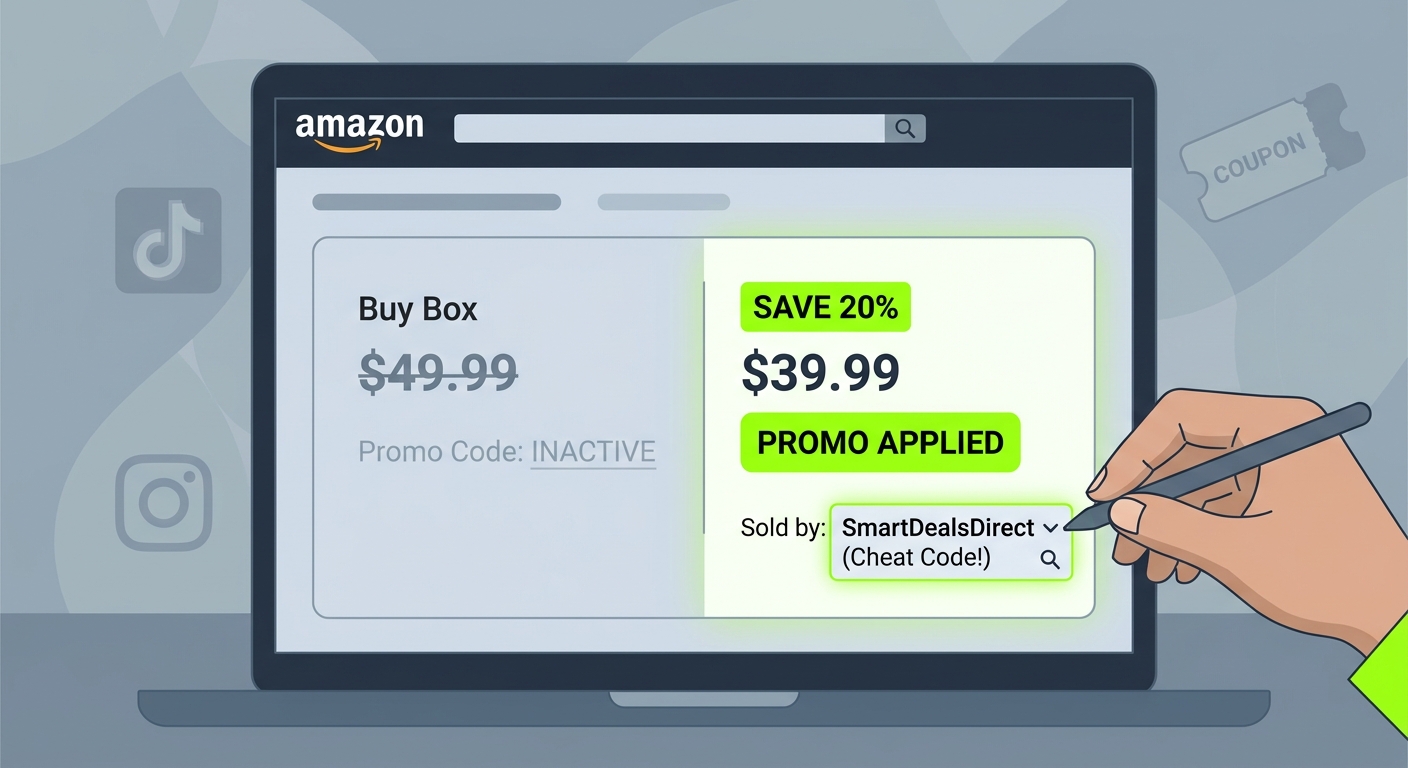
  • The “Double Dip Deal Page” Hack: How To Turn Amazon’s Own Coupon Hub Into A Secret Promo Code Mine

    The “Double Dip Deal Page” Hack: How To Turn Amazon’s Own Coupon Hub Into A Secret Promo Code Mine

    You know that weirdly deflating feeling when you open Amazon’s Deals page, scroll for a minute, and think, “Really? That’s it?” Meanwhile somebody else is posting a screenshot of a 58 percent discount you never even saw. That’s the part that annoys people. It can feel like the good stuff is gone before normal shoppers ever have a chance. The truth is, a lot of the best discounts are not sitting on the main Deals page at all. They are tucked inside Amazon’s own coupon hub, mixed with short-lived promos, clip coupons, and stackable discounts that behave a lot like promo codes. The trick is not refreshing random coupon sites all day. It’s using Amazon’s own screens in a smarter order. Once you know how to filter the coupon page, sort for bigger discounts, and cross-check those items against active deals and price history, you can turn a quick daily check into a very reliable way to spot real 30 to 60 percent savings.

    ⚡ In a Hurry? Key Takeaways

    • The amazon secret coupon page hack is simple: start in Amazon’s coupon hub, filter by category, sort for the biggest discount, then check whether the item also has a live deal or promo.
    • Look for “Clip coupon” discounts that stack with sale prices, Subscribe & Save offers, and limited-time promotions for the best double-dip savings.
    • Stick to Amazon’s own pages and verify recent price history so you avoid fake “discounts” and don’t waste time on dead codes.

    Why the regular Deals page lets so many good bargains slip past you

    Amazon’s main Deals page is fine if you want to browse. It is not great if you want the biggest hidden discounts fast.

    That page is built to show a broad mix of offers. Some are solid. Some are filler. Some are already picked over. And plenty of the best discounts never look special at first glance because they are split across multiple layers. You might see a sale price on one page, a clip coupon on another, and a promotion note buried near checkout.

    That is why this works as a real amazon secret coupon page hack. You stop relying on the front window and start checking the shelves in the back.

    What the “Double Dip Deal Page” hack actually is

    The method is simple.

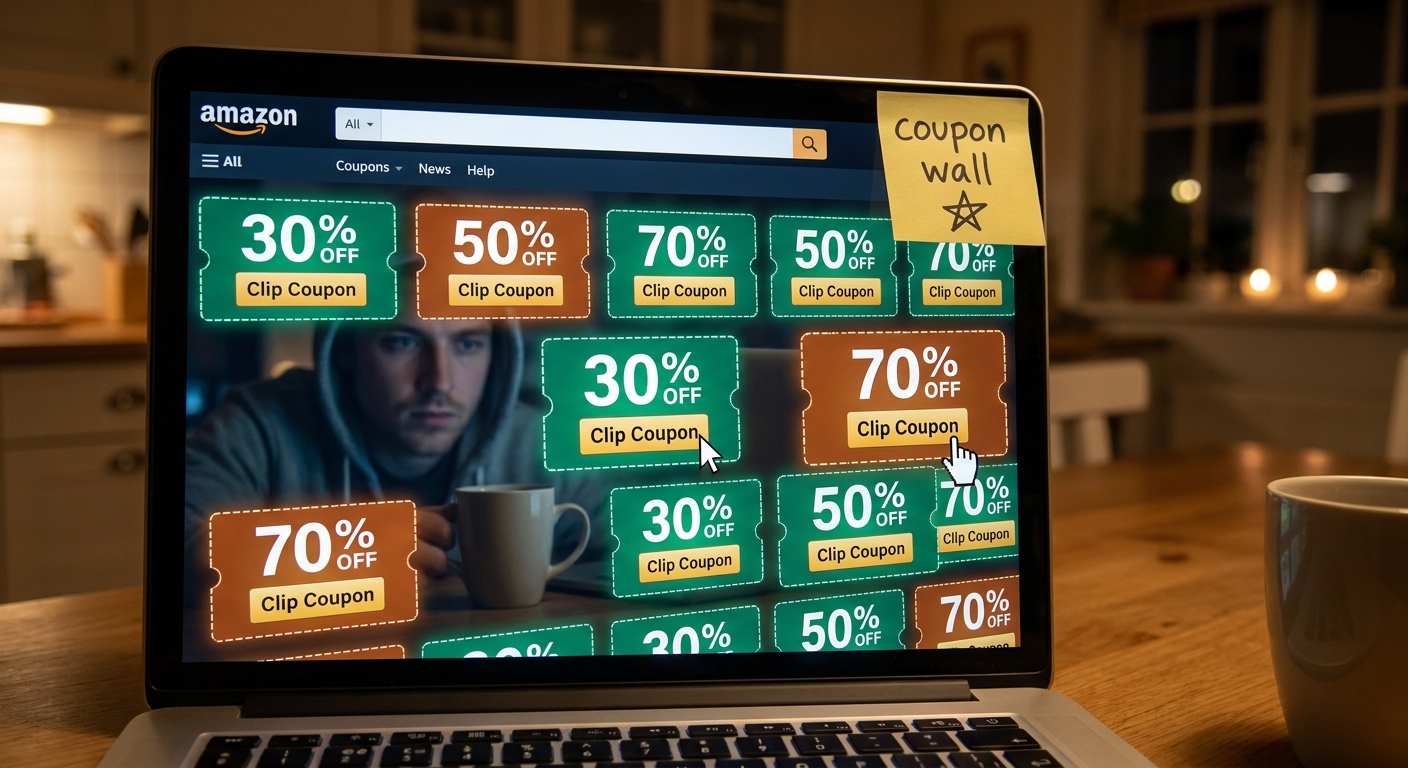
    First, open Amazon’s coupon page. This is Amazon’s own coupon hub where you can “clip” discounts directly to your account. Then narrow the category to something you actually buy, like home, beauty, electronics accessories, pet supplies, or groceries.

    Next, sort or scan for the highest percentage-off offers, not just the prettiest product photos. Your goal is to find products showing strong coupon percentages, especially when the listing also appears to be on sale already.

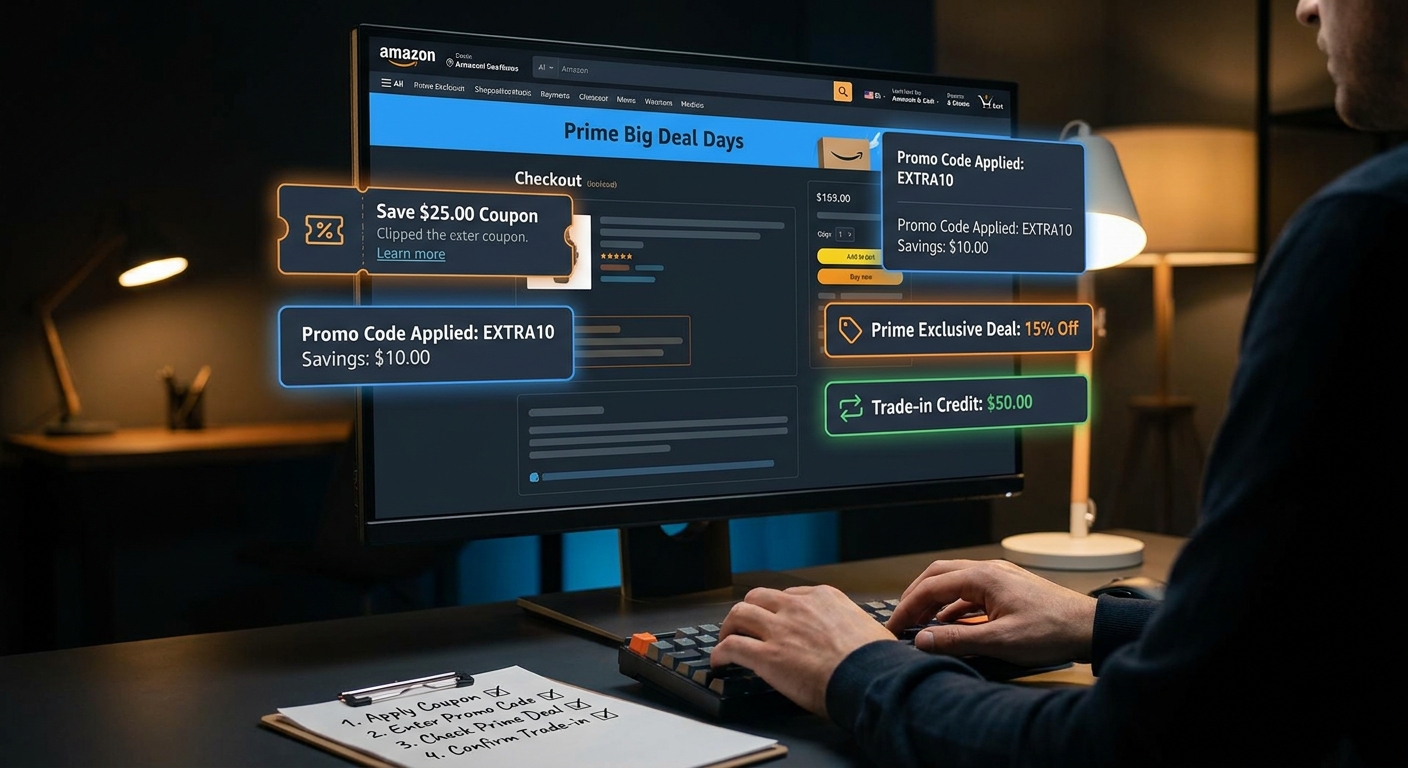
    Then comes the double dip part. Click into the product page and check for three things:

    • A clipped coupon
    • A current sale or limited-time deal price
    • Any extra promotion, such as Subscribe & Save, buy-more-save-more, or a checkout discount

    If two or three of those stack, you have found the sweet spot.

    How to do it in under five minutes

    Step 1: Start at Amazon’s coupon hub, not the homepage

    Search Amazon for “Amazon coupons” or go directly to the coupon section from the menu. This is where many of the hidden percentage discounts live.

    Most people never spend time here. That is exactly why it works.

    Step 2: Filter by category

    Do not leave it on “all.” That is how you end up swimming through junk phone cases and novelty kitchen gadgets.

    Pick categories where Amazon tends to run aggressive coupons. Good hunting grounds include:

    • Beauty and personal care
    • Household supplies
    • Pet products
    • Vitamins and wellness
    • Small electronics and accessories

    These sections often get frequent micro-promos because brands are fighting hard for attention.

    Step 3: Focus on the highest percentages first

    If you are short on time, ignore the tiny coupons. A 5 percent coupon can be fine, but it usually is not the hidden gem people brag about later.

    Look for 20 percent, 30 percent, or higher. That is where this hack starts paying off.

    Step 4: Open the listing and check for stackable extras

    This is the part most shoppers skip.

    On the product page, look for sale badges, Lightning Deal pricing, Prime-exclusive discounts, or Subscribe & Save options. Sometimes the page also mentions a promotion if you buy a certain quantity or apply the coupon before checkout.

    A good deal becomes a great one when the coupon is not working alone.

    Step 5: Check recent price history

    Before you buy, make sure the “discount” is real. Some sellers raise prices and then wave around a coupon to make the final number look better than it is.

    Use a trusted price-history tool or browser extension to compare the current final price against recent pricing. You do not need to study a chart for ten minutes. Just check whether today’s post-coupon price is actually near a recent low.

    What counts as a real double dip

    Here is what you are looking for in plain English.

    Let’s say an item is already marked down from $40 to $28. Then the page offers a 20 percent clip coupon. Now your effective price is closer to $22.40. If there is also a Subscribe & Save option or a buy-two promotion, the price can drop even more.

    That is not a gimmick. That is a layered Amazon discount that many shoppers miss because they never click far enough.

    If you want to stretch those stacked discounts even further, a smart companion read is The ‘Gift Card Shuffle’ Hack: How Discounted Balance Turns Every Amazon Promo Code Into A Bigger Win. It pairs nicely with this strategy because saving on the payment side makes your coupon wins feel even bigger.

    Best categories for this hack right now

    Not every Amazon category plays equally well with coupons.

    The best ones usually have lots of third-party brands competing with each other. Those brands use coupons to climb search results and move inventory quickly. That is why beauty, home essentials, supplements, and pet supplies tend to be packed with short-lived offers.

    Electronics can work too, but usually the better wins are on accessories, chargers, cables, cases, and small gadgets. Big-ticket tech products do get deals, but the coupon stacking is less predictable.

    How to avoid fake savings

    This is the part that matters most.

    Just because there is a coupon does not mean it is a bargain. A few sellers play games with list prices. Others rotate discounts so often that the “sale” is basically the normal price wearing a costume.

    Here are the easy checks:

    • Compare the final price, not the claimed percentage
    • Check recent price history
    • Read enough reviews to make sure the item is real and decent
    • Watch shipping costs and delivery dates
    • Make sure the coupon actually applies before placing the order

    If the final number still looks good after those checks, then you have something worth buying.

    A smart daily routine that does not waste your time

    You do not need to babysit Amazon all day.

    A practical routine looks like this:

    1. Open the coupon hub once in the morning or evening
    2. Filter to one or two categories you care about
    3. Scan only higher-percentage coupons
    4. Open the best candidates in new tabs
    5. Check for stacked promotions and price history
    6. Buy only if the final price beats what you usually see

    That whole process can take five minutes once you get used to it.

    Why this works better than random coupon sites

    Many coupon websites are full of dead codes, expired offers, or vague promises that never show up at checkout. That gets old fast.

    This method is different because you are using Amazon’s own interface. The discount is visible on the platform, tied to a real product, and usually easy to confirm before you pay.

    That makes it safer and less annoying. You are not guessing whether a mystery promo code from a forum post still works. You are checking live discounts where the transaction happens.

    At a Glance: Comparison

    Feature/Aspect Details Verdict
    Main source of hidden savings Amazon’s coupon page often shows clip coupons that do not stand out on the main Deals page, especially in competitive categories. Best starting point
    Double-dip potential Strongest when a coupon stacks with a sale price, Subscribe & Save, or a limited-time promotion. Where the biggest wins happen
    Risk of wasting time Low if you filter by category, aim for higher percentages, and verify price history before buying. Worth doing daily

    Conclusion

    The good Amazon deals are not always gone. A lot of them are just hidden in plain sight. That is why this amazon secret coupon page hack is so useful right now. Amazon’s own coupon hub and Deals surfaces are getting flooded with short-lived, high-percentage coupons and stackable promotions that most shoppers never read as promo-code-level discounts. If you build the habit of filtering the coupon hub by category, scanning for bigger percentages, and then cross-checking those picks against active promotions and recent price history, you give yourself a fast and reliable system. No sketchy websites. No dead codes. No endless scrolling. Just a better way to use Amazon’s own interface to uncover real 30 to 60 percent savings that other shoppers miss.

  • The ‘Gift Card Shuffle’ Hack: How Discounted Balance Turns Every Amazon Promo Code Into A Bigger Win

    The ‘Gift Card Shuffle’ Hack: How Discounted Balance Turns Every Amazon Promo Code Into A Bigger Win

    You know that annoying feeling when Amazon says you saved 32 percent, but your bank account swears it was more like 8? That’s the part that gets people. You clip the coupon. You wait for the Lightning Deal. You paste in a promo code. Maybe you even click through a cashback site. Then the final total still looks weirdly high. You are not doing it wrong. You are just stopping one step too early. The trick many deal hunters are using right now is the amazon discounted gift card hack people call the “Gift Card Shuffle.” It is simple in plain English. Instead of paying Amazon with full-price money, you first buy Amazon gift card balance at a discount, load it to your account, then use that cheaper balance on top of coupons, promo codes, and cashback. That discount on the payment itself is what makes the final number finally look like those Reddit screenshots.

    ⚡ In a Hurry? Key Takeaways

    • The “Gift Card Shuffle” works by paying for Amazon purchases with discounted gift card balance, then stacking that with coupons, promo codes, and cashback.
    • Start with small amounts from trusted gift card marketplaces or card-linked offers, then load the balance before you check out.
    • Big savings are possible, but safety matters. Avoid random sellers, too-good-to-be-true discounts, and any source that feels sketchy.

    What the “Gift Card Shuffle” Actually Is

    Here is the easy version. You buy Amazon credit for less than face value. Then you use that credit to pay for your order.

    Example. You find a $100 Amazon gift card for $92 through a trusted promo, card-linked deal, or reputable resale platform. You load that $100 into your Amazon account. Now every dollar of that balance only cost you 92 cents.

    That means any coupon or promo code you use afterward is hitting an already discounted payment source. It is not magic. It is just math that most shoppers skip.

    Why This Feels Like a “Hack”

    Most people only focus on the product price. Smart deal hunters also focus on the money used to pay for the product.

    If you get 15 percent off the item and 8 percent off the gift card balance that pays for it, your real savings are better than the product page alone shows. Add cashback on top, and that is how ordinary stuff like paper towels, vitamins, phone chargers, and school supplies can land in the 25 to 40 percent savings range.

    If you have ever watched discounts seem to cancel each other out, you might also like The “Cashback Ladder Stack” Hack: How To Turn One Amazon Order Into 3 Hidden Rebates In 5 Minutes. It pairs nicely with this method because the gift card step is often the missing layer.

    Step-by-Step: How To Do the Gift Card Shuffle Safely

    Step 1: Build a short shopping list first

    Do not buy discounted Amazon balance just because you found some. Start with items you already planned to buy tonight or this week.

    That keeps you from turning “saving money” into “buying extra stuff.” It happens fast.

    Step 2: Check the Amazon item page for stackable discounts

    Look for:

    • Clip coupons
    • Limited-time promo codes
    • Lightning Deals
    • Subscribe & Save discounts, if it makes sense
    • Brand promotions like “save 20% when you buy 2”

    This matters because the better the item discount, the more valuable your discounted balance becomes.

    Step 3: Find discounted Amazon gift card balance from safe sources

    This is the important part. You want boring, reputable, and predictable. Not “some guy online with a screenshot.”

    Safer places to start include:

    • Well-known gift card marketplaces with buyer protection
    • Credit card or bank offers that give statement credits on gift card purchases
    • Warehouse clubs or big retail promos that occasionally discount gift cards
    • Cashback portals or apps that run limited promos on gift card merchants

    A good beginner target is 5 to 10 percent off. If you see 25 percent off Amazon balance from an unknown source, slow down. That is where trouble starts.

    Step 4: Buy a small amount first

    Try enough for one order, not your entire holiday budget. A $25 or $50 test run tells you a lot.

    You are checking three things:

    • Did the code redeem cleanly?
    • Did the marketplace deliver exactly what was promised?
    • Did your savings actually survive checkout?

    Step 5: Load the gift card to your Amazon account before checkout

    Redeem it to your Amazon balance first. Do not wait until the last second if the promo code or coupon has time pressure.

    That way, when you are ready to check out, the discounted balance is already sitting there.

    Step 6: Apply coupons and promo codes in the right order

    Amazon usually handles on-page coupons automatically once clipped, but you still need to confirm the discount appears at checkout. Then add any promo code and double-check the subtotal again.

    Only after that should you confirm payment is drawing from your gift card balance.

    Step 7: Add cashback last, and do not break the chain

    If you are using a cashback portal, start the click-through fresh in the same browser session. Avoid opening ten tabs, switching devices, or adding unrelated coupon browser extensions at the last second.

    Cashback tracking can be fussy. Clean and simple wins.

    A Real-World Example

    Let’s say you want household basics totaling $60.

    • The items have a clipped coupon worth 15 percent off, dropping the total to $51.
    • You bought a $50 Amazon gift card for $45 from a trusted source.
    • You use that $50 discounted balance plus $1 from your regular payment method.
    • You also get 4 percent cashback through a portal on the eligible order amount.

    Your sticker total is $51, but your real out-of-pocket cost is closer to $46. That is before counting the cashback. Once the cashback posts, your effective total drops again.

    That is why the amazon discounted gift card hack gets so much attention. The savings hit in layers.

    Best Items for This Strategy

    This works best on practical purchases, not impulse gadgets you did not need.

    Good targets include:

    • Groceries and pantry items
    • School supplies
    • Toiletries
    • Cleaning products
    • Cables and backup chargers
    • Pet supplies
    • Vitamins and household basics

    These are the items where a 20 to 35 percent total savings rate actually changes your monthly budget.

    Where People Mess This Up

    Buying from risky sellers

    If the source feels murky, skip it. A fake discount is not a discount.

    Buying too much balance too early

    Amazon balance is useful, but it is still locked to Amazon. Do not tie up hundreds of dollars just because a deal looked exciting.

    Forgetting the order of operations

    Item discount first. Gift card balance loaded second. Cashback click-through right before checkout.

    Chasing every stack

    Sometimes the clean deal is the best deal. If combining six moving pieces makes you nervous, do three. You do not need a circus act to save money.

    How To Spot a Safe Discounted Gift Card Opportunity

    Use this quick gut-check list:

    • The seller or platform has a solid reputation
    • There is clear buyer protection or refund support
    • The discount is believable, not absurd
    • The delivery method is clear
    • You can test with a small amount first

    If you cannot explain to a friend how the discount is happening, do not send money yet.

    How This Fits With Promo Codes and Secret Coupon Tricks

    The nice thing about this method is that it does not replace your usual coupon hunting. It improves it.

    Think of it like putting cheaper gas in the same car. The route stays the same. The trip just costs less.

    So if you already track hidden Amazon promo codes, category coupons, and limited-time brand discounts, the Gift Card Shuffle becomes your extra layer. It is often the difference between “decent deal” and “why didn’t I do this sooner?”

    At a Glance: Comparison

    Feature/Aspect Details Verdict
    Savings potential Discounted gift card balance can add 5 to 10 percent savings before item coupons and cashback are even counted. Very good when stacked carefully
    Ease of use The process is simple after one practice run, but timing and order matter. Beginner-friendly with a small test purchase
    Risk level Safe if you use reputable sources and modest amounts. Risky if you chase huge discounts from unknown sellers. Low to moderate, depending on source

    Conclusion

    If your Amazon receipts never seem to match the “look what I paid” brag posts, this is probably the missing piece. The Gift Card Shuffle is not about gaming the system. It is about paying with discounted balance first, then letting your coupons, promo codes, and cashback do their job on top. Right now, deal communities are buzzing about stacking these layers to reach 25 to 40 percent savings on everyday buys, not just Prime Day showpieces. Keep it clean. Use safe sources. Start small. Then use it on real-life stuff like groceries, school supplies, or backup chargers. That is where this trick stops being internet chatter and starts saving you money tonight.

  • The “Hidden Social Share” Hack: How Amazon’s Off-Platform Promo Links Unlock Secret Checkout Prices

    The “Hidden Social Share” Hack: How Amazon’s Off-Platform Promo Links Unlock Secret Checkout Prices

    You are not imagining it. You see someone on TikTok or Reddit grab an Amazon gadget for 60 percent off, then you search the exact same item and get the plain old full price. It is frustrating, and it makes a lot of shoppers feel like they are always arriving five minutes too late. The annoying part is that you are often not doing anything wrong. Amazon has been pushing more of its steep discounts into off-platform campaigns, creator links, and social-share funnels instead of the older public promo pages people used to check. So the deal is real, but it may only appear if you enter through the right link. That is the hidden social share trick. If you know how these links work, and where to find fresh ones, you can often trigger checkout prices that never show up in regular Amazon search results. That is where the real savings are hiding right now.

    ⚡ In a Hurry? Key Takeaways

    • Many of the best Amazon discounts now live inside social-share or creator links, not in normal search results or old promo hubs.
    • If a deal video shows a huge discount, tap the exact link, add the item quickly, and always verify the final price at checkout before paying.
    • Be careful with random coupon sites. Dead codes and recycled listings are common, so tested live links are worth more than copied promo text.

    What the “hidden social share” hack actually is

    Despite the word hack, this is not shady. You are not breaking into anything. You are simply entering Amazon through a campaign link that was built for a creator, a social ad, or a limited promo push.

    Think of it like a side door. The product is the same. The seller is the same. But the discount is attached to that entry path, not always to the public listing you see in search.

    That is why a regular Amazon search can show $39.99 while a weird, shortened social link quietly drops it to $19.99 at checkout.

    Why this is happening more now

    Amazon used to make some discounts easier to spot through public promo pages and broader coupon visibility. That system has become less useful, and some of those old pages have been deprecated or just stopped being the best place to look.

    At the same time, brands still want fast sales. They want outside traffic. They want creators posting “look what I found” videos. So more aggressive percentage-off offers are being routed through off-platform promotions instead.

    That means the best amazon secret promo code social media links often show up in places like:

    • TikTok creator captions
    • Reddit deal threads
    • Facebook deal groups
    • Telegram bargain channels
    • Influencer storefront pages
    • Shortened tracking links shared in comments or bio pages

    Why normal searching fails

    Most shoppers do what seems logical. They copy the product name into Amazon search, find the item, and expect the same discount to appear. Usually, it does not.

    That is because many of these offers are attached to one or more of the following:

    A specific referral path

    The link itself may carry tracking or campaign details that help trigger the promo.

    A clipped coupon plus hidden promo stack

    You might need to enter through the campaign link, then clip a coupon, then see the rest come off at checkout.

    A limited audience or time window

    Some deals are live only for a short burst, or until a set number of redemptions is used up.

    A variation-specific offer

    The blue version might be discounted. The black one might not. The social post often skips that detail.

    How to spot a real social-share discount

    The easiest clue is when a creator or deal hunter does not post a plain coupon code by itself. Instead, they tell you to “use my link” or “tap the product link in bio.”

    That usually means the discount is not fully public.

    Other signs a deal may be tied to a hidden social-share link:

    • The product page shows a small coupon, but the huge savings only appear at checkout
    • The URL looks long, messy, or shortened
    • The deal works for some people but not others after they search manually
    • The creator warns that the promo may disappear fast

    If this sounds familiar, you may also want to read The ‘Influencer Cart Clone’ Hack: How To Hijack TikTok’s Secret Amazon Promo Codes Before They Vanish, which explains why those flashy creator discounts seem to vanish the second you try to copy them.

    How to use these links without wasting your time

    This is the practical part. If you want the best shot at a secret campaign price, use a simple routine.

    1. Open the exact link first

    Do not search the item manually right away. Start with the creator or social-share URL exactly as posted.

    2. Check the listing details carefully

    Look at size, color, pack count, and seller. Social deals often apply only to one specific version.

    3. Clip any visible coupon

    Even when the social link is the key, there may still be a checkbox coupon on the page that needs to be clipped.

    4. Add to cart and go to checkout

    This is where the truth shows up. The final discount often appears only in the last step before payment.

    5. Move quickly, but do not panic-buy

    These promos can expire fast. Still, always confirm the final total before placing the order.

    6. If it fails, do not keep testing random codes forever

    That is where people waste 20 minutes. If the live link no longer works, the promo may simply be dead.

    Why coupon sites keep letting shoppers down

    A lot of coupon websites are basically graveyards. They copy promo text, keep expired pages up, and hope something still sticks. That is why you end up trying five codes at checkout and watching every one fail.

    Social-share links are different because they are often tied to a currently running campaign, not a dusty list of old promo attempts.

    That does not mean every social link works. Plenty expire. But a tested live link is much more useful than a page full of recycled coupon guesses.

    Where these “secret” links usually surface first

    If you want a better system, stop relying on generic searches like “Amazon promo code today.” Those broad searches are usually the slowest path.

    Fresh off-platform promo links usually appear first in smaller communities where people post in real time. That can include niche subreddits, creator comments, short-form video descriptions, and private bargain groups.

    The ugly truth is that the best deal is often hidden inside the ugliest URL.

    How to stay safe while chasing hidden Amazon deals

    You should absolutely be a little cautious here. Not because the concept is dangerous, but because the internet is messy.

    Stick to links that still land on Amazon

    If the final checkout happens on Amazon and the seller looks normal, that is a good sign. If the link sends you through multiple strange pages, back out.

    Never trust screenshots alone

    People love posting “look what I paid” screenshots. Nice, but not proof the deal is still live.

    Watch for fake urgency

    Some promos are truly limited. Others use countdown drama to rush you. The final checkout price is what matters.

    Do not save payment info on random third-party sites

    The whole point is to use an outside link that ends on Amazon, not to buy through a mystery page.

    What to do when the price does not match the video

    This happens all the time. A creator shows a huge discount, but when you click, you get something less exciting.

    Usually, one of four things happened:

    • The promo reached its redemption limit
    • The creator linked a specific variation and you landed on another one
    • The coupon needed to be clipped before checkout
    • The video is old, but still being pushed by the algorithm

    If you miss one deal, do not assume the whole method is fake. It just means these campaigns are moving targets. Timing matters.

    Why this matters for regular shoppers

    You should not need a secret decoder ring to buy a kitchen gadget at the same price you just saw online. But that is where things are right now.

    Amazon and sellers are rewarding outside traffic. Creators are acting like mini deal funnels. Public promo pages are no longer the whole story. So if you only search on Amazon the old-fashioned way, you are often seeing the least interesting price.

    That is exactly why communities that monitor and test working social-share links have become useful. They cut through the dead-code clutter and focus on promos that still fire at checkout.

    At a Glance: Comparison

    Feature/Aspect Details Verdict
    Regular Amazon search Shows standard listing price and visible coupons, but often misses creator or social campaign discounts. Easy, but often not the cheapest path.
    Old coupon-code sites Frequently filled with expired, copied, or generic codes that fail at checkout. Low trust, high time-waste.
    Social-share promo links Can unlock hidden campaign pricing tied to creators, niche communities, or limited external funnels. Best chance at “secret” discounts if the link is still live.

    Conclusion

    The big takeaway is simple. If you keep missing those flashy Amazon deals from TikTok and Reddit, the problem is not always bad luck. Right now Amazon is quietly shifting more aggressive percentage-off promos into creator campaigns, targeted social pushes, and external funnels instead of the old public promo-code hub. That means the best savings are often locked inside short, awkward links that never show up in a normal search. Once you know that, you can stop wasting time on dead code lists and start looking where the live discounts actually are. Better yet, when a community is actively monitoring and testing which social-share links still work at checkout, you get a real shortcut to those hidden prices before they vanish. That is not gaming the system. It is finally shopping with the right map.

  • The “Cashback Ladder Stack” Hack: How To Turn One Amazon Order Into 3 Hidden Rebates In 5 Minutes

    The “Cashback Ladder Stack” Hack: How To Turn One Amazon Order Into 3 Hidden Rebates In 5 Minutes

    You are not imagining it. Amazon discounts really do seem to disappear the second you try to combine them. You clip a coupon, paste in a promo code, click through a cashback app, and somehow the final price goes up or the rebate vanishes into thin air. That is why so many shoppers give up and assume stacking is just internet folklore.

    The good news is there is a repeatable way to do this. If you want to know how to stack amazon cashback and promo codes without breaking the deal yourself, think in layers. First, lock in outside cashback. Second, check for a hidden bank or card portal boost. Third, add Amazon’s own targeted credits, coupons, or promo offers in the right order. The trick is not finding magic codes. It is keeping one discount from canceling another. Once you know the sequence, you can turn one order into two or three real rebates in about five minutes.

    ⚡ In a Hurry? Key Takeaways

    • Yes, you can often stack Amazon savings by combining external cashback, a bank or card portal offer, and Amazon’s own coupon or targeted credit.
    • The safest order is: activate card or bank offer first, click through cashback second, then clip coupons and apply Amazon promos last at checkout.
    • Do not use random browser coupon tools during checkout. They can overwrite your cashback tracking or trigger a different discount path.

    The simple version of the cashback ladder stack

    Think of this as a three-rung ladder.

    Rung 1: External cashback

    This is your Rakuten, TopCashback, BeFrugal, or similar app. You click out from their site or app into Amazon. If the category qualifies, you earn a percent back on the purchase.

    Rung 2: Bank or card portal boost

    This is the part most people miss. Some banks, credit cards, and reward malls quietly offer extra points, statement credits, or bonus cash back for Amazon purchases. If you have never checked these, read The ‘Bank Portal Loop’ Hack: How To Turn Boring Reward Malls Into Secret Amazon Promo‑Code Level Prices. It explains why these boring-looking portals can beat the usual coupon hunt.

    Rung 3: Amazon’s own discount layer

    This includes clipped coupons on the product page, spend-X-get-Y credits, gift card reload promos, no-rush shipping credits, Prime card incentives, or one-time promo codes tied to your account.

    The stack works when each layer is activated without breaking the next one.

    The 5-minute playbook that actually works

    Step 1: Start with the item and check if it is even stack-friendly

    Open the Amazon product page first, but do not check out yet.

    Look for these clues:

    • A green coupon checkbox on the product page
    • A line that mentions a promotional credit after purchase
    • A “Shop items” page tied to a spend threshold deal
    • Category exclusions that say cashback may not apply

    If the item is sold by a third-party seller, cashback tracking and promo eligibility can get messy. “Ships from and sold by Amazon” is usually easier.

    Step 2: Save the item for later, then back out

    Add the item to your cart or save it for later. This is just so you do not lose it while checking the other layers.

    Then close extra tabs. Seriously. Amazon tracking gets weird when you bounce around too much.

    Step 3: Activate your bank or card offer first

    Before you click through a cashback site, check these places:

    • Amex Offers
    • Chase Offers
    • Capital One Offers
    • Bank of America merchant deals
    • Your airline or hotel shopping portal

    You are looking for things like:

    • Spend $50 on Amazon, get $10 back
    • Earn 3 extra points per dollar
    • Get a bonus for buying through a shopping portal

    Add the offer to your card if needed. If it is a portal, read the fine print. Some portals want you to start the Amazon session through them. Others are card-linked and do not care how you arrive at checkout.

    Step 4: Open your cashback app and click through to Amazon

    Now go to Rakuten or your cashback app of choice and search Amazon. This is where a lot of people get disappointed, because Amazon cashback is often category-based, not sitewide.

    That means you might get 10 percent on select home goods, 3 percent on tools, and nothing on electronics.

    Check the exact category payout before clicking. Then click through to Amazon and start a fresh shopping session.

    Step 5: Clip Amazon coupons after you land on Amazon

    Once you are back on the product page, clip the coupon if one is available.

    This usually does not break cashback by itself. What can break cashback is using an outside extension that tries multiple codes or sends you through another referral link.

    Step 6: Apply any Amazon promo code or targeted credit at checkout

    This is where targeted offers matter. Amazon often has account-specific promos like:

    • Use one Membership Rewards point, get up to 40 percent off
    • Reload $100 gift card, get $10 credit
    • Spend $60 on select items, get $15 promotional credit

    Apply these carefully. Read whether the deal is instant at checkout or delivered later as a promotional credit. Those are not the same thing.

    If the offer says “credit applied to your account after shipping,” do not expect the cart total to drop. The discount is real, but it comes later.

    Why people accidentally kill their own rebate

    Usually it is one of five things.

    1. They click too many cashback sites

    Only one referral source gets credit. Last click usually wins. If you clicked Rakuten, then Capital One Shopping, then Honey, you probably just overwrote the first one.

    2. They let a browser extension “test codes”

    This is the fastest way to lose tracking. Those tools often inject a new referral path or apply a code that is not compatible with your current offer.

    3. They confuse coupons with post-purchase credits

    A clipped coupon lowers today’s price. A promotional credit may only show up after the item ships, and sometimes only for future eligible items sold by Amazon.

    4. They use the wrong payment method

    If your card-linked offer is on Card A but you check out with Card B, that layer is gone.

    5. They buy in a category with zero cashback

    Amazon cashback portals often exclude gift cards, subscriptions, digital content, some electronics, and certain third-party sellers.

    A real-world stacking example

    Let’s say you are buying a $200 kitchen appliance.

    • Amazon product page coupon: 10% off, saves $20
    • Rakuten category cashback: 8%, earns $14.40 if cashback tracks on the discounted subtotal and excludes tax
    • Amex Offer: Spend $150, get $20 back
    • Amazon targeted promo: Spend $100 on select home items, get a $15 future credit

    Your math could look like this:

    • Starting price: $200
    • Coupon clipped: down to $180
    • Amex statement credit: effective cost down to $160
    • Cashback earned: effective cost down to about $145.60
    • Future Amazon credit: effective value down to $130.60

    That is not a fake coupon site fantasy. That is just proper stacking, in order.

    What counts as a “hidden rebate” on Amazon right now

    Not every deal is a classic promo code. Some of the best savings are hidden in plain sight.

    Targeted payment promos

    Amazon regularly runs offers tied to one tiny reward point from Amex, Discover, or Chase. If your account is targeted, using a single point can unlock a big percentage discount.

    Delayed promotional credits

    No-rush shipping credits, digital credits, and category-specific future credits are easy to ignore because they do not lower today’s total. But they still count if you know you will use them.

    Gift card and reload offers

    Sometimes Amazon gives a bonus for adding funds or buying a gift card. Sometimes banks give a bonus for the same transaction. You need to read the exclusions, but this can be another quiet layer.

    Prime card or store card financing perks

    If your card includes extra back on Amazon purchases or special financing, compare that with portal cashback. Sometimes the instant financing option is less valuable than a stacked rebate.

    The safest checkout sequence

    If you want one simple rule to follow, use this order:

    1. Check the item and confirm it has a coupon or promo eligibility.
    2. Activate card-linked offers in your bank or credit card account.
    3. Click through your chosen cashback portal or app.
    4. Return to the item page and clip the Amazon coupon.
    5. At checkout, use the exact payment method tied to your offer.
    6. Apply any Amazon promo code or targeted payment discount.
    7. Take screenshots before placing the order.

    The screenshot part matters more than people think. Save the cart total, offer terms, and confirmation page. If cashback fails to track or a statement credit never posts, you have proof.

    When not to bother stacking

    Sometimes the stack is more trouble than it is worth.

    Skip the gymnastics if:

    • The item is low-cost and the savings are only a few dollars
    • The portal excludes the category
    • The promo requires subscribing, financing, or using a card you do not want
    • The “credit” is only for digital items you will never buy

    The goal is not to win the internet. It is to pay less without creating a headache.

    If a rebate does not show up, here is what to check

    Missing cashback

    Wait the portal’s tracking window. Some show as pending within hours. Others take days. Then file a missing cashback claim with your click timestamp, order date, and subtotal.

    Missing Amazon promotional credit

    Check your order confirmation and the original promo terms. Many credits post after shipment, not at purchase. Some only work on items sold by Amazon.

    Missing card statement credit

    Look at the merchant coding, the exact card used, and the offer expiration date. Statement credits can take several days to appear.

    At a Glance: Comparison

    Feature/Aspect Details Verdict
    External cashback Best for category-based percent back through apps like Rakuten or TopCashback. Tracking can fail if you click around too much. Worth using, but keep your session clean.
    Bank or card portal boosts Can add statement credits or bonus points that stack with Amazon discounts. Often overlooked because they are hidden inside your bank account. The easiest “extra” layer to miss, and often the most valuable.
    Amazon coupons and targeted credits Includes clipped coupons, payment promos, spend-X-get-Y deals, and delayed promotional credits. Terms vary a lot. Great when targeted, but read the fine print before assuming the savings are instant.

    Conclusion

    Amazon stacking is real. It is just fussy. Right now the best deals are coming from short-fuse promos, rotating cashback rates, and quiet card-linked incentives that most shoppers either miss or accidentally cancel. That is why a simple routine matters so much. If you activate the outside cashback, add the hidden bank or card boost, and then layer in Amazon’s own coupon or credit in the right order, you stop relying on random luck. You start using a system. Done right, this can shave 20 to 40 percent off some purchases without touching shady code sites or wasting half an hour on dead coupon lists. Keep the session clean, use the right card, take screenshots, and treat every Amazon order like a three-step stack instead of a one-click impulse buy.

  • The “Auto Wishlist Price-Trip” Hack: How To Turn Amazon’s Price Alerts Into Secret Promo-Code Level Drops

    The “Auto Wishlist Price-Trip” Hack: How To Turn Amazon’s Price Alerts Into Secret Promo-Code Level Drops

    You know the routine. You search for an Amazon promo code, click three sketchy coupon sites, copy a code that expired last month, and still end up paying full price. Meanwhile, the real bargains often come from something much less flashy. A quiet price drop. A tiny coupon box on the product page. A short window right after Prime Day, Black Friday, or a random Tuesday afternoon when Amazon starts nudging prices around. That is why the best Amazon wishlist price drop alerts hack is not code hunting at all. It is building a smart wishlist and setting up alerts that only fire when an item hits your personal buy-now number. Done right, this feels less like bargain hunting and more like having a calm little system working in the background. No endless scrolling. No fake urgency. Just your phone buzzing when a product you actually want drops into real deal territory.

    ⚡ In a Hurry? Key Takeaways

    • The best Amazon wishlist price drop alerts hack is to track specific items with your own target prices instead of chasing random promo codes.
    • Use an Amazon wishlist plus a price tracker like CamelCamelCamel or Keepa, then check for on-page coupons when the alert hits.
    • This method is safer and more useful than coupon-code sites because it focuses on real checkout prices, not fake or expired offers.

    Why this works better than promo code hunting

    Most Amazon shoppers are looking in the wrong place.

    They hunt for codes. Amazon often does not work that way. Many of its best discounts show up as one of these:

    • A direct price drop
    • A clickable coupon on the product page
    • A limited-time sale that stacks with a coupon
    • A seller discount that appears for only a few hours

    The problem is simple. If you are not already watching that item, you miss it.

    That is where the Amazon wishlist price drop alerts hack comes in. You make a shortlist of items you truly want, decide the price that would make you buy, and let tracking tools do the boring part.

    The smart wishlist system, step by step

    Step 1: Build a clean wishlist, not a giant dumping ground

    Start with a dedicated Amazon wishlist for items you are seriously considering. Not every maybe. Not every shiny gadget you saw on social media. Keep it tight.

    A good smart wishlist usually has:

    • 10 to 25 items
    • Products you would actually buy in the next 1 to 3 months
    • Specific models, sizes, and colors

    This matters because alerts are only useful if they mean something. If your list is stuffed with random junk, your phone becomes another source of noise.

    Step 2: Set your personal “buy-now” price for each item

    This is the part most people skip.

    Do not just say, “Alert me when it gets cheaper.” Decide on the exact number. For example:

    • Air fryer at $79 or less
    • Noise-canceling headphones at $199 or less
    • Protein powder when the price per ounce drops below your usual brand

    Your target should be based on what the item normally sells for, not the inflated list price with a giant fake discount next to it.

    If you are not sure what “cheap” really looks like, check the product’s price history. That shows whether today’s “deal” is actually normal.

    Step 3: Use a tracker that watches price history and drops

    Amazon itself does not give great custom alert tools for most shoppers, so you will want a tracker.

    The two most popular choices are:

    • CamelCamelCamel, simple and beginner-friendly
    • Keepa, more detailed and powerful

    Paste the Amazon product link into one of those services and set your desired alert price.

    Now the system starts working for you. When the product dips to your number, you get the alert.

    Step 4: Check for the hidden coupon box before you buy

    This is the part that feels like a secret promo code.

    When your alert arrives, open the Amazon product page and look carefully for:

    • A “Save 5%” or “Save 20%” coupon checkbox
    • A Prime-only coupon
    • A subscribe-and-save extra discount
    • A limited seller promotion shown below the price

    These little boxes often appear and disappear fast. That is why people miss them. The alert gets you to the page at the right moment. The coupon is the bonus layer.

    Sometimes the price tracker catches the drop, but not the coupon itself. That is fine. Your job is to treat the alert as a signal to inspect the page right away.

    Step 5: Take a screenshot before checkout

    This sounds fussy, but it is smart.

    Amazon pricing can change quickly. If you see a price drop and a coupon, take a quick screenshot before adding to cart. That gives you a record in case the discount disappears mid-checkout or you need to compare the final price.

    How to spot a real deal versus a fake discount

    Not every drop is a bargain.

    Here is a simple filter I use:

    • Check the 30 to 90-day price history. If today’s sale price happens every week, it is not special.
    • Compare the final checkout price. Include coupons, subscribe-and-save discounts, and shipping if any.
    • Watch out for inflated “list prices.” A product marked down from $129 to $79 may really live at $82 most of the year.
    • Check the seller. Stick with Amazon or reputable sellers for expensive items.

    The goal is not to get a discount. It is to get a genuinely good price.

    Best times to use this hack

    This method works all year, but it is especially useful right after big sales events.

    Why? Because Amazon often keeps testing prices after the event ends. Some items rebound. Others drop again quietly. Some sellers add coupons to stay competitive after the big rush.

    Watch especially during:

    • The week after Prime Day
    • The days right after Black Friday and Cyber Monday
    • Holiday weekends
    • End-of-month seller push periods

    This is when patient shoppers often beat the people who panic-bought during the main event.

    A simple example of the hack in real life

    Let’s say you want an electric toothbrush that usually sells for about $99.

    • You add it to a dedicated Amazon wishlist
    • You decide your real buy-now number is $69
    • You set an alert in CamelCamelCamel or Keepa for $69
    • Three days after Prime Day, the alert hits because the price falls to $71
    • You click through and notice a hidden 10% coupon box on the product page
    • Your final price drops below $64

    That is the trick. The price alert got you there. The coupon did the rest.

    Mistakes that ruin the system

    Tracking too many items

    If everything is “important,” nothing is. Keep your list focused.

    Setting weak thresholds

    If you ask for an alert every time the price drops by $2, you will tune out the notifications. Set numbers that matter.

    Ignoring the final page

    The whole point is that Amazon’s best discounts are often hiding on the product page itself. Do not buy straight from the alert screen without looking.

    Assuming every alert is urgent

    Some items dip often. If the price history shows regular drops, you may want to wait for an even better one.

    Which tool should beginners use?

    If you want easy, start with CamelCamelCamel.

    If you want more detail, start with Keepa.

    CamelCamelCamel is cleaner for casual shoppers. Keepa is better if you like graphs, seller data, and more advanced tracking. Either one can power this Amazon wishlist price drop alerts hack just fine.

    Is this better than deal forums and coupon sites?

    For most people, yes.

    Deal forums can be useful, but they are noisy. Coupon sites are even worse. You waste time sorting fake wins from real ones.

    This system flips that around. Instead of reacting to everybody else’s deals, you set your own rules first.

    That is why it feels calmer. And usually saves more money.

    At a Glance: Comparison

    Feature/Aspect Details Verdict
    Promo code hunting Often leads to expired, fake, or tiny discounts that do not match the exact product you want. Low success rate. High annoyance.
    Smart wishlist plus price alerts Tracks only your chosen products and alerts you when they hit your preset target price. Best balance of effort and savings.
    Coupon check at alert time Lets you catch hidden on-page coupons or stackable discounts that trackers may not fully show. The secret sauce. Always worth 10 extra seconds.

    Conclusion

    If you are tired of chasing Amazon promo codes that go nowhere, this is the better move. Right after Prime Day and other big events, Amazon quietly plays with prices and rolls out short-lived coupons that almost nobody sees unless they happen to be on the product page at the right second. A smart wishlist changes that. You pick the items, set real thresholds, and let the alerts do the watching. Then, when your phone buzzes, you check the page for that extra coupon box and decide fast. It turns the chaos of price swings into a calm, rule-based setup where your phone only buzzes when an item you actually want drops into genuine steal territory. That is the whole win. Less noise, fewer fake deals, and a much better shot at paying the price you actually wanted.

  • The ‘Bank Portal Loop’ Hack: How To Turn Boring Reward Malls Into Secret Amazon Promo‑Code Level Prices

    The ‘Bank Portal Loop’ Hack: How To Turn Boring Reward Malls Into Secret Amazon Promo‑Code Level Prices

    You know that feeling. You finally find an Amazon item you need, clip the little coupon, try Honey or another browser add-on, search Reddit for a working code, and still end up paying basically full price. Meanwhile, your bank or card rewards portal is sitting there like wallpaper, offering weird promos most people ignore. That is where the real trick often starts. The so-called amazon bank rewards portal hack is not a shady loophole. It is just a smarter route. Instead of hoping Amazon shows you a big public discount, you buy discounted Amazon gift cards or trigger boosted cash back through your bank, card issuer, or shopping portal first, then use that value at normal checkout. The item page never shows a magical promo code, but your final cost can drop like one was applied. It is boring on the surface. That is exactly why so many shoppers miss it.

    ⚡ In a Hurry? Key Takeaways

    • The amazon bank rewards portal hack works by buying Amazon value through a bank, card, or cash-back portal first, then spending that balance on Amazon like a private discount.
    • Check for short-window promos on Amazon gift cards, portal boosts, and card-linked offers before you shop. The order matters.
    • Stay safe by using only official bank portals, major cash-back sites, and terms that clearly allow gift card purchases.

    What the “bank portal loop” actually is

    Let’s make this simple.

    You start outside Amazon. Not on the product page. Not in a coupon extension. You check whether your bank rewards mall, your credit card offers page, or a cash-back shopping portal is paying extra on either Amazon itself or on stores that sell Amazon gift cards.

    Then you buy Amazon spending power at a discount, or earn boosted rewards while doing it. After that, you load the gift card to your Amazon balance and shop as usual.

    That is the loop.

    The reason it feels like a secret promo code is because the savings happen before checkout, not during checkout.

    Why this works better than chasing public Amazon promo codes

    Public Amazon codes are usually limited, item-specific, account-specific, or dead by the time most people see them. Portal offers are different. They are often tied to your bank login, your rewards program, or a partner store promotion. That means fewer people are piling in at once.

    Also, these promos move fast. A bank may offer 5 percent back at Amazon for three days. A card issuer may give a statement credit for a qualifying purchase. A rewards mall might quietly sell gift cards at a discount or with bonus points. Those are not always headline deals, but stacked together they can beat the obvious coupon blogs.

    If you liked the idea of stacking hidden savings, you would probably also like The ‘Gift Card Double-Dip’ Hack: How Stacking Quiet Card Bonuses With Amazon Deals Becomes a Secret Promo Code. It covers the same basic mindset. Get the discount before Amazon ever totals your cart.

    Where to look first

    1. Your bank’s rewards mall or shopping portal

    Many banks have a “shop with us” section buried inside online banking. It may be called rewards, shopping deals, earn more, bonus mall, or offers. Look for Amazon, gift cards, department stores, office supply stores, grocery chains, and big-box retailers.

    You are looking for things like:

    • Extra cash back at Amazon
    • Bonus points per dollar at a store that sells Amazon gift cards
    • Discounted gift cards in the rewards catalog
    • Limited-time spend offers, like spend $100 and get $10 back

    2. Credit card “offers” pages

    American Express, Chase, Citi, Bank of America, Capital One, and others often run merchant-specific offers. Sometimes it is direct Amazon spending. Sometimes it is through places like Best Buy, Staples, Walgreens, Kroger, or other sellers that may carry Amazon gift cards.

    The key point is this. A deal does not have to say “Amazon” to help you save on Amazon.

    3. Cash-back portals

    Rakuten, TopCashback, BeFrugal, and airline shopping portals sometimes run temporary rates that beat your bank’s offer. The winning move is to compare before buying. Some portals track on gift cards, some do not. Some track only on physical cards, some only on e-gift cards, and some exclude them entirely.

    Read the terms. It is not exciting, but it is where the money is.

    How to do the loop step by step

    Step 1: Find the best route

    Before buying anything, compare these three paths:

    • Direct bonus at Amazon
    • Bonus at a retailer that sells Amazon gift cards
    • Discounted gift cards inside a bank or rewards catalog

    Example. Let’s say your bank portal offers 8 percent cash back at an office supply store, and that store sells Amazon gift cards. That may beat a direct 3 percent offer at Amazon.

    Step 2: Check the exclusions

    This part saves headaches later. Look for wording such as:

    • Gift cards excluded
    • Only valid on in-store purchases
    • Only valid on first purchase
    • Maximum reward cap
    • Offer valid only after activation

    If gift cards are excluded, do not assume the portal will pay anyway. Sometimes people get lucky. Luck is not a plan.

    Step 3: Buy only what you can use soon

    Do not turn this into a garage full of digital coupons. Buy Amazon balance in amounts you are likely to use in the near term. A modest $50, $100, or $200 test is smarter than loading up just because the rate looks exciting.

    Step 4: Load to your Amazon account

    Once you have the gift card code, redeem it to your Amazon balance. Now your next purchase is effectively subsidized by the portal or rewards bonus you triggered earlier.

    Step 5: Stack with normal Amazon deals

    This is where the trick gets fun. You can still use:

    • Lightning deals
    • Subscribe & Save
    • On-page coupons
    • Warehouse deals
    • Price drops

    The portal loop does not replace those. It sits underneath them.

    The three versions of this hack that work best

    Version 1: Direct Amazon boost

    Your bank or card gives extra rewards at Amazon this week only. Easy. Click through the portal or activate the offer, buy your item, and get the bonus.

    This is the simplest route, but often not the best-paying one.

    Version 2: Gift card route

    You earn bonus rewards at another merchant, buy Amazon gift cards there, then use them on Amazon.

    This is usually the sweet spot when terms allow it.

    Version 3: Discounted rewards redemption

    Some rewards programs let you redeem points for gift cards at a temporary discount. If a $100 Amazon gift card costs fewer points than usual, your points stretch further.

    This is not cash back in the classic sense, but it still lowers your real cost.

    What can go wrong

    Most problems come from speed and assumptions.

    Portal tracking fails

    Ad blockers, private browsing, cookie blockers, or jumping between tabs can break tracking. If you are using a portal, start clean. Click through once. Finish the purchase in that session.

    Gift card exclusions kill the deal

    Some merchants clearly exclude gift cards. Others are vague. If the wording is muddy, assume nothing.

    People forget the cap

    An offer may say 10 percent back, but only on the first $50 or $100. Anything above that earns nothing extra.

    You buy too much balance

    Amazon balance is useful, but it is still prepaid money tied to one ecosystem. Keep it practical.

    How to spot the best windows

    The strongest promos tend to show up around:

    • Holiday weekends
    • Prime Day season
    • Back-to-school shopping
    • Quarter-end rewards pushes from banks
    • Month-end portal competitions

    That said, random Tuesday offers happen all the time. This is why the pattern matters more than any single deal. Once you know where to check, you stop relying on luck.

    A simple example with real math

    Say you want to buy a $200 item on Amazon.

    • Your bank portal offers 6 percent back at a store that sells Amazon gift cards.
    • Your credit card also earns 2 percent on that purchase.
    • You buy a $200 Amazon gift card there.

    You earn $12 from the portal and $4 from the card. That is $16 back on $200 spent. Your Amazon item still rings up at $200, but your effective cost is $184.

    If the product also has a clipped coupon or drops in price, your real savings get even better.

    Is this global, or only a US trick?

    The exact portals vary by country, but the pattern is widely usable.

    In many regions, banks run shopping portals, cards run merchant offers, and supermarket or electronics chains sell Amazon gift cards. The names differ. The logic does not.

    If Amazon gift cards are available in your market and your bank has shopping promotions, you can test the loop locally.

    Who should use this, and who should skip it

    Good fit for:

    • People who already shop on Amazon regularly
    • Households trying to cut costs without changing what they buy
    • Readers willing to spend five extra minutes comparing offers

    Probably skip it if:

    • You carry credit card debt and chase rewards impulsively
    • You tend to overbuy just because something feels discounted
    • You dislike managing gift card balances

    My practical rule of thumb

    If the loop saves less than 3 percent and takes more than a few minutes, I usually would not bother.

    But when you see 5 percent, 10 percent, or even those occasional 15 to 20 percent style promos on gift cards or partner offers, that is where this gets interesting. Suddenly a very average Amazon price starts acting like a private sale.

    At a Glance: Comparison

    Feature/Aspect Details Verdict
    Direct Amazon portal bonus Fastest option, usually easy to track, but often lower than indirect gift card routes Best for simplicity
    Retailer gift card route Can produce the biggest savings if gift cards qualify for rewards and caps are generous Best for max value
    Discounted rewards redemptions Useful when points buy more Amazon value than normal, but deals can be rare Best for points users

    Conclusion

    The nice thing about this trick is that it does not depend on a viral coupon code surviving long enough for you to use it. Right now, deal subreddits and coupon blogs are obsessed with whatever public Amazon code is floating around, but almost none of them walk through how banks, card issuers, and cash-back portals are running their own mini Prime Days behind the scenes. Those extra 5 to 20 percent back on gift cards, or bonus cash back at Amazon this week only promos, are live today and changing daily. Most shoppers either miss them or use them once and forget the pattern. If you remember nothing else, remember this. Check the portal first, compare the route, then send that value back into your normal Amazon checkout. Done right, the amazon bank rewards portal hack makes ordinary prices act like secret promo-code prices, and that is a pretty useful move when July budgets are tight.

  • The ‘Auto‑Apply Cart Sweep’ Hack: How To Make Amazon Test Every Hidden Promo Code For You In 30 Seconds

    The ‘Auto‑Apply Cart Sweep’ Hack: How To Make Amazon Test Every Hidden Promo Code For You In 30 Seconds

    You know the routine. You find an “Amazon promo code” on a blog, TikTok, or coupon site, copy it, paste it at checkout, and get the same useless message again. This promotion can’t be applied. After the fifth dead code, it starts to feel like saving money on Amazon is a part-time job. The good news is you do not need to test a pile of random codes by hand, and you do not need to install some sketchy browser add-on that wants to read your shopping history. There is a cleaner move. I call it the amazon auto apply promo code hack. You build a small test cart, trigger Amazon’s own deal logic, and let the site reveal what discounts are actually available on that order. It takes about 30 seconds once you know where to look, and it works with the way Amazon already handles auto-applied deals, clipped coupons, and seller promotions.

    ⚡ In a Hurry? Key Takeaways

    • Amazon often reveals valid discounts through auto-applied promos and coupon checkboxes faster than public promo-code lists do.
    • Create a small “test cart,” clip every visible coupon on the product page, then go to checkout and watch for new savings to appear automatically.
    • This is safer than using random coupon extensions because you are using Amazon’s own checkout system, not a third-party tool guessing codes.

    What the “Auto-Apply Cart Sweep” hack actually is

    This is not a secret code generator. It is not a browser exploit. It is just a smarter way to shop.

    The trick is simple. Instead of hunting for public promo codes first, you set up a cart that gives Amazon the best chance to surface every discount already tied to that item, seller, or order. That includes:

    • Checkbox coupons on the item page
    • Auto-applied promotions at checkout
    • Seller discounts that trigger only when the item is in the cart
    • Multi-buy offers such as “save 5% when you buy 2”

    Think of it like this. Most people go looking for a key. This method checks whether the door was already unlocked.

    Why random Amazon coupon lists fail so often

    A lot of public “Amazon codes” are junk for one of three reasons.

    They are expired

    Coupon sites are famous for leaving old codes live because the page still gets traffic.

    They are limited-use

    Some seller promos work for the first few hundred shoppers, then quietly die.

    They are account-specific or influencer-only

    A code may only work for a targeted audience, a certain product variation, or a creator campaign. Everyone else gets the dreaded rejection message.

    That is why this amazon auto apply promo code hack matters. It starts with what Amazon is willing to show your account right now, on that exact product, at that exact moment.

    How to do the 30-second test cart sweep

    Here is the easy version you can use on almost any order.

    Step 1: Open the product page and slow down for 10 seconds

    Before you add anything to your cart, scan the page for these deal areas:

    • A coupon checkbox under the price
    • A line that says “Save X%” or “Apply X coupon”
    • A promo banner in the seller area
    • Multi-buy language like “Buy 2, save 10%”

    If you see a checkbox coupon, clip it. A surprising number of people skip this and then wonder why the deal never showed up later.

    Step 2: Add only the item you want to test

    This part matters. Keep the cart clean at first.

    Do not mix in six unrelated items, because it gets harder to spot which product triggered which discount. Your first pass should be a neat little test cart with one item, or one product family from the same seller.

    Step 3: Increase quantity once, then check the subtotal

    If the product mentions any kind of bundle savings, change the quantity from 1 to 2. Then look again.

    Some discounts do not appear until the quantity threshold is hit. You are not committing to buy two. You are just forcing Amazon to show whether volume pricing exists.

    Step 4: Go to checkout and look for auto-applied savings

    This is the sweep.

    At checkout, Amazon often displays promotions more clearly than the product page does. Look for:

    • “Promotion Applied”
    • “Your order qualifies for”
    • A discount line under order summary
    • A clipped coupon finally showing in dollars off

    If a discount appears here, you have your answer without typing a single random code from the internet.

    Step 5: Test one variation at a time

    If nothing shows up, try one of these small changes:

    • Switch size or color
    • Swap to another listing from the same seller
    • Try quantity 2 instead of 1
    • Try Subscribe & Save if the item offers it

    This last one can be especially powerful on basics. If you buy household staples, you should also read The ‘Triple Stack Subscribe & Save’ Hack: How To Turn One Boring Household Reorder Into A Hidden Promo-Code Payday. It pairs nicely with this method because many hidden savings only appear once Subscribe & Save is in the mix.

    What to look for on the product page before you even hit checkout

    Amazon does not always put promotions in one neat box. You have to know the usual hiding spots.

    1. The coupon checkbox

    This is the easiest win. It usually sits near the price and says something like “Apply 15% coupon” or “Save $5.” Clip it before adding to cart.

    2. The “extra savings” line

    Sometimes you will see text like “Save 20% with promo code, enter at checkout.” If there is no code shown, that can still mean the discount is account-tied or auto-triggered under certain conditions.

    3. The seller promotion block

    Some third-party sellers hide deals in the fine print. Look just below the Buy Now area and in the product details promo section.

    4. Subscribe & Save options

    On repeat-buy items, the cheapest total is often not the regular one-time price. Even if you plan to cancel later, it is worth checking the Subscribe & Save math.

    A few smart test-cart patterns that work well

    You do not need a complicated spreadsheet. Just use the right mini experiment for the type of item.

    Single item test

    Best for electronics accessories, beauty products, and impulse buys. Add one item, clip any coupon, go to checkout, and see what appears.

    Quantity bump test

    Best for snacks, supplements, cleaning products, and office supplies. Change quantity from 1 to 2 or 3 and watch for threshold savings.

    Same-seller bundle test

    Best when a seller offers matching products. Add two related items from the same seller. Some promos only trigger when the order value or item count crosses a threshold.

    Subscribe & Save test

    Best for diapers, detergent, pet food, razors, vitamins, and coffee pods. Compare one-time purchase with Subscribe & Save at checkout, not just on the product page.

    What not to do

    This matters just as much as the hack itself.

    Do not trust every coupon extension

    Some are fine. Some are data vacuums. If an extension promises to “test every Amazon code on the web,” be careful. Many Amazon promos are not public codes in the first place. They are tied to listings, sellers, accounts, or automatic checkout rules.

    Do not fill your cart with unrelated stuff too early

    A messy cart hides the signal. Start clean, test, then add the rest of your order.

    Do not assume the product page shows the final price

    Amazon often waits until cart or checkout to show the real total after coupons and promos are stacked.

    Do not ignore small text

    That boring line under the price can be where the real discount is hiding.

    When this trick works best

    This method shines when:

    • You are buying from third-party sellers
    • The item has a visible coupon checkbox
    • The listing mentions bundle or quantity savings
    • You suspect TikTok or influencer codes are fake, outdated, or limited
    • You want to stay inside Amazon’s own system

    It is less useful on fixed-price items sold directly by Amazon with no visible promotions, but it still takes so little time that it is worth checking.

    How to tell if you found a real deal

    A real deal on Amazon should meet three tests.

    The discount appears in your order summary

    If you cannot see it in the cart or checkout math, it is not real yet.

    The item is still sold by a reputable seller

    A giant coupon on a sketchy listing is not a bargain if the product is fake or low quality.

    The final price beats your usual baseline

    Do not compare only against Amazon’s crossed-out “list price.” Compare against what the item usually costs from trustworthy sellers.

    Why this feels better than code-chasing

    Because it respects your time.

    The old coupon-game mindset says you need to gather codes first, then hope one works. This system flips it around. You let Amazon reveal the discounts your order already qualifies for. That is faster, cleaner, and a lot less annoying.

    It also keeps you from turning your browser into a flea market of add-ons, pop-ups, and fake savings alerts.

    At a Glance: Comparison

    Feature/Aspect Details Verdict
    Manual promo code hunting Requires copying codes from blogs, coupon sites, or social posts, many of which are expired or restricted. Slow and frustrating
    Auto-Apply Cart Sweep Uses Amazon’s own cart and checkout to surface clipped coupons, seller promos, and auto-applied savings. Best all-around method
    Coupon browser extensions May test public codes, but often misses listing-specific deals and can add privacy concerns. Use cautiously

    Conclusion

    If you are worn out by dead promo codes, fake coupon roundups, and influencer deals that never work on your account, this is the cleaner way forward. The point of the amazon auto apply promo code hack is not to beat Amazon. It is to use Amazon’s own checkout logic to your advantage. Right now the promo-code world is packed with expired, faked, or influencer-only deals, which means coupon roundups are wasting people’s time more than they are saving money. This method works better because it leans into what is actually happening under the hood now: auto-applied promotions, checkbox coupons, and seller discounts that never make it onto public lists. Once you get in the habit of building a quick test cart and forcing checkout to show its hand, you have a repeatable system you can use on almost every order. That is a lot more useful than chasing one magic code that disappears tomorrow.

  • The ‘Unit Cap Tripwire’ Hack: How To Snipe Amazon Promo Codes In The Final 5 Minutes Before They Die

    The ‘Unit Cap Tripwire’ Hack: How To Snipe Amazon Promo Codes In The Final 5 Minutes Before They Die

    You found a real Amazon promo code. You copied it fast. You added the item to your cart, raced through checkout, and then got the message nobody wants to see: this promotion has reached its redemption limit. That is maddening, especially because the code may still be posted on a deals page, shared on X, or bouncing around TikTok like it is still alive. If you are wondering why my amazon promo code stopped working even though it’s still listed, the answer is often simple. The code did work. You were just a few redemptions too late. A lot of Amazon promos are not only time-limited. They are unit-limited, too. Once enough people use them, they quietly shut off. The good news is you can sometimes spot the warning signs before checkout and give yourself a much better shot at getting the discount before the door closes.

    ⚡ In a Hurry? Key Takeaways

    • Amazon promo codes often stop working because they hit a hidden redemption cap, even if the code is still publicly listed.
    • Your best move is to watch for low-stock signals, verify the deal with real-time deal accounts, and check out immediately with one item first.
    • Do not buy from sketchy code sites or waste time testing dozens of random codes. Speed and timing matter more than volume.

    What the “unit cap tripwire” actually means

    Think of some Amazon promo codes like concert tickets. The show may not have started yet, but all the seats are gone. Promo campaigns often have two limits. One is the clock. The other is the number of times the code can be used.

    That second limit is what trips people up. A code can still be within the valid date range and still be dead. If the seller or brand set a cap of, say, 500 redemptions, code number 501 is out of luck.

    That is usually the answer to why my amazon promo code stopped working even though it’s still listed. The listing is old. The code was real. The stock of discounted redemptions is simply gone.

    Why this is happening more right now

    Across TikTok, X and Reddit, the mood has shifted. People are complaining less about fake codes and more about codes that were real for a brief window but are already maxed out by the time normal shoppers see them.

    That makes sense. Deal accounts move fast. A popular promo can get hammered in minutes. Add in resellers, coupon groups, and browser extension users all hitting the same offer, and the cap can disappear long before the original post gets updated.

    Amazon also does not always show a friendly countdown for this stuff. There is rarely a big warning that says “12 redemptions left.” It just works until it does not.

    How to spot last-unit behavior before you waste time

    1. Check the product page for low-stock clues

    This is the heart of the hack. If a code is tied to a specific product and that product is showing signs of low inventory, the promo may be near its own limit too.

    Watch for phrases like:

    • Only 3 left in stock
    • More on the way
    • Usually ships within several days
    • Limited quantities available

    These messages do not guarantee the code is about to die. But when a hot promo and low visible inventory show up together, it is a strong clue that you are in the final stretch.

    2. Look for coupon clipping changes

    If the product had a clickable on-page coupon and that coupon suddenly disappears while the code is still being shared elsewhere, that is another warning sign. Sellers often pull one discount layer when demand spikes.

    3. Watch the seller and buying options

    If the item flips between “Sold by Brand X” and a third-party reseller, the promo may only apply to one seller. A code that looked valid an hour ago can fail simply because the default seller changed.

    Always confirm that the seller and the exact variation match the deal post.

    4. Be careful with color and size variants

    This catches people all the time. The code may work only on one color, one pack size, or one specific listing. If you click a different version, the promo can vanish even though the product looks basically the same.

    The final-5-minutes playbook

    If a deal looks hot and fragile, do this in order.

    Open the item first, not the code page

    Make sure the product is in stock, sold by the right seller, and eligible for Prime or the shipping terms mentioned in the deal post.

    Add one unit first

    Do not start by loading up your cart with three or four. Some promos are one per customer. Others have a cap that burns out fast. Testing one unit gets you the fastest yes or no.

    Paste the code at checkout immediately

    Do not wander off to comparison shop. Do not open five tabs. If this is a real, trending promo, speed matters more than perfection.

    Cross-check with a real-time source

    Search X or Reddit for the code or product name sorted by newest. If people are posting “still works” in the last few minutes, you may still have a shot. If the latest comments all say dead, save yourself the headache.

    Refresh the product page once before giving up

    Sometimes the listing updates. Sometimes the seller changes. Sometimes the coupon stack disappears. One refresh can tell you if the conditions shifted.

    How to tell the difference between a dead code and a mismatched code

    Not every failed promo means the redemption cap was reached. Here is the quick filter.

    It is probably capped out if:

    • The error mentions redemption limit reached
    • Multiple shoppers report it just died
    • The code was working publicly a short time ago
    • The item is low stock or suddenly surging in rank

    It is probably mismatched if:

    • You changed size, color, or quantity
    • The seller is different from the original deal post
    • The deal requires Prime and you are not logged in
    • The discount only applies to a subscribe-and-save order or a specific shipping option

    Why listed codes stay up after they are effectively dead

    This part feels unfair, but it is common. Deal sites, social posts, coupon aggregators, and even browser extensions are not all checking redemption caps live. They often show a code until someone manually marks it expired.

    So if you keep asking why my amazon promo code stopped working even though it’s still listed, the reason is often lag. The internet has not caught up to the fact that the promo already hit its internal ceiling.

    What not to do

    Do not test random coupon sites for 20 minutes

    By then, the real deal window is usually over. Most of your effort should go toward confirming one promising code fast, not hunting 50 questionable ones.

    Do not assume “available until midnight” means anything

    That may be the posted date, not the real life of the promotion.

    Do not ignore the exact listing details

    A lot of Amazon deals are razor-specific. The wrong variation kills the promo.

    Do not over-order on a fragile promo

    If the code is near its limit, a bigger quantity can fail even when one unit still works.

    A safer way to improve your odds tonight

    Here is the practical routine I would use.

    1. Find the code from a source with recent comments or timestamps.
    2. Open the exact Amazon product listing.
    3. Check seller, stock message, and variant.
    4. Add one unit only.
    5. Apply the code right away.
    6. If it works, then decide whether to try a second quantity.
    7. If it fails, search the code on X or Reddit by newest before trying again.

    This is not glamorous, but it is effective. You are basically trying to beat the hidden tripwire before the last few redemptions disappear.

    At a Glance: Comparison

    Feature/Aspect Details Verdict
    Code still listed online May simply mean the post has not been updated, not that the discount is still redeemable. Do not trust the listing alone.
    Low-stock signals on product page “Only X left,” delayed shipping, or seller changes can hint that a promo is near its limit. Useful warning sign.
    Testing one item first Helps you confirm the code quickly before quantity rules or final redemptions ruin the deal. Best first move.

    Conclusion

    If Amazon promo codes have been making you feel like you are always one click too late, you are not imagining it. Across TikTok, X and Reddit in the last 24 hours, shoppers are complaining less that there are “no real Amazon promo codes” and more that every legit discount they find is already maxed out or silently dead by the time they try it. The real problem right now is not discovering codes, it is getting in before the campaign’s internal unit cap quietly shuts the door. Once you know how to spot last-unit behavior on a product page, cross-check a deal with real-time chatter, and read the difference between a dead code and a mismatched listing, you have something useful you can do tonight. That turns a frustrating maybe into a much better shot at actual checkout savings, instead of yet another “code not valid” error.

  • The ‘Search Bar Bounty’ Hack: How One Tiny Filter Switch Unlocks Amazon’s Hidden Promo-Code Level Deals

    The ‘Search Bar Bounty’ Hack: How One Tiny Filter Switch Unlocks Amazon’s Hidden Promo-Code Level Deals

    You are not imagining it. Shopping on Amazon really can feel like everyone else got the secret map except you. You search for something simple, maybe paper towels, headphones, or a phone charger, and all you see is full price, a couple of weak coupons, and those vague “save more with promo code” labels that seem to disappear the second you click. Meanwhile, social posts keep bragging about 40% to 70% off deals on normal products. The trick is not usually a magic code. It is finding listings that already have the discount baked in, then using Amazon’s own filters to surface them. That is the amazon hidden coupon search bar hack in plain English. You are not hunting random coupon codes from sketchy sites. You are teaching Amazon’s search results to show you the listings most likely to have real, clickable savings. Once you know the pattern, it is fast, repeatable, and way less frustrating.

    ⚡ In a Hurry? Key Takeaways

    • Yes, there is a real Amazon search trick. Start with a product search, then switch on filters like deals, coupons, and Prime to pull hidden promo-style listings to the top.
    • Use search phrases like “coupon,” “promo,” “save 20%,” or “apply” along with your product name, then sort and filter instead of trusting outside coupon dumps.
    • Stick to discounts shown on the product page or at checkout. If a code comes from a random generator site, skip it.

    What the “Search Bar Bounty” hack actually is

    This is not some underground exploit. It is a smarter way to search.

    The basic idea is simple. Instead of typing only the product you want, you add deal language that Amazon often uses in live listings. Then you narrow the results with the filters most shoppers ignore.

    That matters because many of Amazon’s best discounts are not sitting on one big coupon page. They are buried inside individual product listings. A checkbox coupon might be hiding under the price. A “limited time deal” badge might only show after you filter. A promo code might be mentioned in the title, the bullet points, or the offer area.

    So the bounty is this. You search in a way that pulls those listings out of the weeds.

    The repeatable search pattern

    If you only remember one thing, remember this recipe:

    Step 1: Search for the product plus a deal word

    Try combinations like these in Amazon’s search bar:

    • wireless earbuds coupon
    • protein powder promo
    • storage bins save 20%
    • phone charger apply coupon
    • air fryer limited time deal

    You are not trying to guess the exact code. You are trying to match the language sellers use when they build real promotions into the listing.

    Step 2: Turn on the small filters that do the heavy lifting

    Once the results load, look for filters such as:

    • Coupons
    • Today’s Deals
    • Prime
    • Brand, if you want to avoid mystery sellers
    • Average customer review, to weed out junk

    This is the tiny filter switch part people miss. Many shoppers search, scroll, give up. The better move is search first, filter second.

    Step 3: Open promising listings in separate tabs

    Do not trust the first search page alone. Open a few items and look for:

    • A coupon box under the price
    • “Save X% at checkout”
    • “Redeem code” or “promotion available”
    • A lower final price after adding to cart

    Sometimes Amazon hides the best part until the product page or cart. Annoying, yes. Normal, also yes.

    Why this works better than random coupon sites

    Most outside coupon pages are a mess. Some are outdated. Some list codes that only work on one color, one size, or one seller. Some just exist to make you click through ten ads before giving up.

    Amazon has also changed how many promotions appear. A lot of the real savings now show up as product-level offers, clipped coupons, or checkout discounts tied to a specific listing. That means the product page is often more reliable than some giant code database.

    If you like stacking tactics after major sales, this pairs nicely with The ‘Prime Day Leftover Stacks’ Hack: How To Turn Yesterday’s Deals Into Today’s Secret Amazon Promo Code Prices. Same basic mindset. Ignore the noisy headlines. Look for where the discount actually lives.

    Best search phrases to test

    Here are the easiest variations to save and reuse.

    For everyday household items

    • laundry detergent coupon
    • trash bags save 25%
    • paper towels deal
    • toothbrush heads apply coupon

    For tech and accessories

    • usb c charger coupon
    • bluetooth speaker promo
    • webcam limited time deal
    • power bank save 30%

    For beauty, health, and personal care

    • vitamins coupon
    • shampoo promo
    • skin care apply coupon
    • protein bars save 20%

    Not every phrase works every time. That is normal. Think of it like trying a few bait types while fishing. You only need one good result.

    How to tell if a discount is real

    This part is important because Amazon can make discounts look bigger than they really are.

    Good signs

    • The coupon is visible on the product page.
    • The discount changes the checkout total.
    • The item has plenty of reviews and normal pricing history.
    • The seller is the brand itself or a known storefront.

    Red flags

    • A giant percent-off claim with almost no reviews.
    • A weird brand name that looks like someone mashed a keyboard.
    • A “deal” that only works on one odd variation nobody wants.
    • A code from an outside site that never appears anywhere on Amazon.

    If the final price does not improve in cart, it is not a deal. Move on.

    How to make the hack work on any shopping day

    The nice thing about this method is that it is not tied to Prime Day, Black Friday, or a one-day event.

    Sellers launch coupons all the time to boost visibility. Amazon also rotates badges and category promos constantly. That means there are usually real discounts floating around even on a random Tuesday afternoon.

    Here is a good weekly rhythm:

    • Search your regular household items with “coupon” once a week.
    • Check a few saved items in your cart later, because prices can change.
    • Try different deal words if your first search is weak.
    • Compare similar listings, because one seller may have a coupon while another does not.

    This turns bargain hunting from a scavenger hunt into a routine.

    Simple example of the hack in action

    Let’s say you need a desk lamp.

    1. Search: desk lamp coupon
    2. Filter by Prime and Coupons
    3. Open three to five listings
    4. Look for a clipped coupon or checkout savings
    5. Add the best two to cart and compare the final total

    Then try a second search like “desk lamp limited time deal” or “desk lamp save 20%.” Different wording can surface different listings.

    That is the whole game. You are not chasing fake universal codes. You are fishing for live promotions already attached to the items.

    At a Glance: Comparison

    Feature/Aspect Details Verdict
    Search bar plus filters Uses Amazon’s own search terms like “coupon” or “promo,” then narrows results with Coupons, Deals, and Prime filters. Best everyday method
    Random coupon websites Often show expired, limited, or non-matching codes that fail at checkout. Use with caution
    Product page verification Checks whether the savings actually appear under the price or in the cart total. Essential final step

    Conclusion

    Amazon savings are noisier than ever. You have giant “up to 80% off” listicles, fake code generators, and endless coupon pages that send you in circles. But the real deals have not disappeared. They have just moved. More of them now live inside product-level coupons, odd little promo labels, and filters most people skip. That is why the amazon hidden coupon search bar hack works so well. It gives you a repeatable pattern instead of a lucky guess. Search with deal language. Flip on the right filters. Check the product page and the cart. Done. It is a simple cheat-code style habit that can help you find working discounts on regular shopping days, not just during big sale events. We do the pattern spotting, you get the shortcut.

  • The ‘Variant Flip’ Hack: How Hidden Color Options Unlock Secret Amazon Promo-Level Prices

    The ‘Variant Flip’ Hack: How Hidden Color Options Unlock Secret Amazon Promo-Level Prices

    You are not imagining it. Amazon really can make a product look cheap on the main listing, then quietly bump the price the second you choose the color, size, or pack version you actually need. It is one of the most annoying parts of shopping online because the deal feels real right up until the final click. A blue shirt is one price. Your size in black is suddenly five dollars more. A storage bin in white has a coupon. The gray one does not. Most people shrug, assume the deal is gone, and move on.

    But there is a simple trick here. Sellers often attach discounts to specific variants, not the whole listing. That means one color or size can hide a digital coupon, a lower base price, or an overstock markdown that acts a lot like a secret promo code at checkout. If you know where to look, you can check a listing in about 30 seconds and spot the real bargain before you buy.

    ⚡ In a Hurry? Key Takeaways

    • The hidden amazon variant coupon hack is simply checking every size, color, or style on a listing because discounts often apply to only one version.
    • Use a 30-second routine: tap each variant, watch the base price, look for a coupon checkbox, then compare the final cart price before buying.
    • This is safe and normal shopping behavior. You are not using shady tools, just catching the pricing logic sellers hope you will ignore.

    What the “Variant Flip” hack really is

    This is less of a hack in the sneaky sense and more of a smart shopping habit.

    Amazon listings often bundle several product versions onto one page. Different colors, sizes, counts, materials, and styles all sit under the same listing. To you, it looks like one product with options. To the seller, each option can have its own price, stock level, coupon, and discount strategy.

    That is why the cheapest version on the page is often not the one most people want. It might be an odd color the seller is trying to clear out. It might be a less popular size. It might even be the only variant carrying a clickable coupon.

    The “variant flip” move is simple. Instead of trusting the first price you see, you flip through the variants and compare what actually happens.

    Why Amazon prices jump when you change color or size

    There are a few common reasons.

    1. Different variants have different stock pressure

    If a seller has too many red towels and not enough gray ones, the red version may get a price cut or coupon to move inventory faster.

    2. Coupons can be attached to only one variant

    This is the big one. A listing may show a green “Save 20%” coupon, but once you click another color, that coupon can disappear. Same product family. Different discount behavior.

    3. The displayed headline price can be the lowest variant, not the one you selected

    This is how a lot of shoppers get fooled. The listing page may advertise “starting at” the cheapest version, even if the common version costs more.

    4. Some variants are discounted because they are less popular

    That is not always a bad thing. If color is not important to you, this is where the savings live.

    The 30-second routine that finds the real deal

    If you remember only one thing from this article, make it this.

    Step 1: Open the listing and ignore the first price

    Treat the first price as bait until proven otherwise. Do not get emotionally attached yet.

    Step 2: Tap through every variant

    Click each size, color, style, pack count, or material option. Watch for three things:

    • The base price changing
    • A coupon appearing or disappearing
    • Any “limited time deal” or sale badge moving with the variant

    Step 3: Check for a coupon box on each version

    This matters more than most people realize. The coupon is often variant-specific. A seller may offer 10% off only on the blue model, or five dollars off only on the two-pack.

    Step 4: Add the best candidate to your cart

    Do not stop at the product page. The real answer shows up in the cart, where coupon math and any checkout discount become clearer.

    Step 5: Compare one or two close alternatives

    If the black version is $2 more but much better reviewed, maybe that is worth it. But at least now you know the tradeoff.

    What to look for on the listing page

    When using the hidden amazon variant coupon hack, your eyes should go straight to these spots:

    The coupon checkbox

    If you see “Apply 5% coupon” or “Save $10 with coupon,” click variants and see if it stays. Often, it will not.

    The tiny price text under each variant button

    Sometimes Amazon shows mini pricing under color tiles or size buttons. That can give away the cheapest option fast.

    The final price after discount

    A lower sticker price is nice, but a slightly higher sticker price with a coupon can still win.

    The delivery date

    A cheaper variant is not always the better pick if it ships three weeks later and you need it now.

    A simple real-world example

    Let’s say you are buying a water bottle.

    The listing says $19.99. Great. Then you click the 32-ounce version in black, and now it is $24.99. Annoying.

    But if you click the navy version, it is $21.99 with a 15% coupon. Then you click green, and it is $18.99 with no coupon. In the cart, navy drops to about $18.69 after the coupon, making it the true winner.

    That is the whole game. Not magic. Just checking the variants instead of assuming the first or most popular option is the best value.

    When this works best

    This trick is especially useful on products with lots of choices.

    • Clothing and shoes
    • Home storage items
    • Bedding and towels
    • Phone accessories
    • Kitchen gadgets
    • Supplements with different counts or flavors
    • Furniture in multiple finishes

    The more variants a listing has, the more likely one of them is priced differently for inventory reasons.

    How this connects to checkout discounts

    Some discounts only make sense once you combine them with what is already happening on the page.

    For example, one variant may carry a digital coupon, while another version might qualify for a short-lived sale. If you are already watching flash discounts too, it helps to know how those stack with listing-level deals. That is where The ‘Lightning Code Stack’ Hack: How 1-Hour Flash Coupons Turn Into Real Amazon Promo‑Level Savings fits nicely. It is a good next step once you get comfortable checking variants first.

    Common mistakes shoppers make

    They only check the color they want

    Even if you really want black, check the others. You need a price baseline.

    They forget to compare the cart total

    Some coupons do not fully show their value until cart or checkout.

    They assume the cheapest variant is low quality

    Sometimes it is just overstock. Same item. Less popular finish.

    They waste time on every listing

    Do this on products you are actually ready to buy. It is a quick savings habit, not a full-time job.

    Is this actually a “secret promo code”?

    Not literally. There is no hidden box, no browser trick, and no weird script.

    But for everyday shoppers, the effect feels similar. You click around, find one specific variant with a coupon or markdown, and your cart total drops in a way most people would have missed. That is why it feels like promo-level savings.

    And unlike random coupon apps, this method is built right into the listing. No extensions needed. No risk. No sketchy websites.

    How to tell if a variant deal is worth taking

    Price is important, but not everything.

    Check the reviews for that exact version if possible

    Sometimes reviews vary by size or style.

    Make sure the seller and shipping terms still look solid

    A lower price is not worth much if the return policy is messy.

    Ask yourself if the cheaper option still fits your needs

    Saving money on the wrong size is not saving money.

    At a Glance: Comparison

    Feature/Aspect Details Verdict
    Base listing price Often reflects the cheapest variant, not the one you actually want Useful starting point, but never trust it alone
    Variant-by-variant checking Takes about 30 seconds and can reveal hidden coupons or lower-priced colors, sizes, or packs Best way to find the real deal
    Cart total comparison Shows the real final price after coupons and variant-specific discounts apply Final check before you buy

    Conclusion

    If Amazon shopping has started to feel like a shell game, this is one small habit that puts you back in control. Right now, creators and coupon blogs are shouting about flashy code apps and viral hacks, but most shoppers are still bleeding money on everyday buys because they never check the variant-level pricing logic Amazon sellers quietly use. The good news is that you do not need a complicated tool. You just need a repeatable 30-second routine. Tap through the variants, watch for disappearing and reappearing coupons, and compare the cart total before you commit. That is how you uncover variant-only digital coupons and overstock discounts that behave like secret promo codes at checkout. It is simple, fast, and useful on items you were already planning to buy today.