Author: ehudsegev

  • The ‘Newsletter Bait-and-Switch’ Hack: How Off-Amazon Email Deals Turn Into Real Secret Promo-Code Savings

    The ‘Newsletter Bait-and-Switch’ Hack: How Off-Amazon Email Deals Turn Into Real Secret Promo-Code Savings

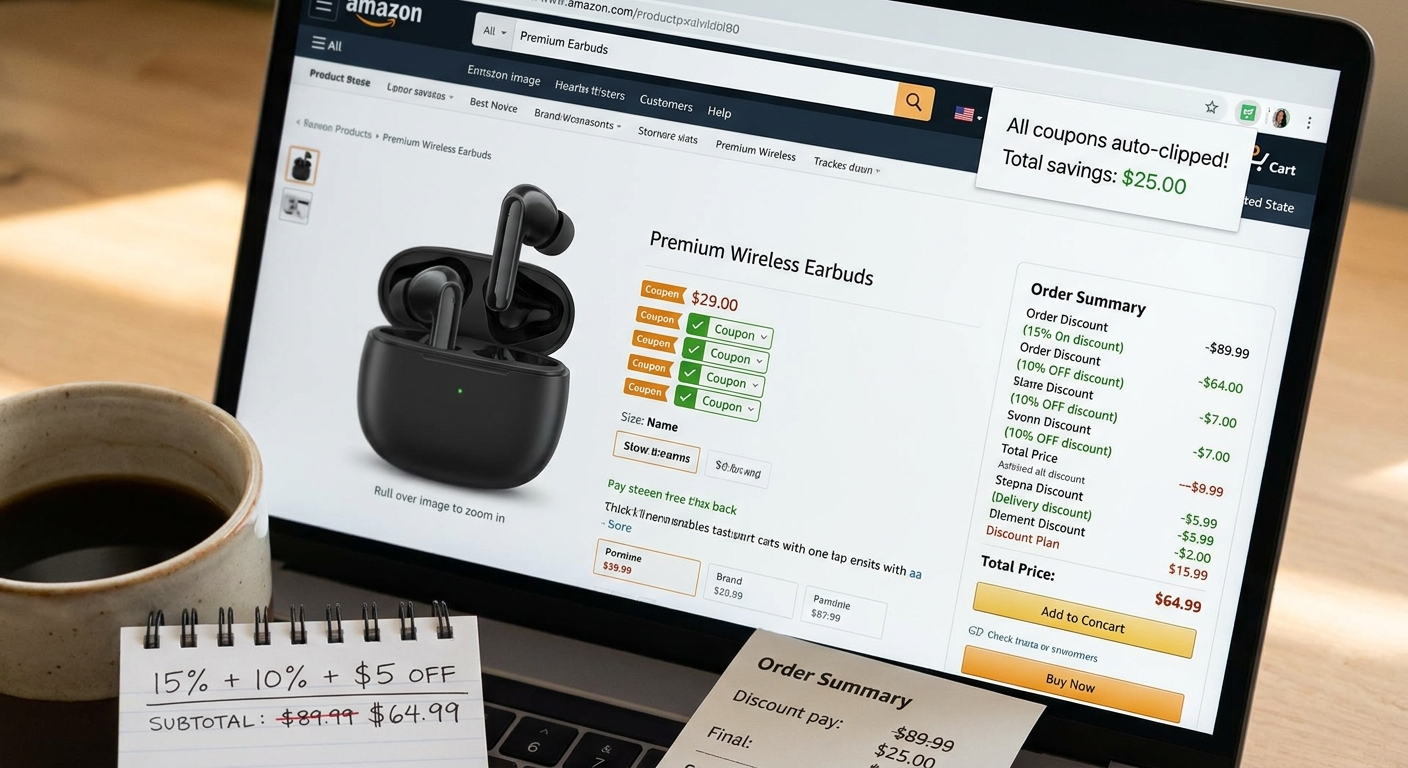
    You are not imagining it. Hunting for Amazon promo codes has become a mess. You find a code on a coupon site, paste it in at checkout, and get the same dead-end message every time. Expired. Not eligible. Only valid on one weird color, one size, or one seller you would never pick. Worse, the internet is now full of fake “generator” pages, shady PDFs, and social posts that promise secret Amazon discounts and deliver nothing but spam. The smarter move is not chasing public codes after everyone else has already used them. It is watching for brand email newsletters, welcome offers, and influencer discount blasts, then comparing those deals against Amazon listings. That is the real bait-and-switch here. The “newsletter deal” looks like it is only for the brand’s own store, but it often reveals the real sale price you should be targeting. Sometimes Amazon quietly matches it. Sometimes a marketplace seller beats it. Either way, you stop guessing and start saving.

    ⚡ In a Hurry? Key Takeaways

    • The best amazon promo code hack using brand email newsletters is to use brand-direct offers as your price signal, then check whether Amazon has quietly matched or beaten that discount.
    • Sign up for a few trusted brand newsletters, save the welcome code, and compare the final price on the brand site versus Amazon before you buy.
    • Avoid coupon generators, random PDF “code lists,” and social posts that push sketchy links. Legit savings usually come from the brand itself, not a mystery website.

    The problem with public Amazon promo codes

    Most public Amazon promo codes are bad by the time regular people see them.

    That is the simple truth. Good codes spread fast. Once they hit coupon sites, deal forums, and TikTok slideshows, they are often picked over, restricted, or already gone. Some were never meant for the general public in the first place. They may be tied to one seller account, a tiny inventory batch, or a limited ad campaign.

    That is why shoppers keep feeling tricked. The code looks real. The listing looks close enough. Then checkout says no.

    It is not always a scam. Sometimes it is just stale information. But the result is the same. Wasted time, frustration, and a cart full of things you no longer trust.

    What the “newsletter bait-and-switch” hack really is

    This is less of a magic trick and more of a change in direction.

    Instead of starting on Amazon and hunting for a code, you start with the brand that makes the product. Sign up for its email newsletter, look for a first-order discount, seasonal sale, or influencer code, and use that offer as your benchmark. Then check Amazon for the same product.

    Here is the switch. The email makes you think the only savings live on the brand’s own site. But many brands and sellers know shoppers compare prices. So one of three things often happens:

    • Amazon already has the same item at a matched sale price.
    • An Amazon seller drops the price close to the brand’s email offer.
    • The Amazon listing adds a coupon checkbox or limited-time deal that makes the final price similar or better.

    You are not using the newsletter code on Amazon. Usually, you cannot. You are using the newsletter to expose the real market price.

    Why this works better than chasing random codes

    Brands reveal the real discount first

    Brands often send their best direct offers to email subscribers before deal sites notice. That means you get an earlier view of what the “true” sale price should be.

    Amazon reacts fast

    Amazon pricing changes constantly. If a brand runs 20 percent off on its own site, Amazon or a third-party seller may quietly move to stay competitive. It may not be advertised as a promo code at all. It may just show up as a lower price, a clipped coupon, or a bundle discount.

    It cuts out the junk

    You stop relying on mystery sites with made-up codes and start using offers from actual brands. That is a much safer place to begin.

    How to use this amazon promo code hack using brand email newsletters

    1. Pick a product you were already going to buy

    This works best when you start with intent, not impulse. Think headphones, skincare, supplements, kitchen gadgets, phone accessories, pet supplies. Things that are sold both on brand sites and on Amazon.

    2. Visit the brand’s official site

    Look for the little pop-up or header bar. Many brands offer 10 percent, 15 percent, or even 20 percent off for joining their email list. Some also text a code, but email is usually enough.

    3. Check your inbox for the welcome offer

    Do not just look at the percentage. Look at the final price after the code, and check shipping costs. A 15 percent discount is not exciting if the brand charges $9.95 for shipping.

    4. Open the same product on Amazon

    Now compare carefully. Same model. Same size. Same count. Same color if that matters. A lot of fake “savings” disappear the second you notice you were comparing a two-pack to a single item.

    5. Look for hidden discounts on Amazon

    Check for:

    • A coupon checkbox under the price
    • A “Save with Prime” note
    • A Subscribe & Save option
    • A lower price from another seller on the same listing
    • A limited-time deal that appears only on the product page

    6. Compare the final checkout price, not the sticker price

    This is where people get fooled. The brand may show $40 with 20 percent off, while Amazon shows $33.99 with a 5 percent coupon. Once you factor in shipping, tax, and delivery speed, the winner may flip.

    7. Save the newsletter for later

    Even if Amazon wins today, keep that email. Brands often send follow-up offers a week later. Sometimes the second email is better than the welcome code.

    A quick example

    Let’s say a grooming brand emails you a 20 percent off code for a beard trimmer listed at $49 on its own site. That brings the price to $39.20, but shipping adds $6.

    Now your real comparison number is $45.20 before tax.

    On Amazon, the same trimmer might be listed at $44.99 with a clipped $5 coupon. Suddenly the Amazon price is effectively $39.99, with faster shipping and easier returns.

    No Amazon promo code needed. The brand newsletter did the heavy lifting by showing you that the item was ripe for a discount.

    Where this trick works best

    It is especially useful for products from brands that sell in multiple places and run frequent email campaigns.

    • Beauty and skincare
    • Supplements and wellness products
    • Small electronics
    • Kitchen tools
    • Pet products
    • Fitness gear
    • Home organization items

    It is less useful for Amazon-exclusive items or no-name products that only exist inside Amazon’s marketplace.

    Red flags to avoid

    “Amazon code generator” sites

    These are almost always nonsense. At best, they waste your time. At worst, they try to collect your email, push malware, or bait you into surveys.

    Coupon PDFs and giant code dumps

    If a file claims to contain hundreds of active Amazon codes, be skeptical. Real Amazon discounts are usually limited, targeted, or tied to specific listings.

    Influencer posts with no product match

    Some social posts recycle old codes or attach them to the wrong item. Always verify the exact product and seller.

    Off-site checkout tricks

    If a site says you need to “verify” your Amazon account somewhere else to unlock savings, leave immediately. That is not how legitimate discounts work.

    Make your inbox useful without turning it into a junk drawer

    I know the obvious objection. “Great, now I have to sign up for even more email.” Fair point.

    The easy fix is to make a separate shopping email account or use your main inbox with filters. Create a folder for store offers. That way, you can keep the good discounts without drowning in daily marketing messages.

    Also, be picky. Do not sign up for every store on earth. Start with brands you already buy or have been meaning to try.

    When the brand site is still the better deal

    Sometimes Amazon does not match the offer. That is fine. The hack still worked because it kept you from overpaying on Amazon just because it felt convenient.

    Brand sites can win on bundles, gifts with purchase, loyalty points, and better warranty support. If the price difference is small, those extras may matter more than two-day shipping.

    The point is not to force every purchase through Amazon. The point is to stop treating Amazon as the only place where a “real” discount exists.

    At a Glance: Comparison

    Feature/Aspect Details Verdict
    Public coupon sites Codes are often expired, overused, restricted, or copied from old deals Low success rate
    Brand email newsletters Welcome offers and seasonal discounts reveal the real sale price for a product Best starting point
    Amazon cross-check Look for matched pricing, clipped coupons, Subscribe & Save, and seller competition Often where the final savings appear

    Conclusion

    Right now, there is a flood of bad “Amazon promo code” advice online. Some of it is harmless but useless. Some of it is outright scammy. The better approach is simpler and safer. Stop chasing public codes that have already been picked clean. Start with brand-direct email offers, use them as your benchmark, and then cross-check Amazon for a matched or better final price. It is a repeatable habit, not a one-time trick. And it fits this moment perfectly, because inboxes are already stuffed with early summer sale emails and influencer discount blasts that most people ignore. Hidden in that pile are real, legit savings. You just need to use them as a clue, not a destination.

  • The ‘Gift Card Double-Dip’ Hack: How Stacking Quiet Card Bonuses With Amazon Deals Becomes a Secret Promo Code

    The ‘Gift Card Double-Dip’ Hack: How Stacking Quiet Card Bonuses With Amazon Deals Becomes a Secret Promo Code

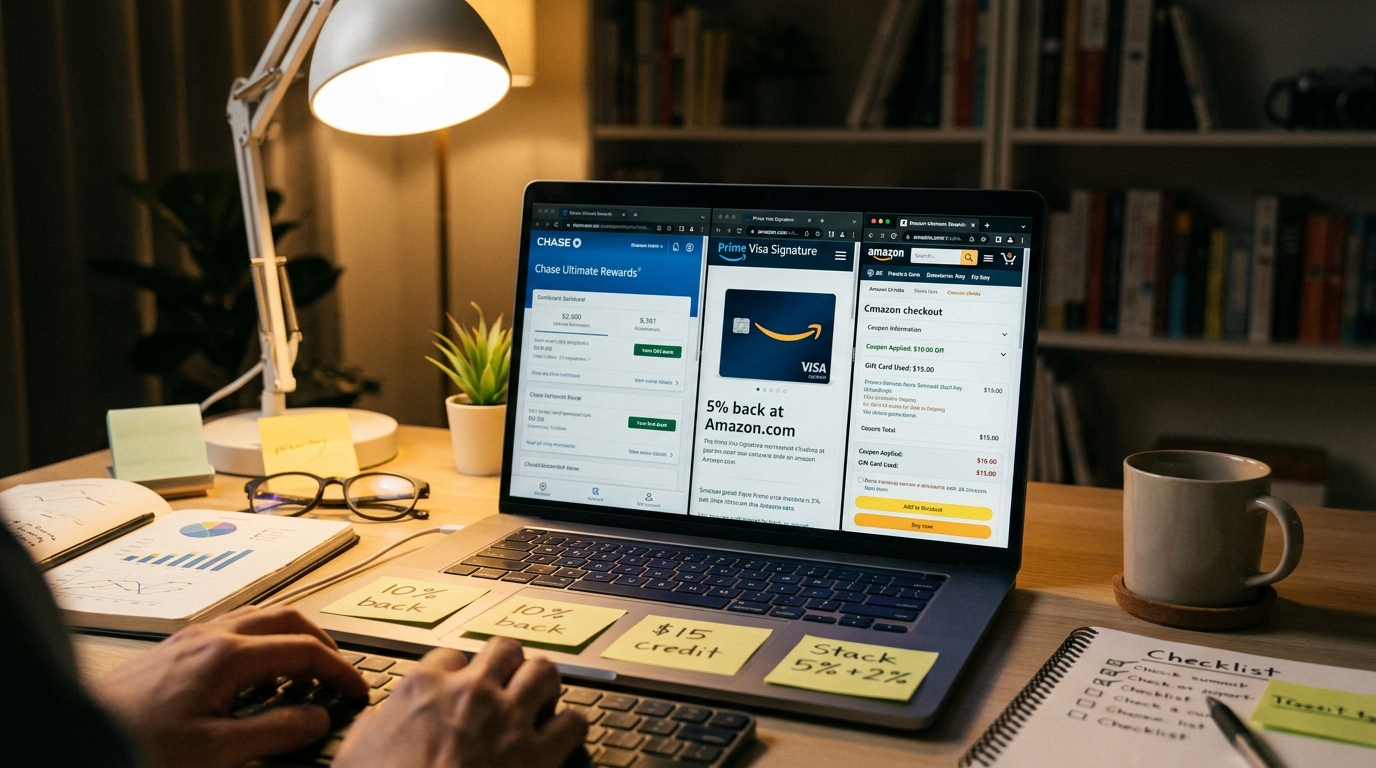
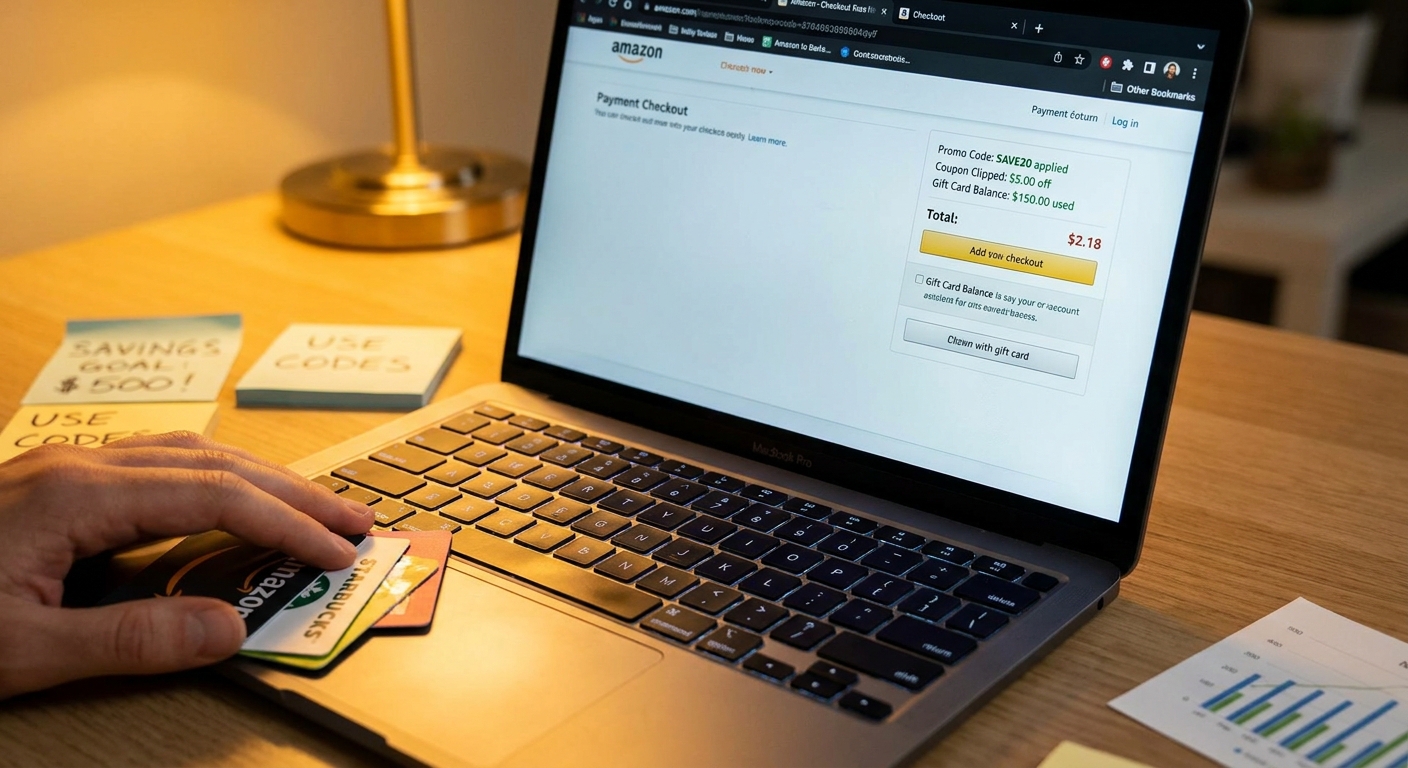
    You are not imagining it. Hunting for Amazon promo codes has become a chore. Half the codes are dead, the other half only work on one oddly specific item, and the “secret code” posts on social media often lead nowhere good. The funny part is that some of the best Amazon savings are not on Amazon at all. They start before you shop, when banks, warehouse clubs, rewards apps, and deal sites quietly offer Amazon gift cards at a discount or with a bonus. That is the amazon gift card stacking hack in plain English. You buy $100 in Amazon spending power for $90, or get a $100 card plus a $10 bonus, then use that balance on top of a real Amazon sale, coupon, or Lightning Deal. Done right, it works like a private promo code you made for yourself. Simple. Calm. No fake generators, no shady PDFs, and a lot less wasted time.

    ⚡ In a Hurry? Key Takeaways

    • Yes, the real trick is buying discounted or bonus Amazon gift cards first, then spending that balance on already-discounted Amazon items.
    • Wait to redeem those gift card savings on Lightning Deals, clipped coupons, outlet markdowns, and brand promos instead of using them on random everyday purchases.
    • Stick to trusted sources like your bank, major retailers, or well-known rewards programs. Avoid “free code” generators and sketchy coupon files.

    What the “double-dip” really means

    There is no magic here. You are simply stacking two kinds of savings.

    Step one, you get Amazon credit for less than face value. Maybe your bank rewards portal offers a 10 percent bonus on gift cards. Maybe a grocery app has a limited-time deal. Maybe a warehouse club sells digital gift cards at a slight discount.

    Step two, you spend that credit only when Amazon itself is already offering a deal.

    That second step is where most people miss the point. They buy a discounted gift card, toss it into their account, then use it three weeks later on paper towels at full price. Technically they saved a little, but they did not really stack anything.

    The better move is to treat that balance like a hidden coupon. Save it for the moment a real deal appears.

    Why this works better than chasing public promo codes

    Public Amazon promo codes are hit or miss. Many are limited to new accounts, certain brands, invite-only offers, or tiny categories most people do not need.

    Gift card bonuses are different. If you already know you shop on Amazon, discounted balance is flexible. It can often be used across thousands of products, and it usually works alongside the site’s normal discounts because the gift card is just a payment method.

    That is what makes the amazon gift card stacking hack so useful. It is less flashy, but often more reliable.

    If you also want to mix this with card-linked savings, it pairs nicely with The ‘Bank Card Shuffle’ Hack: How Hidden Issuer Offers Turn Regular Amazon Orders Into Secret Promo-Size Discounts. That approach focuses on issuer offers. This one starts even earlier, with the money you use to fund the purchase.

    Where these quiet gift card bonuses usually show up

    You do not need to camp out on deal forums all day, but you do need to know where to look.

    Bank and credit card reward portals

    Some issuers run limited promos where points stretch further on gift cards, or where a $100 card comes with an extra bonus value. These offers come and go quietly.

    Grocery and warehouse clubs

    Some stores sell third-party gift cards at a discount during special events. Others offer store rewards, fuel points, or cash back tied to gift card purchases.

    Cash back and rewards apps

    A few legitimate apps offer temporary boosts on digital gift cards. The key is making sure the math is real and the seller is reputable.

    Membership and employee perk portals

    If your job, union, insurer, or alumni group has a discount portal, check there too. These are easy to forget and sometimes have surprisingly decent gift card deals.

    How to do it without making it complicated

    You do not need a spreadsheet unless you enjoy spreadsheets. A simple routine is enough.

    1. Buy only what you can use soon

    If you normally spend about $100 to $200 a month on Amazon, do not buy $1,000 in gift cards just because a promo looks good. Gift cards are best when they support planned spending, not when they create it.

    2. Load the balance and wait

    Once the gift card is in your Amazon account, let it sit there until a true sale comes along. Think Prime events, brand coupons, Lightning Deals, Subscribe and Save discounts, Amazon Outlet, or warehouse markdowns.

    3. Clip every on-page coupon

    Amazon hides a lot of savings in plain sight. Many listings have a small checkbox coupon on the product page. It is easy to miss. Your gift card balance can usually pay for the remaining total after that coupon comes off.

    4. Compare prices before you click

    A deal is still only a deal if the final price is good. Sometimes a product with a 20 percent badge is still more expensive than the same item sold elsewhere.

    A simple example

    Let’s say your card issuer runs a 10 percent bonus on Amazon gift cards. You spend $100 and get $110 in Amazon balance.

    Later, Amazon discounts a kitchen gadget from $80 to $60. There is also a clipped coupon for another $10 off.

    Your checkout total becomes $50 before tax. You pay with gift card balance that you effectively bought at a discount. Since that balance came with a 10 percent bonus, your real out-of-pocket cost for that $50 purchase is closer to about $45.

    That is the “double-dip.” One discount got you cheaper Amazon money. The next discount lowered the item itself.

    Best times to use this trick

    This works especially well during busy sale periods.

    Early Prime and Prime Day build-up

    Amazon often starts seeding smaller deals before the big event. That is a good time to have discounted balance ready.

    Brand-specific promo weeks

    Some brands run extra coupons or limited-time markdowns that do not get much attention.

    Back-to-school and holiday ramps

    These periods bring both outside gift card promos and inside Amazon deals. That overlap is where stacking gets stronger.

    When you already planned a bigger purchase

    If you know you need headphones, a vacuum, printer ink, or a coffee maker soon, building in the gift card discount first can shave off more than most public coupon codes ever do.

    What to avoid

    This is the part where being calm saves money.

    Do not trust random code generators

    If a site claims it can produce unlimited free Amazon codes, close the tab. Best case, it wastes your time. Worst case, it wants your login or payment info.

    Do not buy from unknown gift card sellers

    Stick with established banks, major stores, and trusted rewards programs. A “too good to be true” resale deal can turn into a drained or invalid card.

    Do not force purchases just to use the balance

    The hack works only if the item was worth buying anyway. Saving 15 percent on something you did not need is not really saving.

    Do not forget returns can be messy

    If you return an item bought with gift card balance, the refund often goes back to your Amazon account, not your bank card. That is fine for regular Amazon shoppers, but it is worth knowing.

    Who benefits most from this

    This trick is great for people who already buy household basics, tech accessories, books, or gifts on Amazon throughout the year.

    It is less useful if you barely shop there or if you tend to impulse-buy the second you see account credit waiting. Honest self-awareness matters here.

    If you are disciplined, though, this is one of the easiest repeatable savings moves around. It does not depend on one lucky code. It depends on timing and patience.

    At a Glance: Comparison

    Feature/Aspect Details Verdict
    Savings source First savings comes from discounted or bonus gift cards. Second savings comes from Amazon deals, coupons, or markdowns. Strong if you stack both steps instead of using the balance on full-price items.
    Ease of use Fairly simple once you know where to look. Buy, redeem, wait for a real sale, then pay with balance. Beginner-friendly and less frustrating than chasing unreliable public promo codes.
    Risk level Low when using trusted banks, stores, and rewards portals. Higher if you buy from unknown sellers or fake code sites. Safe when you keep it boring and stick with reputable sources.

    Conclusion

    The nice thing about this approach is that it does not ask you to outsmart Amazon or chase mystery codes across the internet. It helps the community right now because Amazon is pushing early Prime and brand-specific promos, while banks and deal sites are quietly running 10 to 20 percent bonus offers on digital gift cards in the background. Most shoppers use those balances on random full-price buys and barely notice the savings. If you instead treat those gift card bonuses like a private promo code, then apply them on top of clipped coupons, Lightning Deals, and outlet markdowns, the numbers get much better. It is a steady, repeatable habit, not a gimmick. And in a moment when social feeds are full of fake “unused code” PDFs and junk generators, that kind of boring, real-world savings is exactly what most people need.

  • The ‘Lightning Code Stack’ Hack: How 1-Hour Flash Coupons Turn Into Real Amazon Promo‑Level Savings

    The ‘Lightning Code Stack’ Hack: How 1-Hour Flash Coupons Turn Into Real Amazon Promo‑Level Savings

    You know the feeling. You finally spot a decent Amazon deal, click fast, and then realize the best version of that deal disappeared an hour earlier. The coupon box is gone. The promo code people are talking about on Reddit is nowhere to be found. And now you are staring at a price that is just okay instead of great. That is the annoying part of today’s Amazon sale game. The best discounts often do not sit neatly on the main product page for long. They pop up as short Lightning Deals, extra coupon checkboxes, and hidden promo code stacks on similar listings from the same brand. The good news is this is not magic, and it is not just for deal hunters with six browser tabs open all day. If you learn how to read the signals around a Lightning Deal, you can often find a second layer of savings and get much closer to true promo-level pricing.

    ⚡ In a Hurry? Key Takeaways

    • Yes, the amazon lightning deal promo code stacking hack is real, but it usually means pairing a public Lightning Deal with an on-page coupon, a related listing, or a short-lived promo code.
    • Check brand storefronts, variant listings, and “other sellers” pages during the Lightning Deal window. That is often where the extra savings hide.
    • Never buy just because a timer is running. Make sure the stacked price beats the recent normal price, not just the crossed-out one.

    Why Lightning Deals matter more than most people think

    Most shoppers see a Lightning Deal as a countdown clock. That is only half the story.

    Right now, a Lightning Deal often acts like a flare in the sky. It tells you Amazon or the brand is pushing traffic to that product family. When that happens, extra discounts sometimes go live on nearby listings too. Same item, different color. Same brand, slightly different bundle. Same product, but sold under a close variation with a coupon attached.

    That is where the real savings can show up.

    Amazon has also been under more pressure to clean up fake list prices and lazy markdowns. So when you do see a deep drop today, it is more likely to be tied to a short, real promo window. That makes speed important, but it also means the discount may be worth the effort.

    What the “code stack” usually looks like in real life

    Despite the dramatic name, this is usually pretty simple. You are not hacking Amazon. You are just combining discounts that happen to overlap for a short time.

    The most common stack

    A real stack often looks like this:

    • Lightning Deal price drops the item by 20 to 35 percent
    • An on-page coupon adds another 5 to 20 percent off
    • A promo code from the listing, brand page, or search results cuts a bit more

    Sometimes the code is shown plainly on the page. Sometimes it appears as “Extra savings at checkout.” Sometimes it only works on one color or one pack size. That is why people miss it.

    The quieter version that people overlook

    The public Lightning Deal listing gets all the clicks. But the better value may be on a close variant.

    Example. The blue water bottle gets the Lightning Deal. The black version does not. But the black version still has a 25 percent coupon and a hidden “Save 10% when you apply promo code” note. End result, the non-featured listing is cheaper.

    This is the part many shoppers never test.

    How to spot the signals that a hidden stack may be live

    You do not need special software. You just need a quick routine.

    1. Treat the Lightning Deal as the starting point, not the finish line

    Open the deal page, then immediately check:

    • Other colors or sizes
    • The brand storefront
    • Sponsored listings from the same brand
    • The “Compare with similar items” section

    If one product in a line is on a Lightning Deal, related items often get small side promos around the same time.

    2. Look for the magic phrases

    These are the wording clues that matter:

    • “Extra savings”
    • “Apply coupon”
    • “Redeem”
    • “Savings applied at checkout”
    • “Limited time deal” paired with a coupon checkbox

    If you see two of those together, it is worth testing the cart.

    3. Check the cart, not just the product page

    Amazon is not always great at showing the final price clearly on the listing page. Add the item to cart and watch what changes. Some discounts only appear in the cart or at the final checkout screen.

    Do not assume the page tells the whole story.

    4. Search the brand name plus “coupon” during the deal window

    This sounds almost too basic, but it works. Search Amazon for the brand name plus the product type. Then scan nearby listings. Brands often spread promos unevenly across duplicate or near-duplicate pages.

    The 10-minute method I would use

    If you want a repeatable system, here it is.

    1. Open the Lightning Deal listing.
    2. Clip any visible coupon.
    3. Check all variants, especially colors and bundles.
    4. Open the brand storefront in a second tab.
    5. Search the product name on Amazon again and scan for duplicate listings.
    6. Add the top two or three candidates to cart.
    7. Compare final checkout prices, not headline discounts.

    This entire process takes about 10 minutes once you get used to it.

    And yes, it often finds prices that are 30 to 60 percent below the normal going rate on everyday items like chargers, kitchen gear, storage products, supplements, and small home gadgets.

    Where promo codes usually hide

    People often expect a promo code to be pasted in big letters near the buy button. Sometimes it is. Often it is not.

    On-page code boxes

    These are the easiest. Amazon may display a small promo field or a note saying a discount is applied at checkout.

    Brand-funded coupon pages

    Some brands push traffic to a coupon page or a store page with offers that do not show cleanly from the main listing.

    Trial or targeted codes

    These are hit or miss. During heavy sale periods, some shoppers test known types of brand promo codes or landing offers within the short window. Not every code will work, and many are targeted, but it is worth checking if you are already close to buying.

    And if you want to stack even further, card-linked savings can sometimes add one more layer. That is where The ‘Bank Card Shuffle’ Hack: How Hidden Issuer Offers Turn Regular Amazon Orders Into Secret Promo-Size Discounts fits nicely. It covers a separate trick many shoppers miss, where the discount comes from your card issuer rather than the listing itself.

    What not to do

    This is where people get burned.

    Do not trust the crossed-out list price

    The only number that matters is the final out-the-door price compared with the item’s usual recent selling price.

    Do not wait too long once the stack is confirmed

    If you have verified the final price is genuinely good, move. These coupons and codes can vanish in hours, sometimes minutes.

    Do not buy junk just because the stack looks dramatic

    A 60 percent discount on something you do not need is still wasted money.

    Best categories for this trick

    This works best on items where sellers use aggressive short-term promotions to climb rankings or clear stock.

    • Phone accessories
    • Small kitchen tools
    • Home organization items
    • Personal care products
    • Supplements and wellness gear
    • Budget electronics and smart home accessories

    Big-name products can do this too, but third-party brands tend to be more generous with stackable discounts.

    When the deal window is most useful

    The best time is usually right before or just ahead of major sale events.

    That is when brands are trying to build momentum. You will often see a public deal used as bait, then a coupon or promo layered onto close variants to catch shoppers who keep digging.

    That is also why this works better now. As Amazon gets stricter about fake markdown theater, brands need real short-window offers to stand out.

    At a Glance: Comparison

    Feature/Aspect Details Verdict
    Lightning Deal alone Fast, visible, easy to spot, but often not the absolute lowest final price Good starting point, not always the best endpoint
    Lightning Deal plus coupon or code Can cut another 5 to 25 percent if the listing or close variant carries extra savings Best value when verified in cart
    Waiting too long Coupons disappear, codes stop working, and variant prices change quickly Main reason people miss the deepest discount

    Conclusion

    The big lesson here is simple. A Lightning Deal is often a clue, not the whole deal. Right now Amazon is ramping up short-window markdowns ahead of major sale events, and that means more real discounts are showing up as brief stacks of deal price, coupon, and promo code that vanish fast. Most shoppers still treat Lightning Deals like simple timers. If you start treating them like signals, then check related listings, extra-savings notes, and quick cart totals, you can turn ordinary browsing into regular 30 to 60 percent wins on useful items. That matters even more now because as fake markdowns get trimmed back, the deep cuts left standing are more likely to be genuine, time-boxed promos. You do not need insider access. You just need to know where to look, and to look while the window is still open.

  • The ‘Third‑Party Message Match’ Hack: How Hidden Seller DMs Turn Into Real Amazon Promo‑Code Discounts

    The ‘Third‑Party Message Match’ Hack: How Hidden Seller DMs Turn Into Real Amazon Promo‑Code Discounts

    You are not imagining it. A lot of Amazon promo codes floating around Reddit, coupon sites, and “secret deal” lists are stale, limited, or never meant for your account in the first place. That is why you hit checkout, paste in the code, and get the digital equivalent of a shrug. Meanwhile, another shopper somehow gets 20 percent off an item that looks full price to everyone else. Frustrating, right?

    Here is the part most deal roundups miss. Many smaller Amazon sellers quietly send one-off discounts through Amazon Messages when a buyer asks the right way. It is not magic, and it is not a scam by default. It is more like a backchannel sales tactic. Sellers want movement, reviews from verified buyers, and fewer abandoned carts. If you know how to contact them politely, and you know what to look for, this amazon secret promo code hack contact seller method can turn hidden seller DMs into real discounts that actually work at checkout.

    ⚡ In a Hurry? Key Takeaways

    • This “hack” is usually just contacting an Amazon seller and asking whether they have a private promo code or buyer discount for that item.
    • Your best shot is with smaller third-party brands, especially on products with no visible coupon but lots of competition.
    • Stay inside Amazon messaging, never pay off-platform, and avoid any seller asking for reviews in exchange for a discount.

    What the “Third-Party Message Match” trick actually is

    The name sounds more dramatic than the reality. In plain English, this is what happens.

    You find a product sold by a third-party seller on Amazon. There is no visible coupon box, no lightning deal, and no public promo listed on the page. Instead of hunting random code databases, you contact the seller through Amazon and ask if they have any current promotion for your account, or for first-time buyers, or for that specific item.

    If the seller is trying to boost sales, clear stock, or compete with similar listings, they may reply with a private code, a percentage-off offer, or instructions to apply a discount at checkout. Sometimes the code is generic. Sometimes it is limited-use. Sometimes it is tied to a specific ASIN or buyer account.

    That is why these discounts feel “secret.” They are often real, but they are not broadly advertised.

    Why sellers do this in the first place

    Small Amazon brands are under pressure all the time. They are fighting for attention against bigger names, sponsored listings, and constantly shifting prices. Public discounts can attract bargain hunters, but private discounts let a seller be more selective.

    Here is what a seller gets out of it:

    • A better chance of saving a sale that might otherwise disappear
    • Control over how many discounts get used
    • A way to move slower inventory without publicly slashing the price
    • A direct line to a buyer who is already interested

    In other words, they are not doing you a personal favor. They are trying to close the deal. That is fine. You just want the discount to be real and safe.

    How to use the amazon secret promo code hack contact seller method

    Step 1: Pick the right kind of product

    This works best on items sold by third-party sellers, not items sold directly by Amazon. You usually have a better chance with:

    • Small kitchen gadgets
    • Phone accessories
    • Home organizers
    • Beauty tools
    • Fitness add-ons
    • Private-label brands with lots of competitors

    If the listing already has a coupon checkbox, a big sale banner, or a lightning deal, the seller may have less reason to offer more. But if the product looks full price and the seller seems active, it is worth a try.

    Step 2: Confirm it is a third-party seller

    On the product page, look for the “Sold by” line. If it says a brand or storefront name rather than Amazon, you are in the right neighborhood.

    If it says “Ships from Amazon” but “Sold by” a third party, that can still work. Fulfillment method matters less than who controls the listing and promotions.

    Step 3: Contact the seller through Amazon

    Use the seller profile or the “Ask a question” option. Keep the message short, polite, and specific. You are not writing a novel. You are opening a sales conversation.

    Message template that actually sounds normal

    You can send something like this:

    “Hi, I’m interested in buying this item today. I don’t see any coupon on the listing, so I wanted to ask if you currently have any promo code or discount available for this product. Thanks.”

    Or this:

    “Hello, I’m comparing a few similar products and wanted to check whether you have any current buyer discount or promo for this item before I place the order.”

    That is it. No games. No fake sob story. No weird coupon-hunter language.

    Step 4: Wait for the reply and read it carefully

    If the seller responds with a code, check three things:

    • Where it should be entered
    • Whether there is a minimum quantity or order value
    • How long it is valid

    Some sellers send a clean promo code. Others tell you the discount will appear at checkout. A few may say they can only offer a price break if you buy multiple units.

    That can still be useful. Just make sure the savings are real before you click Buy Now.

    How to tell a real seller discount from nonsense

    This is where people get burned. A valid private discount should still follow Amazon’s normal order flow. You should not have to leave the platform, use a strange payment method, or message a phone number.

    Green flags

    • The seller replies through Amazon Messages
    • The discount applies during normal checkout
    • The offer is tied to the product you asked about
    • The seller does not ask you to change how you pay

    Red flags

    • The seller asks you to email them directly
    • The seller offers PayPal, gift cards, or off-Amazon payment
    • The seller promises a rebate after you leave a review
    • The seller asks for a five-star review in exchange for a discount

    That last one matters a lot. Amazon does not allow compensated reviews in that form. If a seller is trying to trade discounts for ratings, walk away.

    Why this works better than random coupon lists

    Public coupon lists are a mess. Some are scraped from old posts. Some are copied from limited-use influencer campaigns. Some were valid for 100 buyers and died three weeks ago.

    By contrast, contacting the seller gives you a live answer. It is current. It is tied to a real listing. And if the seller sends you a code, you know it came from the source rather than from a recycled “secret deals” page that has not been updated since spring.

    That means fewer wasted checkouts and fewer “promotion code you entered is not valid” messages.

    Best times to try it

    You do not need a major sales event for this to work. In fact, it can work better outside the biggest shopping holidays because small brands are trying harder to get attention.

    Good times to ask include:

    • End of month, when sellers may want to hit sales targets
    • Right after a competitor cuts pricing
    • On newer listings that need sales momentum
    • On items with lots of reviews in a crowded category

    If you are watching a full-price product for a few days and it never drops, that is exactly the kind of item worth messaging about.

    What kind of savings are realistic?

    Think modest, not miraculous. Most legitimate private discounts are likely to be in the 5 to 20 percent range. Sometimes you might see more, especially on lower-cost accessories with big margins, but do not expect every message to unlock some hidden half-off deal.

    The real win is not “I got a $200 item for $8.” The real win is getting a genuine extra discount on something that looked like it had no deal at all.

    How to improve your odds without sounding pushy

    Polite buyers get better results. Sellers can tell when they are dealing with someone serious versus someone firing off spammy “discount pls” messages to twenty brands.

    Here is what helps:

    • Mention the exact item
    • Say you are ready to buy soon
    • Ask once, clearly
    • Do not demand a specific percentage

    It is also smart to compare the final price with other retailers and similar Amazon listings. A “private” 10 percent off code is not special if the same item is cheaper elsewhere.

    When this method will not work

    Some categories are tightly priced. Some sellers simply do not respond. Some brands only run public promotions through Amazon’s built-in tools. And if the item is sold directly by Amazon, your odds drop fast.

    Also, if a listing is already heavily discounted, the seller may not stack another offer. Amazon promo rules can be picky. Some discounts combine. Some do not.

    So yes, this is useful. No, it is not a magic button.

    A simple rule of thumb

    If the product is from a smaller third-party seller, has no visible coupon, and you were already considering buying it, send the message. It takes two minutes. Worst case, the seller says no or never replies. Best case, you get a valid code other shoppers never see.

    At a Glance: Comparison

    Feature/Aspect Details Verdict
    Public promo-code lists Often outdated, mass-copied, or limited to expired campaigns Low reliability
    Contacting the seller directly Gets a current answer tied to the specific product and seller Best for hidden discounts
    Safety Safe if everything stays inside Amazon and no review trade or off-site payment is involved Use with caution, but useful

    Conclusion

    The real trick here is not some mystical coupon vault. It is knowing that small Amazon sellers sometimes hand out private, make-the-sale discounts if you contact them the right way. That matters right now because most deal coverage stays glued to giant public sale events while ignoring the quieter backchannel where brands are trying to win buyers one message at a time. If you stop refreshing sketchy code lists and start asking sellers directly, you can uncover account-specific or listing-specific reductions on items that appear to be full price. That means fewer checkout dead ends, fewer fake-code headaches, and more real savings on products that otherwise would not seem to be on sale at all.

  • The ‘Search Filter Trapdoor’ Hack: How One Tiny Toggle Reveals Amazon’s Real Hidden Promo-Price Deals

    The ‘Search Filter Trapdoor’ Hack: How One Tiny Toggle Reveals Amazon’s Real Hidden Promo-Price Deals

    You know the routine. You search for an Amazon deal, click three coupon sites, get hit with giant “90% OFF” banners, then find out the code expired last week or never worked on the item you wanted in the first place. It is frustrating, and it wastes a lot of time. The annoying part is that some of the best discounts are not on those coupon pages at all. They are sitting inside Amazon’s own search results, hidden behind one tiny filter that most people never bother to switch on.

    This little amazon search filter discount hack is less about secret codes and more about forcing Amazon to show you items with real, live savings attached. Once you know where to tap, you can spot products with clipped coupons, limited-time markdowns, and better percentages off than what shows up in the regular browse view. During Prime Day season, that matters. Stock changes fast, prices move around, and the people who find the real deals first are usually the ones using Amazon’s filters properly, not the ones refreshing old coupon blogs.

    ⚡ In a Hurry? Key Takeaways

    • The fastest way to find real Amazon discounts is to search your product, then turn on the discount and coupon-related filters inside Amazon’s results instead of hunting for outside promo codes.
    • Check for stacked savings by combining the filter view with on-page coupons, percentage-off badges, and the final checkout price before you buy.
    • This works best for live, in-stock deals, but always verify the seller, return policy, and actual total so a “deal” does not turn into a bad purchase.

    What the “search filter trapdoor” actually is

    The trick is simple. Search for the item type you want on Amazon, then open the filters and look for options tied to deals, discounts, coupons, Prime offers, or percentage-off ranges. The exact wording can change a bit depending on the category and whether you are on desktop or the app, but the idea is the same.

    Most people stop after typing “wireless earbuds” or “air fryer” and scrolling. That is where they miss the good stuff. Amazon often mixes full-price items, sponsored products, and weak offers into the main results. Once you turn on the right filter, the list changes. Suddenly, products with active promotions rise to the surface.

    That is the trapdoor. One tiny toggle. A very different set of results.

    Why this works better than random coupon sites

    Coupon sites love big promises. The problem is that many “Amazon promo codes” are either category-specific, account-specific, expired, limited to one seller, or attached to products no normal person was planning to buy anyway.

    Amazon’s own filters cut through that mess because they are showing discounts connected to listings that are live right now. That can include:

    • Clickable coupons on the product page
    • Limited-time sale pricing
    • Prime-exclusive discounts
    • Percentage-off deal badges
    • Extra savings that appear only when you check the listing details

    So instead of chasing a mythical code, you are starting with products that already have active savings attached.

    How to use the amazon search filter discount hack step by step

    1. Search for the product category, not the exact model first

    Start broad. Search “coffee maker,” “gaming monitor,” or “skin care serum” instead of a super-specific item number. This gives Amazon more room to show discounted alternatives you might miss otherwise.

    2. Open the filters

    On desktop, filters usually appear along the left side or near the top. In the app, tap the filter button after your search. Look for anything related to deals, discounts, coupons, Prime, or price reduction ranges.

    3. Turn on the savings-related toggle

    This is the key move. Depending on the category, you may see options like “Deals,” “Discount,” “Coupon,” “Prime Savings,” or percentage brackets such as “10% off or more.” Turn those on.

    If there are several, try them one at a time, then in combination. Some of the best finds show up only after narrowing the list.

    4. Sort with a little skepticism

    Do not assume the first result is the best. Sponsored listings can still float to the top. Scan for the green coupon box, the crossed-out old price, and the percentage-off badge. Then open a few promising products in new tabs.

    5. Check the final price, not just the sticker

    This is where smart shoppers separate a decent deal from a fake-out. A listing might show a markdown, but the real bargain appears only after you clip the coupon. Sometimes it is the other way around. The coupon looks great, but the “sale” price is still higher than similar products.

    Always look at the final total before you hit buy.

    The three deal types this filter helps you find

    Stacked coupon deals

    These are the fun ones. You will see an item already marked down, then notice a coupon box on the listing for an extra 5%, 10%, or dollar amount off. This is one reason the filter trick is useful. It helps bubble up items that are already in discount mode.

    Quiet markdowns

    Not every deal gets a flashy banner. Some prices just drop for a short window. If you are browsing the standard search page, they can blend in. Filtered results make these easier to spot.

    Boosted percentage-off listings

    During big shopping periods, Amazon sometimes shows stronger percentage-off badges in filtered deal views than you would notice in a general search. That does not mean every discount is amazing. It does mean they are easier to find when you tell Amazon to show them.

    Best categories to try this on

    This trick works especially well in categories where Amazon rotates promotions constantly:

    • Home and kitchen
    • Beauty and personal care
    • Electronics accessories
    • Pet supplies
    • Cleaning products
    • Office gear
    • Small appliances

    If you are bargain hunting ahead of a major sale event, it also pairs nicely with early-deal browsing. If you want another smart way to spot those, read The ‘Hidden Prime Preview’ Hack: How Early Deals Turn Into Secret Promo-Level Savings Before Prime Day. It fits the same theme. The best deals are often hiding in plain sight, just not on the pages most people check first.

    Common mistakes that make this hack seem like it does not work

    Searching too narrowly

    If you search an exact brand and model, Amazon may show only a handful of listings. That leaves less room for filtered deal discovery.

    Ignoring the coupon checkbox on the product page

    Some savings do not fully show until you open the item. If you skip that step, you can miss the extra discount.

    Forgetting to compare sellers

    The cheapest option is not always the safest. Check whether the item is sold by Amazon, the brand itself, or a third-party seller with solid ratings.

    Confusing “discounted” with “best value”

    A 30% discount on an overpriced item is still not a great buy. Compare features, reviews, and size. A genuine deal is about the final value, not just the biggest red number.

    How to tell if the deal is actually worth it

    Here is my simple test.

    • Is the item from a trustworthy seller?
    • Does it have enough reviews to feel real?
    • Is the discount visible at checkout, not just on the search page?
    • Would you still want this item if the discount were slightly smaller?

    If the answer to those is mostly yes, you probably found a real deal. If not, keep moving. The beauty of this method is that it gives you more live options without sending you into promo-code fantasy land.

    When to use this hack

    Use it when Prime Day chatter gets loud, when social feeds are full of “hurry, 50% off” posts, and when Google keeps feeding you the same tired coupon pages. It is also useful on normal shopping days, especially if you need something practical right away and do not want to wait around for a miracle code that may never show up.

    This is not about gaming Amazon. It is about using the search tools Amazon already gives you, just more carefully than most shoppers do.

    At a Glance: Comparison

    Feature/Aspect Details Verdict
    Outside coupon sites Often show expired, limited, or misleading promo codes that may not apply to your item. Low reliability for everyday shopping.
    Amazon filtered search results Surfaces live deals, coupon listings, and current markdowns that are still tied to products in stock. Best starting point for real-time savings.
    Final checkout verification Confirms whether the clipped coupon, sale badge, or Prime discount actually lowers your total. Essential before buying.

    Conclusion

    If you are tired of chasing promo codes that lead nowhere, this is the better route. Right now, with Prime Day hype flooding Google and social feeds, everyone is chasing the same headline “50% off” codes that either do not apply to what they actually want or were gone yesterday. This hack helps you cut through that noise by using Amazon’s own search tools to find real discounts that are still in stock. That means stacked instant coupons, time-limited markdowns, and quietly boosted percentages off that only appear once you filter for them. It saves time, cuts down on checkout disappointment, and gives you something actually useful today, whether you are shopping for batteries, blenders, or a new office chair. Small toggle. Big difference.

  • The ‘Student Stack’ Prime Hack: How College Emails Unlock Amazon’s Quietest Promo-Size Savings

    The ‘Student Stack’ Prime Hack: How College Emails Unlock Amazon’s Quietest Promo-Size Savings

    Textbooks are already expensive enough. Then you add dorm basics, a laptop sleeve, printer paper, maybe a mini fridge, and somehow that “great Amazon deal” still lands with a painful total at checkout. That is the part many students hate. The flashy discounts get all the attention, but the real savings often come from a quieter lane most people miss. If you have a college email address, Amazon may give you access to a student-only mix of free trial months, lower Prime pricing, and rotating credits that work a lot like secret promo codes.

    That is the real amazon prime student secret promo code hacks story. It is not one magic code floating around Reddit. It is a stack. You verify your student status once, then keep an eye on the extra offers tied to Prime Student, digital credits, and back-to-school promos. Used the right way, that single .edu email can cut shipping costs, trim subscription costs, and squeeze more value out of the things you were going to buy anyway.

    ⚡ In a Hurry? Key Takeaways

    • Prime Student is the easiest “hidden” Amazon savings layer for college shoppers, because it can unlock a free trial, a lower membership rate, and student-only offers.
    • Check for stackable extras like no-rush shipping credits, textbook promos, and category coupons before you buy dorm gear or school supplies.
    • Stick to offers shown inside your Amazon account or official student pages. Random “promo code hacks” online are often expired, fake, or not worth your time.

    The quiet trick is not a code. It is a system.

    When people search for amazon prime student secret promo code hacks, they are usually hoping for one coupon that magically knocks 40 percent off everything. That is not how this works. Amazon is much sneakier than that.

    The better move is to build what I call a Student Stack. You start with your .edu email. That can open the door to Prime Student. Once that is active, you look for the extra bits around it. Think trial extensions, reduced monthly cost, limited-time student promos, app-specific coupons, and digital credits from slower shipping choices.

    None of these alone feels huge. Together, they can make a noticeable dent.

    What Prime Student usually gives you

    The exact offer can change, so always check Amazon’s current terms. But Prime Student has historically been built around three kinds of value.

    1. A student-only trial period

    This is often the first win. Instead of paying right away, eligible students may get a longer trial window than regular shoppers. That matters if you are buying in bursts, like summer internship gear now and dorm supplies later.

    2. A cheaper Prime rate after the trial

    Students usually get a lower membership price than standard Prime members. If you already rely on fast shipping, this can beat paying full price for the same basic convenience.

    3. Bonus student offers

    This is where the “quiet promo” angle comes in. Amazon sometimes drops special student offers tied to categories like books, tech accessories, back-to-school items, streaming add-ons, or partner deals. These do not always show up on the main deal pages everyone browses.

    How to set up the Student Stack

    If you want the simplest repeatable play before Prime Day 2026, do this in order.

    Verify your student status

    Use your .edu email if your school gives you one. In some cases, Amazon may ask for extra proof like a student ID, transcript, class schedule, or tuition bill. That is normal.

    Start with the free or discounted Prime Student option

    Do not jump straight into random shopping. Activate the student membership first so your purchases happen inside the best pricing lane available to you.

    Check your account for coupons before adding items to cart

    Amazon often places small clickable coupons on product pages. Students miss these constantly. A dorm fan might have a $5 coupon. A printer might have a 10 percent coupon. Not glamorous, but very real.

    Look for no-rush shipping credit offers

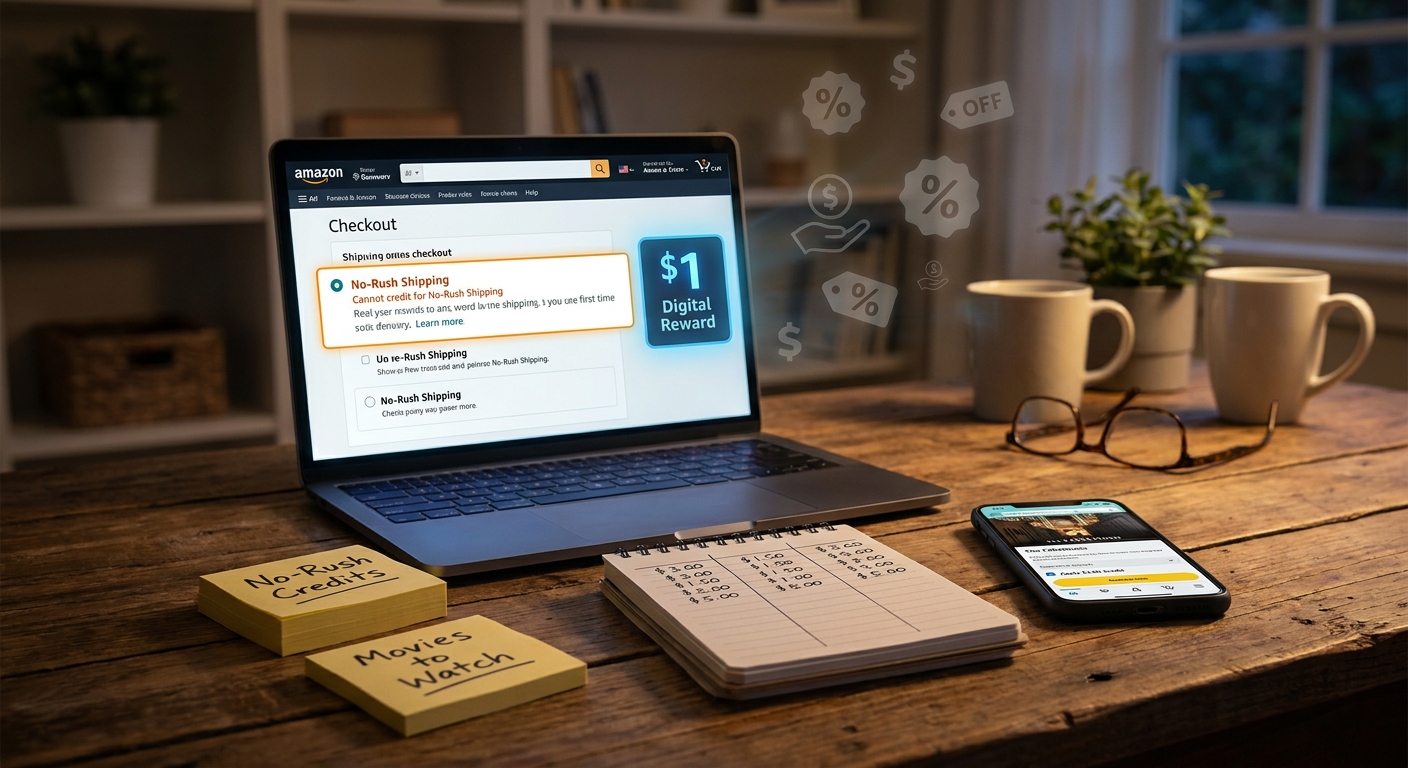
    If your item does not need to arrive tomorrow, slower shipping can sometimes earn digital credits. Those credits may be usable on eBooks, movies, music, apps, or other digital content, depending on the current offer.

    Search your messages and banners inside Amazon

    Some of the best student promos show up in account banners, promo pages, or email notices. They are easy to ignore. Do not.

    Where the hidden savings usually show up

    Here is where students tend to find the best practical value.

    Textbooks and school books

    New textbooks are brutal. Rentals, used copies, Kindle editions, and limited student book promos can all shift the price. You may not get a miracle discount, but mixing formats and checking student-specific offers can lower the damage.

    Dorm essentials

    Storage bins, mattress toppers, extension cords, lamps, towels, and basic kitchen gear are classic Student Stack buys. These items often have clip coupons on top of sale prices.

    Tech accessories

    Laptop stands, chargers, earbuds, webcams, and monitor risers are where Amazon loves to hide small but stackable discounts. A sale price plus a coupon plus Prime shipping is not exciting. It is just effective.

    Everyday restocks

    Paper towels, razors, snacks, detergent, and coffee pods are not fun purchases. That is exactly why a student discount stack helps. If you are buying them anyway, you may as well trim the repeat cost.

    What counts as a “secret promo code” in real life

    Most of the time, it is one of these:

    • Student-only offer pages that are not pushed on the public homepage
    • Category coupons on item pages
    • Prime Student sign-up bonuses
    • No-rush shipping credits
    • Targeted account offers shown only to eligible users
    • Back-to-school and Prime Day student campaigns

    So yes, people call them promo code hacks. But the smart version is less about typing in codes and more about knowing where Amazon hides the discounts.

    Common mistakes that cancel out the savings

    Signing up too early

    If your biggest shopping wave is still months away, burning through a trial too soon can waste some of the value. Time it around major buying periods if you can.

    Ignoring total cost

    A “deal” is not a deal if the item is still overpriced. Check other sellers, price history tools, and competing stores. The Student Stack works best when the base price is already decent.

    Missing subscription renewals

    Free trials are great until they quietly become paid plans. Set a reminder the day you enroll.

    Trusting fake code sites

    A lot of websites promising secret Amazon promo codes are content farms recycling dead offers. If the code is not shown in your Amazon account, on a real Amazon landing page, or from a trusted partner, be skeptical.

    How to use this before Prime Day 2026

    Prime Day is when students get distracted by flashy percentage signs. The better move is to prep first.

    Make two lists

    One list for things you actually need for classes, work, or your dorm. Another for nice-to-have items. Buy the need list first.

    Activate every student benefit before the sale starts

    Do not wait until deal hours to verify your account. If Amazon needs proof, you do not want that delay while prices are moving.

    Track the stack, not just the sticker price

    Ask yourself three questions. Is there a Prime Student price? Is there a coupon? Is there a credit or category promo attached? That is how small savings become useful savings.

    Use credits on things you already buy

    If no-rush credits or bonus credits are available, spend them on content or small digital purchases you would have paid for anyway. Otherwise they just expire and the value disappears.

    Who this works best for

    This approach is best for students who buy in cycles. Think beginning of semester, move-in season, internship prep, and holiday travel periods. If you shop Amazon only once or twice a year, the value may be smaller. But if Amazon is already your default store for basic supplies, the stack can pay off quickly.

    At a Glance: Comparison

    Feature/Aspect Details Verdict
    Prime Student membership Usually includes a student trial and a lower ongoing Prime price for eligible users. Best starting point. Activate this first.
    Stackable extra savings Can include item coupons, targeted student promos, and no-rush shipping credits. Small individually, strong when combined.
    Random promo code websites Often list expired, limited, or misleading codes that do not apply to your account. Low value. Stick to official Amazon offers.

    Conclusion

    The best student Amazon trick is not glamorous. It is just smart. Instead of chasing fake “secret” codes, use your .edu email to open Prime Student, watch for the extra offers tied to your account, and stack the boring little discounts that actually work. With Prime Day 2026 breathing down everyone’s neck, students are rushing to gear up for summer jobs, internships, and fall semester without blowing their budget. That is why this Student Stack matters. It gives you an immediate, repeatable play. One college email can turn into months of cheaper shipping, exclusive student offers, and rolling credits that behave a lot like quiet promo codes on the stuff you were already going to buy.

  • The ‘Hidden Prime Preview’ Hack: How Early Deals Turn Into Secret Promo-Level Savings Before Prime Day

    The ‘Hidden Prime Preview’ Hack: How Early Deals Turn Into Secret Promo-Level Savings Before Prime Day

    If you have been staring at Amazon’s homepage and wondering why everyone else seems to find better early deals than you do, you are not crazy. Amazon really does hide some of its best pre-Prime Day discounts in odd little corners. A few show up in category pages. Some sit inside “limited time deals.” Others appear only after you click into a product or browse your “just for you” recommendations. That is why the usual roundups can feel so frustrating. They often repeat the same big-name products and skip the part that actually matters, which is how to find early Amazon Prime Day deals hidden discounts yourself.

    The good news is you do not need secret access or a coupon-clipping hobby. You just need a simple routine. With Prime Day 2026 close enough that Amazon is already testing lower prices across thousands of listings, now is the smart time to look. Done right, you can spot near-Prime Day pricing early, avoid fake markdowns, and decide whether to buy now or hold off for a better drop.

    ⚡ In a Hurry? Key Takeaways

    • Amazon is already rolling out early Prime Day-style discounts, but many are buried in category pages, deal hubs, and personalized sections.
    • Start with your wish list, check deal filters, compare price history, and always look for extra coupons on the product page before buying.
    • Do not trust every “was” price. A deal is only good if it beats the item’s normal recent price, not just Amazon’s inflated list price.

    Why the best early deals feel weirdly hard to find

    Amazon wants you shopping. It does not always want you shopping efficiently.

    That sounds harsh, but it explains a lot. The site is built to keep you browsing, clicking, and comparing. So instead of putting every strong early discount in one clean place, Amazon spreads them around. You might find one on a category landing page, another inside Today’s Deals, and a third only after logging in and browsing long enough for the site to decide you are interested.

    This is where the FOMO starts. You see headlines about “early Prime Day savings,” click over, and then cannot find the same prices yourself. Sometimes the deal ended. Sometimes it is tied to Prime. Sometimes it is on a variation like a different color or size. And sometimes the real discount is not visible until you open the product page and tick a coupon box.

    That last part matters a lot. If you want to stack discounts, it is worth reading The ‘Hidden Coupon Ladder’ Hack: How To Turn One Amazon Product Page Into Three Secret Discounts, because early Prime Day prices often get even better once you spot the extra coupon, seller promo, or Subscribe & Save option.

    The hidden prime preview routine that actually works

    You do not need to search all of Amazon. You need a repeatable routine.

    1. Start with a list, not with the homepage

    The homepage is entertainment. Your list is strategy.

    Write down 5 to 15 things you might realistically buy in the next month. Think boring and useful. Printer ink. Headphones. Air fryer liners. Dog food. USB-C chargers. Diapers. Batteries. Storage bins. The less “viral” the product, the more likely you are to find a quiet discount before the crowd shows up.

    Search those exact items one by one. This is much better than typing “best Prime Day deals” and getting sucked into random gadgets you never planned to buy.

    2. Use Amazon’s deal filters, but do not stop there

    Go to Amazon’s deals section and filter by:

    • Prime eligible
    • Your category
    • Customer review rating
    • Brand, if you care about a specific one

    Then sort through the category itself, not just the main deal page. This is where many early markdowns sit quietly. Amazon often promotes only a handful of flashy products on the front page, while dozens of practical items get discounted deeper in subcategories.

    For example, instead of browsing all home deals, drill into storage, kitchen tools, bedding, or small appliances. You are much more likely to catch the hidden markdowns there.

    3. Check the product page for three extra price layers

    This is the part many people miss.

    When you open a product page, look for:

    • A coupon checkbox under the price
    • A “Prime savings” or “limited time deal” tag
    • A Subscribe & Save discount on repeat-use items

    Sometimes Amazon shows the headline discount in search results, but hides the best part until you click in. Other times the product page reveals a better final total than the one shown in the listing grid.

    If you are buying household basics, vitamins, coffee pods, paper goods, or pet supplies, this matters even more because these are exactly the kinds of products where stacked discounts show up.

    4. Compare colors, sizes, and pack counts

    Amazon is notorious for pricing one variation lower than the others.

    The black version may be 20 percent off while the blue version is full price. The two-pack may be a better deal than the single item. The 64GB model may be discounted while the 128GB one barely moved.

    Do not assume the first version you land on is the best one. Click around.

    5. Look in “Buy Again,” wish lists, and saved items

    This is one of the easiest hidden-deal checks on the site.

    Open your Buy Again section. Then check items saved for later in your cart. Amazon often lowers prices on products you have already shown interest in, and those drops can happen before they ever show up in a broader roundup article.

    Your wish list can work the same way. If you have been saving items for weeks, now is the time to scan them daily.

    6. Check your “just for you” sections while signed in

    Some deals are more visible when Amazon knows who you are.

    That means signing in, then checking recommendation pages, category deal hubs, and your browsing-based suggestions. No, this is not glamorous. Yes, it works.

    Amazon sometimes surfaces a discount more aggressively to shoppers who have viewed similar items. If you browsed espresso machines three times this month, your account may see a better early deal path than someone who has never clicked one.

    How to tell if an early Prime preview deal is actually good

    This is where people get burned.

    An item can be “40 percent off” and still not be a real bargain. Amazon sellers and even big brands play games with reference prices. You will see “was $79.99, now $49.99,” but the product may have sold for $52.99 for most of the past month.

    Use a price history tool

    If you really want to dodge fake markdowns, check the product with a price-history tracker before buying. You do not have to do this for every pack of paper towels. But for electronics, kitchen appliances, and anything over roughly $30 to $50, it is worth the extra minute.

    You are looking for one simple answer. Is this actually near the item’s lowest normal price, or is Amazon just dressing up a routine discount?

    Watch for these red flags

    • The discount looks huge, but the final price is close to what the item usually costs.
    • The “list price” is from a manufacturer suggestion nobody really pays.
    • The product has a lot of recent reviews complaining about quality changes.
    • The seller is unfamiliar and the return policy looks messy.

    A good early deal saves money. A bad early deal just creates urgency.

    Buy now or wait for Prime Day proper?

    This is the question everybody asks, and the answer is less dramatic than people hope.

    Buy early if:

    • The price is at or very near its recent low
    • You need the item anyway
    • The item tends to go out of stock during major sales
    • The product has an extra coupon that may vanish before Prime Day

    Wait if:

    • The current discount is small and the product usually gets a deeper cut during Prime events
    • You are shopping highly competitive categories like Amazon devices, TVs, or big-name earbuds
    • You do not actually need the item yet

    In plain English, everyday essentials and less glamorous products are often safe to buy early if the price checks out. Big headline electronics are more likely to get one more push during the official event.

    A simple 10-minute daily deal check

    If you want a routine you can stick with, do this once a day until Prime Day:

    1. Open your wish list and saved-for-later items.
    2. Check prices on the 5 to 10 products you actually care about.
    3. Open the product pages and look for coupons or Prime-only savings.
    4. Compare variations like color, size, and bundle.
    5. Use a price-history check for anything expensive.
    6. Buy if the price is genuinely strong and the item is on your real list.

    That is it. No spreadsheet needed. No 45-tab chaos.

    Where hidden discounts most often show up before Prime Day

    Not every category behaves the same way. In my experience, early price drops tend to show up first in:

    • Home essentials
    • Kitchen tools and small appliances
    • Beauty and personal care
    • Pet supplies
    • Office gear
    • Phone chargers, cables, and accessories

    These are the categories where Amazon can cut prices quietly without turning every item into a giant homepage event. They are also categories where shoppers can save real money because they buy these products again and again.

    At a Glance: Comparison

    Feature/Aspect Details Verdict
    Homepage deal browsing Shows flashy items and broad promos, but misses many category-specific and personalized discounts. Fine for ideas, not great for finding the best hidden savings.
    Category and product-page digging Reveals buried markdowns, coupon checkboxes, variation pricing, and Prime-only offers. Best way to find early Amazon Prime Day deals hidden discounts.
    Price-history verification Helps you spot fake “was $X, now $Y” pricing and decide if a discount is truly strong. Worth doing for anything pricey or anything you might regret impulse-buying.

    Conclusion

    Prime Day 2026 is close enough now that Amazon has already started sprinkling real discounts across the site. The catch is that many of the best early prices are not sitting neatly on the homepage waiting for you. They are tucked into category pages, product-page coupons, saved-item lists, and personalized sections most casual shoppers never check. If you use a simple routine, start with what you actually need, and verify the price before buying, you can lock in near-Prime Day savings without the usual chaos. That means less panic, fewer fake bargains, and a much better shot at getting what you want before the big rush hits on June 23.

  • The ‘Bank Card Shuffle’ Hack: How Hidden Issuer Offers Turn Regular Amazon Orders Into Secret Promo-Size Discounts

    The ‘Bank Card Shuffle’ Hack: How Hidden Issuer Offers Turn Regular Amazon Orders Into Secret Promo-Size Discounts

    Most people are tired of the Amazon coupon circus. You click a promising code, hit checkout, and get nothing. Expired. New customers only. Wrong category. It is enough to make you stop trying altogether. The good news is the best savings right now often are not public promo codes at all. They are hidden bank and card issuer offers sitting inside your credit card app, waiting to be activated before you buy. That is the real amazon credit card offers hack shoppers should know ahead of Prime Day 2026. You check your card offers, add the Amazon deal if one is there, then stack it with Amazon’s own coupon checkboxes, deal badges, and event pricing. It feels like a secret discount tied to your account. Better yet, it is repeatable. Once you learn the quick “bank card shuffle,” you can scan your cards in a minute or two before every order and stop wasting time on dead coupon sites.

    ⚡ In a Hurry? Key Takeaways

    • Hidden issuer offers can cut 10 to 30 percent off Amazon orders when you activate them before checkout.
    • Before every purchase, scan the Offers tab in each card app, then stack any rebate with Amazon coupons, deal badges, and sale pricing.
    • Stick to real bank apps and Amazon pages, not random coupon sites, and always read the offer terms for spending caps and category limits.

    What the “Bank Card Shuffle” actually is

    This is not a hack in the shady sense. You are not tricking Amazon. You are simply checking whether your bank, card issuer, or payment app has targeted an Amazon offer to one of your cards.

    That offer might say things like:

    • Get 20% back at Amazon, up to $20
    • Spend $75 at Amazon, get $15 back
    • Use points plus your card and save on an eligible order
    • Get bonus cash back on Amazon purchases this week

    The “shuffle” part is simple. You look across all your payment cards before you buy. Not just your favorite one. Sometimes the boring backup card has the best Amazon deal.

    Why so many shoppers miss it

    Because these offers are buried.

    They live in tiny tabs labeled “Offers,” “Benefits,” “Merchant Deals,” or “Cash Back.” Sometimes they show up as a banner in your bank app. Sometimes they are hidden inside the card issuer website. And often they are targeted, which means your friend may get 25% back while you get nothing on the same day.

    That is why public coupon hunting feels so useless. The best discounts are often private.

    Why this matters right now before Prime Day 2026

    Ahead of big shopping events, issuers want spending. Amazon wants momentum. So both sides start rolling out overlapping promos early.

    That creates a sweet spot:

    • Card issuer offer on Amazon
    • Amazon on-page coupon checkbox
    • Early Prime Day pricing or Lightning Deal
    • Occasional brand-specific promo on the product page

    Stack those together, and a regular household item can quietly drop by 10 to 30 percent, sometimes more if the cap is generous.

    Your 2-minute card scan before every Amazon order

    1. Open every bank and card app you actually use

    Check your main credit cards, store cards, and payment apps with merchant offers. Look for sections named Offers, Rewards, Deals, or Benefits.

    2. Search for Amazon

    If the app has a search bar, type “Amazon.” If not, scroll the shopping offers manually. Add or activate any Amazon offer you see.

    3. Read the fine print fast

    This part matters. Check:

    • Minimum spend
    • Expiration date
    • Maximum rebate
    • Whether it works on the full order or select items only
    • Whether it excludes gift cards, digital purchases, or third-party sellers

    4. Go back to Amazon and inspect the item page

    Look for a coupon checkbox under the price. Check for deal badges, sale pricing, and any “Save more” promotions on the listing.

    5. Pick the best card for that order

    This is the whole point of the bank card shuffle. Do not assume your default card is best. Use the one with the active Amazon offer.

    6. Screenshot the offer before you buy

    It takes two seconds and can save a headache if the statement credit is slow to post.

    Examples of how the savings stack

    Say you are buying $80 worth of basics.

    • Amazon item is already 10% off during an early event sale
    • There is a $5 on-page coupon to clip
    • Your card app has “Spend $75, get $15 back at Amazon”

    You are no longer chasing a mystery code. You are stacking known discounts. On an $80 order, that can turn into a very real reduction that feels like a private promo attached to your card.

    And that is why this works so well for routine shopping. Detergent, phone chargers, vitamins, coffee filters, pet supplies. The boring stuff adds up.

    Where to look for these offers

    Different issuers hide them in different places, but the pattern is the same. Check the issuer app, the website account dashboard, and sometimes the rewards section attached to a specific card.

    Common places include:

    • Credit card issuer “Offers” tab
    • Bank mobile app merchant deals section
    • Card-linked rewards portals
    • Payment wallet promotions tied to a stored card

    If you have multiple cards in one household, check them all. One spouse may get the Amazon offer while the other does not.

    What this is not

    It is not a universal code. It is not guaranteed on every card. And it is not worth opening a bunch of random new accounts just to chase a single order.

    This is about using offers already sitting on cards you have.

    Pair it with hidden Amazon account promos too

    There is another layer here. Sometimes Amazon itself has targeted account bonuses that do not show up until you trigger the right page or payment setup. If you want to check that angle too, read The ‘Targeted Credit Unlock’ Hack: How To Trigger Hidden Amazon Account Bonuses Before Prime Day 2026. It pairs nicely with the card scan method because one targets your Amazon account, while the other targets your payment cards.

    Common mistakes that kill the discount

    Using the wrong card at checkout

    This sounds obvious, but it happens all the time. You activate the offer on Card A, then Amazon checks out with your default Card B.

    Missing the minimum spend

    If the offer says spend $50 and your final charged amount falls below that after coupons or returns, you may not get the credit.

    Buying excluded items

    Gift cards, digital credits, subscriptions, and some third-party sales can be excluded. Always skim the terms.

    Forgetting that some credits post later

    Many issuer offers do not appear instantly. Some take a few days. Some take a billing cycle.

    Is this safe?

    Yes, if you keep it boring.

    Use your real bank app. Use your issuer website. Use the Amazon listing itself. Avoid sketchy browser extensions and “secret code” sites that ask for logins or push fake countdowns.

    The safest version of the amazon credit card offers hack is not flashy at all. It is just careful checking.

    My practical rule for Prime Day season

    Do not place an Amazon order, even a small one, without doing a quick card scan first.

    It is the same logic as checking the gas price across the street before filling up. You are buying anyway. Spend an extra minute and keep the difference.

    Who benefits most from this

    • Families making regular household orders
    • People with two or more credit cards
    • Shoppers who are tired of fake coupon hunting
    • Anyone buying during Prime Day build-up when offers tend to overlap

    At a Glance: Comparison

    Feature/Aspect Details Verdict
    Issuer offer value Often gives statement credits or bonus cash back like $10 to $25 back, or 10% to 30% off up to a cap. Best source of “hidden” savings if you remember to activate it first.
    Amazon stackability Can often be mixed with clipped coupons, sale pricing, and event deal badges on the same item. Excellent, and this is where routine orders turn into real discounts.
    Effort required Usually takes 1 to 2 minutes to scan apps, activate offers, and confirm the right card at checkout. Very worth it, especially during Prime Day season.

    Conclusion

    The smartest Amazon savings right now are often the ones nobody sees. Ahead of Prime Day 2026, banks and card issuers are quietly rolling out targeted Amazon offers that stay tucked away in little Offers tabs and app banners. At the same time, Amazon is layering on early event promos, clipped coupons, and deal badges that can stack with those outside rebates like a private code tied to your account. That is why a simple, repeatable card scan before every order works so well. It turns normal shopping into quiet 10 to 30 percent wins, even when Amazon is not showing any obvious coupon at checkout. You do not need to camp on Reddit or chase glitchy promo threads. Just check your cards, activate what is there, and use the right one when you buy. It is one of the easiest ways to put real cash back in your pocket all season long.

  • The ‘Hidden Coupon Ladder’ Hack: How To Turn One Amazon Product Page Into Three Secret Discounts

    The ‘Hidden Coupon Ladder’ Hack: How To Turn One Amazon Product Page Into Three Secret Discounts

    You are not imagining it. Amazon makes discount hunting feel weirdly harder than it should. You click a product, spot one tiny coupon checkbox, and think, “Fine, that must be it.” Then later you find out the same item, or a near-identical twin listing, had a bigger coupon, a subscribe-and-save discount, or a seller promo hiding one click away. That is the annoying part. The savings were there, just not where most people would think to look. The good news is you do not need sketchy browser tricks or hours of searching. A simple method can turn one product page into a mini trail of extra discounts. I call it the hidden coupon ladder. Once you know where to click, you can jump from one listing to related versions, then into brand and category coupon pages, and quickly see which deals are actually live today. It is one of the most useful amazon hidden coupon hacks for everyday shopping.

    ⚡ In a Hurry? Key Takeaways

    • The best Amazon discounts are often hidden in small seller coupons, alternate listings, and subscribe-and-save offers on the same item family.
    • Start with one product page, then check variations, the seller storefront, the brand name search results, and the Amazon coupons page for matching offers.
    • Only count savings that appear at checkout. Some coupons expire fast, and not every duplicate listing is truly the same product.

    Why this trick works

    Amazon is not one neat department store shelf. It is more like a giant flea market with better shipping. Brands, third-party sellers, and even the same brand under different pack sizes can all create separate listings with separate promotions.

    That means one item can have several discount paths at once:

    • A clickable coupon on the main page
    • A bigger coupon on a different color, size, or pack listing
    • A separate promo from the same brand storefront
    • A subscribe-and-save discount
    • A limited-time deal tied to a near-duplicate product page

    Most shoppers stop at the first green checkbox. That is where they leave money on the table.

    The hidden coupon ladder, step by step

    Step 1: Start on the product page and clip the obvious coupon

    First, look under the price. If you see a small coupon box, clip it. This is the easy part. But do not stop there.

    Also check for these common discount spots:

    • “Save X% with coupon”
    • “Redeem” style promo buttons
    • “Join Prime to save”
    • “Subscribe & Save” discounts
    • Multi-buy offers like “Save 20% on 2”

    If the item is something repeatable like vitamins, detergent, razors, or coffee pods, the subscribe-and-save line can be worth more than the visible coupon.

    Step 2: Open every variation

    This is where the ladder starts. Click the different sizes, colors, scents, bundles, and pack counts. Yes, even the boring ones.

    Why? Because Amazon often treats each variation like its own deal bucket. A 2-pack may have a 25 percent coupon while the single pack has only 10 percent. A lavender version may be discounted harder than the unscented one, even if the formula is basically the same.

    Check each variation for:

    • A different coupon amount
    • A lower base price
    • A better subscribe-and-save discount
    • A shipping difference that changes the real final cost

    If you are buying household supplies or beauty products, this one step alone often finds the better discount.

    Step 3: Click the brand name or seller name

    Now move sideways. Click the brand link if Amazon shows one, or click the seller name under the Buy Box area.

    What you are looking for is not the fancy storefront design. You want the rest of that brand’s active listings. Many sellers spread coupons unevenly across similar items. A toothbrush head refill page may show no coupon, but the same brand’s bundle page might have one. A skincare item may have a 15 percent coupon on the “new packaging” listing while the old page still ranks higher in search.

    If the storefront has a search bar, use it. Type the product keyword, like “vitamin C serum” or “air fryer liners.”

    Step 4: Search Amazon with the exact brand plus product type

    This is the fastest way to expose hidden twins. In Amazon search, type the brand name plus the item category. For example:

    • Brand + paper towels
    • Brand + shampoo
    • Brand + Bluetooth earbuds

    Then scan the results for the little coupon tags. You are not trying to read every listing. You are comparing discount badges and package sizes.

    Look for:

    • Near-identical photos
    • Slightly different titles
    • Different quantities
    • “New version” or “updated packaging”
    • Coupon labels directly in search results

    This is the heart of the hidden coupon ladder. One product page leads to a family of related deals.

    Step 5: Check Amazon’s coupon page with that brand or category

    Amazon has a dedicated coupons section, and it is far more useful than most people realize. Search there by brand or category.

    If you are on desktop, you can usually find it through Amazon’s menu or by searching “Amazon coupons” in your browser. Once inside, search the brand name from the product you started with.

    This helps because some coupon offers are easier to spot in the coupon hub than on the product page itself. You may find:

    • Other items from the same brand with better coupon values
    • Category-wide coupon sorting for household, beauty, and gadgets
    • Freshly added discounts that are not obvious in standard search

    Step 6: Add the top two or three candidates to your cart

    Do not trust the product page alone. Add your best options to the cart and compare the checkout math.

    Amazon can stack or block discounts in ways that are not obvious until the cart page. One listing may look cheaper, but another might win once the coupon and subscribe-and-save are applied.

    Your real comparison should be:

    • Base price
    • Coupon value
    • Subscribe-and-save discount
    • Shipping cost or delivery minimums
    • Pack count or ounce count

    If two items are very close, calculate the unit price. That keeps a flashy coupon from fooling you into overpaying.

    What counts as a “secret” discount?

    Nothing here is illegal, hidden behind a paywall, or some hacker trick. “Secret” just means easy to miss. Amazon’s layout does not put all discounts in one clean place, so you have to do a little ladder climbing.

    The most common hidden deals are:

    • Coupons on alternate pack sizes
    • Coupons on duplicate or refreshed listings
    • Brand-level coupon offers
    • Seller offers visible only on a related page
    • Deals that show in search results but not clearly on the original listing

    Best categories for amazon hidden coupon hacks

    Some departments are much better for this than others. You will usually get the best results with:

    • Household supplies
    • Beauty and skincare
    • Vitamins and wellness products
    • Pet supplies
    • Phone accessories and small gadgets
    • Kitchen basics

    These categories have lots of third-party sellers, frequent promo changes, and many near-duplicate listings. That is exactly where the hidden coupon ladder works best.

    Common mistakes that kill the savings

    Stopping at the first coupon

    This is the biggest one. The first coupon is often not the best coupon.

    Ignoring pack size math

    A bigger coupon on a giant bundle can still be a worse deal per item.

    Forgetting subscribe-and-save

    If you use an item regularly, this can beat the visible coupon. Just remember you can manage future deliveries in your Amazon account.

    Not checking duplicate listings

    Same product. Different ASIN. Different promo. It happens all the time.

    Waiting too long

    Seller coupons can disappear fast. If the deal is good and you already planned to buy the item, do not assume it will still be there tomorrow.

    A simple example

    Say you find a face moisturizer for $19.99 with a 10 percent coupon. Nice, but nothing exciting.

    You click the 2-pack variation. Now there is a 20 percent coupon. Then you click the brand name and find a nearly identical listing with updated packaging and a 25 percent coupon. Then you search the Amazon coupon page for that brand and spot a separate cleanser bundle with a larger discount if you were planning to buy both anyway.

    Same shopping trip. Same brand. Very different result.

    That is the ladder. You start with one page and climb outward until you find the best live discount.

    How to do this quickly without making it a chore

    The trick is not to turn bargain shopping into a part-time job. Give yourself a two-minute rule.

    Here is a fast routine:

    1. Clip the visible coupon.
    2. Open all variations.
    3. Search the brand plus the product type.
    4. Check the Amazon coupons page.
    5. Add the top options to cart and compare.

    If nothing better appears in two minutes, buy the original one and move on. The point is better odds, not perfection.

    Is it safe?

    Yes, as long as you use normal common sense. You are simply checking Amazon’s own listings and seller promos.

    Still, keep an eye on:

    • Seller ratings
    • Return policy
    • Reviews that mention product changes
    • Whether the “twin” listing is truly the same item

    A giant coupon is not worth much if the seller is unreliable or the product is not the version you wanted.

    At a Glance: Comparison

    Feature/Aspect Details Verdict
    Single product page coupon Fast and easy to clip, but often not the best available deal on that item family. Good starting point, not the final answer.
    Variation and duplicate listing check Can reveal bigger coupons, lower pack pricing, or separate promos on near-identical listings. Best source of hidden savings.
    Cart and checkout comparison Shows the real final cost after coupons, subscribe-and-save, and shipping are applied. Always do this before buying.

    Conclusion

    Amazon’s best discounts are often hiding in plain sight. Not in huge homepage sales, but in scattered seller coupons, small green checkboxes, and alternate listings that most people never open. Once you use the hidden coupon ladder, you stop guessing and start checking the places that actually matter. One product page becomes a shortcut to all the live offers around that brand and category. That means less time messing with dead codes, and more real savings on everyday buys like household supplies, beauty products, and gadgets. A couple of extra clicks can make a bigger difference than most promo codes ever do.

  • The ‘Outlet Stack Attack’ Hack: How To Turn Amazon’s Clearance Corner Into Secret 70% Off Promo-Code-Level Deals

    The ‘Outlet Stack Attack’ Hack: How To Turn Amazon’s Clearance Corner Into Secret 70% Off Promo-Code-Level Deals

    You are not imagining it. Hunting for an Amazon promo code can feel like chasing a coupon unicorn. You click through roundups, paste in codes, and half of them are expired, product-specific, or not much of a deal in the first place. Meanwhile, the real discounts often show up somewhere much less flashy: Amazon Outlet. That is where overstock, clearance items, and slow-moving inventory quietly get marked down, sometimes hard, and often with very little warning. The trick some smart shoppers use is what I call the amazon outlet promo code hack. It is not a shady loophole. It is simply knowing where Amazon hides deep markdowns, and checking before the crowd shows up. With early Prime Day pricing already shaking things loose, Outlet stock is moving fast right now. If you know how to spot the right listings, 50 to 70 percent off can be very real, especially on everyday basics, home gear, and lower-profile brands.

    ⚡ In a Hurry? Key Takeaways

    • The best “amazon outlet promo code hack” is not a secret code. It is checking Amazon Outlet for sudden clearance drops before deal blogs catch up.
    • Filter by discount, watch price history when you can, and move quickly on common items because colors, sizes, and top brands disappear first.
    • Stick with items sold or fulfilled by Amazon when possible, and always compare the Outlet price with the regular listing so you do not get fooled by a weak markdown.

    What the “Outlet Stack Attack” really means

    Let’s clear up the name first. This is not some hacker trick, and it is not about piling sketchy coupon codes on top of each other.

    The “stack” part is about stacking Amazon’s quiet markdown systems. Outlet deals can overlap with normal sale pricing, subscribe-and-save offers, on-page coupons, and temporary inventory drops. When that happens, the final price can look like a promo-code miracle, even though it came from plain old clearance logic.

    That is why this works so well during big shopping periods. Early Prime Day buzz tends to push sellers to cut prices, move extra stock, and reshuffle inventory. Outlet often catches the leftovers and the overstock. If you arrive early, you get the deal. If a major blog posts it six hours later, the best options are usually gone.

    Where Amazon Outlet actually lives

    Amazon does not exactly put Outlet in giant flashing lights. That is part of why so many people miss it.

    You can usually find it by searching “Amazon Outlet” directly on Amazon, or by going through the site menu and looking for deals, then outlet or clearance sections. The exact path changes from time to time, because Amazon loves rearranging the furniture.

    Once you are in, think of it less like a polished storefront and more like a digital bargain aisle. It is full of random categories, mixed quality, and prices that can change fast.

    How the amazon outlet promo code hack works in real life

    1. Start with boring products, not viral ones

    The biggest savings often show up on everyday stuff. Cleaning supplies. Phone accessories. Storage containers. Socks. Small kitchen tools. Basic electronics from lesser-known brands.

    Why? Because that is the inventory Amazon and sellers need to move quickly.

    If you only search for the hottest gadgets, you will still find deals sometimes, but the competition is much higher.

    2. Sort for discount, then sanity-check the price

    A 65 percent off badge looks exciting. But always compare it with the regular product page, and if possible, with the recent price elsewhere.

    Some listings are genuinely excellent. Others are just “marked down” from a hopeful list price nobody really paid.

    Your goal is not just a big percentage. Your goal is a low real-world price.

    3. Look for extra savings on the page

    This is where the “stack” can happen. Check whether the item has:

    • An on-page coupon checkbox
    • Subscribe & Save for household items
    • A multi-buy discount
    • A lower price in a less popular color or size

    Sometimes the Outlet price is already strong, and one extra checkbox pushes it into “buy now before it vanishes” territory.

    4. Watch the seller and shipping details

    If you want fewer headaches, lean toward items sold by Amazon or fulfilled by Amazon. Returns tend to be easier, shipping is more predictable, and you are less likely to deal with weird third-party surprises.

    This matters even more with electronics, personal care products, and anything brand-sensitive.

    5. Move fast, but not blindly

    Outlet inventory is thin by nature. Once a certain size, finish, or model is gone, that may be it.

    So yes, speed matters. But do not panic-buy. Give yourself a 30-second check: Is this the right item, the right seller, and a price that beats the normal listing? If yes, go for it.

    Best categories for 40 to 70 percent drops

    Not every corner of Amazon Outlet is equally useful. Some categories tend to produce much better clearance swings than others.

    Home and kitchen

    This is one of the strongest sections. Storage bins, organizers, water bottles, baking tools, small appliances, and replacement accessories can fall hard in price.

    Beauty and personal care

    Good for staples, especially when brands overproduce or rotate packaging. Just check expiration details if they are shown, and avoid anything that looks too old or oddly sourced.

    Clothing and shoes

    This is where sizes and colors vanish first. If you are flexible, you can score absurd discounts. If you need one exact size in black, good luck.

    Tech accessories

    Cables, chargers, stands, sleeves, smart plugs, and desk accessories are all worth watching. This is often where an ordinary Outlet deal can feel like a true promo-code-level steal.

    Seasonal items

    This is the sleeper category. Holiday decor after the season, patio gear in a weather shift, school supplies after the rush. Timing matters here.

    Common mistakes that kill the deal

    The biggest mistake is assuming every Outlet item is automatically a bargain. It is not.

    Here are the traps to avoid:

    • Buying because of the discount percentage instead of the final price
    • Ignoring seller quality and return terms
    • Forgetting to check alternate colors or sizes
    • Waiting too long after a deal starts trending
    • Confusing Outlet with used or damaged inventory

    That last point matters. Amazon Outlet generally focuses on overstock and clearance, not just used returns. Still, always read the listing carefully so you know what condition you are getting.

    A simple routine that works

    If you want this to pay off without eating your whole evening, keep it simple.

    The 5-minute check

    • Open Amazon Outlet
    • Pick one or two categories you actually buy from
    • Sort or filter for bigger discounts
    • Open anything that looks promising
    • Check final price, coupon box, seller, and shipping

    Do that once in the morning and once in the evening during heavy sale periods. That is often enough to catch the good stuff before the internet crowd piles on.

    Why this works especially well right now

    Early Prime Day season tends to create weird price motion across Amazon. Sellers test discounts. Amazon pushes competing listings around. Overstock gets moved faster. Some products get temporary markdowns just to clear shelf space for incoming inventory.

    That is exactly the kind of churn bargain hunters want.

    So while lots of people are still refreshing pages full of recycled coupon codes, Outlet shoppers are catching the products that quietly fell in price overnight.

    Is this better than waiting for Prime Day?

    Sometimes, yes.

    Prime Day is great for big headline deals. But it is also noisy. Inventory gets hammered fast, and everyone is looking at the same promoted products.

    Outlet is different. It is less glamorous, less organized, and often better for practical purchases. You may not find the year’s hottest laptop there. But you may save a surprising amount on the kind of stuff you actually need this month.

    At a Glance: Comparison

    Feature/Aspect Details Verdict
    Discount depth Outlet listings can quietly hit 40 to 70 percent off, especially on overstock and less-hyped items. Excellent if you care more about real savings than flashy promo codes.
    Ease of use Deals take a bit more digging, and Amazon does not always make Outlet easy to browse. Worth the extra effort once you know where to look.
    Risk level Main risks are weak “discounts,” fast sellouts, and third-party seller issues on some listings. Low risk if you compare prices and stick with solid seller and return terms.

    Conclusion

    The smart move is not waiting around for some magical code that may never work. It is learning where Amazon quietly dumps the real markdowns. Right now, early Prime Day buzz is already pushing prices all over the place, which means Outlet and overstock inventory are moving faster than usual. That gives ordinary shoppers a real shot at 50 to 70 percent off on useful, everyday items, before everyone else catches on. Check often, compare quickly, and do not get distracted by the coupon-code circus. The best deal on Amazon is often hiding in plain sight.