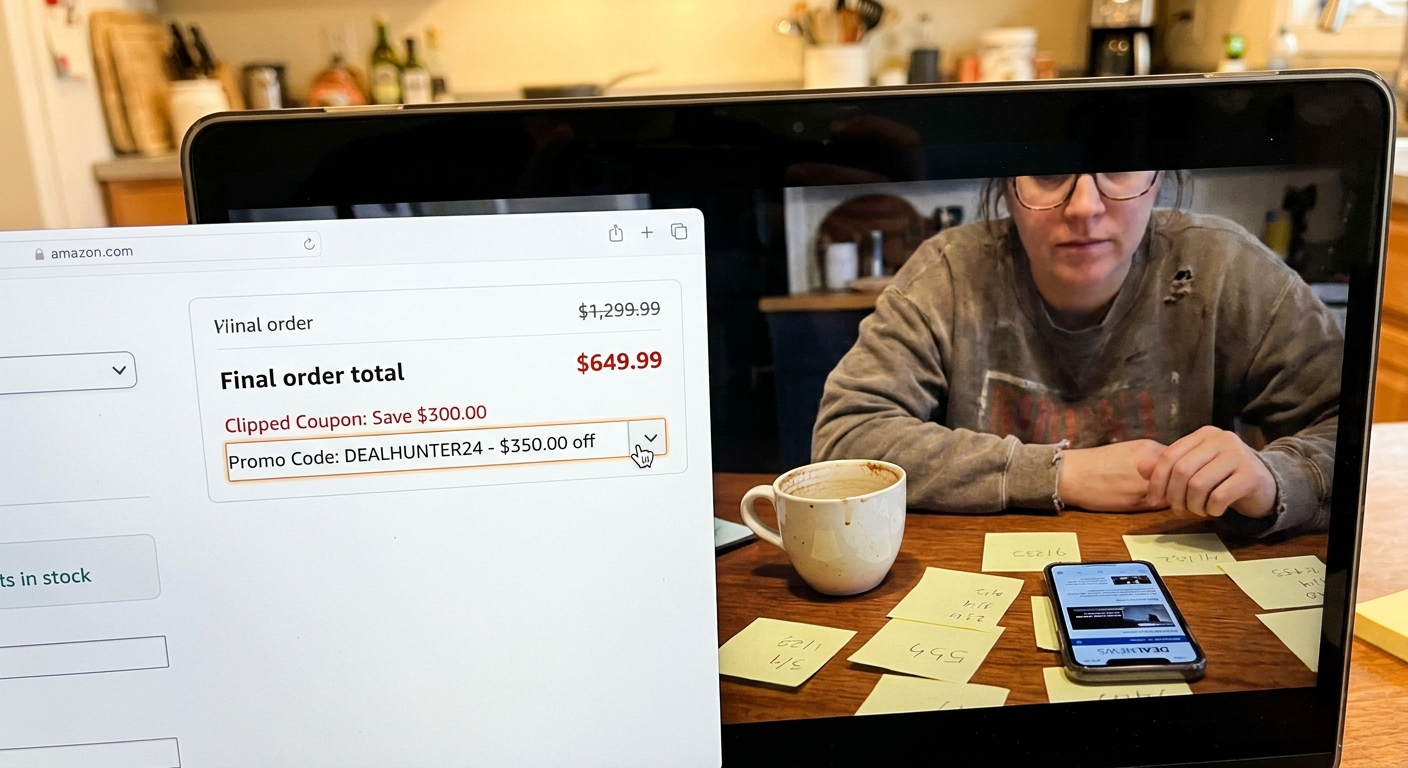
You are not imagining it. Amazon really can make a working discount look like it failed. That is why so many people paste in a promo code, see nothing dramatic happen in the cart, and give up too early. Meanwhile, the real savings often show up one screen later, after one tiny step almost everybody misses. The trick is what deal hunters call the Double Dip Checkout hack. On some listings, Amazon lets you stack a clipped on-page coupon with a separate promo code from a creator link, social post, or deal forum. The catch is that the code often needs to be properly submitted with the little arrow button, and the final combined discount may not appear until the last “Place your order” page. If you have been wondering how to stack amazon coupon and promo code without playing guessing games, this is the clean, repeatable way to test it before you buy.
⚡ In a Hurry? Key Takeaways
- Yes, Amazon sometimes allows a clipped coupon and a promo code on the same item, but you usually need to verify it on the final checkout page.
- Clip the coupon first, enter the promo code second, then tap the small arrow or apply button so the code actually submits.
- Only use codes from sources you trust, and never judge success by the cart alone because many real double dips do not fully show until “Place your order.”
Why this works, and why people miss it
Amazon runs several kinds of discounts at the same time. Some are public, like the green coupon box you can clip on the product page. Others are tied to a promo code, influencer link, brand campaign, or social post.
Most shoppers assume these discounts cancel each other out. Sometimes they do. But not always.
The problem is Amazon does not make the stacking process very clear. A code can look inactive in the cart, or the price may only partly change at first. That makes people back out before the system finishes showing the full discount.
This is also why deal screenshots spread so fast in Facebook groups and TikTok comments. People see the final low price, but they miss the steps that got there. If you have seen those mystery screenshots, our guide to The “Hidden Social Media Code Swap” Hack: How Shared Amazon Screenshots Quietly Reveal Fresh Promo Codes Before They Go Public explains how those codes often surface in the first place.
How to stack amazon coupon and promo code
Step 1: Start on the product page
Look for a clickable coupon box under the price. It may say something like “Apply 20% coupon” or “Save $5 at checkout.” Clip that first.
If you skip this step and jump straight to the code, you can ruin the test because some discounts only attach if the coupon is clipped before checkout starts.
Step 2: Add the item to your cart
Once the coupon is clipped, add the item normally. Do not worry if the cart price still looks too high. That is common.
Step 3: Enter the promo code carefully
At checkout, find the gift cards and promotional codes box. Paste in the promo code exactly as shown.
Now comes the part many people miss. Tap the small arrow or apply button next to the code field. Just typing the code is not enough. If you do not submit it, Amazon may act like nothing happened.
Step 4: Keep going to the final order page
This is the big one. Do not stop at the cart if the discount looks wrong. Go forward to the final “Place your order” page and read the full order summary there.
That is often where the stacked price appears correctly. You can still back out before buying if the math is not right.
Step 5: Check the line items, not just the big total
Amazon may break the savings into separate lines, such as coupon savings, promotion applied, or subscribe and save discount. Read each line so you know whether both discounts fired.
What a real double dip usually looks like
A normal successful stack often follows this pattern:
- You clip a 25% coupon on the listing.
- You apply a creator code for another 30% off.
- The cart looks only slightly lower, or barely changed.
- The final checkout page shows both discounts in the summary.
That is the whole trick. The savings are real, but they are not always visible at the moment people expect.
Common reasons it seems broken when it is not
You did not actually submit the code
This is the number one issue. If you paste the code and do not hit the arrow or apply button, Amazon does nothing.
You checked the cart and quit too soon
Some discounts only appear on the final order page. Cart totals can be misleading.
The coupon expired or was account-limited
Some coupons are one-time only, Prime-only, or available to selected accounts. If it worked for someone else, that does not always mean it will work for every shopper.
The code applies only to a specific seller or variation
Color, size, pack count, or seller changes can break the deal. Make sure you are testing the exact version from the original post or link.
The item sold out and the listing changed
This happens a lot on viral deals. A code may still be floating around online long after the actual working version is gone.
How to test deals without wasting money
The safest way to do this is to treat checkout like a test lab. Clip the coupon, apply the code, move to the final order page, and inspect the total before you place the order.
You are not committed until you hit the final button.
That means you can test multiple deals in a careful way without buying blind. It also helps you sort real discounts from recycled codes that keep getting reposted after they stop working.
Where people are finding these codes right now
Right now, the most active sources are TikTok, Facebook deal groups, Telegram chats, and coupon forums. Creators often post a shopping link, a screenshot, or a quick cart total drop without explaining the exact steps.
That is why a filtered shortlist matters. Instead of chasing every comment section rumor, it helps to focus on deals that have already been tested for coupon-plus-code stacking on the current day.
Red flags to watch for
Not every “glitch” post is worth your time. Be careful when you see:
- No product link, just a dramatic screenshot
- No mention of whether a coupon had to be clipped first
- No code shown anywhere
- Comments full of “not working” from recent users
- Listings that switch seller or price after you click through
A good deal post should tell you the order of operations, not just the final brag price.
At a Glance: Comparison
| Feature/Aspect | Details | Verdict |
|---|---|---|
| Coupon + promo code stacking | A clipped on-page coupon can sometimes work with a separate promo code on the same listing. | Real, but item-specific |
| Where the discount appears | The full savings may not show in the cart and often appears on the final “Place your order” page. | Always verify at final checkout |
| Most missed step | Entering a promo code without tapping the small arrow or apply button to submit it. | Critical to success |
Conclusion
The Double Dip Checkout hack is not magic. It is just a small Amazon quirk that most people never test correctly. That is why so many shoppers miss real savings that are sitting one click away. Right now TikTok, Facebook groups, and deal forums are full of real examples where a clipped Amazon coupon and a secret creator or social-media code both apply on the same item, but most people miss out because they never run a proper checkout test or they bail when the discount does not show in the cart. The winning routine is simple: clip the coupon first, apply the secret code second, tap the arrow so the code actually goes through, and only judge the deal on the final “Place your order” page where the true combined price appears. If you want a cleaner way to sort through the daily flood of creator links, glitch posts, and expired codes, Best Amazon Coupons can save you time by narrowing things down to already-tested double dips that are working right now.