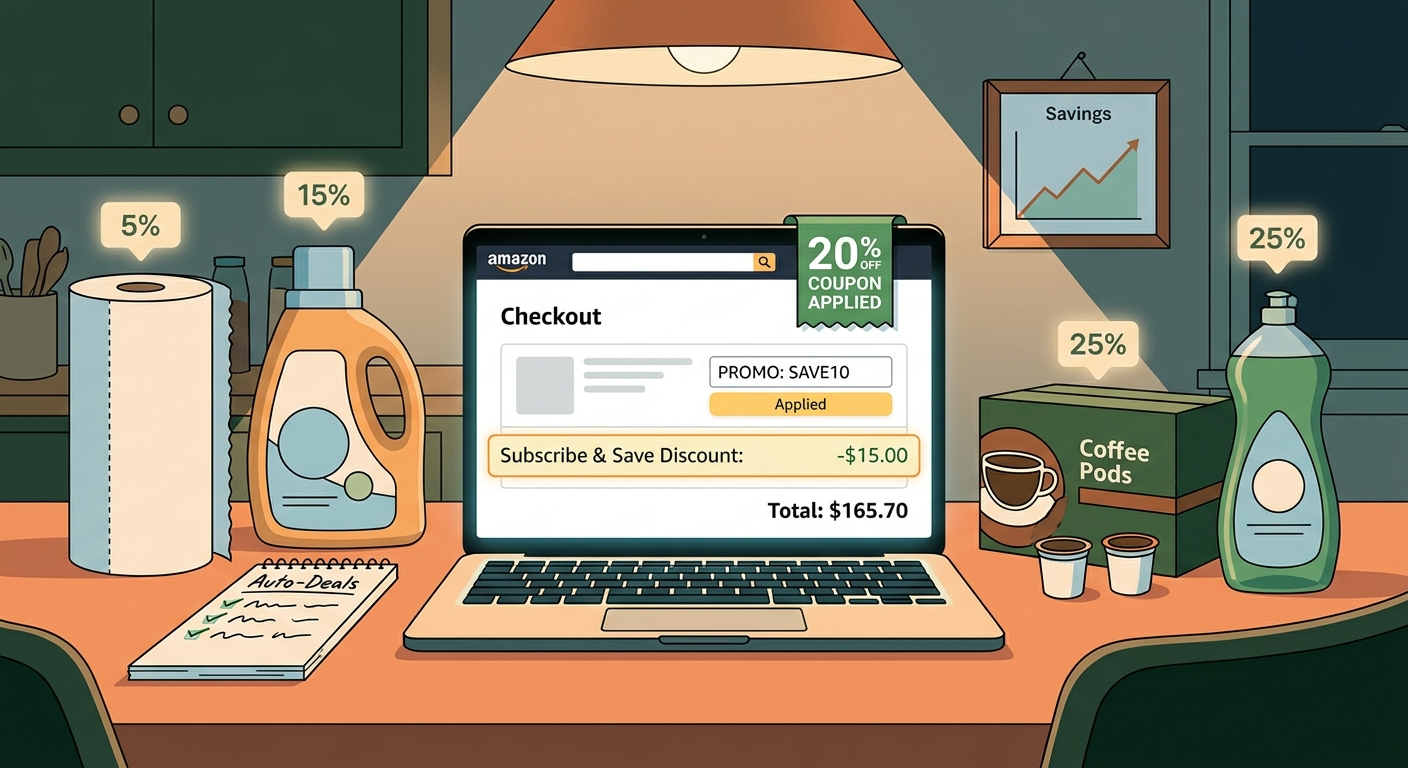
Most people treat Subscribe & Save like a tiny consolation prize. You click it, save 5%, and move on. That is exactly why this trick gets missed. Amazon often allows three discounts to mix on the same household item: the Subscribe & Save discount, an on-page coupon you clip with one checkbox, and a seller promo code or promotion running quietly in the background. If you set it up in the right order, that “boring” pack of paper towels or dish soap can drop by 30% to 40% without any sketchy coupon hunting. I get why shoppers miss it. Amazon hides the useful stuff in small print, the totals do not always update when you expect, and one wrong click can kick a promo out. The good news is this is not a glitch. It is a repeatable setup you can test in under a minute, and it works best on the everyday basics you are buying anyway.
⚡ In a Hurry? Key Takeaways
- The amazon subscribe and save promo code stacking hack works when one item allows all three at once: Subscribe & Save, a clipped coupon, and a seller promo.
- Before checkout, clip the coupon, choose Subscribe & Save, then test any listed promo code or promotion details on the final checkout screen.
- Do not assume the first price you see is the final one. Some savings appear later, and you should always check the real total before placing the order.
What the “triple stack” actually means
This is simpler than it sounds. You are trying to combine three separate discounts on one eligible product.
Stack 1: Subscribe & Save
This is the recurring delivery discount. On many items it starts at 5%. On some products, or once you hit the monthly item threshold, it can go higher.
Stack 2: The clickable coupon
This is the little box on the product page that says something like “Save 20%” or “Apply $3 coupon.” If you do not click it before checkout, you usually lose it.
Stack 3: A seller promo or promo code
This can show up as a code, a “redeem” button, or a line in the offer details. Sometimes it is a percentage off. Sometimes it is a buy-more-save-more deal. The trick is that certain sellers still let this sit on top of Subscribe & Save.
That is the whole game. Find one listing where all three are allowed, then make sure none of them gets bumped out before you hit “Place your order.”
Why shoppers miss it
Amazon does not make this easy to see. The site is built to get you checked out fast, not to explain how discounts mix.
Here is what usually happens. Someone sees a nice coupon on a product page, adds the item, then switches from one-time purchase to Subscribe & Save later. Or they try a code too early and assume it failed. Or they see no dramatic change in the cart and give up.
If that sounds familiar, you are not crazy. Amazon often delays the “real” discount picture until later in checkout. That is why this related guide, The “Hidden Double Dip Checkout” Hack: How One Tiny Arrow Lets You Stack Amazon Coupons With Secret Promo Codes, has been helping people who thought a valid deal vanished.
How to spot a triple-stack-eligible listing
You do not need special software. Just look for a few signs on the product page.
Green flag No. 1: It has a Subscribe & Save option
Obvious, yes, but not every everyday item offers it. If there is no recurring option, there is no triple stack.
Green flag No. 2: There is a coupon checkbox
You want the visible coupon right on the listing. It may be a percent off or a dollar amount. Clip it first.
Green flag No. 3: The listing mentions a promotion
Look near the price, under promotions, or in the product details. You may see wording like:
- Save 10% with promo code
- Extra savings at checkout
- Redeem now
- Buy 2, save X%
If a listing has all three, it is worth testing.
The setup order matters more than people think
If you want the best shot at keeping every discount, use this order.
1. Start on the product page
Do not rush straight to Buy Now. Buy Now is the enemy of careful stacking.
2. Clip the coupon first
Click the coupon checkbox while you are still on the listing. If you skip this, the discount may never appear later.
3. Choose Subscribe & Save before adding to cart
Select the delivery schedule and add the item as a subscription. This makes Amazon price it under the recurring deal instead of the one-time price.
4. Check for a seller promo code or promotion text
If there is a code, copy it. If there is a “redeem” button, use it before leaving the page.
5. Go to checkout and verify every line
This is the part almost everybody rushes. Read the order summary. Look for the coupon line, the Subscribe & Save discount, and any promo line or reduced subtotal.
How to lock in the higher Subscribe & Save tier
This is where the savings can go from “nice” to “that is actually worth doing.”
Amazon often gives a basic Subscribe & Save discount, then a better one if you have enough qualifying subscriptions arriving in the same month. The exact amount varies by item and seller, but the idea stays the same. More qualifying subscriptions in one delivery window can unlock a higher percentage.
Simple way to do it
Group your boring essentials into the same month. Think detergent, paper towels, coffee pods, trash bags, vitamins, pet food, and pantry staples.
You are not buying extra. You are just moving timing around so more items count together.
Important detail
After your first shipment is set, you can usually manage future deliveries from your Subscribe & Save page. If you only want the big discount once, you can adjust or cancel later, depending on the item and terms. Just do it before the next order processes.
How to test promo codes in under a minute
You do not need to turn this into a part-time job. Give each item a quick test.
- Open the item page.
- Clip the coupon.
- Select Subscribe & Save.
- Add to cart.
- Apply any seller promo or use the code field if one is provided.
- Head to the final checkout screen and inspect the order summary.
If the final price does not beat your usual price by enough, back out. No harm done.
The key is to judge the item by the final total, not the first subtotal Amazon flashes at you.
What kinds of products tend to work best
The biggest wins are usually on items sellers want to move in volume, especially things people reorder without much thought.
Best categories to check
- Paper towels and toilet paper
- Laundry detergent and dish soap
- Trash bags and cleaning supplies
- Coffee, snacks, and pantry goods
- Vitamins, protein shakes, and supplements
- Baby wipes, diapers, and pet supplies
That lines up with reality. The flashy electronics deal gets attention. The repeated household order saves more money over a year.
Common mistakes that kill the discount
If the stack is not working, one of these is usually the reason.
You switched purchase type too late
Adding the one-time purchase first and then changing it later can sometimes break a promo.
You forgot to clip the coupon
This is the easiest miss on Amazon.
You used Buy Now
Buy Now skips the careful review stage where these discounts often reveal themselves.
The promo is seller-specific
If Amazon or another seller gets selected instead, the code may no longer apply.
You expected the discount to show in the cart instantly
Some promos do not show clearly until the last checkout step. Again, that is why the checkout review matters.
Is this safe and legit?
Yes, if you are using normal on-page coupons and listed seller promotions on Amazon. This is not hacking in the shady sense. You are not breaking anything. You are simply combining discounts Amazon and the seller already allow.
The only thing to watch is subscription management. If you only wanted one shipment at that price, set a reminder to review the next delivery date so you are not surprised by a repeat order at a different discount level.
When the math is worth it, and when it is not
Not every triple stack is a winner. Sometimes a giant-looking coupon is sitting on an inflated base price. Other times a warehouse club, local store sale, or store-brand version is still cheaper.
So use a simple rule. Compare the final after-discount total per unit, not the headline discount. If the Amazon stack beats your normal best price and it is an item you will definitely use, that is the sweet spot.
At a Glance: Comparison
| Feature/Aspect | Details | Verdict |
|---|---|---|
| Discount stack potential | Best case is Subscribe & Save plus clipped coupon plus seller promo code or offer on the same listing. | Excellent when all three appear together. |
| Ease of use | Takes about a minute to test, but the order of clicks matters and the final savings may not show until late in checkout. | Easy once you know the routine. |
| Best use case | Recurring essentials like detergent, paper goods, pantry items, pet supplies, and baby products. | Most valuable for monthly household staples, not impulse buys. |
Conclusion
When money is tight, people do not need fantasy deals that disappear in 20 minutes. They need repeatable savings on things they already buy. That is why this amazon subscribe and save promo code stacking hack matters. Amazon has quietly kept the door open for many seller promotions and coupons to stack with Subscribe & Save, and that means the real wins are often hiding on boring essentials, not flashy gadgets. If you can spot listings with all three pieces, line up enough subscriptions to reach the better discount tier, and spend one extra minute checking the final order summary, you can turn routine household purchases into real 30% to 40% savings. That is not magic. It is just knowing where Amazon hides the checkbox, the promo line, and the final total.