Blog

  • The ‘Bank Portal Loop’ Hack: How To Turn Boring Reward Malls Into Secret Amazon Promo‑Code Level Prices

    The ‘Bank Portal Loop’ Hack: How To Turn Boring Reward Malls Into Secret Amazon Promo‑Code Level Prices

    You know that feeling. You finally find an Amazon item you need, clip the little coupon, try Honey or another browser add-on, search Reddit for a working code, and still end up paying basically full price. Meanwhile, your bank or card rewards portal is sitting there like wallpaper, offering weird promos most people ignore. That is where the real trick often starts. The so-called amazon bank rewards portal hack is not a shady loophole. It is just a smarter route. Instead of hoping Amazon shows you a big public discount, you buy discounted Amazon gift cards or trigger boosted cash back through your bank, card issuer, or shopping portal first, then use that value at normal checkout. The item page never shows a magical promo code, but your final cost can drop like one was applied. It is boring on the surface. That is exactly why so many shoppers miss it.

    ⚡ In a Hurry? Key Takeaways

    • The amazon bank rewards portal hack works by buying Amazon value through a bank, card, or cash-back portal first, then spending that balance on Amazon like a private discount.
    • Check for short-window promos on Amazon gift cards, portal boosts, and card-linked offers before you shop. The order matters.
    • Stay safe by using only official bank portals, major cash-back sites, and terms that clearly allow gift card purchases.

    What the “bank portal loop” actually is

    Let’s make this simple.

    You start outside Amazon. Not on the product page. Not in a coupon extension. You check whether your bank rewards mall, your credit card offers page, or a cash-back shopping portal is paying extra on either Amazon itself or on stores that sell Amazon gift cards.

    Then you buy Amazon spending power at a discount, or earn boosted rewards while doing it. After that, you load the gift card to your Amazon balance and shop as usual.

    That is the loop.

    The reason it feels like a secret promo code is because the savings happen before checkout, not during checkout.

    Why this works better than chasing public Amazon promo codes

    Public Amazon codes are usually limited, item-specific, account-specific, or dead by the time most people see them. Portal offers are different. They are often tied to your bank login, your rewards program, or a partner store promotion. That means fewer people are piling in at once.

    Also, these promos move fast. A bank may offer 5 percent back at Amazon for three days. A card issuer may give a statement credit for a qualifying purchase. A rewards mall might quietly sell gift cards at a discount or with bonus points. Those are not always headline deals, but stacked together they can beat the obvious coupon blogs.

    If you liked the idea of stacking hidden savings, you would probably also like The ‘Gift Card Double-Dip’ Hack: How Stacking Quiet Card Bonuses With Amazon Deals Becomes a Secret Promo Code. It covers the same basic mindset. Get the discount before Amazon ever totals your cart.

    Where to look first

    1. Your bank’s rewards mall or shopping portal

    Many banks have a “shop with us” section buried inside online banking. It may be called rewards, shopping deals, earn more, bonus mall, or offers. Look for Amazon, gift cards, department stores, office supply stores, grocery chains, and big-box retailers.

    You are looking for things like:

    • Extra cash back at Amazon
    • Bonus points per dollar at a store that sells Amazon gift cards
    • Discounted gift cards in the rewards catalog
    • Limited-time spend offers, like spend $100 and get $10 back

    2. Credit card “offers” pages

    American Express, Chase, Citi, Bank of America, Capital One, and others often run merchant-specific offers. Sometimes it is direct Amazon spending. Sometimes it is through places like Best Buy, Staples, Walgreens, Kroger, or other sellers that may carry Amazon gift cards.

    The key point is this. A deal does not have to say “Amazon” to help you save on Amazon.

    3. Cash-back portals

    Rakuten, TopCashback, BeFrugal, and airline shopping portals sometimes run temporary rates that beat your bank’s offer. The winning move is to compare before buying. Some portals track on gift cards, some do not. Some track only on physical cards, some only on e-gift cards, and some exclude them entirely.

    Read the terms. It is not exciting, but it is where the money is.

    How to do the loop step by step

    Step 1: Find the best route

    Before buying anything, compare these three paths:

    • Direct bonus at Amazon
    • Bonus at a retailer that sells Amazon gift cards
    • Discounted gift cards inside a bank or rewards catalog

    Example. Let’s say your bank portal offers 8 percent cash back at an office supply store, and that store sells Amazon gift cards. That may beat a direct 3 percent offer at Amazon.

    Step 2: Check the exclusions

    This part saves headaches later. Look for wording such as:

    • Gift cards excluded
    • Only valid on in-store purchases
    • Only valid on first purchase
    • Maximum reward cap
    • Offer valid only after activation

    If gift cards are excluded, do not assume the portal will pay anyway. Sometimes people get lucky. Luck is not a plan.

    Step 3: Buy only what you can use soon

    Do not turn this into a garage full of digital coupons. Buy Amazon balance in amounts you are likely to use in the near term. A modest $50, $100, or $200 test is smarter than loading up just because the rate looks exciting.

    Step 4: Load to your Amazon account

    Once you have the gift card code, redeem it to your Amazon balance. Now your next purchase is effectively subsidized by the portal or rewards bonus you triggered earlier.

    Step 5: Stack with normal Amazon deals

    This is where the trick gets fun. You can still use:

    • Lightning deals
    • Subscribe & Save
    • On-page coupons
    • Warehouse deals
    • Price drops

    The portal loop does not replace those. It sits underneath them.

    The three versions of this hack that work best

    Version 1: Direct Amazon boost

    Your bank or card gives extra rewards at Amazon this week only. Easy. Click through the portal or activate the offer, buy your item, and get the bonus.

    This is the simplest route, but often not the best-paying one.

    Version 2: Gift card route

    You earn bonus rewards at another merchant, buy Amazon gift cards there, then use them on Amazon.

    This is usually the sweet spot when terms allow it.

    Version 3: Discounted rewards redemption

    Some rewards programs let you redeem points for gift cards at a temporary discount. If a $100 Amazon gift card costs fewer points than usual, your points stretch further.

    This is not cash back in the classic sense, but it still lowers your real cost.

    What can go wrong

    Most problems come from speed and assumptions.

    Portal tracking fails

    Ad blockers, private browsing, cookie blockers, or jumping between tabs can break tracking. If you are using a portal, start clean. Click through once. Finish the purchase in that session.

    Gift card exclusions kill the deal

    Some merchants clearly exclude gift cards. Others are vague. If the wording is muddy, assume nothing.

    People forget the cap

    An offer may say 10 percent back, but only on the first $50 or $100. Anything above that earns nothing extra.

    You buy too much balance

    Amazon balance is useful, but it is still prepaid money tied to one ecosystem. Keep it practical.

    How to spot the best windows

    The strongest promos tend to show up around:

    • Holiday weekends
    • Prime Day season
    • Back-to-school shopping
    • Quarter-end rewards pushes from banks
    • Month-end portal competitions

    That said, random Tuesday offers happen all the time. This is why the pattern matters more than any single deal. Once you know where to check, you stop relying on luck.

    A simple example with real math

    Say you want to buy a $200 item on Amazon.

    • Your bank portal offers 6 percent back at a store that sells Amazon gift cards.
    • Your credit card also earns 2 percent on that purchase.
    • You buy a $200 Amazon gift card there.

    You earn $12 from the portal and $4 from the card. That is $16 back on $200 spent. Your Amazon item still rings up at $200, but your effective cost is $184.

    If the product also has a clipped coupon or drops in price, your real savings get even better.

    Is this global, or only a US trick?

    The exact portals vary by country, but the pattern is widely usable.

    In many regions, banks run shopping portals, cards run merchant offers, and supermarket or electronics chains sell Amazon gift cards. The names differ. The logic does not.

    If Amazon gift cards are available in your market and your bank has shopping promotions, you can test the loop locally.

    Who should use this, and who should skip it

    Good fit for:

    • People who already shop on Amazon regularly
    • Households trying to cut costs without changing what they buy
    • Readers willing to spend five extra minutes comparing offers

    Probably skip it if:

    • You carry credit card debt and chase rewards impulsively
    • You tend to overbuy just because something feels discounted
    • You dislike managing gift card balances

    My practical rule of thumb

    If the loop saves less than 3 percent and takes more than a few minutes, I usually would not bother.

    But when you see 5 percent, 10 percent, or even those occasional 15 to 20 percent style promos on gift cards or partner offers, that is where this gets interesting. Suddenly a very average Amazon price starts acting like a private sale.

    At a Glance: Comparison

    Feature/Aspect Details Verdict
    Direct Amazon portal bonus Fastest option, usually easy to track, but often lower than indirect gift card routes Best for simplicity
    Retailer gift card route Can produce the biggest savings if gift cards qualify for rewards and caps are generous Best for max value
    Discounted rewards redemptions Useful when points buy more Amazon value than normal, but deals can be rare Best for points users

    Conclusion

    The nice thing about this trick is that it does not depend on a viral coupon code surviving long enough for you to use it. Right now, deal subreddits and coupon blogs are obsessed with whatever public Amazon code is floating around, but almost none of them walk through how banks, card issuers, and cash-back portals are running their own mini Prime Days behind the scenes. Those extra 5 to 20 percent back on gift cards, or bonus cash back at Amazon this week only promos, are live today and changing daily. Most shoppers either miss them or use them once and forget the pattern. If you remember nothing else, remember this. Check the portal first, compare the route, then send that value back into your normal Amazon checkout. Done right, the amazon bank rewards portal hack makes ordinary prices act like secret promo-code prices, and that is a pretty useful move when July budgets are tight.

  • The ‘Auto‑Apply Cart Sweep’ Hack: How To Make Amazon Test Every Hidden Promo Code For You In 30 Seconds

    The ‘Auto‑Apply Cart Sweep’ Hack: How To Make Amazon Test Every Hidden Promo Code For You In 30 Seconds

    You know the routine. You find an “Amazon promo code” on a blog, TikTok, or coupon site, copy it, paste it at checkout, and get the same useless message again. This promotion can’t be applied. After the fifth dead code, it starts to feel like saving money on Amazon is a part-time job. The good news is you do not need to test a pile of random codes by hand, and you do not need to install some sketchy browser add-on that wants to read your shopping history. There is a cleaner move. I call it the amazon auto apply promo code hack. You build a small test cart, trigger Amazon’s own deal logic, and let the site reveal what discounts are actually available on that order. It takes about 30 seconds once you know where to look, and it works with the way Amazon already handles auto-applied deals, clipped coupons, and seller promotions.

    ⚡ In a Hurry? Key Takeaways

    • Amazon often reveals valid discounts through auto-applied promos and coupon checkboxes faster than public promo-code lists do.
    • Create a small “test cart,” clip every visible coupon on the product page, then go to checkout and watch for new savings to appear automatically.
    • This is safer than using random coupon extensions because you are using Amazon’s own checkout system, not a third-party tool guessing codes.

    What the “Auto-Apply Cart Sweep” hack actually is

    This is not a secret code generator. It is not a browser exploit. It is just a smarter way to shop.

    The trick is simple. Instead of hunting for public promo codes first, you set up a cart that gives Amazon the best chance to surface every discount already tied to that item, seller, or order. That includes:

    • Checkbox coupons on the item page
    • Auto-applied promotions at checkout
    • Seller discounts that trigger only when the item is in the cart
    • Multi-buy offers such as “save 5% when you buy 2”

    Think of it like this. Most people go looking for a key. This method checks whether the door was already unlocked.

    Why random Amazon coupon lists fail so often

    A lot of public “Amazon codes” are junk for one of three reasons.

    They are expired

    Coupon sites are famous for leaving old codes live because the page still gets traffic.

    They are limited-use

    Some seller promos work for the first few hundred shoppers, then quietly die.

    They are account-specific or influencer-only

    A code may only work for a targeted audience, a certain product variation, or a creator campaign. Everyone else gets the dreaded rejection message.

    That is why this amazon auto apply promo code hack matters. It starts with what Amazon is willing to show your account right now, on that exact product, at that exact moment.

    How to do the 30-second test cart sweep

    Here is the easy version you can use on almost any order.

    Step 1: Open the product page and slow down for 10 seconds

    Before you add anything to your cart, scan the page for these deal areas:

    • A coupon checkbox under the price
    • A line that says “Save X%” or “Apply X coupon”
    • A promo banner in the seller area
    • Multi-buy language like “Buy 2, save 10%”

    If you see a checkbox coupon, clip it. A surprising number of people skip this and then wonder why the deal never showed up later.

    Step 2: Add only the item you want to test

    This part matters. Keep the cart clean at first.

    Do not mix in six unrelated items, because it gets harder to spot which product triggered which discount. Your first pass should be a neat little test cart with one item, or one product family from the same seller.

    Step 3: Increase quantity once, then check the subtotal

    If the product mentions any kind of bundle savings, change the quantity from 1 to 2. Then look again.

    Some discounts do not appear until the quantity threshold is hit. You are not committing to buy two. You are just forcing Amazon to show whether volume pricing exists.

    Step 4: Go to checkout and look for auto-applied savings

    This is the sweep.

    At checkout, Amazon often displays promotions more clearly than the product page does. Look for:

    • “Promotion Applied”
    • “Your order qualifies for”
    • A discount line under order summary
    • A clipped coupon finally showing in dollars off

    If a discount appears here, you have your answer without typing a single random code from the internet.

    Step 5: Test one variation at a time

    If nothing shows up, try one of these small changes:

    • Switch size or color
    • Swap to another listing from the same seller
    • Try quantity 2 instead of 1
    • Try Subscribe & Save if the item offers it

    This last one can be especially powerful on basics. If you buy household staples, you should also read The ‘Triple Stack Subscribe & Save’ Hack: How To Turn One Boring Household Reorder Into A Hidden Promo-Code Payday. It pairs nicely with this method because many hidden savings only appear once Subscribe & Save is in the mix.

    What to look for on the product page before you even hit checkout

    Amazon does not always put promotions in one neat box. You have to know the usual hiding spots.

    1. The coupon checkbox

    This is the easiest win. It usually sits near the price and says something like “Apply 15% coupon” or “Save $5.” Clip it before adding to cart.

    2. The “extra savings” line

    Sometimes you will see text like “Save 20% with promo code, enter at checkout.” If there is no code shown, that can still mean the discount is account-tied or auto-triggered under certain conditions.

    3. The seller promotion block

    Some third-party sellers hide deals in the fine print. Look just below the Buy Now area and in the product details promo section.

    4. Subscribe & Save options

    On repeat-buy items, the cheapest total is often not the regular one-time price. Even if you plan to cancel later, it is worth checking the Subscribe & Save math.

    A few smart test-cart patterns that work well

    You do not need a complicated spreadsheet. Just use the right mini experiment for the type of item.

    Single item test

    Best for electronics accessories, beauty products, and impulse buys. Add one item, clip any coupon, go to checkout, and see what appears.

    Quantity bump test

    Best for snacks, supplements, cleaning products, and office supplies. Change quantity from 1 to 2 or 3 and watch for threshold savings.

    Same-seller bundle test

    Best when a seller offers matching products. Add two related items from the same seller. Some promos only trigger when the order value or item count crosses a threshold.

    Subscribe & Save test

    Best for diapers, detergent, pet food, razors, vitamins, and coffee pods. Compare one-time purchase with Subscribe & Save at checkout, not just on the product page.

    What not to do

    This matters just as much as the hack itself.

    Do not trust every coupon extension

    Some are fine. Some are data vacuums. If an extension promises to “test every Amazon code on the web,” be careful. Many Amazon promos are not public codes in the first place. They are tied to listings, sellers, accounts, or automatic checkout rules.

    Do not fill your cart with unrelated stuff too early

    A messy cart hides the signal. Start clean, test, then add the rest of your order.

    Do not assume the product page shows the final price

    Amazon often waits until cart or checkout to show the real total after coupons and promos are stacked.

    Do not ignore small text

    That boring line under the price can be where the real discount is hiding.

    When this trick works best

    This method shines when:

    • You are buying from third-party sellers
    • The item has a visible coupon checkbox
    • The listing mentions bundle or quantity savings
    • You suspect TikTok or influencer codes are fake, outdated, or limited
    • You want to stay inside Amazon’s own system

    It is less useful on fixed-price items sold directly by Amazon with no visible promotions, but it still takes so little time that it is worth checking.

    How to tell if you found a real deal

    A real deal on Amazon should meet three tests.

    The discount appears in your order summary

    If you cannot see it in the cart or checkout math, it is not real yet.

    The item is still sold by a reputable seller

    A giant coupon on a sketchy listing is not a bargain if the product is fake or low quality.

    The final price beats your usual baseline

    Do not compare only against Amazon’s crossed-out “list price.” Compare against what the item usually costs from trustworthy sellers.

    Why this feels better than code-chasing

    Because it respects your time.

    The old coupon-game mindset says you need to gather codes first, then hope one works. This system flips it around. You let Amazon reveal the discounts your order already qualifies for. That is faster, cleaner, and a lot less annoying.

    It also keeps you from turning your browser into a flea market of add-ons, pop-ups, and fake savings alerts.

    At a Glance: Comparison

    Feature/Aspect Details Verdict
    Manual promo code hunting Requires copying codes from blogs, coupon sites, or social posts, many of which are expired or restricted. Slow and frustrating
    Auto-Apply Cart Sweep Uses Amazon’s own cart and checkout to surface clipped coupons, seller promos, and auto-applied savings. Best all-around method
    Coupon browser extensions May test public codes, but often misses listing-specific deals and can add privacy concerns. Use cautiously

    Conclusion

    If you are worn out by dead promo codes, fake coupon roundups, and influencer deals that never work on your account, this is the cleaner way forward. The point of the amazon auto apply promo code hack is not to beat Amazon. It is to use Amazon’s own checkout logic to your advantage. Right now the promo-code world is packed with expired, faked, or influencer-only deals, which means coupon roundups are wasting people’s time more than they are saving money. This method works better because it leans into what is actually happening under the hood now: auto-applied promotions, checkbox coupons, and seller discounts that never make it onto public lists. Once you get in the habit of building a quick test cart and forcing checkout to show its hand, you have a repeatable system you can use on almost every order. That is a lot more useful than chasing one magic code that disappears tomorrow.

  • The ‘Unit Cap Tripwire’ Hack: How To Snipe Amazon Promo Codes In The Final 5 Minutes Before They Die

    The ‘Unit Cap Tripwire’ Hack: How To Snipe Amazon Promo Codes In The Final 5 Minutes Before They Die

    You found a real Amazon promo code. You copied it fast. You added the item to your cart, raced through checkout, and then got the message nobody wants to see: this promotion has reached its redemption limit. That is maddening, especially because the code may still be posted on a deals page, shared on X, or bouncing around TikTok like it is still alive. If you are wondering why my amazon promo code stopped working even though it’s still listed, the answer is often simple. The code did work. You were just a few redemptions too late. A lot of Amazon promos are not only time-limited. They are unit-limited, too. Once enough people use them, they quietly shut off. The good news is you can sometimes spot the warning signs before checkout and give yourself a much better shot at getting the discount before the door closes.

    ⚡ In a Hurry? Key Takeaways

    • Amazon promo codes often stop working because they hit a hidden redemption cap, even if the code is still publicly listed.
    • Your best move is to watch for low-stock signals, verify the deal with real-time deal accounts, and check out immediately with one item first.
    • Do not buy from sketchy code sites or waste time testing dozens of random codes. Speed and timing matter more than volume.

    What the “unit cap tripwire” actually means

    Think of some Amazon promo codes like concert tickets. The show may not have started yet, but all the seats are gone. Promo campaigns often have two limits. One is the clock. The other is the number of times the code can be used.

    That second limit is what trips people up. A code can still be within the valid date range and still be dead. If the seller or brand set a cap of, say, 500 redemptions, code number 501 is out of luck.

    That is usually the answer to why my amazon promo code stopped working even though it’s still listed. The listing is old. The code was real. The stock of discounted redemptions is simply gone.

    Why this is happening more right now

    Across TikTok, X and Reddit, the mood has shifted. People are complaining less about fake codes and more about codes that were real for a brief window but are already maxed out by the time normal shoppers see them.

    That makes sense. Deal accounts move fast. A popular promo can get hammered in minutes. Add in resellers, coupon groups, and browser extension users all hitting the same offer, and the cap can disappear long before the original post gets updated.

    Amazon also does not always show a friendly countdown for this stuff. There is rarely a big warning that says “12 redemptions left.” It just works until it does not.

    How to spot last-unit behavior before you waste time

    1. Check the product page for low-stock clues

    This is the heart of the hack. If a code is tied to a specific product and that product is showing signs of low inventory, the promo may be near its own limit too.

    Watch for phrases like:

    • Only 3 left in stock
    • More on the way
    • Usually ships within several days
    • Limited quantities available

    These messages do not guarantee the code is about to die. But when a hot promo and low visible inventory show up together, it is a strong clue that you are in the final stretch.

    2. Look for coupon clipping changes

    If the product had a clickable on-page coupon and that coupon suddenly disappears while the code is still being shared elsewhere, that is another warning sign. Sellers often pull one discount layer when demand spikes.

    3. Watch the seller and buying options

    If the item flips between “Sold by Brand X” and a third-party reseller, the promo may only apply to one seller. A code that looked valid an hour ago can fail simply because the default seller changed.

    Always confirm that the seller and the exact variation match the deal post.

    4. Be careful with color and size variants

    This catches people all the time. The code may work only on one color, one pack size, or one specific listing. If you click a different version, the promo can vanish even though the product looks basically the same.

    The final-5-minutes playbook

    If a deal looks hot and fragile, do this in order.

    Open the item first, not the code page

    Make sure the product is in stock, sold by the right seller, and eligible for Prime or the shipping terms mentioned in the deal post.

    Add one unit first

    Do not start by loading up your cart with three or four. Some promos are one per customer. Others have a cap that burns out fast. Testing one unit gets you the fastest yes or no.

    Paste the code at checkout immediately

    Do not wander off to comparison shop. Do not open five tabs. If this is a real, trending promo, speed matters more than perfection.

    Cross-check with a real-time source

    Search X or Reddit for the code or product name sorted by newest. If people are posting “still works” in the last few minutes, you may still have a shot. If the latest comments all say dead, save yourself the headache.

    Refresh the product page once before giving up

    Sometimes the listing updates. Sometimes the seller changes. Sometimes the coupon stack disappears. One refresh can tell you if the conditions shifted.

    How to tell the difference between a dead code and a mismatched code

    Not every failed promo means the redemption cap was reached. Here is the quick filter.

    It is probably capped out if:

    • The error mentions redemption limit reached
    • Multiple shoppers report it just died
    • The code was working publicly a short time ago
    • The item is low stock or suddenly surging in rank

    It is probably mismatched if:

    • You changed size, color, or quantity
    • The seller is different from the original deal post
    • The deal requires Prime and you are not logged in
    • The discount only applies to a subscribe-and-save order or a specific shipping option

    Why listed codes stay up after they are effectively dead

    This part feels unfair, but it is common. Deal sites, social posts, coupon aggregators, and even browser extensions are not all checking redemption caps live. They often show a code until someone manually marks it expired.

    So if you keep asking why my amazon promo code stopped working even though it’s still listed, the reason is often lag. The internet has not caught up to the fact that the promo already hit its internal ceiling.

    What not to do

    Do not test random coupon sites for 20 minutes

    By then, the real deal window is usually over. Most of your effort should go toward confirming one promising code fast, not hunting 50 questionable ones.

    Do not assume “available until midnight” means anything

    That may be the posted date, not the real life of the promotion.

    Do not ignore the exact listing details

    A lot of Amazon deals are razor-specific. The wrong variation kills the promo.

    Do not over-order on a fragile promo

    If the code is near its limit, a bigger quantity can fail even when one unit still works.

    A safer way to improve your odds tonight

    Here is the practical routine I would use.

    1. Find the code from a source with recent comments or timestamps.
    2. Open the exact Amazon product listing.
    3. Check seller, stock message, and variant.
    4. Add one unit only.
    5. Apply the code right away.
    6. If it works, then decide whether to try a second quantity.
    7. If it fails, search the code on X or Reddit by newest before trying again.

    This is not glamorous, but it is effective. You are basically trying to beat the hidden tripwire before the last few redemptions disappear.

    At a Glance: Comparison

    Feature/Aspect Details Verdict
    Code still listed online May simply mean the post has not been updated, not that the discount is still redeemable. Do not trust the listing alone.
    Low-stock signals on product page “Only X left,” delayed shipping, or seller changes can hint that a promo is near its limit. Useful warning sign.
    Testing one item first Helps you confirm the code quickly before quantity rules or final redemptions ruin the deal. Best first move.

    Conclusion

    If Amazon promo codes have been making you feel like you are always one click too late, you are not imagining it. Across TikTok, X and Reddit in the last 24 hours, shoppers are complaining less that there are “no real Amazon promo codes” and more that every legit discount they find is already maxed out or silently dead by the time they try it. The real problem right now is not discovering codes, it is getting in before the campaign’s internal unit cap quietly shuts the door. Once you know how to spot last-unit behavior on a product page, cross-check a deal with real-time chatter, and read the difference between a dead code and a mismatched listing, you have something useful you can do tonight. That turns a frustrating maybe into a much better shot at actual checkout savings, instead of yet another “code not valid” error.

  • The ‘Search Bar Bounty’ Hack: How One Tiny Filter Switch Unlocks Amazon’s Hidden Promo-Code Level Deals

    The ‘Search Bar Bounty’ Hack: How One Tiny Filter Switch Unlocks Amazon’s Hidden Promo-Code Level Deals

    You are not imagining it. Shopping on Amazon really can feel like everyone else got the secret map except you. You search for something simple, maybe paper towels, headphones, or a phone charger, and all you see is full price, a couple of weak coupons, and those vague “save more with promo code” labels that seem to disappear the second you click. Meanwhile, social posts keep bragging about 40% to 70% off deals on normal products. The trick is not usually a magic code. It is finding listings that already have the discount baked in, then using Amazon’s own filters to surface them. That is the amazon hidden coupon search bar hack in plain English. You are not hunting random coupon codes from sketchy sites. You are teaching Amazon’s search results to show you the listings most likely to have real, clickable savings. Once you know the pattern, it is fast, repeatable, and way less frustrating.

    ⚡ In a Hurry? Key Takeaways

    • Yes, there is a real Amazon search trick. Start with a product search, then switch on filters like deals, coupons, and Prime to pull hidden promo-style listings to the top.
    • Use search phrases like “coupon,” “promo,” “save 20%,” or “apply” along with your product name, then sort and filter instead of trusting outside coupon dumps.
    • Stick to discounts shown on the product page or at checkout. If a code comes from a random generator site, skip it.

    What the “Search Bar Bounty” hack actually is

    This is not some underground exploit. It is a smarter way to search.

    The basic idea is simple. Instead of typing only the product you want, you add deal language that Amazon often uses in live listings. Then you narrow the results with the filters most shoppers ignore.

    That matters because many of Amazon’s best discounts are not sitting on one big coupon page. They are buried inside individual product listings. A checkbox coupon might be hiding under the price. A “limited time deal” badge might only show after you filter. A promo code might be mentioned in the title, the bullet points, or the offer area.

    So the bounty is this. You search in a way that pulls those listings out of the weeds.

    The repeatable search pattern

    If you only remember one thing, remember this recipe:

    Step 1: Search for the product plus a deal word

    Try combinations like these in Amazon’s search bar:

    • wireless earbuds coupon
    • protein powder promo
    • storage bins save 20%
    • phone charger apply coupon
    • air fryer limited time deal

    You are not trying to guess the exact code. You are trying to match the language sellers use when they build real promotions into the listing.

    Step 2: Turn on the small filters that do the heavy lifting

    Once the results load, look for filters such as:

    • Coupons
    • Today’s Deals
    • Prime
    • Brand, if you want to avoid mystery sellers
    • Average customer review, to weed out junk

    This is the tiny filter switch part people miss. Many shoppers search, scroll, give up. The better move is search first, filter second.

    Step 3: Open promising listings in separate tabs

    Do not trust the first search page alone. Open a few items and look for:

    • A coupon box under the price
    • “Save X% at checkout”
    • “Redeem code” or “promotion available”
    • A lower final price after adding to cart

    Sometimes Amazon hides the best part until the product page or cart. Annoying, yes. Normal, also yes.

    Why this works better than random coupon sites

    Most outside coupon pages are a mess. Some are outdated. Some list codes that only work on one color, one size, or one seller. Some just exist to make you click through ten ads before giving up.

    Amazon has also changed how many promotions appear. A lot of the real savings now show up as product-level offers, clipped coupons, or checkout discounts tied to a specific listing. That means the product page is often more reliable than some giant code database.

    If you like stacking tactics after major sales, this pairs nicely with The ‘Prime Day Leftover Stacks’ Hack: How To Turn Yesterday’s Deals Into Today’s Secret Amazon Promo Code Prices. Same basic mindset. Ignore the noisy headlines. Look for where the discount actually lives.

    Best search phrases to test

    Here are the easiest variations to save and reuse.

    For everyday household items

    • laundry detergent coupon
    • trash bags save 25%
    • paper towels deal
    • toothbrush heads apply coupon

    For tech and accessories

    • usb c charger coupon
    • bluetooth speaker promo
    • webcam limited time deal
    • power bank save 30%

    For beauty, health, and personal care

    • vitamins coupon
    • shampoo promo
    • skin care apply coupon
    • protein bars save 20%

    Not every phrase works every time. That is normal. Think of it like trying a few bait types while fishing. You only need one good result.

    How to tell if a discount is real

    This part is important because Amazon can make discounts look bigger than they really are.

    Good signs

    • The coupon is visible on the product page.
    • The discount changes the checkout total.
    • The item has plenty of reviews and normal pricing history.
    • The seller is the brand itself or a known storefront.

    Red flags

    • A giant percent-off claim with almost no reviews.
    • A weird brand name that looks like someone mashed a keyboard.
    • A “deal” that only works on one odd variation nobody wants.
    • A code from an outside site that never appears anywhere on Amazon.

    If the final price does not improve in cart, it is not a deal. Move on.

    How to make the hack work on any shopping day

    The nice thing about this method is that it is not tied to Prime Day, Black Friday, or a one-day event.

    Sellers launch coupons all the time to boost visibility. Amazon also rotates badges and category promos constantly. That means there are usually real discounts floating around even on a random Tuesday afternoon.

    Here is a good weekly rhythm:

    • Search your regular household items with “coupon” once a week.
    • Check a few saved items in your cart later, because prices can change.
    • Try different deal words if your first search is weak.
    • Compare similar listings, because one seller may have a coupon while another does not.

    This turns bargain hunting from a scavenger hunt into a routine.

    Simple example of the hack in action

    Let’s say you need a desk lamp.

    1. Search: desk lamp coupon
    2. Filter by Prime and Coupons
    3. Open three to five listings
    4. Look for a clipped coupon or checkout savings
    5. Add the best two to cart and compare the final total

    Then try a second search like “desk lamp limited time deal” or “desk lamp save 20%.” Different wording can surface different listings.

    That is the whole game. You are not chasing fake universal codes. You are fishing for live promotions already attached to the items.

    At a Glance: Comparison

    Feature/Aspect Details Verdict
    Search bar plus filters Uses Amazon’s own search terms like “coupon” or “promo,” then narrows results with Coupons, Deals, and Prime filters. Best everyday method
    Random coupon websites Often show expired, limited, or non-matching codes that fail at checkout. Use with caution
    Product page verification Checks whether the savings actually appear under the price or in the cart total. Essential final step

    Conclusion

    Amazon savings are noisier than ever. You have giant “up to 80% off” listicles, fake code generators, and endless coupon pages that send you in circles. But the real deals have not disappeared. They have just moved. More of them now live inside product-level coupons, odd little promo labels, and filters most people skip. That is why the amazon hidden coupon search bar hack works so well. It gives you a repeatable pattern instead of a lucky guess. Search with deal language. Flip on the right filters. Check the product page and the cart. Done. It is a simple cheat-code style habit that can help you find working discounts on regular shopping days, not just during big sale events. We do the pattern spotting, you get the shortcut.

  • The ‘Variant Flip’ Hack: How Hidden Color Options Unlock Secret Amazon Promo-Level Prices

    The ‘Variant Flip’ Hack: How Hidden Color Options Unlock Secret Amazon Promo-Level Prices

    You are not imagining it. Amazon really can make a product look cheap on the main listing, then quietly bump the price the second you choose the color, size, or pack version you actually need. It is one of the most annoying parts of shopping online because the deal feels real right up until the final click. A blue shirt is one price. Your size in black is suddenly five dollars more. A storage bin in white has a coupon. The gray one does not. Most people shrug, assume the deal is gone, and move on.

    But there is a simple trick here. Sellers often attach discounts to specific variants, not the whole listing. That means one color or size can hide a digital coupon, a lower base price, or an overstock markdown that acts a lot like a secret promo code at checkout. If you know where to look, you can check a listing in about 30 seconds and spot the real bargain before you buy.

    ⚡ In a Hurry? Key Takeaways

    • The hidden amazon variant coupon hack is simply checking every size, color, or style on a listing because discounts often apply to only one version.
    • Use a 30-second routine: tap each variant, watch the base price, look for a coupon checkbox, then compare the final cart price before buying.
    • This is safe and normal shopping behavior. You are not using shady tools, just catching the pricing logic sellers hope you will ignore.

    What the “Variant Flip” hack really is

    This is less of a hack in the sneaky sense and more of a smart shopping habit.

    Amazon listings often bundle several product versions onto one page. Different colors, sizes, counts, materials, and styles all sit under the same listing. To you, it looks like one product with options. To the seller, each option can have its own price, stock level, coupon, and discount strategy.

    That is why the cheapest version on the page is often not the one most people want. It might be an odd color the seller is trying to clear out. It might be a less popular size. It might even be the only variant carrying a clickable coupon.

    The “variant flip” move is simple. Instead of trusting the first price you see, you flip through the variants and compare what actually happens.

    Why Amazon prices jump when you change color or size

    There are a few common reasons.

    1. Different variants have different stock pressure

    If a seller has too many red towels and not enough gray ones, the red version may get a price cut or coupon to move inventory faster.

    2. Coupons can be attached to only one variant

    This is the big one. A listing may show a green “Save 20%” coupon, but once you click another color, that coupon can disappear. Same product family. Different discount behavior.

    3. The displayed headline price can be the lowest variant, not the one you selected

    This is how a lot of shoppers get fooled. The listing page may advertise “starting at” the cheapest version, even if the common version costs more.

    4. Some variants are discounted because they are less popular

    That is not always a bad thing. If color is not important to you, this is where the savings live.

    The 30-second routine that finds the real deal

    If you remember only one thing from this article, make it this.

    Step 1: Open the listing and ignore the first price

    Treat the first price as bait until proven otherwise. Do not get emotionally attached yet.

    Step 2: Tap through every variant

    Click each size, color, style, pack count, or material option. Watch for three things:

    • The base price changing
    • A coupon appearing or disappearing
    • Any “limited time deal” or sale badge moving with the variant

    Step 3: Check for a coupon box on each version

    This matters more than most people realize. The coupon is often variant-specific. A seller may offer 10% off only on the blue model, or five dollars off only on the two-pack.

    Step 4: Add the best candidate to your cart

    Do not stop at the product page. The real answer shows up in the cart, where coupon math and any checkout discount become clearer.

    Step 5: Compare one or two close alternatives

    If the black version is $2 more but much better reviewed, maybe that is worth it. But at least now you know the tradeoff.

    What to look for on the listing page

    When using the hidden amazon variant coupon hack, your eyes should go straight to these spots:

    The coupon checkbox

    If you see “Apply 5% coupon” or “Save $10 with coupon,” click variants and see if it stays. Often, it will not.

    The tiny price text under each variant button

    Sometimes Amazon shows mini pricing under color tiles or size buttons. That can give away the cheapest option fast.

    The final price after discount

    A lower sticker price is nice, but a slightly higher sticker price with a coupon can still win.

    The delivery date

    A cheaper variant is not always the better pick if it ships three weeks later and you need it now.

    A simple real-world example

    Let’s say you are buying a water bottle.

    The listing says $19.99. Great. Then you click the 32-ounce version in black, and now it is $24.99. Annoying.

    But if you click the navy version, it is $21.99 with a 15% coupon. Then you click green, and it is $18.99 with no coupon. In the cart, navy drops to about $18.69 after the coupon, making it the true winner.

    That is the whole game. Not magic. Just checking the variants instead of assuming the first or most popular option is the best value.

    When this works best

    This trick is especially useful on products with lots of choices.

    • Clothing and shoes
    • Home storage items
    • Bedding and towels
    • Phone accessories
    • Kitchen gadgets
    • Supplements with different counts or flavors
    • Furniture in multiple finishes

    The more variants a listing has, the more likely one of them is priced differently for inventory reasons.

    How this connects to checkout discounts

    Some discounts only make sense once you combine them with what is already happening on the page.

    For example, one variant may carry a digital coupon, while another version might qualify for a short-lived sale. If you are already watching flash discounts too, it helps to know how those stack with listing-level deals. That is where The ‘Lightning Code Stack’ Hack: How 1-Hour Flash Coupons Turn Into Real Amazon Promo‑Level Savings fits nicely. It is a good next step once you get comfortable checking variants first.

    Common mistakes shoppers make

    They only check the color they want

    Even if you really want black, check the others. You need a price baseline.

    They forget to compare the cart total

    Some coupons do not fully show their value until cart or checkout.

    They assume the cheapest variant is low quality

    Sometimes it is just overstock. Same item. Less popular finish.

    They waste time on every listing

    Do this on products you are actually ready to buy. It is a quick savings habit, not a full-time job.

    Is this actually a “secret promo code”?

    Not literally. There is no hidden box, no browser trick, and no weird script.

    But for everyday shoppers, the effect feels similar. You click around, find one specific variant with a coupon or markdown, and your cart total drops in a way most people would have missed. That is why it feels like promo-level savings.

    And unlike random coupon apps, this method is built right into the listing. No extensions needed. No risk. No sketchy websites.

    How to tell if a variant deal is worth taking

    Price is important, but not everything.

    Check the reviews for that exact version if possible

    Sometimes reviews vary by size or style.

    Make sure the seller and shipping terms still look solid

    A lower price is not worth much if the return policy is messy.

    Ask yourself if the cheaper option still fits your needs

    Saving money on the wrong size is not saving money.

    At a Glance: Comparison

    Feature/Aspect Details Verdict
    Base listing price Often reflects the cheapest variant, not the one you actually want Useful starting point, but never trust it alone
    Variant-by-variant checking Takes about 30 seconds and can reveal hidden coupons or lower-priced colors, sizes, or packs Best way to find the real deal
    Cart total comparison Shows the real final price after coupons and variant-specific discounts apply Final check before you buy

    Conclusion

    If Amazon shopping has started to feel like a shell game, this is one small habit that puts you back in control. Right now, creators and coupon blogs are shouting about flashy code apps and viral hacks, but most shoppers are still bleeding money on everyday buys because they never check the variant-level pricing logic Amazon sellers quietly use. The good news is that you do not need a complicated tool. You just need a repeatable 30-second routine. Tap through the variants, watch for disappearing and reappearing coupons, and compare the cart total before you commit. That is how you uncover variant-only digital coupons and overstock discounts that behave like secret promo codes at checkout. It is simple, fast, and useful on items you were already planning to buy today.

  • The ‘Triple Stack Subscribe & Save’ Hack: How To Turn One Boring Household Reorder Into A Hidden Promo-Code Payday

    The ‘Triple Stack Subscribe & Save’ Hack: How To Turn One Boring Household Reorder Into A Hidden Promo-Code Payday

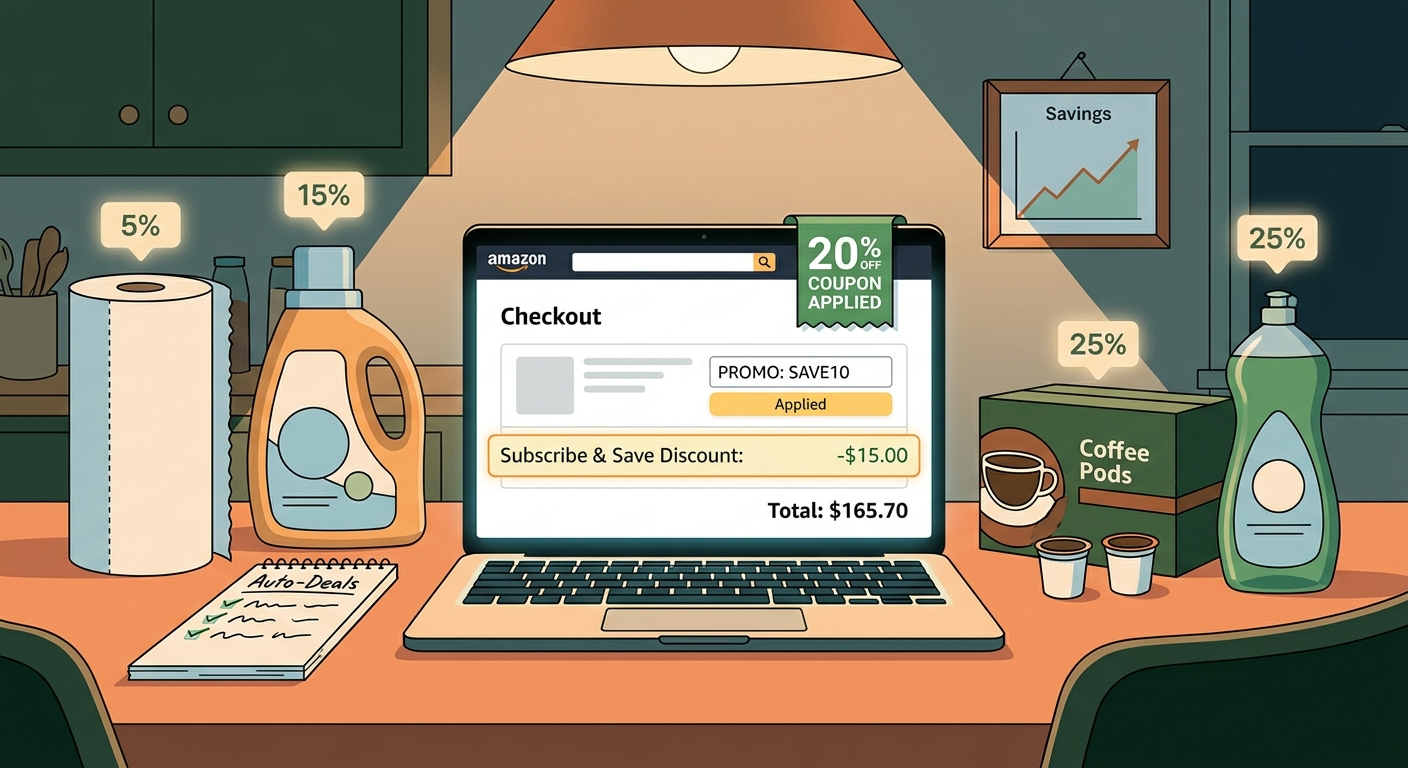
    You are not imagining it. The price of boring stuff like detergent, paper towels, pet food, diapers, coffee pods and protein snacks keeps creeping up, while the little Subscribe & Save badge acts like it is doing you a huge favor. For a lot of shoppers, it is not. The good news is that Amazon sometimes lets three different discounts land on the same item at once: a clipped coupon, a first-delivery Subscribe & Save boost, and a separate promo or credit. That is the real trick behind how to stack amazon coupon and subscribe and save discounts without doing anything shady. You are simply building the order in the right sequence and checking for the signs that the stack will hold through checkout. Done right, one routine reorder can turn into a quiet 35 to 60 percent win on things you already needed to buy.

    ⚡ In a Hurry? Key Takeaways

    • The best household deals often come from stacking a clipped coupon, Subscribe & Save, and a seller promo or Amazon credit on the same item.
    • Build the cart in order. Clip the coupon first, choose Subscribe & Save second, then verify any extra promo on the product page and again at checkout.
    • Watch for red flags like coupon text disappearing, sold-by changes, or checkout totals that “recalculate” at the last step. That usually means the stack broke.

    Why this works better than chasing random gadget deals

    Most people think the biggest Amazon savings are on flashy electronics. Right now, that is often not true.

    A lot of the strongest discounts are buried in everyday essentials. Household brands and third-party sellers are pushing inventory with overlapping promos. Amazon’s own system does not always advertise that clearly. It just quietly allows the discounts to mix if the item is set up the right way.

    That means your boring reorder can beat a so-called “deal” on a gadget you did not need in the first place.

    What “triple stack” actually means

    Here is the simple version. A triple stack usually looks like this:

    • Discount 1: A clickable coupon on the product page, often 5 percent to 25 percent off.
    • Discount 2: A Subscribe & Save discount, sometimes boosted for the first delivery.
    • Discount 3: A separate promo, such as “save an extra 10%,” “buy 2 get credit,” or a limited-time brand promotion.

    If all three survive checkout, your effective discount can get surprisingly big. Not fantasy big. Real big.

    The copy-and-paste checklist for building a working triple-stack cart

    1. Start on the product page, not the cart

    This matters more than it should. Amazon often hides promo details better on the cart page than on the product page.

    Check for these boxes:

    • A visible coupon with a checkbox or “Apply” button
    • A Subscribe & Save option, especially one mentioning first delivery savings
    • A promo line such as “Extra savings,” “Limited time deal,” or “Purchase 2 items and receive…”

    2. Clip the coupon first

    Always do this first. If you skip it and jump straight into Subscribe & Save, you can forget to come back, and sometimes the page refresh loses the coupon state.

    Once clipped, take a quick screenshot. It sounds fussy, but it helps if the discount vanishes later.

    3. Switch to Subscribe & Save

    Select the Subscribe & Save option after clipping the coupon. Watch the price area carefully. You want to see the updated percentage or delivery savings reflected on the page.

    If it is your first time buying that item through Subscribe & Save, there may be an extra boost. That is where some of the biggest household savings show up.

    4. Double-check who is selling the item

    This is a sneaky one. A stack can break if the item changes from one seller to another, even when the product page looks almost identical.

    Make sure the coupon, promo, and Subscribe & Save option all belong to the same listing. Look at:

    • Sold by
    • Ships from
    • Pack size or variation

    5. Add to your Subscribe & Save list

    Do not rush to checkout yet. Add the item with the Subscribe & Save setting active.

    If the promo requires multiple items, add the second eligible item now. Sometimes it can be the exact same product. Sometimes it must be a specific variation from the brand page. Read the fine print.

    6. Go to checkout and inspect every line

    This is the truth-telling step.

    You are looking for all the discounts to appear somewhere before you place the order. They may not show in one neat block. Amazon often spreads them across:

    • Item-level coupon savings
    • Subscribe & Save discount lines
    • Promotional credits or order summary reductions

    If one piece is missing, stop. Back out and recheck the listing.

    The red flags that usually mean the stack will fail

    There are a few warning signs that save a lot of frustration.

    The coupon vanishes after you select Subscribe & Save

    This often means the coupon only applies to the one-time purchase option. If the coupon text disappears or grays out, the stack probably will not hold.

    The seller changes when you pick a different size or scent

    This happens all the time with detergents, vitamins, snacks and pet supplies. Same brand. Same page. Different backend listing. The promo may only apply to one version.

    The item says “extra savings” but no actual amount appears at checkout

    That usually means there is a hidden quantity requirement, a brand restriction, or an expiration that just hit.

    The total drops in cart, then rises again on the final review page

    That is the classic fake-out. Do not assume the earlier total is locked in. The review page is the one that counts.

    A simple example of how the math can work

    Let’s say a household item is listed at $24.99.

    • Clip a 20% coupon
    • Use a 15% first Subscribe & Save discount
    • Add a separate 10% promo or small credit

    You are not always getting a perfect straight 45% off because Amazon may calculate some discounts in sequence, not all at once. But your effective final price can still land in the 35% to 60% savings range depending on how the promo is structured.

    That is serious money on items you buy repeatedly.

    Best categories for triple-stack hunting

    You will usually have better luck in repeat-purchase categories than in trendy electronics.

    • Laundry detergent and fabric care
    • Diapers and baby wipes
    • Pet food and treats
    • Protein bars and snack packs
    • Coffee pods and drink mixes
    • Paper goods and cleaning supplies
    • Vitamins and personal care basics

    If you liked the idea of catching hidden deal leftovers after major sale events, you might also like The ‘Prime Day Leftover Stacks’ Hack: How To Turn Yesterday’s Deals Into Today’s Secret Amazon Promo Code Prices. It pairs nicely with this strategy because both rely on Amazon’s promo system being a little messy in the shopper’s favor.

    How to screenshot and share a live working stack

    If you find a real stack, it helps other shoppers if you capture it clearly before the setup changes.

    Take three screenshots

    • Screenshot 1: Product page with clipped coupon visible
    • Screenshot 2: Subscribe & Save option selected with the savings shown
    • Screenshot 3: Checkout or review page showing the promo lines and final total

    Include the key details

    When you share it with the Best Amazon Coupons community, add:

    • The exact product name
    • Size, scent, flavor, or variation
    • Sold by and shipped from details
    • How many you added
    • The final effective discount you got

    That makes it far easier for someone else to copy your exact setup before the promo disappears.

    Small rules that make this safer and smarter

    Do not subscribe and forget

    Set a reminder to review or cancel future deliveries if you only wanted the first order savings. There is nothing wrong with using Subscribe & Save for the discount, but you should stay in control of the schedule.

    Compare with local store pricing

    A triple stack is only a good deal if the base price is reasonable. Sometimes an item starts higher on Amazon, which shrinks the real win.

    Check unit price, not just the percent off

    A 40% discount on a weirdly inflated bundle can still be worse than a warehouse club or grocery sale. Look at cost per ounce, count, or load.

    Move quickly when you find a live stack

    These setups can disappear without warning. Coupons get pulled. Sellers change. Promo text updates. If it works and you needed the item anyway, it is usually best not to overthink it.

    At a Glance: Comparison

    Feature/Aspect Details Verdict
    Single Subscribe & Save discount Usually simple, but often only 5% to 15% off and easy to overestimate. Fine for convenience, not usually the best savings.
    Coupon + Subscribe & Save A solid middle ground. Works often on household essentials if the coupon applies to subscription orders. Worth checking every time.
    Triple stack Coupon, first-delivery Subscribe & Save boost, plus an extra promo or credit on the same ASIN. Best value when all terms align and the checkout math holds.

    Conclusion

    The best Amazon savings right now are often hiding in plain sight inside the stuff you buy on autopilot. Not the flashy gadgets. Not the headline-grabbing lightning deal. Everyday essentials. Sellers are quietly running overlapping household promos using coupons, first-delivery Subscribe & Save boosts and limited-time credits, and Amazon’s own promo engine often lets all three interact on the same ASIN if you build the cart in the right order. For anyone feeling grocery and household inflation every week, getting a real 35 to 60 percent effective discount on necessities is a much bigger win than chasing random codes for things you did not plan to buy. Use the checklist, watch for the red flags, and screenshot live working stacks when you find them so the Best Amazon Coupons community can copy them before the setup quietly disappears.

  • The ‘Prime Day Leftover Stacks’ Hack: How To Turn Yesterday’s Deals Into Today’s Secret Amazon Promo Code Prices

    The ‘Prime Day Leftover Stacks’ Hack: How To Turn Yesterday’s Deals Into Today’s Secret Amazon Promo Code Prices

    You did the whole Prime Day thing. You compared prices, watched countdown timers, maybe even lost sleep refreshing deal pages. And now that the sale is over, it feels like the good stuff is gone and all that is left is “regular price” and sketchy coupon codes that fail at checkout. That frustration is real. The annoying part is that many shoppers quit looking at exactly the wrong time. Right after a big Amazon event, sellers often still have extra inventory to move. Instead of shouting about it on the homepage, they quietly add clipped coupons, reset pricing on less popular colors or sizes, and let Amazon Warehouse listings sit next to the main product page. That creates a short, weird window where yesterday’s deal hunters are tired, but today’s patient shoppers can still find real savings. If you want an amazon prime day leftover deals hack that actually works, this is the moment to use it.

    ⚡ In a Hurry? Key Takeaways

    • The best post-Prime Day deals often come from leftover stock, clipped coupons, and Warehouse listings, not the main Prime Day page.
    • Check product variations, the “Other sellers” box, and Amazon Resale or Warehouse options before you assume the deal is dead.
    • Ignore fake strike-through prices and compare the final checkout total, because that is the only number that matters.

    Why the best leftovers show up after the sale ends

    Prime Day trains people to think like sprinters. Fast click. Fast checkout. Fast panic. But the day after a giant sale, the market gets sloppy.

    Some sellers sold out. Others did not. The ones sitting on too much inventory still need it gone, especially if they stocked up expecting more Prime Day traffic. So they start making quieter moves.

    That can mean:

    • Adding a clickable coupon on the listing page
    • Dropping price on one color or storage size
    • Letting a third-party seller undercut the main listing
    • Moving returned or open-box units into Amazon Warehouse or Resale

    This is the basic amazon prime day leftover deals hack. You stop shopping the event page and start shopping the product page like a detective.

    Start with products that were featured during Prime Day

    Do not start from scratch. Begin with items you already watched during the sale. Maybe it was earbuds, an air fryer, a robot vacuum, or printer ink. Search those exact products again now.

    Why? Because products that had heavy traffic during Prime Day are more likely to have leftover inventory and follow-up discounts. Sellers know shoppers are still interested. They just stop advertising it loudly.

    Check these spots on the product page

    Amazon hides useful discounts in plain sight. Slow down and scan the full page.

    • Coupon box. Look for a small checkbox offering 5 percent, 10 percent, or a dollar amount off.
    • Other sellers on Amazon. Sometimes the cheapest version is not the default seller.
    • Style or color options. Black may be full price while blue is still discounted.
    • Subscribe & Save. On basics like vitamins, detergent, razors, and pet food, this can beat the visible sale price.

    If you have been wasting time with old code lists, it also helps to read The ‘Deprecation Escape Hatch’ Hack: How To Turn Amazon’s Vanishing Promo Codes Page Into One Last Round Of Secret Discounts. It explains why random copied promo codes so often fail and where the real discount signals are moving now.

    The leftover stacks trick

    The real win is not one discount. It is stacking two or three small ones that other shoppers miss.

    What a “leftover stack” looks like

    Here is a common example:

    • Item price is reset lower than it was the day before
    • There is a clipped coupon on the page
    • An Amazon Warehouse or Resale option is available for less
    • A card-linked or Subscribe & Save discount still applies

    You may not be able to combine every one of these at the same time on every item. But even two layers can turn a “normal” looking listing back into a sale.

    For example, a coffee maker that appears to have bounced back to $89 might also have a hidden 15 percent coupon. Then you notice the stainless steel version is $79 instead of $89. Then a “Used Like New” Warehouse option shows up under buying choices at $67. That is where the real savings are living.

    Do not trust the strike-through price

    This matters a lot. Amazon and third-party sellers love a dramatic crossed-out number. It makes you feel like you are getting a huge deal. Sometimes you are. Sometimes you are absolutely not.

    How to sanity-check a deal fast

    • Compare the final checkout price, not just the listing price.
    • Check whether the coupon only appears after you click it.
    • Look at recent pricing on your browser history, wishlist, or cart if you tracked it before.
    • Compare similar models, because brands often inflate “was” prices on weaker versions.

    A fake 40 percent discount is still more expensive than a plain-looking item with a real clipped coupon.

    Use Amazon Warehouse and Resale like a grown-up, not a gambler

    Post-sale periods are especially good for open-box shopping. People return impulse buys after Prime Day. That feeds Amazon Warehouse and Resale inventory.

    This is one of the easiest ways to turn a decent leftover discount into a great one.

    What to buy used or open-box

    • Kitchen appliances
    • Monitors
    • Headphones
    • Smart home devices
    • Office gear

    What to be more careful with

    • Personal care items
    • Storage drives without a clear return policy check
    • Gifts where box condition matters

    Read the condition notes. “Like New” and “Very Good” can be great. “Acceptable” is where you should slow down and ask if saving a few bucks is worth the hassle.

    The 24 to 48 hour rule

    This post-event window does not stay open long. Most of the weird pricing settles down within a day or two after the sale. That is why this hack works now, not next week.

    If an item was on your Prime Day maybe-list, check it again today and tomorrow. After that, many of the best leftovers are gone, or the stock gets cleaned up by other shoppers who know the pattern.

    Best categories for leftover deals

    Not every category behaves the same way. Some are much better for this trick.

    Usually strong

    • Small electronics
    • Home and kitchen
    • Smart home gear
    • Supplements and household basics
    • Accessories like chargers, cables, cases, and stands

    More hit or miss

    • Big-name Apple gear
    • Game consoles
    • Brand-new flagship products

    Mainstream, high-demand gear can still get a discount, but the sloppy leftover pricing usually happens more often on accessories, mid-range gadgets, and products with lots of variations.

    A simple post-Prime Day checklist

    Use this before you buy anything.

    1. Search the exact item you wanted during Prime Day.
    2. Check all colors, sizes, and versions.
    3. Clip any on-page coupon.
    4. Open “Other sellers” and compare shipped-by-Amazon options.
    5. Check for Amazon Warehouse or Resale.
    6. Compare final total at checkout.
    7. Skip it if the “deal” only looks good because of a silly strike-through price.

    That is the whole system. Nothing fancy. Just better habits than the average frantic shopper.

    At a Glance: Comparison

    Feature/Aspect Details Verdict
    On-page coupons Often appear quietly after Prime Day on product pages and can cut 5 to 20 percent off. One of the best leftover deal signals.
    Amazon Warehouse or Resale Returned or open-box stock can drop below Prime Day pricing, especially for electronics and home gear. Great value if condition notes and returns look good.
    Strike-through “regular” pricing Can make discounts look bigger than they really are if the crossed-out number was inflated. Treat with skepticism. Check the final total.

    Conclusion

    If you thought Prime Day ending meant the bargains were over, that is exactly the assumption that creates this little shopping edge. Right after a major Amazon sale, lots of people stop looking. Sellers do not. They keep clearing leftover stock with small coupons, quiet price resets, and Warehouse listings that can beat the headline deal from yesterday. If you spend the next day or two checking product pages carefully, mixing clipped discounts with open-box options, and ignoring fake strike-through drama, you can still come out ahead. The weird post-event window is short, but it is real. Use it while it is still open.

  • The ‘Deprecation Escape Hatch’ Hack: How To Turn Amazon’s Vanishing Promo Codes Page Into One Last Round Of Secret Discounts

    The ‘Deprecation Escape Hatch’ Hack: How To Turn Amazon’s Vanishing Promo Codes Page Into One Last Round Of Secret Discounts

    You are not imagining it. Amazon bargain hunting just got more annoying. A lot of shoppers are still being told to dig through the old Promo Codes page, paste random strings at checkout, and hope something sticks. Then comes the familiar letdown. “Code not eligible.” “Promotion expired.” “Not valid for this account.” It feels like you showed up to a party after the lights were already turned off. The big change is that Amazon is quietly winding down that old promo code system, and the useful deals are moving elsewhere. That means the smart move right now is not to keep chasing dead codes. It is to use the last days of the old setup as a quick testing tool, then switch to a better routine built around live seller coupons, the Coupons hub, and short-lived targeted offers. If you do that, you can still find real discounts while everyone else is wasting time on ghost codes.

    ⚡ In a Hurry? Key Takeaways

    • The amazon promo codes page deprecation hack is simple. Use the fading promo code system only as a last-chance filter for still-live deals, then move to Amazon’s newer coupon paths.
    • Start with product pages that show a clickable coupon box, then check the Amazon Coupons hub, then test any community or influencer code before spending time building a cart.
    • Skip sketchy coupon sites and never buy a code. Real Amazon savings now are more often public coupons, seller promos, or invite-only offers tied to your account.

    What’s actually happening with Amazon’s Promo Codes page?

    Amazon appears to be phasing out its old Promo Codes page. That matters because a huge chunk of coupon advice online still points people there as if nothing changed. So shoppers keep following outdated steps and hitting expired offers.

    This is why the whole thing feels broken. The old page used to act like a central spot for discoverable promo strings. Now Amazon is pushing more discounts into other formats. Think clipped coupons on product pages, category-based coupon listings, account-targeted promotions, and invite-only deals.

    In plain English, the old road is closing. Traffic is being rerouted.

    The “Deprecation Escape Hatch” hack, explained simply

    This is not a magic trick. It is a timing trick.

    The hack is to use the old promo code setup while it still exists, but only for one job. Verification. Not discovery.

    Here’s the smarter workflow

    Instead of searching broad coupon blogs for giant lists of codes, do this:

    1. Find the product you want on Amazon first.
    2. Check whether the listing already has a visible coupon box or promo banner.
    3. If you see a code from a community post, seller page, social account, or deal group, test it quickly.
    4. If it fails once, move on. Do not keep rebuilding the same cart for ten dead codes.
    5. Use the old Promo Codes infrastructure only as a final check for still-active overlap, not as your main hunting ground.

    That is the escape hatch. You squeeze the last useful signal out of the old system, then stop depending on it.

    Why most coupon advice is suddenly bad

    Most coupon content is written to stay “evergreen.” That sounds nice until the platform changes under it. Then you get stale instructions with fresh publish dates.

    Amazon’s discount system is now more fragmented. Some deals are public. Some are account-specific. Some are tied to certain sellers. Some appear only on the product page itself. Some show up through creators, communities, or short campaign links and vanish fast.

    So if a blog promises “50 working Amazon promo codes” without showing where those codes came from or when they were last tested, treat that list like leftovers in the back of the fridge.

    Where the real discounts are moving now

    1. Product page coupons

    These are often the easiest wins. You will see a small checkbox or clickable coupon on the item page, usually with a percent-off or dollar-off amount.

    Clip it before checkout. Sounds obvious, but lots of people miss this and go code hunting instead.

    2. The Amazon Coupons hub

    This is Amazon’s cleaner replacement for casual deal browsing. It is less romantic than secret code hunting, but usually more useful.

    Look by category. Filter by what you actually need. Household items, beauty, tech accessories, pet supplies, and kitchen gear often show up here.

    3. Seller promotions on listing pages

    Some sellers stack a visible coupon with a separate promotion such as “save 10% when you buy 2” or “extra discount at checkout.” These can be better than a code string because they are built right into the listing.

    4. Invite-only and targeted promos

    These are the sneaky ones. Amazon has been leaning more into offers that only certain users can access. You might see them in your account, email, app notifications, or on selected product pages.

    If your friend can see a discount and you cannot, that does not always mean the deal is fake. It may simply be targeted.

    5. Influencer and community code drops

    Some creators, niche forums, and deal communities still surface valid short-term codes. The difference is speed. These offers often work for a day, a few hours, or until a redemption cap is hit.

    That means you should test them early, not bookmark them for the weekend.

    How to test Amazon promo codes without wasting your evening

    Here is the low-stress method.

    Build a “test cart”

    Add only the item you want. Do not mix five products from different sellers. Mixed carts create confusion because many promos apply to one seller, one ASIN, one category, or one quantity threshold.

    Check the listing details first

    Look for clues like:

    • Sold by a third-party seller, not Amazon
    • Coupon checkbox on the page
    • Promo language in the bullet area or below the price
    • Minimum quantity requirements
    • Prime-only or account-specific wording

    Apply one code at a time

    Do not paste a pile of codes and hope for the best. Amazon may block stacking, and it becomes harder to tell what actually worked.

    Watch the discount line, not just the error message

    Sometimes a code changes the total in a way that is easy to miss, especially if shipping, subscription discounts, or clipped coupons are involved.

    Quit fast on dead codes

    This is the biggest time-saver. If a code has no visible source, no date, and no sign of matching the seller or item, give it one shot and move on.

    Red flags that a promo code is never going to work

    Here are the warning signs.

    • The code appears on dozens of coupon sites with no source.
    • The code is attached to a product that has changed seller since the code was posted.
    • The page says “promotion ended” or “not valid for this purchase” even after you meet the listed terms.
    • The item is sold directly by Amazon, but the code looks like a third-party seller promo.
    • The coupon post gives no expiration date and no product link.

    If you see two or three of those at once, stop feeding the machine.

    The replacement workflow that actually works in 2026

    If you want a routine you can repeat, use this order:

    1. Search the exact item on Amazon.
    2. Check the product page for clipped coupons and built-in promotions.
    3. Open the Amazon Coupons hub and search the category or brand.
    4. Check if the seller storefront mentions active deals.
    5. Only then test any outside promo code from a trusted community source.
    6. If nothing hits, set a price alert elsewhere and wait.

    This works better because it starts from live Amazon signals, not from dusty code lists.

    Can you still stack discounts?

    Sometimes, yes. But do not count on it.

    The most common stack is a clipped product coupon plus a seller promotion. Occasionally a Subscribe & Save discount can mix in too, depending on the item and seller setup. A random promo string on top of all that is less predictable than it used to be.

    If stacking matters, test in this order:

    1. Clip the visible coupon.
    2. Add the required quantity if there is a multi-buy promo.
    3. Go to checkout and see what auto-applies.
    4. Try one external code only if the listing or source strongly suggests compatibility.

    Safety note: Don’t hand your account to “discount helpers”

    As old coupon systems fade, scammers get louder. Be careful with sites or social accounts offering “guaranteed Amazon code generators,” “employee-only promo access,” or “paid discount links.”

    Those are not clever shortcuts. They are risks.

    Never share your Amazon login for deal access. Never pay for a code. And if a browser extension wants broad shopping permissions just to “find savings,” think twice.

    Who should care most about this change?

    Three groups, especially:

    • People who regularly buy household basics and rely on small coupon savings.
    • Shoppers who follow deal blogs and are tired of expired code roulette.
    • Anyone buying from third-party sellers, where promotions change quickly and old codes die fast.

    If that sounds like you, the amazon promo codes page deprecation hack is less about beating Amazon and more about protecting your time.

    At a Glance: Comparison

    Feature/Aspect Details Verdict
    Old Promo Codes page Being phased out, increasingly unreliable, still useful only as a last-chance verification stop Use sparingly, do not depend on it
    Amazon Coupons hub and product coupons Live discounts shown directly on Amazon, easier to confirm, often more current than external code lists Best starting point now
    Influencer or community code drops Can work well, but often expire quickly or have limited redemptions Useful if tested fast and sourced carefully

    Conclusion

    The good news is you do not need to keep losing half an hour to dead promo strings. This change is happening now, and that is exactly why it matters. Most coupon blogs are still publishing generic advice while Amazon has already signaled that the old Promo Codes page is on the way out and newer discount paths are taking over. If you use the final days of that old infrastructure as a quick filter, then shift your routine to seller coupons, the Coupons hub, and fast-moving targeted or community offers, you stay one step ahead. More important, you stop wasting time on codes that were never going to apply in the first place. That alone is a win.

  • The ‘Influencer Cart Clone’ Hack: How To Hijack TikTok’s Secret Amazon Promo Codes Before They Vanish

    The ‘Influencer Cart Clone’ Hack: How To Hijack TikTok’s Secret Amazon Promo Codes Before They Vanish

    You are not crazy. You see a TikTok creator show a $49 gadget dropping to $17 on Amazon, you tap the link 10 minutes later, and suddenly the coupon is gone, the code says invalid, or the price has jumped back up. It feels rigged because, in a way, it sort of is. Many of these deals are real, but they are built for speed. Creators often post low-visibility promo codes in captions, Stories, Lives, storefront pages, or bio links, then swap them out once stock starts moving. That leaves regular shoppers staring at expired discounts and wondering what they missed. The good news is you do not need to camp on TikTok all day to keep up. The smart move is what I call the Amazon influencer promo code hack: cloning the creator’s cart setup fast, checking the exact seller and coupon stack, and skipping the junky code-generator sites that waste your time.

    ⚡ In a Hurry? Key Takeaways

    • The best Amazon influencer promo code hack is not finding “secret” codes. It is catching live creator links and copying the exact product, seller, coupon, and checkout combo before it changes.
    • Save creator storefronts, turn on post alerts, and always screenshot the item page, coupon box, and promo code details before you try to check out.
    • Avoid “Amazon code generator” sites and random coupon blogs recycling dead codes. They are usually late, misleading, or trying to farm clicks.

    Why these creator Amazon deals disappear so fast

    Short answer. They are often meant to.

    Influencers are working with a mix of public coupons, seller promo codes, affiliate links, and short-run discounts that may only apply to one variation of a product or one third-party seller. Sometimes the code is limited by quantity. Sometimes it is limited by time. Sometimes the creator quietly edits the caption when the deal dies and replaces it with a new one.

    That is why the deal you saw at lunch is gone by your coffee break.

    This is also why normal coupon sites struggle to keep up. By the time a deal gets copied, indexed, reposted, and wrapped in a giant “secret savings” headline, the code is often already toast. If you have been burned by that loop before, you might also like The ‘Newsletter Bait-and-Switch’ Hack: How Off-Amazon Email Deals Turn Into Real Secret Promo-Code Savings, which covers another place where the real deals often show up before the public finds them.

    What the “Influencer Cart Clone” hack actually means

    It sounds sneaky, but it is really just smart shopping.

    Instead of hunting for a code in isolation, you copy the creator’s full setup as closely as possible. That means:

    • The exact Amazon listing
    • The exact seller on that listing
    • The exact product size, color, or bundle
    • Any clickable on-page coupon
    • Any promo code shown in the caption, comments, Story, or bio link
    • The timing, because some deals end almost immediately

    Most failures happen because shoppers only copy the code, not the whole cart recipe.

    How to do the Amazon influencer promo code hack step by step

    1. Start with the creator’s freshest post, not a repost account

    Deal aggregator accounts are useful, but they are usually slower than the original creator. Go to the creator’s own TikTok, Instagram, or Amazon storefront first. Look for the most recent version of the deal.

    If the creator posted “link in bio,” tap that before doing a search yourself. A plain Amazon search may show a similar product from a different seller, which can break the deal.

    2. Check whether the discount is a stack

    Many of the wildest deals are not one code. They are a stack.

    For example:

    • Sale price on the product page
    • Clickable coupon box like “Save 20%”
    • Promo code at checkout like “LAMP40”

    Miss one step and the math falls apart.

    3. Match the seller exactly

    This is the part most people skip.

    On Amazon, one product page can have multiple sellers. The code may only work for one of them. If the creator’s screenshot shows “Sold by BrightHome Deals” and your cart switches to another seller, your code may fail even though the product looks identical.

    Always check the “Sold by” line before checkout.

    4. Match the variation exactly

    That 50% off code may work only on the beige two-pack, not the black single unit. Amazon is full of tiny variation traps like that.

    If the creator says “click the gray one” or “choose the 3-pack,” believe them. It sounds silly, but it matters.

    5. Screenshot everything before you test the code

    Take quick screenshots of:

    • The product page price
    • The selected variation
    • The seller name
    • The clipped coupon
    • The promo code from the post or Story

    Why? Because creator posts get edited. Links get swapped. Coupons vanish. A screenshot gives you a record of what you were trying to copy.

    6. Add to cart immediately, then test at checkout

    Some discounts only show up in the final checkout screen. So do not assume the deal failed if you do not see the full discount in the cart yet.

    Add the item fast. Then go to checkout and paste the code there.

    7. If it fails, test the likely break points

    Do not waste 20 minutes randomly retrying. Check these in order:

    • Did the seller change?
    • Did you miss the coupon checkbox?
    • Did you pick the wrong color, size, or pack count?
    • Did the code have a typo?
    • Did the creator remove or update the code in comments?
    • Did the deal simply hit its limit?

    Where creators usually hide the good codes

    If you want to beat the crowd, know where to look first.

    TikTok captions

    Often the fastest place for a code drop. The downside is that captions are easy to edit once the deal cools off.

    TikTok comments

    Creators will sometimes pin the code, then update the pinned comment when stock gets low.

    Instagram Stories

    Stories are perfect for flash deals because they vanish quickly. If you catch one, move fast.

    Instagram bio links

    A Linktree or storefront page may carry the active version of the product after an old Reel keeps getting views.

    Amazon storefront pages

    Some creators maintain idea lists or sections with currently active finds. It is not foolproof, but it can be cleaner than scrolling social posts.

    Live shopping sessions

    These can have the best discounts and the shortest shelf life. If a creator says “this works right now,” take that literally.

    How to track deals without living on TikTok

    You do not need to become a full-time discount detective.

    Turn on alerts for a handful of reliable creators

    Do not follow 200 deal accounts. Pick 5 to 10 who post products you actually buy and whose deals tend to check out cleanly.

    Use a notes app or bookmark folder

    Keep a short list of creators, storefronts, and categories you care about. Kitchen gadgets. Beauty. Pet supplies. Tech accessories. That way you can check quickly instead of starting from scratch every time.

    Shop in batches

    If you know certain creators post in the evening or during lunch, do a five-minute scan then. You are not trying to monitor the whole internet. You are trying to catch a few good windows.

    Build a watch list on Amazon

    Add likely products to your cart or save-for-later list. When a creator posts a live code, you can test faster because you are not searching from zero.

    How to spot fake “secret code” sites before they waste your time

    This matters because fake urgency is everywhere.

    Be suspicious if a site:

    • Promises a “generator” for Amazon promo codes
    • Shows no timestamp or last-checked date
    • Lists dozens of generic codes with no product links
    • Uses the same code across unrelated products
    • Forces you through pop-ups before showing anything useful

    Real creator-driven deals are usually tied to a specific listing and a specific moment. Fake sites are broad, vague, and weirdly dramatic.

    What usually works best in real life

    Here is the boring truth. The best deals usually come from speed, accuracy, and a little pattern recognition. Not magic.

    If a creator regularly posts Amazon home deals, and you know they often stack a page coupon with a checkout code from a specific seller, you can move much faster next time. After a while, you start spotting the signs.

    You also start ignoring the noise. That alone saves money because it stops impulse buys built on fake scarcity.

    When to skip the deal entirely

    Sometimes the smartest hack is walking away.

    Skip it if:

    • The product has weak reviews or a suspicious review pattern
    • The seller looks brand new or hard to verify
    • The discount only works after a maze of redirects
    • You cannot recreate the price the creator showed, even after matching the setup
    • You were only interested because the percentage off looked huge

    A 70% discount on junk is still a bad buy.

    At a Glance: Comparison

    Feature/Aspect Details Verdict
    Live creator deal posts Usually the fastest source for active Amazon coupons, promo codes, and seller-specific discounts, but they can change within minutes. Best option if you can act quickly and copy the cart exactly.
    Coupon websites and repost blogs Often show expired, incomplete, or wrong seller codes because they lag behind social posts. Useful for ideas, not for time-sensitive checkout success.
    Cart cloning method Focuses on matching the exact listing, seller, coupon, variation, and checkout code from the creator’s setup. Most reliable way to make real influencer deals work before they disappear.

    Conclusion

    The real trick behind this Amazon influencer promo code hack is simple. Stop chasing random codes and start copying the full deal setup while it is still live. Right now, the hottest Amazon promo code “hacks” are happening in short-form content, where creators quietly paste single-use or low-visibility codes into captions, Stories, Lives, and bio links, then delete or swap them as soon as items start selling out. Great for engagement. Brutal for everybody else. A focused “Influencer Cart Clone” approach helps you track those drops in the short window they actually work, rebuild the creator’s cart with active coupons, and avoid the fake generator sites pushing dead codes as clickbait. You do not need perfect timing every day. You just need a better method, a little speed, and the habit of checking the exact seller, variation, and coupon stack before the deal slips away.

  • The ‘Hidden Card Link’ Hack: How Bank‑Only Amazon Codes Quietly Beat Public Coupons

    The ‘Hidden Card Link’ Hack: How Bank‑Only Amazon Codes Quietly Beat Public Coupons

    You are not crazy if Amazon coupon hunting feels like a waste of time. Most public promo codes are either expired, tied to one oddly specific product, or dead the second a deal blog posts them. Meanwhile, someone else checks out with the same paper towels, charger, or coffee pods and somehow knocks $10, $15, even $50 off the order. The difference is usually not luck. It is a quieter class of deals hiding inside bank and card accounts. These are the hidden amazon promo codes with credit card offers that never really make it to the noisy coupon roundups. If you have an Amex, Chase card, Discover, Capital One, or even a regional bank card, there is a decent chance you already have access to one of these offers. You just need to know where Amazon and your bank hide them, and how to trigger them without wasting half your afternoon.

    ⚡ In a Hurry? Key Takeaways

    • Private bank-linked Amazon offers often beat public coupons because they are targeted, still live, and apply to normal purchases.
    • Check your bank’s offers page, add the eligible card to Amazon, and test a qualifying item in your cart before assuming no deal exists.
    • Stick to offers shown in your bank or Amazon account, read the terms, and never buy things you do not need just to “save.”

    Why these hidden Amazon deals work better than public coupon codes

    Public codes get hammered fast. Once a blog posts them, thousands of people try the same code at once. Some expire. Some hit a usage cap. Some only work on seller-shipped products that look like regular Amazon listings until checkout.

    Bank-tied promos are different. They are often tied to your specific card, your login, or a limited group of customers. That means less competition, fewer dead ends, and a better chance the discount actually sticks.

    You will usually see them in one of two forms. First, “add this card and get $10 to $15 off” deals. Second, “use rewards points and get a discount” promos, where using as little as one Membership Rewards point or one Chase point can unlock a bigger instant discount.

    It is a little like the trick behind The ‘Alexa Cart Whisper’ Hack: How Voice-Only Promos Quietly Beat Prime Day Prices At Checkout. The best savings are often not sitting on the obvious deals page. They are tucked inside a different corner of the system.

    Where to actually find bank-only Amazon offers

    Inside your credit card or bank account

    Start with the offers section in your card account. Amex Offers is the best-known version, but Chase, Bank of America, Wells Fargo, Discover, Capital One, and some regional banks run similar programs.

    Look for wording like:

    • Spend at Amazon, get $10 back
    • Add eligible card and receive an Amazon promotional credit
    • Use points at Amazon and save 20% or up to $15 off
    • Get bonus rewards when using this card at Amazon

    These offers may not say “coupon code” at all. That is why so many shoppers miss them.

    Inside Amazon after adding a card or points account

    Some offers only appear after you add the eligible card to your Amazon wallet. Others show up only after you link your points account, such as American Express Membership Rewards or Chase Ultimate Rewards.

    Amazon may then show a banner during checkout, a promo message on a product page, or a line under payment settings telling you a discount is available.

    On targeted Amazon promo pages

    Amazon also uses dedicated landing pages for targeted offers. If your account qualifies, the page will confirm enrollment. If not, it may show nothing useful at all. That can be frustrating, but it is normal.

    How the “hidden card link” trick usually works

    This is the simple version.

    1. Find an Amazon-related offer in your bank or card login.
    2. Click to add or activate the offer if your bank requires that step.
    3. Add that exact card to your Amazon account if it is not already there.
    4. Make sure the cart contains qualifying items. Often these must be sold by Amazon, not a third-party marketplace seller.
    5. At checkout, use the eligible card, or in some cases use the card plus a tiny amount of points.
    6. Watch for the discount to appear before you place the order.

    That is the whole “hack.” It is not really a hack in the shady sense. It is just a private offer path that most people never check.

    The three most common types of hidden Amazon card offers

    1. Add-a-card discounts

    These are the easiest to understand. Add an eligible card, then get a one-time discount like $10 off $50 or $15 off $100.

    Best for: normal household orders when you already planned to spend enough to hit the threshold.

    2. Points-triggered discounts

    This is the classic Amazon card promo that seasoned deal hunters love. You connect your Amex or Chase points account, use a tiny amount of points, sometimes as little as one point, and unlock a larger discount like 20% off up to a set cap.

    Best for: bigger carts where the percent-off cap gives you a real savings boost.

    Important note. You usually do not want to pay for the whole order with points. The value is often poor. The smart move is to use the minimum points needed to trigger the discount, then pay the rest with cash or card.

    3. Statement-credit or cash-back card offers

    These are less flashy but still useful. Spend a required amount at Amazon with the enrolled card, then the bank gives you cash back or a statement credit later.

    Best for: shoppers who do not mind waiting a billing cycle to see the savings.

    How to avoid the usual gotchas

    Check who is selling the item

    This is the big one. Many offers only work on items sold by Amazon.com or fulfilled in a specific way. If your cart is full of marketplace items from third-party sellers, the promo may not apply.

    Read the minimum spend carefully

    A $10 off $50 offer may require $50 before tax and after other discounts. Or it may exclude gift cards, digital goods, subscriptions, and certain categories.

    Do not assume all accounts are eligible

    Your spouse may have the offer. You may not. One Chase card might qualify while another does not. These deals are often targeted, which is annoying, but that is how they work.

    Do a test checkout before giving up

    Sometimes the offer will not show on the product page at all. It only appears on the final payment screen. So if everything else looks right, run a checkout test and stop before placing the order if the discount does not appear.

    A practical step-by-step routine that takes five minutes

    If you want a repeatable way to use hidden amazon promo codes with credit card offers, try this routine once a week.

    1. Open your Amex, Chase, Discover, and other card apps.
    2. Scan the offers section for Amazon mentions.
    3. Add or activate any Amazon offer you see.
    4. Open Amazon and confirm those cards are saved in your wallet.
    5. If you collect points, check whether your points account is linked.
    6. Build your cart with items sold by Amazon whenever possible.
    7. Test checkout using the eligible card or one-point method if the terms call for it.

    That sounds like a lot written out, but in real life it is quick. And it is much faster than trying ten random coupon codes from search results.

    When these offers are worth your time, and when they are not

    They are worth it when you already planned to buy something. This is where hidden card offers shine. You are turning a regular order into a discounted one.

    They are not worth it if the offer pushes you to overspend, buy filler items, or choose a worse product just to hit a threshold. Saving $15 by spending an extra $30 is not a win.

    Also, if the item is cheaper at Target, Walmart, or Costco, then the Amazon promo is not really a deal. Always compare the final price, not just the size of the discount.

    Why these offers stay under-used

    Most shoppers look in the obvious places. Search engines. Coupon blogs. Retail deal roundups. Those are fine, but they are crowded and often outdated.

    Private offers stay quieter because they are fragmented. One lives in Amex Offers. Another is buried in a Chase account. Another only shows after linking points on Amazon. They do not spread as easily because not everyone qualifies.

    That is also why they can be more reliable. Fewer eyes. Less competition. Less chance the deal is dead by lunch.

    At a Glance: Comparison

    Feature/Aspect Details Verdict
    Public Amazon coupon codes Easy to find, but often expired, limited, or tied to niche products and sellers. Good when they work, but unreliable.
    Bank-linked card offers Hidden in your bank or card account, targeted, and often apply to regular Amazon purchases. Best balance of effort and real savings.
    Points-triggered Amazon promos Use a tiny amount of linked rewards points to unlock a larger instant discount at checkout. Excellent if you use the minimum points needed.

    Conclusion

    If you are tired of dead promo codes and endless coupon pages, this is the better route to start with. Right now a wave of fresh bank-tied Amazon offers is rolling out, from targeted “add this card, get $10 to $15 off” deals to bonus-credit promos that only appear inside your Amex, Chase, or regional bank login and never hit the big coupon blogs. That is why they still have life in them. They are under-used, quieter, and often much more dependable at checkout. The real win here is simple. You do not need a new card or some secret membership. You may already have what you need sitting in your wallet. Check your bank offers, link the right card, make sure your cart qualifies, and let those private promos do the work. That beats hoping some random public 20 percent code still works every single time.