Blog

  • The ‘Prime Try Before You Buy Loop’ Hack: How To Turn Free Wardrobe Trials Into Hidden Amazon Promo Savings

    The ‘Prime Try Before You Buy Loop’ Hack: How To Turn Free Wardrobe Trials Into Hidden Amazon Promo Savings

    Shopping for clothes on Amazon can feel ridiculous. You see a flashy coupon page, click three “limited-time” promo codes, and then learn they expired, only work on one weird size, or do nothing at checkout. Meanwhile, the jeans or sneakers you actually want are still full price. That is why the smarter move is not chasing every coupon first. It is using Amazon’s Prime Try Before You Buy option as a fitting room, then watching for the real savings after you know exactly what item deserves your money. This amazon try before you buy promo code hack is less about gaming the system and more about buying with less regret. You test sizes at home, return what misses, and only spend on the winner. Then you re-check for clipped coupons, color-specific discounts, and short price dips that often beat the big promo codes splashed across deal blogs.

    ⚡ In a Hurry? Key Takeaways

    • Use Prime Try Before You Buy to test fit first, then purchase only the exact item that works when a real discount appears.
    • Check the product page again after your try-on for clipped coupons, alternate color pricing, and short-lived price drops.
    • This is a policy-safe savings method, not a scam. The goal is fewer bad purchases and better timing on the item you actually keep.

    Why this works better than promo code roulette

    Most people start at the wrong end of the problem. They hunt for a discount before they know whether the item even fits, feels good, or looks right in person.

    That is how you end up buying the cheapest option instead of the best option. And with fashion on Amazon, that can get expensive fast. A pair of work pants that looked like a deal is no bargain if the waist runs small and the fabric feels like a tarp.

    The better approach is simple. Use Try Before You Buy to narrow down the winner. Then focus your savings hunt on that exact item, size, and color.

    What the Prime Try Before You Buy loop actually is

    The “loop” is not some secret loophole. It is just a smart sequence.

    Step 1: Try several options without paying upfront

    If an item is eligible for Prime Try Before You Buy, you can order it, test the fit at home, and decide what to keep within the trial window. This is especially useful for jeans, sneakers, jackets, backpacks, and office clothes where sizing can be all over the place.

    Step 2: Identify the exact keeper

    Now you know the brand, size, color, and style that actually works. That matters more than most shoppers realize. Tiny differences like “navy” versus “black” or “slim” versus “regular” can carry very different pricing.

    Step 3: Re-check the listing before you commit

    This is the savings part many people miss. Once you know your keeper, go back to that product page and look for:

    • Clippable coupons under the price
    • Limited-time sale pricing on certain colors
    • Seller discounts that appear only on the listing
    • Price changes that happen overnight or midweek

    If you want help spotting those odd-hour changes, it is worth reading The ‘Wish List Price Dip’ Hack: How To Catch Hidden Amazon Promo Drops While You Sleep. It fits perfectly with this method because once you know the exact item that fits, a wish list can do some of the waiting for you.

    How to use this hack without wasting time

    You do not need to turn this into a part-time job. Keep it tight.

    Stick to items where fit matters most

    This works best on products where in-person testing saves you from an expensive mistake. Think:

    • Jeans and chinos
    • Running shoes and casual sneakers
    • Button-down shirts and blazers
    • Backpacks and laptop bags
    • Workwear basics

    It is less useful for simple items where sizing is predictable and discounts are already obvious.

    Use the try-on to compare, not hoard

    Order a sensible set of choices. Maybe two sizes or two similar styles. The point is to find your winner fast, not turn your hallway into a mini warehouse.

    Check every variation on the listing

    Amazon fashion pricing is messy. One color might be $62. Another might be $41 with a 15 percent coupon box. Same shoe. Same brand. Different result.

    This is where the amazon try before you buy promo code hack earns its keep. You are no longer searching random discounts for random products. You are checking one known-good item for hidden savings.

    Where the hidden savings usually show up

    Headline promo codes get all the attention, but the real savings often hide in plain sight.

    Clipped coupons

    These are the little coupon boxes on the product page. They are easy to miss, especially on mobile. Always look before you check out.

    Color and size price quirks

    Amazon sellers often discount slower-moving colors or uncommon sizes. If you already tried the item and know a couple of acceptable colors work for you, this can save real money.

    Short price dips

    Fashion pricing can bounce around from one day to the next, especially when early Prime Day deals start trickling in. Add the item to your wish list and keep an eye on it for a few days if you are not in a rush.

    Re-buy timing

    Sometimes the item you tested at one price comes back lower after your trial window starts. That is why timing matters. You are buying information first, then buying the product second.

    Important rules so you stay policy-safe

    Let’s keep this practical and honest. This is not about abusing returns or trying to beat the system.

    • Only use Prime Try Before You Buy on eligible items.
    • Return unwanted items on time and in good condition.
    • Do not remove tags or treat try-on items like permanent purchases.
    • Do not assume the discount will still be there later.

    The point is simple. Use the trial feature as intended, reduce your risk, and then make a better-timed purchase decision.

    A real-world example

    Say you need black work sneakers. You find a pair with Try Before You Buy and order two sizes. Size 10 fits perfectly. Great. But the price is $78 and there is no obvious promo code.

    Instead of panic-buying, you check the listing again. Now you notice:

    • The black pair is still $78
    • The charcoal version is $64
    • A 10 percent coupon appears only on the charcoal option
    • Two days later, black briefly drops to $69

    If black is the only version you want, you wait for the better moment. If charcoal also works for your wardrobe, you just saved more than many code sites would have helped you save.

    Best times to use this strategy

    Right now is one of them.

    Early Prime Day fashion deals are already starting to move, and basics are bouncing around in price. Summer wardrobe refresh season also means lots of people are buying the same things at once. That can bring short discounts, coupons, and stock changes.

    This approach is especially useful before Prime Day 2026 because it lets you do the fit testing ahead of the big rush. Then, when pricing gets better, you already know exactly what to buy.

    Common mistakes that kill the savings

    Buying during the try-on phase without checking back

    If you commit too early, you miss the hidden coupon or next-day dip.

    Getting distracted by giant promo claims

    “Up to 70% off” usually means almost nothing for the item you actually want. Focus on your keeper, not the banner ad.

    Ignoring the exact variation

    That discount may apply only to one color, one width, or one seller. Double-check every detail before you order.

    Waiting too long

    Prices can improve, but they can also snap back up. If you see a strong discount on the exact item you tested and want, do not overthink it.

    At a Glance: Comparison

    Feature/Aspect Details Verdict
    Try Before You Buy first Lets you confirm fit, comfort, and style before spending money on the final keeper. Best for reducing bad fashion purchases.
    Promo code hunting first Often leads to expired codes, odd sizes, or discounts on items you do not really want. Usually the more frustrating route.
    Re-buy after checking coupons and price dips Targets real savings on the exact item that already passed your fit test. Smartest mix of convenience and value.

    Conclusion

    Most shoppers overpay on Amazon fashion because they chase big promo claims before they know what actually fits. This method flips that around. You use Prime Try Before You Buy as your at-home fitting room, keep your standards high, and then watch for the quiet savings on the exact item you know you want. That makes this amazon try before you buy promo code hack useful right now, especially as early Prime Day deals start rolling in and prices on basics like jeans, sneakers, and workwear keep bouncing around. It is repeatable, it is policy-safe, and it can beat a random 20 percent off code because it cuts out bad purchases while helping you catch hidden coupons and short price dips that many deal blogs never mention. If you are refreshing your summer wardrobe this week, this is one of the easiest ways to spend less without settling for the wrong fit.

  • The ‘Wish List Price Dip’ Hack: How To Catch Hidden Amazon Promo Drops While You Sleep

    The ‘Wish List Price Dip’ Hack: How To Catch Hidden Amazon Promo Drops While You Sleep

    You are not imagining it. Amazon deals really do seem to appear at odd hours, then vanish before breakfast. One minute an item sits at full price. The next minute there is a clipped coupon, a seller discount, or a lightning deal that was never obvious on the main page. If you have been staying up late refreshing tabs and still missing the best moment to buy, the fix is not more screen time. It is a better system. The smartest amazon wish list price drop hack is to stop using one giant wish list and start building smaller, purpose-based lists that are easier to scan and track. Once you sort your items by urgency, price range, and deal type, you can catch real drops faster, notice when a coupon gets layered on top, and avoid buying just because Amazon put something flashy on the homepage. This turns deal hunting from stressful guessing into something calm, quick, and much more accurate.

    ⚡ In a Hurry? Key Takeaways

    • Amazon wish list price drop hack: create several small wish lists by category and urgency so price changes stand out right away.
    • Check for stacked savings, especially coupons, seller promos, and lightning deals that may sit on top of a lower listed price.
    • Do not trust the homepage alone. Some of the best Prime Day cuts are buried and change hour by hour.

    Why the usual Amazon shopping method fails

    Most people use Amazon the same way. They search, open five tabs, add a few items to cart, maybe toss some things into a single wish list, then keep checking back.

    That works for normal shopping. It is terrible for deal hunting.

    The problem is that Amazon does not always show a discount in one clean, obvious place. A product can drop in base price. Then a coupon box appears. Then a seller promo quietly gets added. Sometimes only one of those changes. Sometimes all three do. If you are watching a messy mix of tabs, it is hard to tell what actually happened.

    That is where a cleaner wish list setup helps. You are making your own filtered deal board.

    The amazon wish list price drop hack that actually helps

    The trick is simple. Do not keep one giant “Stuff I Want” list.

    Instead, make several smaller wish lists with a job for each one.

    Start with these list types

    Buy Soon
    Items you would purchase this week if the price dips enough.

    Prime Day Watch
    Products you expect may get a short-term promo during the event.

    Under $25
    Small buys where coupon overlays matter more than huge base-price drops.

    Big Ticket
    TVs, robot vacuums, tablets, and other items where even a 10 percent cut matters.

    Replace Eventually
    Boring essentials like razors, batteries, filters, pet food, or detergent.

    When each list has a theme, changes are easier to spot. If your “Big Ticket” list has eight products instead of 80 random products, a new discount jumps out.

    How segmented wish lists help you catch hidden promos

    Here is why this works better than stalking the homepage.

    Amazon’s front page pushes what Amazon wants to move. Your wish list shows what you care about.

    That sounds basic, but it matters. A segmented list makes it easier to notice:

    • A lower listed price on the exact item you wanted
    • A new clickable coupon under the price
    • A seller discount that appears only on the product page
    • A lightning deal badge that was not there earlier
    • A Prime-only offer that changes the final checkout total

    This is especially useful during early Prime Day waves, when deals roll out in uneven bursts instead of one big clean launch.

    How to set up your lists in 10 minutes

    1. Make your lists small

    Try to keep each wish list to 10 to 20 items. More than that, and your eyes glaze over. Less than that, and you can scan fast.

    2. Rename lists like a normal person

    Use names you will understand at a glance. “Kitchen Prime Day” is better than “List 3.” “Need by August” is better than “Shopping.”

    3. Add price notes in the description or your phone notes

    Amazon does not always make historical pricing easy to understand in the moment. Write down your personal target price. Example: “Buy if under $79” or “Worth it only with coupon.”

    4. Separate wants from needs

    This one saves real money. If coffee pods and air filters are sitting beside gaming accessories and patio lights, your brain starts treating all of them like urgent buys. Split them up.

    5. Review at set times, not all day

    Morning, lunch, evening. That is enough for most people. The point of the system is to stop doom-refreshing.

    What counts as a real deal?

    A lot of Amazon “discounts” look better than they are. You want to watch for genuine savings, not just loud labels.

    Look for these signs

    • The item price dropped compared with your target
    • There is an extra coupon to clip
    • The final checkout price is lower than the product page first suggests
    • The seller is reputable and the item is the exact version you wanted

    Watch out for these traps

    • A tiny discount dressed up as a major event deal
    • A coupon that applies only to a different color or size
    • A price cut on an older model while the newer one is barely more expensive
    • Third-party listings with weaker return terms

    If you are already browsing for food and household extras during Prime Day week, the same rule applies there too. A good example is New Prime Day Pizza Hack: How a Hidden Amazon Promo Slashes Your Dinner Bill to $5. It is a reminder that the best savings are often not front-and-center. They hide in promo codes and short-lived offers.

    How to spot coupon overlays before they disappear

    This is the part many shoppers miss.

    Amazon coupons often sit in a small checkbox area near the price. They can be easy to miss, especially on mobile. A product may look unchanged at first glance, but the coupon is the real story.

    So when scanning your wish list items, do not just compare the big price number. Open the product page and check for:

    • “Save X percent” coupon boxes
    • Dollar-off coupons
    • Prime-exclusive discounts
    • Buy-more-save-more seller promos

    That is the hidden part of the amazon wish list price drop hack. You are not just tracking price drops. You are tracking price plus promo layers.

    A simple routine that works while you sleep

    You do not need to become a night-shift deal hunter.

    Use this routine

    At night: Add any item you are seriously considering to the right segmented wish list.

    Set your target: Know the number that would make you buy.

    In the morning: Open each short list and scan for changes. Small lists make this take just a few minutes.

    Before buying: Open the product page and confirm there is not an extra coupon or seller promo waiting.

    After buying: Remove the item from the list so your tracking stays clean.

    The magic here is not some secret Amazon button. It is reducing clutter so changes are visible.

    Who should use this hack most?

    This system is especially useful for:

    • People shopping early Prime Day offers
    • Parents tracking school, home, and tech buys at once
    • Anyone watching expensive electronics
    • Households trying to stock up without overspending
    • Shoppers who keep missing lightning deals

    If that sounds like you, this setup can save both money and sanity.

    At a Glance: Comparison

    Feature/Aspect Details Verdict
    One giant wish list Too many items mixed together. Price changes and coupons are easy to miss. Bad for fast deal spotting
    Segmented wish lists Small themed lists make it easier to see real drops, coupon overlays, and urgent buys. Best method for Prime Day tracking
    Homepage deal browsing only Shows whatever Amazon is pushing, not necessarily the items you actually want. Useful for discovery, weak for precision

    Conclusion

    Amazon is already rolling out early Prime Day offers, but the best savings are often buried inside random lightning deals, short coupon windows, and quiet seller discounts that can change by the hour. That is why this amazon wish list price drop hack matters. When you build a smart, segmented wish list system, you stop guessing, stop overpaying, and start seeing genuine changes in real time. Instead of chasing whatever Amazon puts on the front page, you can focus on the exact items you actually want and catch those blink-and-you-miss-it promo windows before they are gone. Less refreshing. Less stress. Better buys.

  • The ‘Targeted Credit Unlock’ Hack: How To Trigger Hidden Amazon Account Bonuses Before Prime Day 2026

    The ‘Targeted Credit Unlock’ Hack: How To Trigger Hidden Amazon Account Bonuses Before Prime Day 2026

    You are not imagining it. Hunting for Amazon promo codes is frustrating, and most of the time it feels like a waste of 20 minutes and a little bit of your soul. The code is expired. It only works in another country. It is for brand-new users. Or it was posted by someone trying to farm clicks. Meanwhile, other shoppers somehow get $5, $10, even $20 credits for things you already do, like choosing a slower shipping option, making a return at a specific place, or trying a service once. The good news is this is not really a “hack” in the shady sense. It is more like knowing where Amazon hides the good stuff. If you want to know how to find hidden amazon account credits, the trick is to stop searching random coupon sites and start checking the parts of your own account where Amazon quietly drops targeted offers before big sales like Prime Day 2026.

    ⚡ In a Hurry? Key Takeaways

    • Hidden Amazon credits are usually account-specific offers, not public promo codes, and they often appear in Your Promotions, Prime benefits, payment offers, and return options.
    • Before Prime Day 2026, manually check your account pages, test eligible payment methods, and look for no-rush shipping or return-credit offers before placing an order.
    • Stick to Amazon’s own pages only. If a “hack” asks for your login, extension install, or weird code generator, skip it.

    What “Targeted Credit Unlock” really means

    Let’s clear up the wording first. This is not about breaking rules or tricking Amazon’s system.

    It means finding targeted promotions that Amazon has already attached to your account, but has not made obvious. Some shoppers see a credit for using Amazon Photos. Others get a digital credit for picking slower delivery. Someone else gets a bonus for loading a gift card, using a certain card, or returning an item through a partner location.

    That is why two people can search the same coupon blog and get completely different results. The deal was never public in the first place.

    Why these credits are easy to miss before Prime Day

    Amazon is very good at showing giant sale banners. It is much less consistent about showing the small account-specific extras.

    And those extras matter. A $10 credit is often better than a 10 percent off code, especially if you were going to buy the item anyway.

    Before a major event like Prime Day 2026, Amazon often uses targeted offers to nudge people into trying services, choosing certain delivery speeds, using specific payment methods, or keeping spending inside the Amazon ecosystem.

    In plain English, Amazon wants a behavior from you, and it may pay you a little to get it.

    How to find hidden amazon account credits

    1. Check the “Your Promotions” area first

    This is the closest thing to a control panel for account-based offers. Sign in to Amazon and search for “Your Promotions” in the account area or help pages if Amazon has moved the link around again.

    Look for:

    • Credits already applied to your account
    • Offers that require clicking “activate”
    • Deals tied to a category like books, household items, or digital products
    • Expiration dates, which are often annoyingly short

    If you only do one thing after reading this, do this one. A lot of shoppers skip it because they assume Amazon would show anything important on the homepage. It often does not.

    2. Open your Prime benefits page

    Prime is not just shipping. Amazon sometimes hides trial offers, service bonuses, and little “use this once, get a credit” promos inside the Prime section.

    Check for offers tied to:

    • Prime Video rentals or channels
    • Amazon Music trials
    • Amazon Photos backups
    • Prime Reading or Kindle offers
    • Buy with Prime or grocery-related perks in eligible areas

    These are not always cash credits. Sometimes they are “Get $10 off your next qualifying order” offers. Still useful. Money is money.

    3. Look at payment method offers before checkout

    This is one of the most overlooked spots. Amazon sometimes gives targeted discounts or credits for using a specific payment type.

    That could include:

    • Using an Amazon Store Card or Prime Visa
    • Redeeming just a small amount of Membership Rewards points
    • Loading an Amazon gift card balance
    • Using a debit card for a one-time promotion
    • Choosing monthly payment options on eligible purchases

    The key is to check the payment section during checkout, not just the product page. Some offers only appear once Amazon sees what you are buying and how you plan to pay.

    4. Watch for no-rush shipping credits

    This one has been around in different forms for years, but many people forget to look. If your order qualifies, Amazon may offer a small digital credit if you choose slower shipping instead of the fastest option.

    These credits are often limited to digital purchases or selected categories, but they still count. If you rent movies, buy Kindle books, or use digital services, it is basically free money for waiting an extra day or two.

    Always pause at the delivery-speed screen. Don’t click through on autopilot.

    5. Check return options carefully

    This is the part people talk about like it is some secret trick. Sometimes, when you return an item, Amazon offers different refund choices depending on how and where you return it.

    You might see:

    • A refund to your original payment method
    • A faster refund to Amazon balance
    • A bonus or credit for choosing a certain drop-off method

    Not every return gets this. Not every account sees the same thing. But before Prime Day, when Amazon wants people engaged and spending, these little incentives can pop up more often.

    The smart move is simple. Before finalizing the return, read every option on the screen. The best value is not always the default one Amazon highlights first.

    6. Search Amazon’s own promo pages, not random code farms

    If you want real results, stay on Amazon-owned pages. Search inside Amazon for things like:

    • Promotional credit
    • Amazon balance offers
    • Prime member offers
    • Digital credit
    • Shop with points offer

    Most coupon sites are just scraping old public promos and hoping one still works. That is why they feel so useless.

    What kinds of hidden credits show up most often

    The pattern is pretty consistent. Amazon usually rewards one of these behaviors:

    • Trying a service for the first time
    • Using a preferred payment method
    • Accepting slower shipping
    • Keeping refunds or spending inside Amazon
    • Shopping in a category Amazon wants to boost

    So if you are wondering why your friend got a credit for one thing and you did not, it is probably because Amazon is testing different offers on different customer groups.

    A simple 5-minute routine before you buy anything big

    If you want a repeatable system, use this before Prime Day and during the sale itself.

    Step 1

    Open Your Promotions and scan for active offers.

    Step 2

    Check Prime benefits for service-related credits.

    Step 3

    Add your item to cart and go far enough into checkout to review shipping and payment offers.

    Step 4

    Look for a no-rush delivery credit.

    Step 5

    If you are making a return around the same time, compare refund methods and drop-off choices.

    That is it. No browser voodoo. No fake “secret code” threads. Just checking the places where Amazon actually puts the offers.

    What not to do

    This part matters.

    • Do not enter your Amazon login on third-party “promo unlock” sites.
    • Do not install sketchy browser extensions that promise hidden coupons.
    • Do not buy gift cards or services just to chase a rumor unless the offer is clearly shown in your account.
    • Do not assume a viral social post still works. These promotions expire fast.

    If the offer is real, you should be able to see it somewhere on Amazon before you spend money to trigger it.

    Who benefits the most from this?

    Honestly, regular shoppers. Not extreme couponers.

    If you already use Prime, place a few orders a month, do the occasional return, and sometimes rent or buy digital content, you are exactly the kind of person who should be checking for targeted credits. You already have the shopping habits. You just may not be collecting the little bonuses attached to them.

    At a Glance: Comparison

    Feature/Aspect Details Verdict
    Your Promotions page Best place to find account-specific credits, activation offers, and expiration dates. Check this first.
    Checkout payment and shipping screens Often where no-rush credits, card offers, and balance-based discounts appear. Worth checking every order.
    Third-party coupon code sites Usually full of expired, public, region-limited, or misleading codes. Low value. Avoid relying on them.

    Conclusion

    The big lesson here is simple. The best Amazon savings right now are often the ones attached to your account, not the ones blasted across coupon blogs. With Prime Day 2026 getting closer, Amazon is likely to keep pushing targeted promos that reward specific actions, but many of them never show up in giant banners. If you manually check your Prime benefits, Your Promotions page, payment offers, and return-based credits, you give yourself a much better shot at finding real savings fast. That is a lot better than gambling on shady code lists or waiting for a TikTok trick that stopped working two weeks ago. Spend five minutes checking your own account first. You may already have money sitting there.

  • The ‘Prime Cart Shuffle’ Hack: How Rotating Your Amazon Cart Unlocks Fresh Hidden Promo Codes Before Prime Day

    The ‘Prime Cart Shuffle’ Hack: How Rotating Your Amazon Cart Unlocks Fresh Hidden Promo Codes Before Prime Day

    Amazon’s early Prime Day deals can feel like a shell game. The countdown clock is ticking, the orange badge screams “limited-time deal,” and then you realize the price is basically the same one the item had last week. That is why more shoppers are trying a simple amazon prime day hidden promo code hack that does not rely on random coupon sites. It starts in your cart. By adding, saving, removing, and re-adding certain items, you can sometimes trigger fresh on-page coupons, seller discounts, or targeted checkout offers that were not visible the first time around. It is not magic, and it does not work on every account. But when it works, it can shave an extra 10 to 30 percent off products you were already planning to buy. With Prime Day 2026 set for June 23 to 26, now is the time to test this before inventory gets tight and the best promo budgets dry up.

    ⚡ In a Hurry? Key Takeaways

    • The “Prime Cart Shuffle” can surface hidden Amazon coupons by rotating items between your cart and Saved for Later, then refreshing product pages and checkout.
    • Focus on items sold by Amazon or major marketplace sellers with coupon boxes, subscribe options, or bundle discounts, because those are the most likely to change.
    • Stick to Amazon’s own coupon checkboxes and checkout discounts. Avoid sketchy code sites and never buy something just because a timer is flashing.

    What the “Prime Cart Shuffle” actually is

    This hack is less dramatic than the name makes it sound. You are not cracking a secret vault. You are nudging Amazon’s pricing and promotion system to refresh what it shows your account.

    Amazon runs a messy mix of coupons, seller-funded discounts, Prime-only offers, and targeted promos. Some appear on the product page. Some only show up in the cart. Some do not appear until checkout. And some quietly vanish if you wait too long.

    The Prime Cart Shuffle is the habit of rotating an item through those stages to see whether Amazon reveals a better offer on the second or third pass.

    How to do the cart-rotation hack

    Step 1: Start with items that often get extra promos

    This works best on everyday products and popular gadgets, not just big-ticket items. Think batteries, headphones, kitchen tools, smart home gear, coffee pods, protein powder, and cleaning supplies.

    Look for listings with any of these signs:

    • A coupon checkbox on the product page
    • A “Prime exclusive” label
    • A Subscribe & Save option
    • A multi-buy offer like “Buy 2, save 10%”
    • A seller promotion listed under the price

    Step 2: Add the item to your cart, then save it for later

    Add the item normally. Open your cart. Then move it to Saved for Later. Wait a minute or two. This gives Amazon’s promo engine a chance to refresh your session.

    You are basically telling Amazon, “I might buy this, but I am not fully sold yet.” That can matter, especially when sellers are trying to convert hesitant shoppers before Prime Day traffic spikes.

    Step 3: Reopen the product page in a fresh tab

    Now go back to the item page from your browser history, search results, or wishlist. Do not just stare at the cart. Check the listing again.

    Sometimes you will see:

    • A new coupon checkbox that was not there before
    • A larger coupon amount
    • A limited-time seller discount message
    • A “redeem at checkout” offer

    Step 4: Move it back into the cart and go to checkout

    Return the item from Saved for Later to your active cart. Then head all the way to checkout before making a final decision. Some discounts do not show until the last screen.

    This is the key part people skip. If you stop at the cart, you may miss the real discount.

    Step 5: Test quantity and timing

    If there is no change, try one more round. Remove the item completely. Refresh. Re-add it. In some cases, changing the quantity from one to two can trigger a bundle discount or a bigger percentage off.

    Morning and late evening are also worth checking. Sellers often adjust promo budgets during the day.

    Why this works at all

    Amazon is not one single pricing system. It is a stack of systems. Retail pricing, seller-funded coupons, Prime-only discounts, ad campaigns, and account-targeted promos all overlap.

    That is why you can see one price on a search page, another in the listing, and a third after clipping a coupon. It is also why fake-looking “deal” badges sometimes hide a real extra discount underneath.

    The shuffle works because moving an item around can trigger one of those systems to refresh. Think of it like reloading a page that is pulling from several bins of offers.

    If you have ever watched a coupon appear and disappear on the same item within hours, you have seen this in action.

    What kinds of hidden promos show up

    The most common wins are not giant 70 percent discounts. Usually, they are smaller but real savings that stack nicely.

    • 5 to 10 percent clipped coupons that only appear after a refresh
    • 10 to 20 percent seller promos at checkout
    • Extra discounts on second units
    • Prime-only discounts that appear once you are signed in
    • Subscribe & Save offers that stack with coupons

    If you are buying household basics anyway, these can add up fast.

    How to tell a real deal from Prime Day theater

    This is where people get burned. A “deal” is not the same as a good price.

    Before you buy, check three things:

    1. Compare the final checkout price, not the badge

    The only number that matters is what you pay after coupons and discounts are applied.

    2. Look at recent price history if you can

    If the item has sat at roughly the same price for three weeks, that “early Prime Day deal” is mostly decoration.

    3. Watch for promo stacking

    A boring-looking listing with a clipped coupon and a checkout discount can beat a flashy lightning deal.

    That is also why articles like The ‘Overlooked Lightning Deal’ Hack: How TikTok’s New Timer Trick Finds Amazon Promo Codes Before They Vanish have caught on. The real savings are often buried in timing and on-page details, not on coupon farms.

    Best practices if you want this to work more often

    Stay signed into your Prime account

    Targeted discounts are tied to your account. If you are logged out, you may never see them.

    Use a wishlist as a holding pen

    Save a few likely purchases to a wishlist, then move them into your cart one by one. This makes testing much easier than starting from search every time.

    Check mobile and desktop

    Amazon sometimes surfaces coupons differently in the app versus the website. It should not be that way, but it often is.

    Try Subscribe & Save, then compare

    Sometimes the cheapest route is the first delivery under Subscribe & Save, especially if a coupon stacks. Just make sure you cancel later deliveries if you do not want them.

    Do not wait until the final Prime Day rush

    Promo budgets can run out. So can inventory. If you find a solid stacked discount before June 23, do not assume it will be better on the official event day.

    What this hack will not do

    It will not magically create a discount on every product. It will not turn a bad price into a great one. And it will not beat every major doorbuster.

    It also will not help much if the product is sold by a tiny third-party seller with no coupon activity or if Amazon has locked in the same price across the board.

    Think of this as a smart shopping habit, not a cheat code.

    Safety notes so you do not get tricked

    Use Amazon’s own interface. Clip the coupon there. Read the checkout summary there. That is the safe lane.

    Be careful with:

    • Browser extensions that ask for too many permissions
    • Coupon websites pushing expired or fake promo codes
    • Third-party sellers with weak ratings
    • Urgency language that pressures you into buying without checking the final price

    If the discount only exists on some random external site and not inside Amazon, assume it is junk until proven otherwise.

    Who should use the Prime Cart Shuffle

    This is best for shoppers who already know what they want and are trying to avoid overpaying in the run-up to Prime Day.

    It is especially useful for:

    • Households stocking up on repeat purchases
    • Parents buying tech, dorm, or summer items
    • Anyone replacing small electronics
    • People who hate buying on hype alone

    If that sounds like you, this little routine can save real money with very little effort.

    At a Glance: Comparison

    Feature/Aspect Details Verdict
    Prime Cart Shuffle Move items between cart and Saved for Later, revisit the listing, then check checkout for new coupons or seller promos. Best low-effort way to surface hidden discounts already inside Amazon.
    Lightning Deal hype Flashy timers and limited quantities can make an old price look new, even when the savings are small. Useful sometimes, but never trust the badge without checking the final price.
    External coupon sites Often packed with expired codes, weak info, or offers that do not match the actual listing. Usually not worth the hassle compared with Amazon’s built-in promos.

    Conclusion

    Prime Day 2026 runs June 23 to 26, but the real trap starts before that. “Early deals” are already everywhere, and plenty of them are just old prices wearing a fresh sticker. The good news is you do not need to fall for it. A repeatable amazon prime day hidden promo code hack like the Prime Cart Shuffle gives you a practical way to spot the extra 10 to 30 percent off that sometimes hides in Amazon’s own cart and checkout flow. Use it on the items you already planned to buy, compare the final price carefully, and grab the real savings before the rush hits, inventory tightens, and promo budgets disappear.

  • The ‘Overlooked Lightning Deal’ Hack: How TikTok’s New Timer Trick Finds Amazon Promo Codes Before They Vanish

    The ‘Overlooked Lightning Deal’ Hack: How TikTok’s New Timer Trick Finds Amazon Promo Codes Before They Vanish

    You know the routine. You search for an Amazon promo code, click three sketchy coupon sites, copy a random string of letters, and by the time you hit checkout it is expired, dead, or tied to a product that sold out an hour ago. Meanwhile somebody on TikTok is bragging about 70% off trash bags, protein bars, and dishwasher pods you never even saw. That is the real frustration here. The best Amazon deals often do not live on coupon sites at all. They flash inside Lightning Deals, limited-time coupons, and brand promos that stack for a few minutes, then disappear. The good news is there is a simple amazon lightning deal promo code hack making the rounds. It is less about finding secret codes and more about using a timer-based scan to catch deals while they are still alive. Once you know where to look, this takes about three minutes from your phone or laptop.

    ⚡ In a Hurry? Key Takeaways

    • The best Amazon promo savings often show up as live coupons and stackable Lightning Deal discounts on Amazon, not on outside coupon sites.
    • Set a 3-minute timer and scan deal pages, product coupons, and checkout discounts in one quick loop from desktop or phone.
    • Always verify the final price in cart or at checkout, because short-lived promos can vanish fast and fake coupon pages waste time.

    Why this “timer trick” is getting attention

    TikTok did not invent Amazon deals, but it did make one thing obvious. Speed matters.

    When people post a wild haul, they usually caught a discount stack in a narrow window. Maybe there was a Lightning Deal. Maybe the product page had a clickable coupon box. Maybe the brand added a checkout promo on top. Put those together and the final price can drop 20%, 40%, even 50% or more on boring everyday stuff.

    The problem is most shoppers go hunting the wrong way. They start with Google. That leads to old coupon lists, dead browser tabs, and coupon farms that exist mostly to get your click.

    The smarter move is to watch the live movement on Amazon itself.

    What the Amazon Lightning Deal promo code hack actually is

    Despite the name, this is not really about magical hidden codes. It is a fast scan method.

    You set a timer for three minutes. During those three minutes, you check three places on Amazon in the same order every time:

    1. The Lightning Deals page

    Look for products with a countdown timer or low claimed percentage. Those are the ones most likely to change fast.

    2. The product page itself

    Open likely items in new tabs. Check for a coupon box under the price. Look for “Apply coupon,” “Redeem,” or “Extra savings.” Also check whether the product is part of a brand promotion like “save 20% when you buy 3” or “Prime exclusive deal.”

    3. The cart or checkout page

    This is where the truth shows up. Some discounts only appear after you add the item. Others stack quietly. If the math looks better in cart than on the product page, you found the good stuff.

    That is the whole trick. Fast, repeatable, and based on live listings instead of stale coupon pages.

    The 3-minute deal scan, step by step

    On desktop

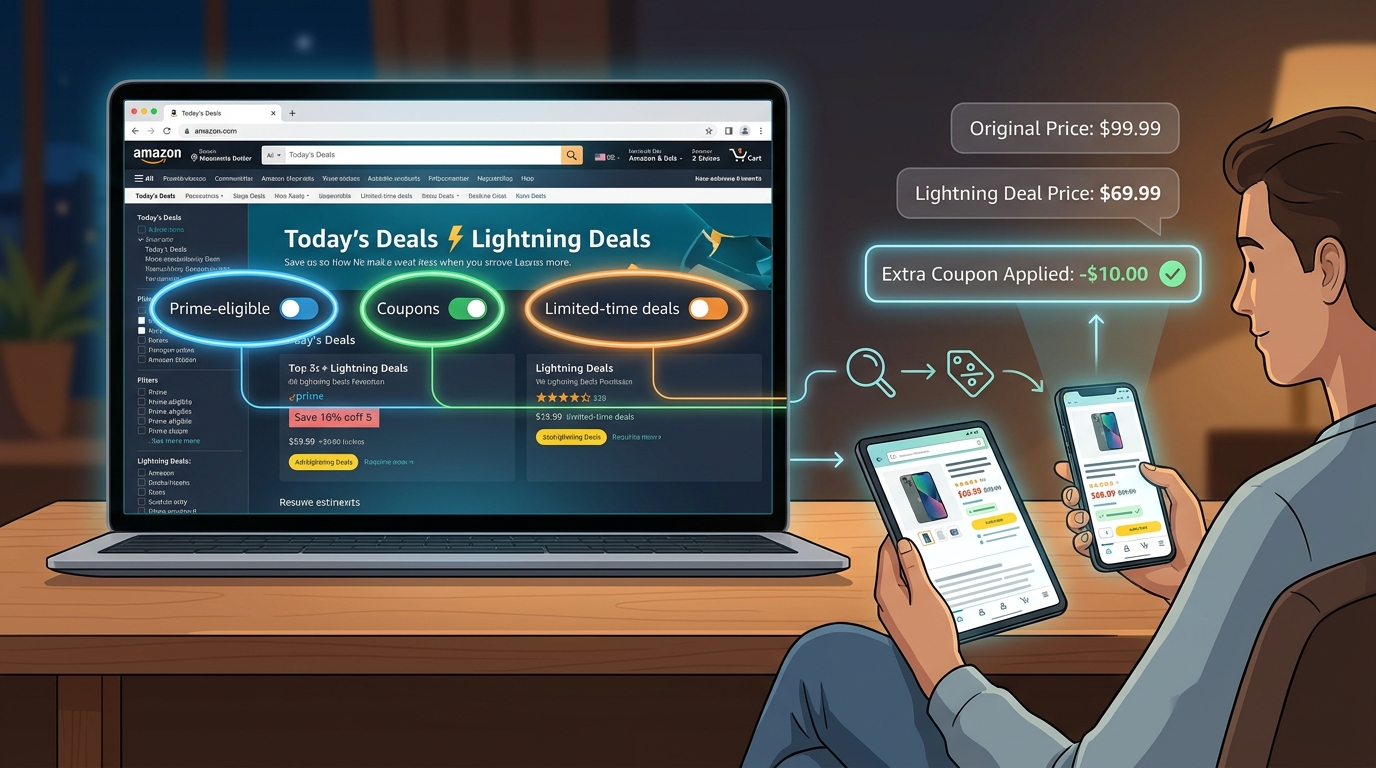
    Start on Amazon’s Today’s Deals section. Filter for Lightning Deals and categories you actually buy, like household, grocery, personal care, office supplies, or pet products.

    Sort with your eyes, not just the filters. You want items that show urgency. Limited time left. A low percentage claimed. A familiar brand running a promotion.

    Open 5 to 10 promising items in separate tabs.

    Then do a quick scan:

    • Check the listed deal price.
    • Look for a coupon checkbox under the price.
    • Look for a promo line such as “Save 15% at checkout” or “Extra savings when you buy more.”
    • Add one to cart and check the final number.

    If it is a consumable you already use, that is where this method shines. You are not guessing. You are buying stuff that will get used anyway.

    On phone

    The Amazon app can work just as well, but it hides things more easily.

    Tap into Today’s Deals. Watch for Lightning Deals and Prime badges. On product pages, scroll slowly. Coupon boxes and promo text can sit below the main price area. Add the item to cart before you judge the deal, because app pricing sometimes looks incomplete until that step.

    If you want to move even faster, use your phone timer for three minutes and stick to one category. Household deals are usually easier to compare quickly than electronics.

    What TikTok users are doing right

    The people posting giant savings hauls are usually not testing random coupon codes from the internet. They are watching patterns.

    They know certain brands run short discount bursts before major shopping events. Prime Day 2026 is still weeks away, but the warm-up period is often when quieter discounts show up. Big flashy offers get attention later. Early deal hunters focus on under-the-radar products now.

    That can mean detergent, supplements, razors, batteries, paper goods, snacks, and storage bags. Not glamorous. Very useful.

    It is the same basic logic behind food promos too. If you like stacking practical deals, the piece New Prime Day Pizza Hack: How a Hidden Amazon Promo Slashes Your Dinner Bill to $5 is a good example of how smaller promos can beat the flashy headline offers.

    How to tell if a deal is actually good

    This matters because a coupon is not automatically a bargain.

    Check the final checkout price

    That is your real number. Not the crossed-out list price. Not the coupon headline. The final price.

    Know your normal price

    If you buy the item often, you already have a rough benchmark. That is more useful than any “was” price.

    Watch for stackable signals

    The best targets often have at least two of these:

    • Lightning Deal price
    • On-page coupon
    • Prime-only extra discount
    • Subscribe & Save option
    • Brand multi-buy offer

    If only one discount is showing, it may still be fine. But the eye-catching TikTok hauls usually come from stacking.

    Common mistakes that waste time

    Trusting old coupon pages

    This is the biggest one. A lot of coupon sites are slow to update or never had a live code in the first place.

    Ignoring everyday categories

    People chase headphones and kitchen gadgets because they feel exciting. The quieter savings are usually in basics you buy over and over.

    Not checking checkout

    Some shoppers stop at the product page. Bad move. The final discount can be better, or gone entirely.

    Waiting too long

    Lightning Deals are not patient. If the deal checks out and it is something you already planned to buy, grab it.

    Safety note: skip the junk-code rabbit hole

    If a site wants you to click through six pages, disable your ad blocker, or copy a coupon string with no proof it works, close it.

    Amazon’s own product pages, deal sections, and cart are more trustworthy than random coupon databases. This method works because it cuts out the noise. You are not chasing mystery codes. You are looking at what is live, right now.

    Best categories for this hack

    If you want quick wins, start here:

    • Cleaning supplies
    • Vitamins and supplements
    • Coffee and snacks
    • Pet food and pet care
    • Paper products
    • Shampoo, toothpaste, and personal care
    • Batteries and simple home essentials

    These categories often get brand-funded discounts before major events because companies want repeat buyers, not just one-time splurges.

    At a Glance: Comparison

    Feature/Aspect Details Verdict
    Outside coupon sites Often show expired codes, vague discounts, or products already out of stock. Low value for fast Amazon deal hunting.
    Amazon 3-minute timer scan Checks Lightning Deals, on-page coupons, and cart-level promos in real time. Best simple method for finding live stackable savings.
    Waiting for Prime Day headlines Bigger advertised deals get attention, but quieter warm-up discounts can disappear first. Good for big-ticket items, not always best for daily essentials.

    Conclusion

    You do not need secret coupon clubs or random promo strings to save real money on Amazon. A simple three-minute scan can put you ahead of most shoppers because it focuses on what is live right now, not what some coupon site copied yesterday. With Prime Day 2026 still weeks away, Lightning Deals are already warming up, and that is exactly when short-lived promo codes, coupons, and stackable brand discounts start popping up on everyday items. If you get into the habit now, from your laptop or your phone, you can catch the quiet 20% to 50% savings before everyone else piles in. More importantly, you stop wasting time on dead ends. Check the deal page, check the product page, check the cart. That little routine is the amazon lightning deal promo code hack worth knowing, because it helps casual shoppers buy smarter without turning bargain hunting into a part-time job.

  • The ‘Triple Stack’ Subscribe & Save Hack: How To Turn One Amazon Deal Into Three Discounts

    The ‘Triple Stack’ Subscribe & Save Hack: How To Turn One Amazon Deal Into Three Discounts

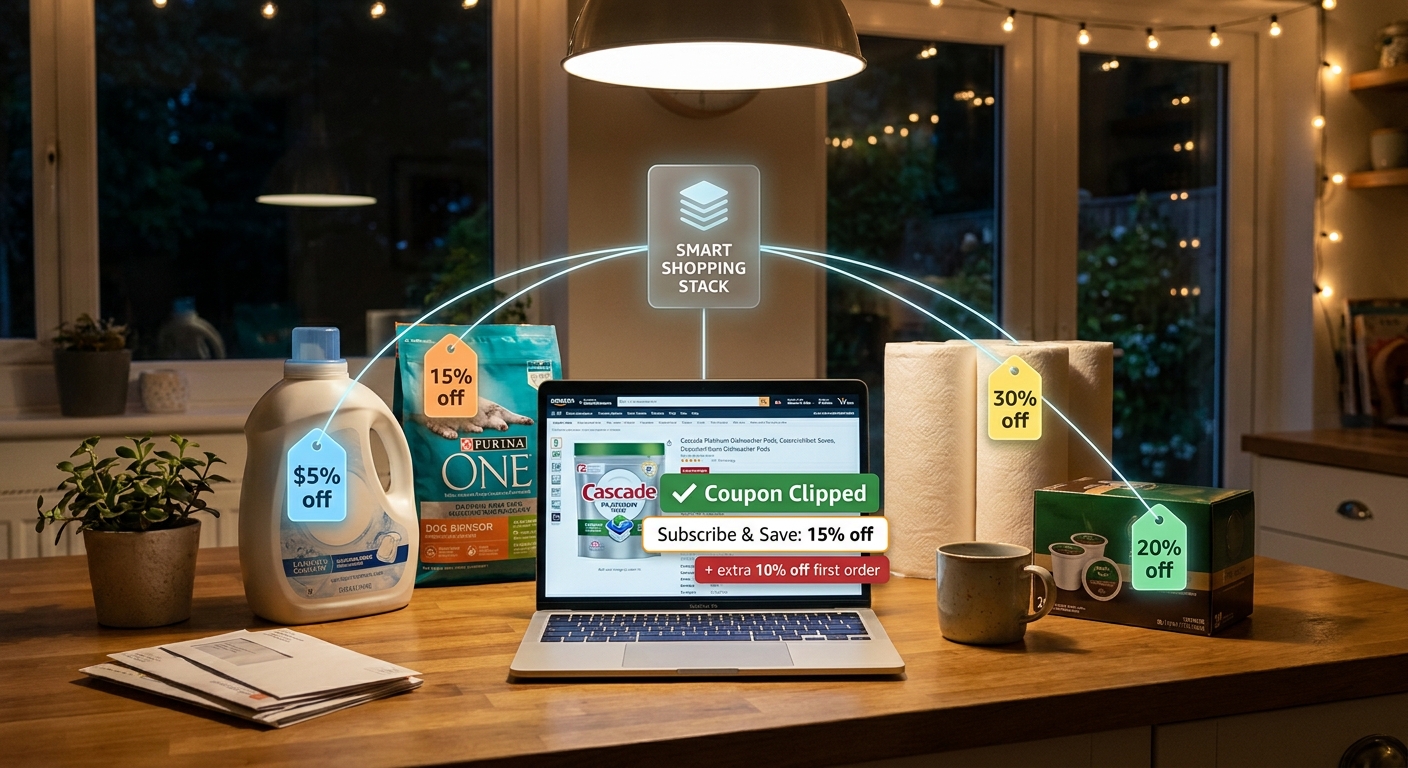
    You are not wrong to feel a little tricked by Amazon pricing. You spot a Subscribe & Save discount, feel good about it, then later notice a tiny coupon box, a promo banner, or a code tucked into the product page that could have knocked the price down even more. It is annoying, especially when you are buying boring but necessary stuff like laundry pods, dog treats, coffee, vitamins, or paper towels. The good news is that there really is a repeatable system here. The best deals often come from stacking three separate savings on the same item: the base sale price, a clipped coupon or promo code, and the Subscribe & Save discount. When all three line up, the math can get surprisingly good. Right now, with Prime Day-style promos already showing up early, this amazon subscribe and save stacking coupons hack can cut 30 to 60 percent off things you were going to buy anyway.

    ⚡ In a Hurry? Key Takeaways

    • The best Amazon savings often come from stacking three discounts at once: sale price, coupon or promo, and Subscribe & Save.
    • Always check the product page for a coupon checkbox and any extra promo text before you hit Subscribe & Save.
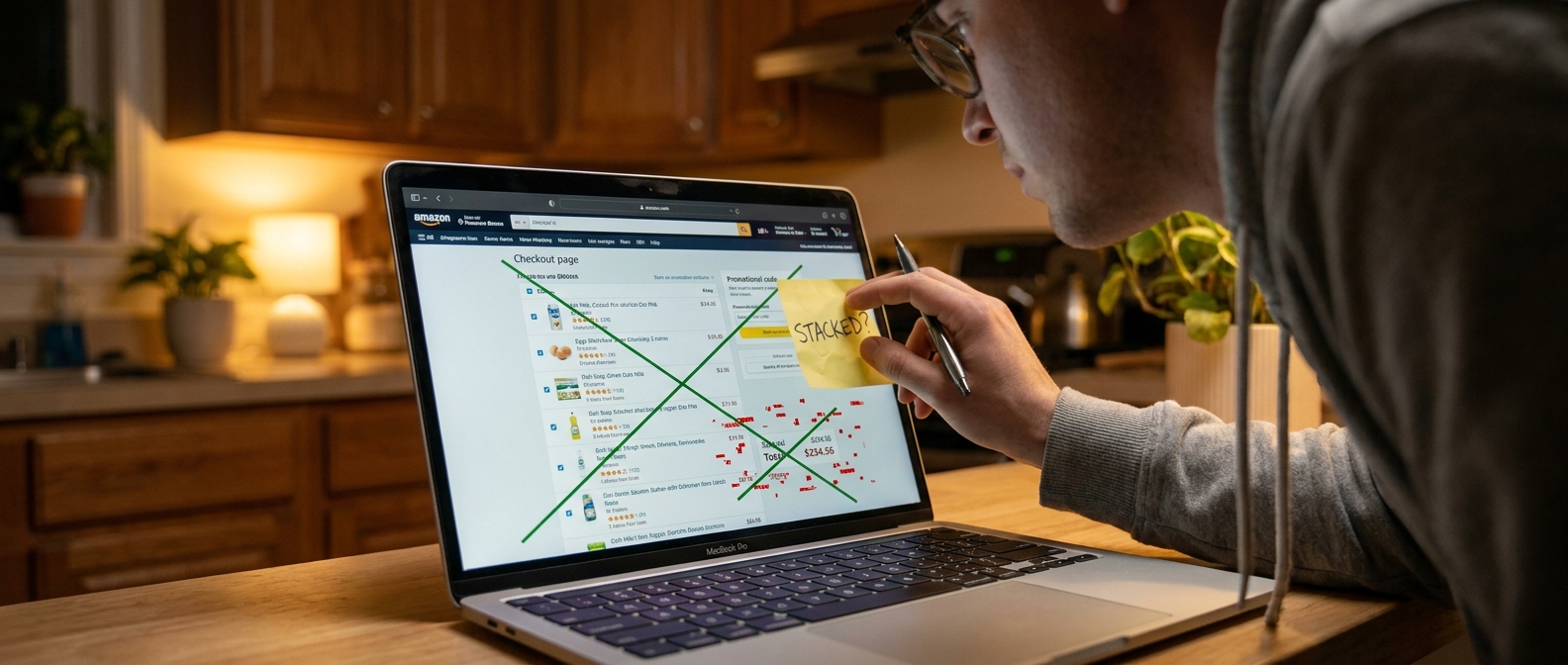
    • Do the final math in checkout, because some codes do not stack and some “deals” are weaker than a simple one-time purchase.

    How the triple stack actually works

    Think of Amazon discounts like three separate doors. If all three are open, you walk through each one and your price keeps dropping.

    Stack layer 1: The sale price

    This is the easiest one to see. Maybe the item is already marked down for a limited time, or it has a Prime-exclusive price, or it is sitting in a category promo.

    Stack layer 2: The coupon or promo

    This is the one people miss most often. Sometimes it is a green coupon checkbox under the price. Sometimes it is a promo line on the page that says something like “Save an extra 20% when you apply.” Sometimes there is a code in the listing.

    If you want a deeper look at this part, read The ‘Hidden Checkbox’ Hack: How Amazon’s Quiet Coupons Stack With Promo Codes For Double Discounts. It explains why that tiny checkbox matters so much.

    Stack layer 3: Subscribe & Save

    This is the recurring discount. Usually it is 5 percent. Sometimes it jumps to 10 or 15 percent, especially on household basics, baby items, pantry staples, and pet supplies. On some products, Amazon pushes this harder during major sale periods.

    The step-by-step playbook

    1. Start with products you already buy regularly

    This hack works best on things you know you will use. Dishwasher tablets. Protein shakes. Cat litter. Razors. Trash bags. Not random gadgets you only want because the percentage looks big.

    2. Check the one-time price first

    Open the product page and look at the regular buy-now price. If it is already on sale, great. That becomes your base.

    3. Hunt for the quiet coupon

    Look right under the price and delivery info. If there is a coupon checkbox, clip it. Then scan a little lower for promo text or limited-time discount notes.

    4. Switch to Subscribe & Save

    Now compare the Subscribe & Save option. Amazon will usually show the discount percentage right there. Select the delivery schedule, but do not assume the number on the page tells the whole story.

    5. Add it to your cart and check the real total

    This is where the truth shows up. In your cart or at checkout, you can see whether the coupon stayed attached and whether any promo came off correctly. If one part disappears, the stack may not be real.

    6. Compare against one-time purchase

    Sometimes the one-time deal plus coupon is better than Subscribe & Save. It happens. The whole point is to use the option with the lower final price, not the one with the prettier badge.

    7. Cancel later if you only want the first shipment

    This is the part many shoppers forget. After your order ships, you can go into your Subscribe & Save settings and cancel future deliveries if you do not need a repeat order. Amazon allows this. Just do not forget to do it.

    What a real triple stack can look like

    Let’s say a household cleaner normally sells for $24.

    The current sale price drops it to $19.20. Then there is a clipped 20 percent coupon, which cuts another $3.84. Then Subscribe & Save takes another 10 percent off the remaining price. Suddenly your final cost is much closer to the low teens than the original $24.

    That is why this works so well during busy sale periods. Amazon is mixing temporary markdowns with category coupons and recurring-order discounts at the same time. If you catch all three, the savings can get very real.

    Where this hack works best

    You will usually have the best luck in a few categories:

    • Groceries and pantry refills
    • Pet food, treats, and litter
    • Cleaning supplies
    • Paper goods
    • Baby products
    • Health and personal care items

    These are the categories Amazon loves to push with rotating coupons and repeat-delivery incentives.

    Common mistakes that ruin the deal

    Forgetting to clip the coupon

    This is the classic miss. The discount does not apply itself just because you saw it.

    Not reading the promo fine print

    Some promos only work on the first Subscribe & Save order. Some need a minimum quantity. Some are for select account holders.

    Buying the wrong size or variation

    The coupon might apply only to the lemon scent, the 32-count box, or the pack of two. Amazon listings are messy like that.

    Trusting the percentage instead of the final number

    “Save 15%” sounds better than it sometimes is. Always compare the final checkout price.

    Leaving unwanted subscriptions running

    If you used Subscribe & Save as a one-time savings tool, put a reminder in your phone to cancel after shipment.

    How to tell if a deal is actually good

    A big percentage does not automatically mean a smart buy. Ask three simple questions:

    • Is this something I buy anyway?
    • Is the final price lower than recent sale prices?
    • Will I remember to manage the subscription if I do not want repeats?

    If the answer is yes to all three, you probably have a winner.

    At a Glance: Comparison

    Feature/Aspect Details Verdict
    Best stack combo Sale price + clipped coupon or promo + Subscribe & Save discount Usually the strongest setup
    Where it works best Groceries, pet supplies, paper goods, cleaning items, personal care Great for repeat essentials
    Biggest risk Missing a coupon, using the wrong product variation, or forgetting to cancel a future shipment Easy to avoid with a quick checkout check

    Conclusion

    Amazon makes discounts feel more confusing than they need to be. That is the frustrating part. But once you know where the savings hide, the system gets easier. Start with the sale price. Clip every relevant coupon. Then test Subscribe & Save and confirm the final total in checkout. That simple routine is the amazon subscribe and save stacking coupons hack in plain English. With Prime Day-style sales already heating up, Amazon is quietly pushing aggressive category promos and short-lived codes on top of standard Subscribe & Save offers. If you use this playbook on real monthly essentials, you can shave 30 to 60 percent off groceries, pet supplies, and household refills without wasting time on dead codes or flashy one-off deals. Better yet, it is a repeatable habit you can use all year, not just during the big sale weeks.

  • The ‘Hidden Checkbox’ Hack: How Amazon’s Quiet Coupons Stack With Promo Codes For Double Discounts

    The ‘Hidden Checkbox’ Hack: How Amazon’s Quiet Coupons Stack With Promo Codes For Double Discounts

    You are not imagining it. Amazon can make discounts feel weirdly slippery. You clip the obvious coupon, add the item to your cart, and then stare at checkout wondering why the total barely changed. Meanwhile, somebody online claims they got the same paper towels, vitamins, or storage bags for half price. Annoying, right? The trick is that some of Amazon’s best deals are split across more than one place. There’s the visible green coupon checkbox on the product page, then there are brand promos, “Apply at checkout” offers, and sometimes an outside promo code that works on that exact listing too. If you catch the right combo, the discounts can stack. That is the hidden checkbox hack people keep talking about. It is not magic, and it is not only for influencers. It is just a simple habit. Once you know where to look, you can check for real stackable deals in under five minutes a day.

    ⚡ In a Hurry? Key Takeaways

    • The real Amazon savings often come from stacking a coupon checkbox, an on-page or checkout promo, and a valid promo code on the same ASIN.
    • Use a simple 3-step routine. Check the listing, test the item in cart, then try a working code before you pay.
    • Always verify the final checkout total and avoid buying just because a coupon looks big. The best value is on things you already planned to buy.

    What the “hidden checkbox” hack actually means

    Despite the dramatic name, this is usually not a secret setting buried deep in Amazon.

    It is more like a discount people miss because Amazon spreads it around. One offer appears as a little coupon checkbox under the price. Another might show up as “Save 20% at checkout” or “Buy 2, save 10%.” A third might be a promo code from a brand page, creator page, email, or trusted deal source.

    If all of those apply to the same item, sometimes they stack. Not always, but often enough that it is worth checking.

    The important part is this. You are not hunting random codes first. You are starting with an item that already has a coupon attached. That is where the deeper discount usually begins.

    Why so many shoppers miss the best price

    Amazon does not always show the full savings in one clean number.

    You might see:

    • A coupon on the listing page
    • A promotion in small text under the price
    • A discount that only appears in cart or at checkout
    • A brand code that is not visible on the product page at all

    That split is exactly why the deal can feel fake until the very last screen.

    And yes, it gets more confusing near major shopping events. In the run-up to Prime Day, brands often throw out short-lived coupons and targeted promos to juice sales. If you only clip the green coupon and stop there, you are seeing just one part of the discount.

    The 3-step daily habit that finds the biggest stackable deals

    This is the part worth saving. You can do it fast, and it works best on basics you buy anyway.

    Step 1. Start with your repeat-buy list

    Pick 5 to 10 things you actually use. Think detergent, supplements, pet supplies, coffee pods, razors, diapers, trash bags, protein bars, batteries.

    This matters because discount hunting gets expensive when you buy stuff just because the percentage looks exciting.

    Search those items on Amazon and open the listings that already show one of these:

    • A green coupon checkbox
    • “Apply X% coupon”
    • “Save extra at checkout”
    • A brand promotion line under the price

    If there is no visible offer at all, move on. The goal is not to force a deal. It is to find a listing that already has one foot in the door.

    Step 2. Add it to cart and read every line slowly

    This is where the hidden part often shows up.

    Once the item is in your cart, look for:

    • Coupon applied messages
    • Extra savings at checkout
    • Subscribe & Save discounts that can combine with a coupon
    • Multi-buy offers like “Buy 3, save 15%”

    Do not assume the product page told you everything. Sometimes the cart reveals a second promo that was easy to miss.

    Also check whether the discount applies per item or only once per order. That changes the math fast.

    Step 3. Test one good promo code before paying

    Now, and only now, try a code.

    This is the piece that people get backward. They start with a random 10% code from social media and hope it works on something. A better method is to find a listing that already has a live coupon and then test a relevant code on that exact ASIN.

    If the code works, great. If it does not, you still may have a decent deal from the first two discounts.

    The final number that matters is the one on the last checkout screen before you place the order.

    What can stack, and what usually does not

    Amazon’s rules are not always perfectly transparent, but here is the simple version.

    Offers that often stack

    • Product page coupon plus checkout promo
    • Coupon plus Subscribe & Save
    • Coupon plus valid brand promo code
    • Checkout savings plus multi-item offer

    Offers that often do not stack cleanly

    • Two promo codes that both try to do the same thing
    • Two different seller promotions on similar versions of the item
    • A code for one size or pack count used on another variation

    One small warning here. Make sure you are checking the exact ASIN or variation. A code might work on the 24-count pack but not the 12-count pack, even though the page looks nearly identical.

    How to tell if the deal is actually good

    A stacked discount is not automatically a smart buy.

    Here is my quick filter:

    • Would I buy this anyway in the next 30 days?
    • Is the final price lower than my normal store price?
    • Is the pack size the same, or am I being fooled by a bigger box?
    • Am I locking into Subscribe & Save just for one discount?

    That last one matters. Subscribe & Save can be great, but only if you remember to manage it. If you use it for a one-time stock-up, set a reminder to review the next shipment date right after your order arrives.

    Common mistakes that kill the discount

    Missing the checkbox entirely

    It sounds obvious, but the coupon checkbox is easy to skip, especially on mobile. If you do not clip it, nothing else matters.

    Testing codes on the wrong seller

    Amazon often shows multiple sellers or slightly different versions of the same product. A code tied to one seller may fail on another.

    Looking only at the product page price

    Some offers do not show up until cart or checkout. If you stop too early, you miss the real savings.

    Buying because the percentage looks huge

    Forty percent off a marked-up item is still a bad deal. Always judge the final dollar amount, not just the badge.

    A realistic example of how stacking works

    Let’s say a household item is listed at $24.99.

    • You clip a 20% coupon on the page
    • The cart shows an extra 10% off at checkout
    • You apply a valid brand code for another 15%

    Amazon may apply those discounts in sequence rather than all at once from the original price, so the math will not always equal a flat 45% off. But the final price can still land much lower than expected. That is why some people end up with “normal-looking” listings at surprisingly low totals.

    The lesson is simple. Do not guess based on the listing page alone. Run the cart test.

    Best times to use this hack

    This works year-round, but it gets especially useful when Amazon and brands are pushing short promos.

    • The weeks before Prime Day
    • Prime Day itself
    • Black Friday and Cyber Monday buildup
    • End-of-month brand pushes
    • Back-to-school and holiday household restock periods

    That is when you tend to see more coupon checkboxes, more “apply at checkout” language, and more outside codes floating around for the same product.

    My plain-English rule for safe deal hunting

    If the price does not make sense after two minutes, skip it.

    Good deals should be satisfying, not exhausting. You should not need a spreadsheet for toothpaste. If a listing has too many conditions, weird shipping delays, or seller issues, move on to the next one.

    Stick with products you know, compare the final checkout total, and keep screenshots if you are testing a time-sensitive offer. That way, if the discount vanishes before checkout, you know it changed and you are not just misreading the page.

    At a Glance: Comparison

    Feature/Aspect Details Verdict
    Visible coupon checkbox Easy to spot on the listing, but often only one part of the total discount. Always clip it first.
    Cart and checkout promos May appear as “Apply at checkout” or extra savings after the item is added. Worth checking every time.
    Outside promo codes Can stack on the same ASIN if they are current and tied to the right seller or variation. Use only after confirming the base deal is already good.

    Conclusion

    The amazon hidden coupon checkbox promo code stacking hack is really about paying attention to the full path of the discount, not just the first coupon you can see. That is why it is useful right now. Amazon is pushing more short-lived coupon checkboxes, targeted brand promos, and “Apply at checkout” offers in the run-up to Prime Day, but most shoppers never realize these can stack with outside promo codes on the exact same ASIN. If you build the simple 3-step habit, start with your regular essentials, check the cart carefully, and test a real code before you pay, you stop guessing. You stop chasing random TikTok codes that may be dead already. And you start catching the deep discounts when they are actually live. Five minutes a day is enough. That is the part most people miss.

  • New Prime Day Pizza Hack: How a Hidden Amazon Promo Slashes Your Dinner Bill to $5

    New Prime Day Pizza Hack: How a Hidden Amazon Promo Slashes Your Dinner Bill to $5

    Feeding everybody during Prime Day week can feel a little ridiculous. You go to Amazon looking for a deal on headphones or a smart plug, and somehow the thing blowing your budget is dinner. That is why this Amazon Prime Day Little Caesars $5 promo code hack is getting attention. It is simple, it is real, and it hits an everyday expense instead of tempting you into buying more stuff.

    Here is the short version. Prime members can grab a hidden Little Caesars promo through Amazon and use it to get a pizza for just $5 during the June 15 to June 26 promo window. The big win is that this is not one of those confusing coupon chains that falls apart at checkout. It is a low-effort discount that works like an off-platform Prime perk. If you already pay for Prime, this is one of the rare cases where your membership can help with dinner tonight, not just shipping tomorrow.

    ⚡ In a Hurry? Key Takeaways

    • This Amazon Prime Day Little Caesars $5 promo code hack can turn your Prime membership into a legit $5 pizza deal during June 15 to June 26.
    • Check the Amazon promo page, claim the offer, then use the code exactly as listed in the Little Caesars app or checkout flow before it expires.
    • Read the terms carefully. Store participation, one-time limits, and pickup or app-only rules can change whether the deal is actually worth it.

    What the $5 Little Caesars Prime promo actually is

    This is the kind of deal most people miss because they are busy watching Lightning Deals and device bundles. Instead of discounting a product on Amazon itself, the offer acts more like a coupon wallet item tied to your Prime account.

    The basic idea is simple. Amazon surfaces a Little Caesars promotion for Prime members. You claim it, copy or activate the code, and use it through Little Caesars to bring the price of a qualifying pizza down to $5.

    That matters because it is practical. A lot of Prime Day “deals” save you money only if you were already going to buy a gadget. This one can lower the cost of dinner tonight.

    How to find the hidden offer

    Start inside Amazon’s promo pages

    Do not just search the main shopping results. The offer is more likely to appear in Prime member promotions, limited-time partner deals, or event landing pages tied to early Prime Day 2026 offers.

    Search for terms like “Little Caesars Prime offer,” “Prime member pizza promo,” or the exact phrase “Amazon Prime Day Little Caesars $5 promo code hack.” If Amazon is surfacing the promotion to your account, you should see a claim button or offer details page.

    Check before you assume it is live for everyone

    Some Amazon promos roll out in waves. That means your friend may see it before you do, or your account may have slightly different terms. It is annoying, but normal.

    If you find the offer, read the fine print. Look for:

    • start and end dates
    • whether Prime membership is required
    • pickup only or delivery eligibility
    • app-only or online-only checkout rules
    • participating locations
    • whether the code can be reused

    How to use the code without getting tripped up

    This is where people lose the savings. They find the promo, get excited, and then rush through checkout.

    Best way to redeem it

    1. Sign in to your Amazon Prime account.
    2. Claim the Little Caesars offer if there is a claim button.
    3. Copy the promo code or follow the redemption link Amazon provides.
    4. Open the Little Caesars app or website.
    5. Add the qualifying pizza or combo to your cart.
    6. Enter the promo code exactly as shown.
    7. Check the final total before you pay.

    If the total does not drop to $5, stop there. Do not assume it will fix itself after payment. Usually the problem is one of three things. Wrong item. Wrong store. Wrong fulfillment method.

    Watch for extra fees

    A $5 pizza is great. A $5 pizza plus service fees and delivery markup is a different story.

    If the terms allow it, pickup is usually the smartest move. It keeps the deal clean and protects the whole point of the promo, which is stretching your dinner budget.

    Why this deal stands out from most Prime Day promos

    Most shoppers focus on screens, speakers, and home gadgets. Fair enough. But this promo shows a smarter way to think about Prime. Sometimes the best value is not on the product page at all.

    Instead, it is in these quiet partner offers that turn your membership into a real-world coupon. That is the life-hack angle here. You are using a Prime perk to cut a routine cost, and that can matter more than saving 18 percent on a charger you did not urgently need.

    If the offer can be used more than once across the June 15 to June 26 window, that is where it becomes especially useful for families, students, and anybody trying to keep food spending under control while all the sale hype is flying around.

    Is it actually a good deal?

    For most people, yes. But only if you keep it simple.

    If the promotion gets you a pizza for $5 with no weird bundle requirement and no delivery padding, that is one of the better no-nonsense Prime tie-ins you will see this season. It solves a real problem. Dinner is expensive, and convenience food is usually where budgets quietly leak.

    The catch is that “up to” language can hide disappointment. If the deal says “starting at $5” or applies only to a limited menu item, then the value depends on whether that item works for your household.

    Common gotchas to avoid

    Not every location may participate

    Franchise restaurants do not always line up perfectly with national promos. Enter your store first and make sure the discount still shows before you get too far.

    One code may not mean unlimited use

    Some deals are one per account. Others refresh during the promo window. Read the terms instead of guessing.

    App-only rules can matter

    If Amazon says redeem through the app, use the app. It sounds obvious, but plenty of restaurant promos fail just because the code was pasted into the website instead.

    Taxes still apply

    Your pizza may ring up at $5 before tax, not out the door. That is still a good deal, just not quite as magical as the headline sounds.

    Who should jump on this first

    This one is best for Prime members who already order Little Caesars once in a while and can do pickup without too much hassle. It is also useful for deal hunters who like squeezing extra value out of subscriptions they already pay for.

    If that sounds like you, this is the sort of promotion worth acting on early. The best off-platform deals tend to get noticed late, then disappear fast once coupon communities pile in.

    At a Glance: Comparison

    Feature/Aspect Details Verdict
    Deal value Qualifying Little Caesars pizza drops to about $5 for Prime members during the promo window. Strong value if you were buying dinner anyway.
    Effort required You need to find the Amazon promo, claim it, and enter the code correctly in the Little Caesars app or site. Low effort compared with most stacked coupon deals.
    Possible downsides Participation may vary by location, and delivery fees or one-time-use limits can reduce the savings. Still worth checking, but read the terms before you count on it.

    Conclusion

    This is the kind of Prime Day deal that deserves more attention because it helps with a real bill, not just a shopping wish list. Early Prime Day 2026 promos are already showing up, and this Little Caesars offer stands out because it is easy, legit, and useful right now. Most people spend the week chasing big-ticket electronics and miss the smarter move. If you can turn a Prime perk into a repeatable $5 dinner between June 15 and June 26, that is real value. It is also a good reminder to think beyond Amazon product pages. Sometimes the best Prime savings are the quiet off-platform coupons hiding in plain sight.

  • Hello world!

    Welcome to WordPress. This is your first post. Edit or delete it, then start writing!