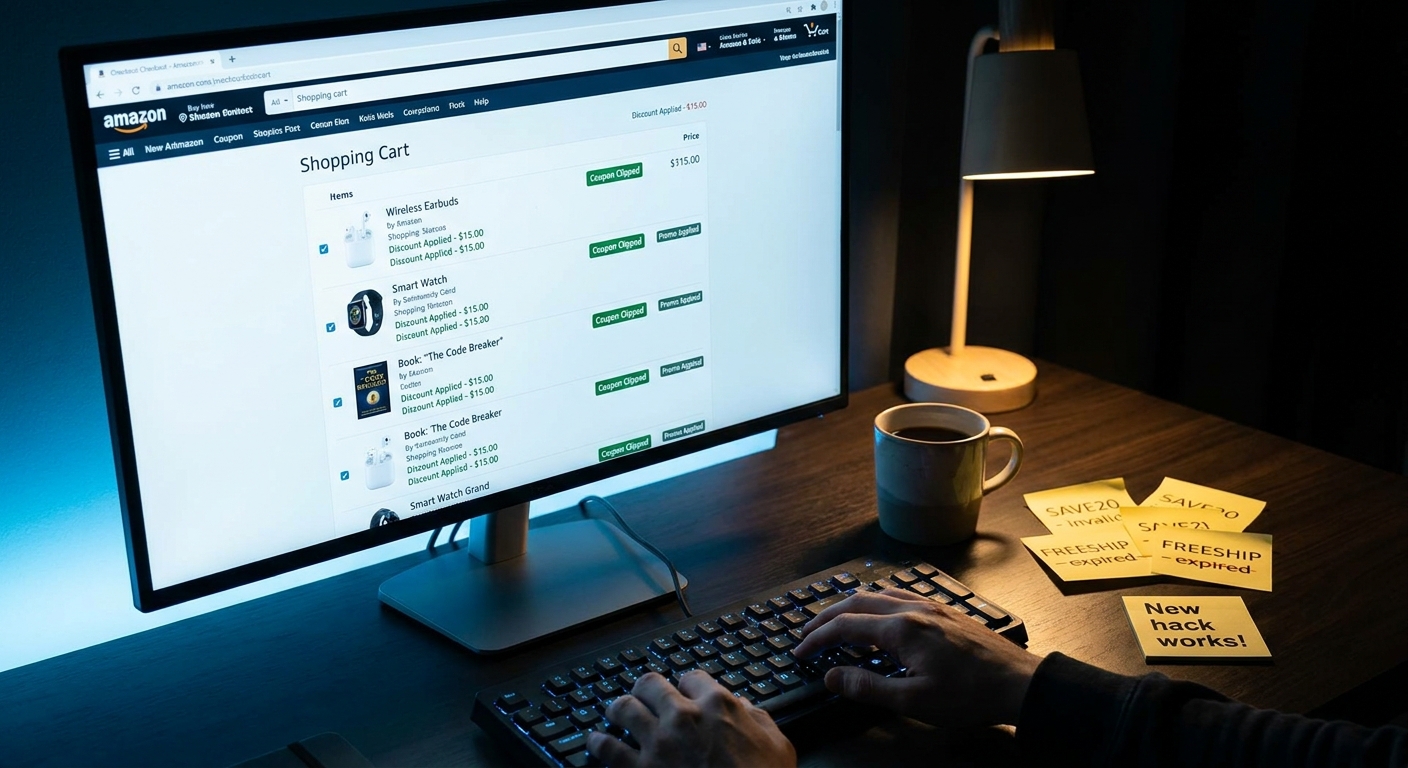
You know the routine. You find an “Amazon promo code” on a blog, TikTok, or coupon site, copy it, paste it at checkout, and get the same useless message again. This promotion can’t be applied. After the fifth dead code, it starts to feel like saving money on Amazon is a part-time job. The good news is you do not need to test a pile of random codes by hand, and you do not need to install some sketchy browser add-on that wants to read your shopping history. There is a cleaner move. I call it the amazon auto apply promo code hack. You build a small test cart, trigger Amazon’s own deal logic, and let the site reveal what discounts are actually available on that order. It takes about 30 seconds once you know where to look, and it works with the way Amazon already handles auto-applied deals, clipped coupons, and seller promotions.
⚡ In a Hurry? Key Takeaways
- Amazon often reveals valid discounts through auto-applied promos and coupon checkboxes faster than public promo-code lists do.
- Create a small “test cart,” clip every visible coupon on the product page, then go to checkout and watch for new savings to appear automatically.
- This is safer than using random coupon extensions because you are using Amazon’s own checkout system, not a third-party tool guessing codes.
What the “Auto-Apply Cart Sweep” hack actually is
This is not a secret code generator. It is not a browser exploit. It is just a smarter way to shop.
The trick is simple. Instead of hunting for public promo codes first, you set up a cart that gives Amazon the best chance to surface every discount already tied to that item, seller, or order. That includes:
- Checkbox coupons on the item page
- Auto-applied promotions at checkout
- Seller discounts that trigger only when the item is in the cart
- Multi-buy offers such as “save 5% when you buy 2”
Think of it like this. Most people go looking for a key. This method checks whether the door was already unlocked.
Why random Amazon coupon lists fail so often
A lot of public “Amazon codes” are junk for one of three reasons.
They are expired
Coupon sites are famous for leaving old codes live because the page still gets traffic.
They are limited-use
Some seller promos work for the first few hundred shoppers, then quietly die.
They are account-specific or influencer-only
A code may only work for a targeted audience, a certain product variation, or a creator campaign. Everyone else gets the dreaded rejection message.
That is why this amazon auto apply promo code hack matters. It starts with what Amazon is willing to show your account right now, on that exact product, at that exact moment.
How to do the 30-second test cart sweep
Here is the easy version you can use on almost any order.
Step 1: Open the product page and slow down for 10 seconds
Before you add anything to your cart, scan the page for these deal areas:
- A coupon checkbox under the price
- A line that says “Save X%” or “Apply X coupon”
- A promo banner in the seller area
- Multi-buy language like “Buy 2, save 10%”
If you see a checkbox coupon, clip it. A surprising number of people skip this and then wonder why the deal never showed up later.
Step 2: Add only the item you want to test
This part matters. Keep the cart clean at first.
Do not mix in six unrelated items, because it gets harder to spot which product triggered which discount. Your first pass should be a neat little test cart with one item, or one product family from the same seller.
Step 3: Increase quantity once, then check the subtotal
If the product mentions any kind of bundle savings, change the quantity from 1 to 2. Then look again.
Some discounts do not appear until the quantity threshold is hit. You are not committing to buy two. You are just forcing Amazon to show whether volume pricing exists.
Step 4: Go to checkout and look for auto-applied savings
This is the sweep.
At checkout, Amazon often displays promotions more clearly than the product page does. Look for:
- “Promotion Applied”
- “Your order qualifies for”
- A discount line under order summary
- A clipped coupon finally showing in dollars off
If a discount appears here, you have your answer without typing a single random code from the internet.
Step 5: Test one variation at a time
If nothing shows up, try one of these small changes:
- Switch size or color
- Swap to another listing from the same seller
- Try quantity 2 instead of 1
- Try Subscribe & Save if the item offers it
This last one can be especially powerful on basics. If you buy household staples, you should also read The ‘Triple Stack Subscribe & Save’ Hack: How To Turn One Boring Household Reorder Into A Hidden Promo-Code Payday. It pairs nicely with this method because many hidden savings only appear once Subscribe & Save is in the mix.
What to look for on the product page before you even hit checkout
Amazon does not always put promotions in one neat box. You have to know the usual hiding spots.
1. The coupon checkbox
This is the easiest win. It usually sits near the price and says something like “Apply 15% coupon” or “Save $5.” Clip it before adding to cart.
2. The “extra savings” line
Sometimes you will see text like “Save 20% with promo code, enter at checkout.” If there is no code shown, that can still mean the discount is account-tied or auto-triggered under certain conditions.
3. The seller promotion block
Some third-party sellers hide deals in the fine print. Look just below the Buy Now area and in the product details promo section.
4. Subscribe & Save options
On repeat-buy items, the cheapest total is often not the regular one-time price. Even if you plan to cancel later, it is worth checking the Subscribe & Save math.
A few smart test-cart patterns that work well
You do not need a complicated spreadsheet. Just use the right mini experiment for the type of item.
Single item test
Best for electronics accessories, beauty products, and impulse buys. Add one item, clip any coupon, go to checkout, and see what appears.
Quantity bump test
Best for snacks, supplements, cleaning products, and office supplies. Change quantity from 1 to 2 or 3 and watch for threshold savings.
Same-seller bundle test
Best when a seller offers matching products. Add two related items from the same seller. Some promos only trigger when the order value or item count crosses a threshold.
Subscribe & Save test
Best for diapers, detergent, pet food, razors, vitamins, and coffee pods. Compare one-time purchase with Subscribe & Save at checkout, not just on the product page.
What not to do
This matters just as much as the hack itself.
Do not trust every coupon extension
Some are fine. Some are data vacuums. If an extension promises to “test every Amazon code on the web,” be careful. Many Amazon promos are not public codes in the first place. They are tied to listings, sellers, accounts, or automatic checkout rules.
Do not fill your cart with unrelated stuff too early
A messy cart hides the signal. Start clean, test, then add the rest of your order.
Do not assume the product page shows the final price
Amazon often waits until cart or checkout to show the real total after coupons and promos are stacked.
Do not ignore small text
That boring line under the price can be where the real discount is hiding.
When this trick works best
This method shines when:
- You are buying from third-party sellers
- The item has a visible coupon checkbox
- The listing mentions bundle or quantity savings
- You suspect TikTok or influencer codes are fake, outdated, or limited
- You want to stay inside Amazon’s own system
It is less useful on fixed-price items sold directly by Amazon with no visible promotions, but it still takes so little time that it is worth checking.
How to tell if you found a real deal
A real deal on Amazon should meet three tests.
The discount appears in your order summary
If you cannot see it in the cart or checkout math, it is not real yet.
The item is still sold by a reputable seller
A giant coupon on a sketchy listing is not a bargain if the product is fake or low quality.
The final price beats your usual baseline
Do not compare only against Amazon’s crossed-out “list price.” Compare against what the item usually costs from trustworthy sellers.
Why this feels better than code-chasing
Because it respects your time.
The old coupon-game mindset says you need to gather codes first, then hope one works. This system flips it around. You let Amazon reveal the discounts your order already qualifies for. That is faster, cleaner, and a lot less annoying.
It also keeps you from turning your browser into a flea market of add-ons, pop-ups, and fake savings alerts.
At a Glance: Comparison
| Feature/Aspect | Details | Verdict |
|---|---|---|
| Manual promo code hunting | Requires copying codes from blogs, coupon sites, or social posts, many of which are expired or restricted. | Slow and frustrating |
| Auto-Apply Cart Sweep | Uses Amazon’s own cart and checkout to surface clipped coupons, seller promos, and auto-applied savings. | Best all-around method |
| Coupon browser extensions | May test public codes, but often misses listing-specific deals and can add privacy concerns. | Use cautiously |
Conclusion
If you are worn out by dead promo codes, fake coupon roundups, and influencer deals that never work on your account, this is the cleaner way forward. The point of the amazon auto apply promo code hack is not to beat Amazon. It is to use Amazon’s own checkout logic to your advantage. Right now the promo-code world is packed with expired, faked, or influencer-only deals, which means coupon roundups are wasting people’s time more than they are saving money. This method works better because it leans into what is actually happening under the hood now: auto-applied promotions, checkbox coupons, and seller discounts that never make it onto public lists. Once you get in the habit of building a quick test cart and forcing checkout to show its hand, you have a repeatable system you can use on almost every order. That is a lot more useful than chasing one magic code that disappears tomorrow.