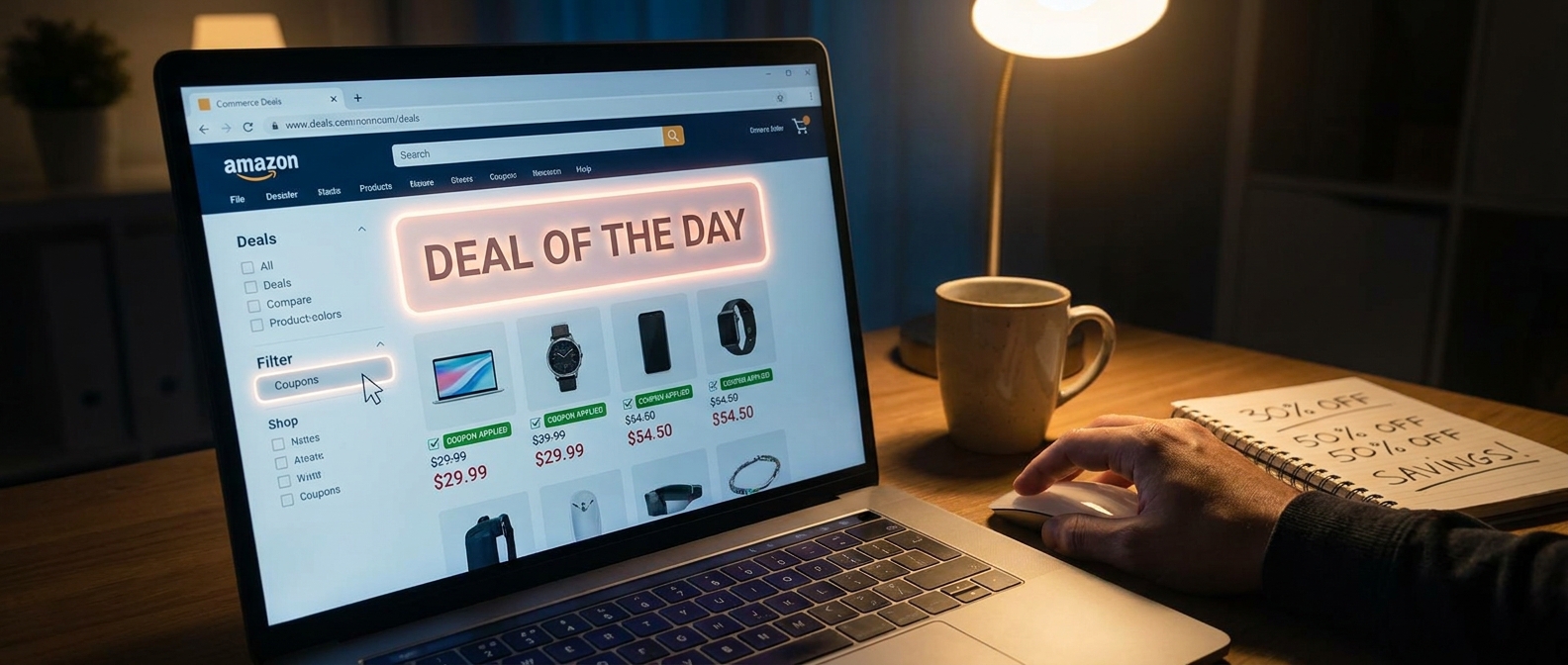
You open Amazon’s Today’s Deals page, scroll for a minute, maybe tap a lightning deal, and think, “Well, that’s probably the best price.” That is exactly how Amazon gets most people to stop one click too soon. The frustrating part is that some of the best discounts are not front and center. They are hiding behind a small coupon filter or coupon tab, sitting on top of items that are already marked down. So yes, you can sometimes stack a public sale price with a clip coupon and get a much better deal than the page first suggests. That is the whole amazon deal of the day hidden coupon tab hack in plain English. It is not shady. It is not complicated. It is just easy to miss. And right now, with holiday pricing starting to heat up, this tiny habit can save you real money in about 30 seconds.
⚡ In a Hurry? Key Takeaways
- The hidden trick is to check Amazon’s Deals page for coupon-filtered items, then clip the extra coupon on products that are already on sale.
- Before you buy, open the product page and look for a checkbox-style coupon or promo line under the price, because the deal page does not always show the full savings clearly.
- This is a safe, normal Amazon feature, but coupons can expire fast, vary by account, and sometimes only apply at checkout.
Why most shoppers miss the extra discount
Amazon’s deal pages are busy by design. There are timers, badges, sponsored placements, category filters, and endless scrolling. Most people do a quick scan and move on.
What often gets missed is the extra coupon layer. On many items, Amazon shows a sale price first, then adds a little “coupon” tag, a checkbox on the product page, or a small savings note that only appears after you click in. That means the headline discount is not always the full discount.
This is why the amazon deal of the day hidden coupon tab hack works so well. It is not finding a secret page from the dark corners of the internet. It is simply using Amazon’s own tiny filters and tabs more carefully than most people do.
How the hidden coupon tab hack works
Step 1: Start on Today’s Deals or Deal of the Day
Go to Amazon’s Today’s Deals section and start with whatever category you care about. Electronics, home, beauty, kitchen, pet gear. It works across all of them.
Step 2: Look for coupon-related filters or tabs
Depending on your device, Amazon may show these as filters, tabs, badges, or a left-side menu. You are looking for words like “Coupon,” “Extra Savings,” or items that show a green coupon label.
This is the click most people skip.
Step 3: Open the product page
Do not trust the deal grid alone. Click into the actual listing. On the product page, look under the price for a checkbox coupon, usually with wording like “Apply $10 coupon” or “Save 20% with coupon.”
Step 4: Clip the coupon
If you see the box, tap it. Amazon usually confirms that it has been applied. The final discount may show right away or wait until checkout.
Step 5: Verify in cart or at checkout
This part matters. Some coupon savings only appear in the order summary. Before you hit Buy Now, check that the clipped coupon actually came off the total.
What this looks like in real life
Let’s say a blender is listed at 25% off on Today’s Deals. Nice. Most shoppers stop there.
But when you open the listing, there is a clipped coupon for an extra 10% off, or maybe $15 off. Suddenly that “pretty good” deal becomes the best price you have seen all week.
The same thing happens with phone chargers, headphones, vitamins, air fryers, office chairs, and random household gadgets. Amazon loves these layered discounts because they feel personalized and urgent, but they are easy to overlook.
Why Amazon buries this so well
Part of it is clutter. Part of it is testing. Amazon changes layouts constantly, and not every shopper sees the exact same design.
Also, coupons are useful to Amazon because they make the deal feel more active. You have to “clip” it, which creates a tiny sense of winning. But it also means lazy browsers miss it.
That is really the whole game here. Not secret coding. Not browser wizardry. Just paying attention to one extra layer.
Best categories for this trick
If you want the fastest wins, start with categories where Amazon sellers love to stack discounts:
- Home and kitchen
- Beauty and personal care
- Vacuums and cleaning gadgets
- Phone accessories
- Small electronics
- Pet supplies
- Supplements and wellness items
Big-name brands may use this less often, but third-party sellers and rising brands use it all the time.
Important limits to know before you get excited
Not every coupon stacks
Some items let you combine the sale price and coupon. Some do not. Always check the final cart total.
Some coupons are account-specific
Your friend may see a coupon that you do not. That is normal on Amazon.
Some savings only show at checkout
This is common and very annoying. Do not assume the clip failed just because the product page still looks the same.
Coupons can vanish fast
If a deal is good, the coupon budget may run out before the end of the day.
A smart extra step if you also use public promo codes
If you like hunting down Amazon codes from social posts or deal blogs, pair this trick with a quick reality check. A lot of random codes online are expired, account-limited, or tied to very specific listings.
That is where The “Hidden Overstacked Code Vault” Hack: How One 30-Second Leak Check Turns Random Amazon Coupons Into Jackpot-Level Savings is worth a read. It is a helpful companion move when you want to see whether a flashy code can actually stack with an on-page coupon.
My favorite way to use this without wasting time
Here is the easy routine.
- Open Today’s Deals.
- Tap your category.
- Filter for coupon-tagged deals if available.
- Open only the items you would genuinely buy.
- Clip the coupon.
- Check the cart total before paying.
That is it. No spreadsheets. No browser extensions required. No all-day scavenger hunt.
At a Glance: Comparison
| Feature/Aspect | Details | Verdict |
|---|---|---|
| Regular Deal Page Browsing | Shows many sale prices, but often hides the full extra coupon value unless you click deeper. | Good start, but incomplete |
| Hidden Coupon Tab or Filter | Surfaces products with clip-style coupons that can sit on top of existing discounts. | Best shortcut for extra savings |
| Final Cart Check | Confirms whether the coupon actually applied and shows the real total before purchase. | Essential last step |
Conclusion
If you have been treating Amazon’s deal pages like the whole story, you have probably been leaving easy money behind. Right after Prime Big Deal Days and heading into the holiday rush, Amazon is loading Today’s Deals and Deal of the Day with limited-time offers that change constantly. The best part is that some of the strongest discounts are not the loud headline deals. They are the quieter clip coupons tucked behind filters, tabs, and product-page checkboxes. Once you know to combine the public sale price with those hidden coupon-tagged offers, your normal deal check gets a lot smarter. It is quick, repeatable, and works across a huge mix of categories. Spend the extra click. It is one of the simplest ways to shop Amazon better today, even when the big flashy promo codes are nowhere to be found.