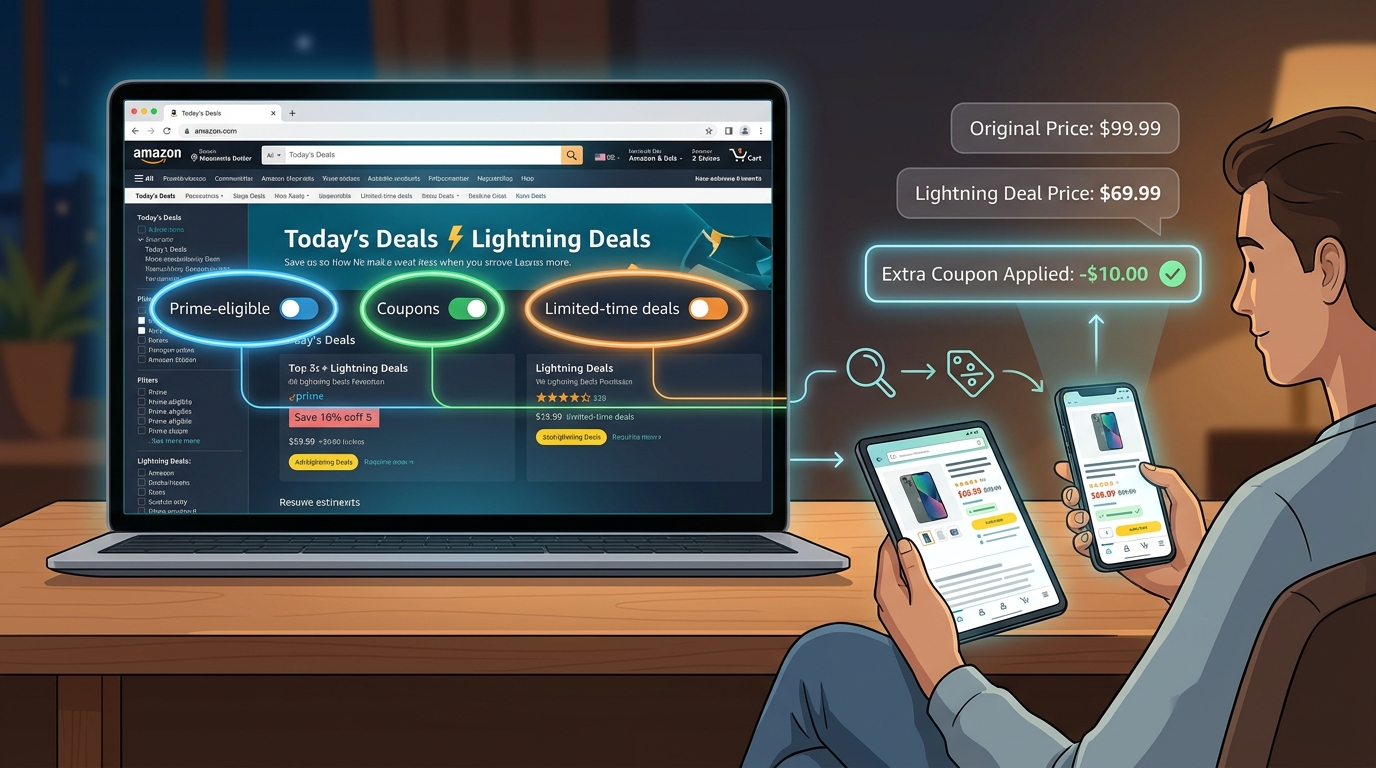
If you have ever clicked into an Amazon Lightning Deal, seen “80% claimed,” and panic-bought before the page changed again, you are not alone. That rushed feeling is exactly how people miss the extra savings. The good news is that some of the best Lightning Deals are not just one discount. They can have a second and even third price cut hiding in plain sight. The trick is knowing where Amazon tucks them.
This “Prime-Only Lightning Stack” method is simple. First, filter for deal items that also have coupons. Then open the product page and refresh once or twice after you sign in with Prime. On some listings, that extra Prime-only discount does not fully show until the page reloads and your account status is recognized. If you do it in the right order, you can stack a Lightning Deal, a clickable coupon, and a Prime-exclusive price for an extra 20 to 40 percent off what already looked like the sale price.
⚡ In a Hurry? Key Takeaways
- Yes, you can sometimes stack Amazon Lightning Deals with coupons and Prime-only discounts on the same item.
- Start in Lightning Deals or “Started Today,” look for coupon-eligible listings, then refresh the product page while signed into Prime before adding to cart.
- Always verify the final checkout price and coupon checkbox, because not every listing stacks and stock can vanish fast.
Why this works
Amazon does not always show every promo in one neat little box. One badge may appear on the deals page. Another may show on the product page. A third may appear only for Prime members after sign-in.
That is why so many people think the listed Lightning Deal price is the end of the story. It often is not.
When shoppers ask how to stack Amazon Lightning Deals with coupons, the real answer is less “secret hack” and more “use the page the way Amazon built it, but in the right order.” You are not breaking anything. You are just making sure all the available discounts actually load before you buy.
The 2 hidden deal toggles to look for
1. The coupon toggle
This is the green checkbox or “Apply coupon” button on the product page. Sometimes it shows as a dollar amount off. Sometimes it is a percent off.
The catch is that many shoppers never filter for these items up front. They scroll the Lightning Deals page, click randomly, and miss products where a coupon is waiting on the listing.
2. The Prime-only price toggle
This is the Prime-exclusive discount that can appear below the main price, near the deal box, or in a small line of text after the page fully reloads.
It does not always show immediately. If you are not signed in, or if the page loaded before Amazon recognized your Prime status, you may only see the standard deal price at first.
The step-by-step system that works tonight
Step 1: Start in Lightning Deals or “Started Today”
Go to Amazon’s deals section and focus on Lightning Deals and “Started Today” offers. Right now, post-Prime cleanup sales are where a lot of these stackable listings are hiding.
If you like hunting discounts this way, you would probably also like The “Double Dip Deal Page” Hack: How To Turn Amazon’s Own Coupon Hub Into A Secret Promo Code Mine, because it pairs nicely with this method.
Step 2: Filter for coupon-eligible items
On the deals page, look for filters that narrow results to items with coupons, Prime access, or specific departments where stacking is common, like home, electronics accessories, personal care, and kitchen gadgets.
If Amazon is not showing a clean coupon filter on your device, use the visual clues. Look for tags like:
- “Coupon”
- “Extra savings”
- “Prime exclusive”
- “Redeem”
The point is to stop clicking every shiny deal and start clicking only the ones with a second discount path.
Step 3: Open the product page and sign in first
Before you do anything else, make sure you are signed into the Prime account you plan to use. This matters because the extra Prime-only price can be account-based.
If you are browsing signed out, the page may not fully reveal the lower price.
Step 4: Refresh the page once or twice
This is the part most people skip. After the product page opens, refresh it. Then look again at the buy box, the price area, and the coupon section.
Why refresh? Because Amazon sometimes loads one promo first and the account-specific promo second. A manual refresh can surface the Prime-exclusive discount that did not appear on first load.
No magic here. Just a very annoying quirk that can work in your favor.
Step 5: Clip the coupon before adding to cart
Make sure the coupon box is checked. If you add the item to your cart first and rush to checkout, it is easy to miss this step.
That little missed checkbox is where a lot of the “I thought it was cheaper” frustration comes from.
Step 6: Check the cart and final checkout screen
Once in cart, verify all the discounts are still active:
- Lightning Deal price
- Prime-exclusive price or discount
- Clipped coupon deduction
If one disappeared, do not assume it will come back. Lightning Deal inventory changes fast, and some coupons can expire before checkout.
Where this stacking shows up most often
You are more likely to find this on items where sellers are trying to clear stock after a major event like Prime Day. That usually means products that were heavily promoted but still have inventory left.
Common categories include:
- Phone chargers and cables
- Bluetooth earbuds
- Smart home accessories
- Kitchen tools
- Small personal care devices
- Office gadgets
These categories tend to have a mix of seller coupons, Prime-only offers, and temporary Lightning Deal pricing all at once.
What this is not
This is not a loophole that beats Amazon’s system. It is not a browser exploit. It is not one of those sketchy social media tricks where people say to switch ZIP codes and clear cookies for “secret prices.”
It is simply a better way to read the page before you buy.
Common mistakes that cost you the extra discount
Adding to cart too fast
Fast is not always smart. If you add to cart before clipping the coupon or before the Prime price loads, you may lock yourself into a worse price.
Assuming every Lightning Deal stacks
Some do. Some do not. Always verify.
Looking only at the big price
The largest number on the page is not always the final number that matters. Small text can save you more money than the bold deal banner.
Forgetting the deal claim meter
If a deal is almost fully claimed, move quickly once you confirm the stack works. This is one of the few times “wait and think about it” can cost you.
How to stay calm when Lightning Deals feel chaotic
The biggest benefit of this method is not just the money. It is that it stops the panic-scrolling.
Instead of chasing every countdown timer, you use a checklist:
- Is it a Lightning Deal or Started Today offer?
- Does it show signs of a coupon?
- Am I signed into Prime?
- Did I refresh the page?
- Did I clip the coupon?
- Did the final cart price actually drop?
That is a much better shopping habit than hoping the first price you see is the best one.
At a Glance: Comparison
| Feature/Aspect | Details | Verdict |
|---|---|---|
| Lightning Deal only | Fast and easy, but often just the base sale price with no extra savings applied. | Good, but rarely the best possible price. |
| Lightning Deal + coupon | Requires clipping the coupon on the product page before checkout. | Often worth the extra 10 to 25 percent off. |
| Lightning Deal + coupon + Prime-only discount | Best-case stack. Usually needs Prime sign-in and a page refresh to fully appear. | This is the sweet spot, and where the extra 20 to 40 percent can show up. |
Conclusion
Amazon is still in that messy but useful post-Prime cleanup phase, and that is exactly why this works so well right now. Lightning Deals and “Started Today” offers are full of overlapping promos that many shoppers never see because they click too fast. If you filter for coupon-ready items, sign into Prime, refresh the product page, and confirm the final cart price before checking out, you give yourself a real shot at stacking discounts that can cut another 20 to 40 percent off. That is not theory. That is a practical, tonight-only kind of savings move. The next time Amazon tries to rush you, slow down for 20 seconds and make the page show you everything.