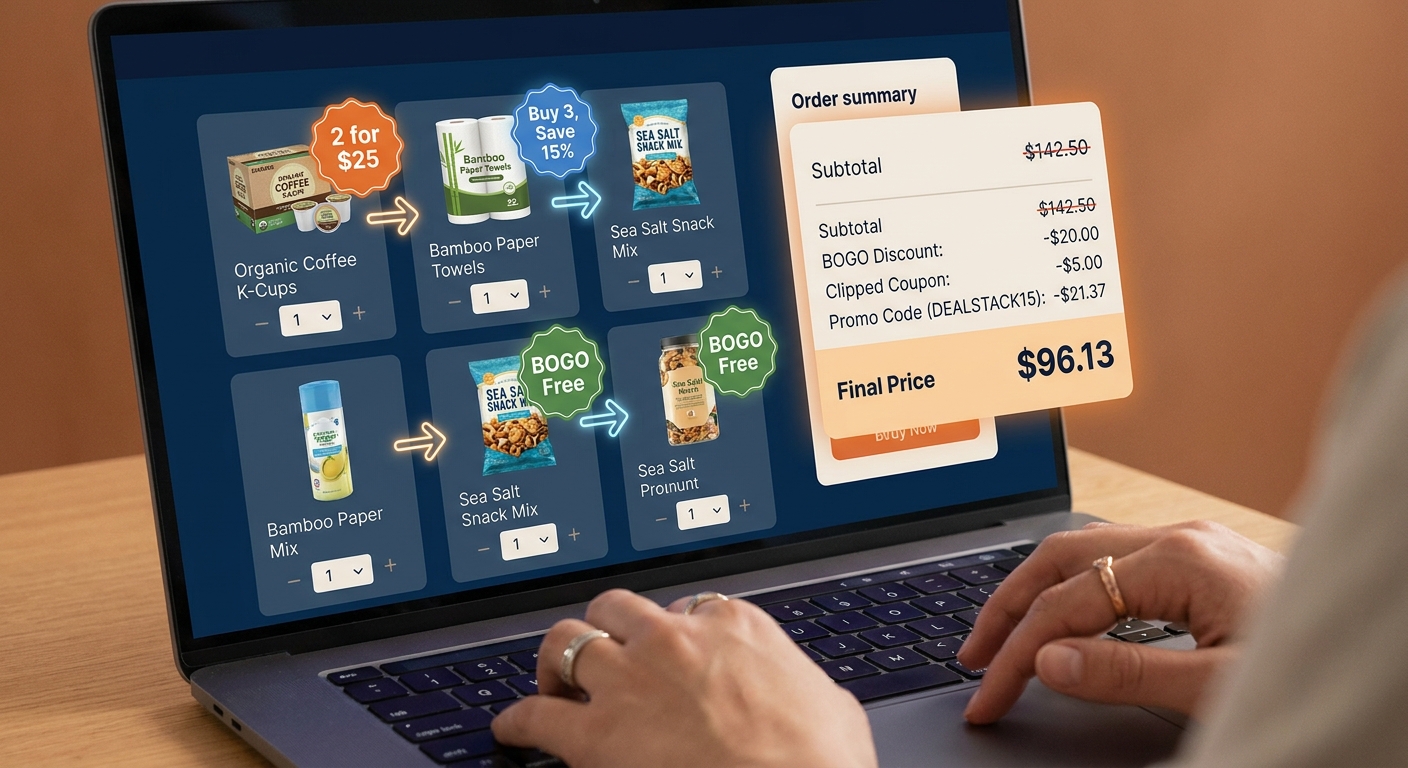
You know the feeling. You spot an Amazon deal that says “2 for $20” or “Buy 2, save 30%,” toss the items in your cart, and then… nothing special happens beyond the basic discount. That is the frustrating part. The deal is real, but the best version of it often stays hidden unless you build the cart the right way. Right now, Amazon is running a lot of bundle-style offers ahead of the holiday rush, and many shoppers are missing the one trick that matters most. It is not some shady loophole. It is simply understanding how Amazon applies item coupons, promo codes, and multi-buy discounts at checkout. If you do it right, a plain BOGO or “2 for” sale can sometimes turn into a deeper, code-level discount that cuts your total more than the product page suggests. The key is knowing the order of operations, and checking your cart before you hit Buy Now.
⚡ In a Hurry? Key Takeaways
- The best way to learn how to stack amazon bogo deals with promo codes is to add qualifying items first, then clip coupons or apply the code, and watch how the cart recalculates.
- Mixing different eligible items in the same promo family often works better than buying two identical products.
- Always test the cart before checkout. Some discounts stack, some replace each other, and some only work when sold and shipped by Amazon.
What the “BOGO Stack” actually means
Let’s make this simple. The “BOGO stack” is not a secret menu item. It is just a shopping method.
You start with a multi-buy deal. That might be buy one get one 50% off, 2 for $25, buy 3 save $10, or spend $50 on select brands and get a discount. Then you look for one more layer. That layer is usually one of three things.
Layer 1: On-page coupons
These are the little green checkbox coupons on the product page. Sometimes they take a percentage off. Sometimes a dollar amount.
Layer 2: Promo codes
These can be listed on the page, sent to your account, or auto-applied at checkout. They often have terms like “applies to your first eligible order” or “select items only.”
Layer 3: Subscribe & Save or brand discount
This one is less reliable, but sometimes a brand promo still works after the multi-buy discount is recognized.
The trick is that Amazon does not always show the full savings clearly on the product page. The real math often appears only in the cart or at the final checkout screen.
The hidden trick is the order of operations
This is the part most people miss.
Amazon’s system usually checks eligibility first, then applies deal pricing, then drops in clipped coupons or promo codes, though it can vary by promotion. That means the exact mix of items in your cart can change whether a code works at all.
Here is the basic move:
- Add all qualifying bundle items to your cart first.
- Make sure the cart actually shows the multi-buy discount.
- Then clip any product coupons you skipped, or enter the promo code.
- Refresh the cart and compare the final total.
If you do it backwards, Amazon may decide the code does not apply because the item no longer counts as eligible in the way the system expects. Annoying. But common.
How to stack amazon bogo deals with promo codes, step by step
If you want the practical version, here it is.
1. Find the exact promo wording
Read the small print under the offer. You are looking for clues like:
- “Items shipped and sold by Amazon only”
- “Offered by Brand X”
- “See all eligible items”
- “Cannot be combined with other offers”
That last line matters. If it is there, stacking may be blocked. Not always, but often.
2. Open the eligible items page
Do not just add the one item you found. Click through to the full list of qualifying products. Many times, one item has no extra coupon, but another item in the same promo group does.
That is where the better stack often lives. You use one item to trigger the bundle pricing, and another to trigger the extra coupon.
3. Mix and match instead of doubling up
This is a big one. Two identical items might give you the basic BOGO. But pairing Product A with Product B can sometimes create a better total because one of them carries a separate coupon or code.
Example. Say shampoo is part of a “buy 2, save 40%” deal. One scent has no coupon. Another has a 20% coupon box. Buying one of each can beat buying two of the same bottle.
4. Add everything to the cart before entering the code
Think of this as setting the stage. Let Amazon recognize the bundle first. Once the discount line appears in your cart, then test the code.
5. Change quantities one at a time
If the code fails, do not give up right away. Try swapping one item, changing the quantity from 2 to 3, or removing a non-qualifying filler item. Amazon’s promo logic can be weirdly picky.
6. Look at the final checkout screen, not just the cart subtotal
Some discounts appear under “Promotion Applied” only on the last screen before purchase. If you stop at the cart, you may think the stack failed when it actually worked.
What kinds of Amazon deals stack best
Not every deal is worth the effort. These are the ones that tend to be the most promising.
“Buy 2, Save X” deals
These are often better than they look because the discount is spread across items, and a separate item coupon may still apply to one of them.
BOGO 50% off brand deals
These can work nicely when the lower-priced item also has a coupon attached. The total can drop more than expected.
Household and personal care bundles
Soap, razors, vitamins, paper goods, and snacks often rotate through promo families with changing coupons. These are some of the best categories to test daily.
Holiday “shop select items” promotions
Around major sales events, Amazon pushes lots of broad bundle promos. Those are perfect for stacking experiments because the eligible item pool is larger.
When stacking does not work
Sometimes Amazon shuts the door. That does not mean you did anything wrong.
Stacking usually fails for one of these reasons:
- The promo code excludes already-discounted items.
- The coupon only works on one item per account.
- A third-party seller listing slipped into your cart.
- The item is eligible for the bundle, but not for the code.
- The promo expired, but the product page has not updated yet.
This is why I always tell people to test the cart like a calculator, not like a promise. Amazon’s setup changes fast.
A simple example of the “BOGO stack” in action
Let’s say Amazon has a “buy 2 select skincare items, save 30%” deal.
You find:
- Cleanser A for $12 with no coupon
- Moisturizer B for $14 with a 15% coupon
If you buy two of Cleanser A, you get the plain 30% bundle savings.
If you buy one Cleanser A and one Moisturizer B, the cart may apply:
- The 30% multi-buy discount across both items
- Then the 15% coupon on Moisturizer B
That can beat the obvious version of the deal. Not every promo behaves this way, but enough do that it is worth checking.
Small habits that save the most money
Use the “Save for later” area
Move candidate items in and out of your cart. This makes it easier to compare combinations without losing track.
Take screenshots of the offer terms
If the promo disappears or misfires, you have proof of the wording. Customer service will not always honor it, but screenshots help.
Check per-item math, not just total savings
Sometimes a stack looks exciting but actually costs more because the higher-priced item triggered the offer. Always divide your final total by the number of items.
Test on desktop if mobile looks confusing
The Amazon app can hide discount lines or collapse promo details. Desktop usually shows the math more clearly.
Safety note. Stay on the smart side of this
This is not about abusing returns or trying to trick the system. It is just careful shopping.
Use qualifying items. Read the terms. Do not assume a TikTok “glitch” is real until your checkout total confirms it. A lot of viral coupon tricks are just temporary display errors.
Also, do not buy extras just because the discount looks good. The best stack is still a bad deal if the products sit in a closet for a year.
Why this matters more right now
Amazon is especially aggressive with these rotating bundle promos ahead of big shopping periods. The offers update constantly. That is why old coupon-blog posts can go stale so fast.
A static promo code is nice. A repeatable method is better.
Once you understand how to stack amazon bogo deals with promo codes, you are not depending on one lucky code. You are using a system you can repeat every time a new “2 for,” “buy more save more,” or BOGO promo pops up.
At a Glance: Comparison
| Feature/Aspect | Details | Verdict |
|---|---|---|
| Basic BOGO or “2 for” deal | Simple discount with no extra coupon or code added | Good, but often not the cheapest version |
| Mixed-item stack | One item triggers the bundle, another adds a coupon or code benefit | Usually the best value if terms allow it |
| Risk of failure | Third-party sellers, expired promos, and non-stackable terms can block discounts | Always verify on the final checkout screen |
Conclusion
If Amazon’s bundle promos have ever felt underwhelming, you are not imagining it. The product page rarely tells the whole story. But once you learn to build the cart first, mix eligible items, and then test coupons and promo codes in the right order, those plain-looking BOGO and multi-buy deals can turn into a much better savings tool. That is especially useful right now, because Amazon is pushing aggressive, sometimes glitchy “2 for” style promos ahead of the holiday rush, and they change daily. Most coupon sites only chase one code at a time. This method gives you something better. A repeatable way to spot hidden value every time a new bundle appears. Get in the habit of checking the final math, and you can keep finding extra savings long after one viral promo code disappears.