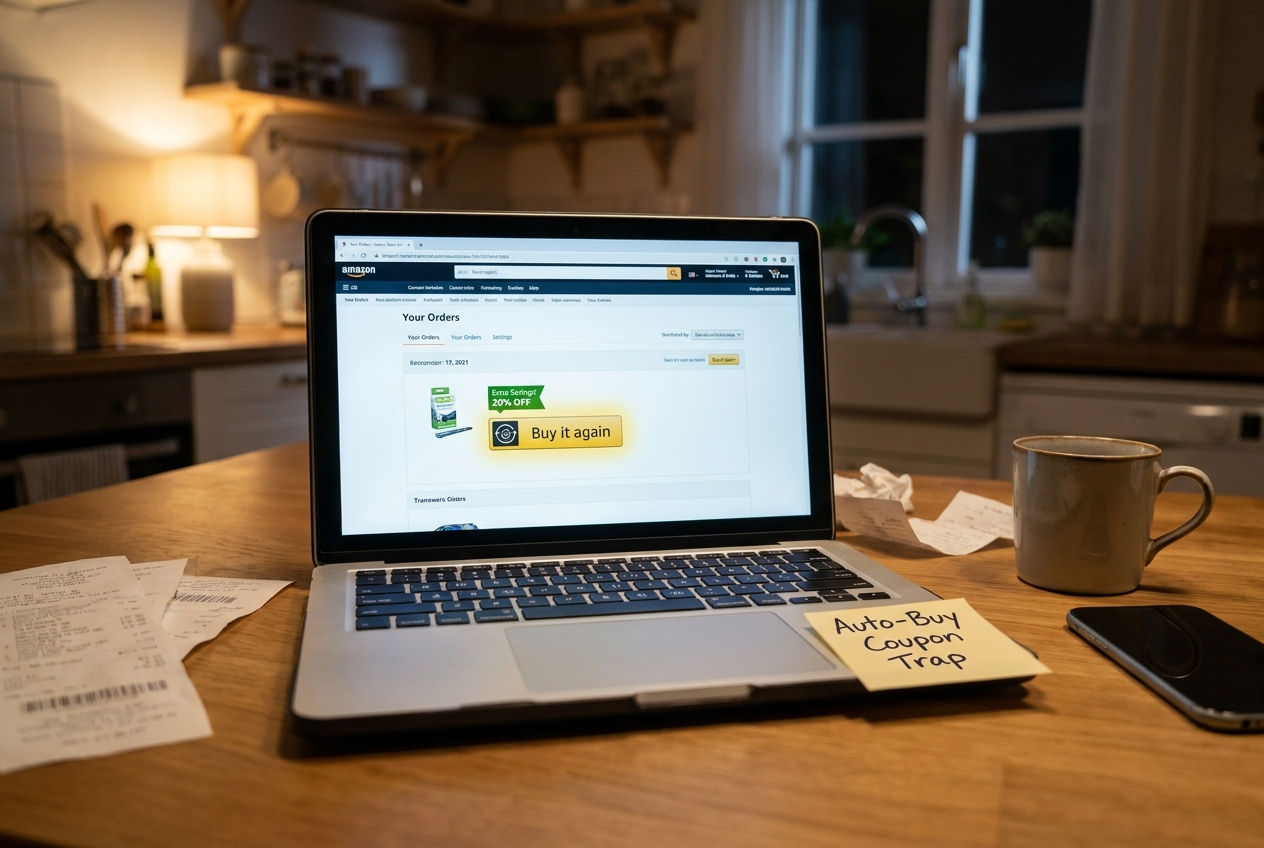
You are not crazy if Amazon deal screenshots make you feel like everyone else is getting a lower price than you. A lot of regular shoppers do the obvious things. They clip the coupon. They check Subscribe & Save. They maybe paste in a promo code. Then they still end up paying more than the people bragging online about giant discounts on coffee, detergent, pet food, and paper towels. The missing piece is often hiding in plain sight. Amazon sometimes shows extra savings only when you reorder an item through the Buy It Again flow or flip a tiny auto-buy style toggle tied to Subscribe & Save or repeat purchases. That is where the amazon buy it again hidden coupons trick comes in. It is not a shady glitch. It is more like a loyalty nudge. And once you know where to look, it becomes a simple little routine you can use before almost every household reorder.
⚡ In a Hurry? Key Takeaways
- Hidden Amazon reorder discounts often appear when you revisit items through Buy It Again or turn on Subscribe & Save for a repeat purchase.
- Before checking out, do three clicks. Open Buy It Again, tap the item, and compare one-time purchase versus Subscribe & Save to see if a hidden coupon or extra percentage appears.
- This is safer and more reliable than chasing glitch deals, and it works best on boring essentials you already buy regularly.
What the “auto-buy coupon trap” really is
The name sounds dramatic, but the idea is pretty simple.
Amazon wants repeat orders. So sometimes it quietly offers a better deal if you come back to a product you have already bought and agree to buy it in a repeat-friendly way. That might mean Buy It Again. It might mean Subscribe & Save. It might mean a reorder page with a little checkbox, a coupon banner, or a line that says you save more on your first delivery.
Most people never see these offers because they shop the normal way. They search the item fresh, click the first listing, and buy it as a one-time purchase. That can hide the better pricing.
Why regular shoppers miss these hidden discounts
Amazon does not always put every discount on the public product page. Some offers are account-specific. Some are tied to reorder history. Some only show up after you select Subscribe & Save. Others appear in your Buy It Again section because Amazon is trying to pull you into another repeat order.
That is why two people can look at the same product and see different prices.
It is frustrating, yes. But it also means you do not always need a secret code from a forum. Sometimes you just need to enter through the right door.
The three-click routine to check for amazon buy it again hidden coupons
1. Start from Buy It Again, not search
Go to your Amazon account and open Buy Again or Buy It Again. Find the item you already purchase regularly, like laundry pods, dog food, protein shakes, coffee, or trash bags.
Click into that listing from there. This matters because Amazon may attach reorder offers to that route.
2. Compare one-time purchase with Subscribe & Save
On the product page, look closely at the purchase options. Do not assume the one-time price is the full story.
Tap Subscribe & Save and see if anything new appears:
- a first delivery coupon
- an extra percentage off
- a “save more” line under the price
- a clip coupon that only appears after switching purchase type
This is the tiny toggle part. One little switch can change the math.
3. Check the final checkout math before placing the order
After clipping any coupon, add the item to your cart and verify the total. Amazon can stack discounts in ways that are easy to miss. You may see:
- the visible coupon
- the Subscribe & Save percentage
- a first reorder discount
- an account-specific credit or promo
If the total is not better, back out. If it is, you have found the hidden layer.
Where these hidden reorder discounts show up most often
This trick tends to work best on practical stuff, not flashy electronics. Think repeat purchases.
- detergent and cleaning supplies
- coffee and drink mixes
- pet food and pet treats
- vitamins and supplements
- paper goods
- baby items
- personal care basics
That is good news because these are the exact things that quietly eat your budget every month.
How to tell if it is a real deal or fake savings
This is the part where it helps to stay a little skeptical.
Sometimes Amazon boosts the list price, then shows a coupon that only brings it back to normal. So before you celebrate, compare:
- today’s one-time purchase price
- today’s Subscribe & Save price
- your past order price
- other pack sizes or sellers
If you save real money versus your usual reorder cost, great. If not, skip it. Hidden does not always mean better.
A smart way to stack this with other Amazon savings
This reorder trick works even better when you combine it with a second layer, especially account credits or prepaid balance promos. If you want to push the savings further, read The Hidden Gift‑Card Stack Hack: How One Prepaid Move Turns Normal Amazon Promo Codes Into Double Discounts. It explains why one shopper gets a basic discount while another gets a much lower final total on the same order.
That is the bigger lesson here. Amazon savings often come from stacking small, boring pieces together, not from one magical code.
What not to do
There are a few easy mistakes that can cancel out the benefit.
Do not leave multiple subscriptions running by accident
If you only wanted the first delivery discount, set yourself a reminder to review or cancel the subscription after the order ships.
Do not assume every repeat item has a hidden coupon
Some do. Some do not. The win comes from checking quickly, not forcing a deal that is not there.
Do not skip your account messages and banner promos
Occasionally Amazon adds targeted credits or reorder offers in little banners, email prompts, or cart messages. Those can be easy to miss if you rush.
Why this feels “secret” even though it is not
Amazon personalizes a lot. That makes normal shoppers feel shut out because power users post huge wins without showing the steps that triggered them. The truth is less glamorous.
Very often, they are just checking the product from the right place, switching the purchase method, and catching a coupon layer that casual shoppers never see.
That is why this is such a useful habit. It turns a random lucky break into a repeatable process.
At a Glance: Comparison
| Feature/Aspect | Details | Verdict |
|---|---|---|
| Buy It Again entry point | Can surface reorder-specific offers or account-based discounts that do not stand out in normal search results. | Worth checking first for repeat essentials. |
| Subscribe & Save toggle | May trigger extra percentages, first-delivery savings, or hidden clip coupons after you switch purchase type. | Best savings layer for routine household items. |
| Safety and reliability | Uses normal Amazon shopping paths instead of risky glitches, strange browser tricks, or too-good-to-be-true code hunts. | A practical method for everyday shoppers. |
Conclusion
Today’s big frustration in coupon communities is that normal shoppers feel locked out of the best Amazon deals because the eye-popping screenshots come from people who live on trackers, extensions and obscure subreddits. This hack flips that dynamic by turning a behavior most people already have, reordering boring essentials, into a repeatable way to trigger hidden first-reorder and loyalty coupons, extra Subscribe & Save percentages, and targeted gift card credit that never appear on public deal pages. It is safer than glitch hunting, it works on everyday items like detergent, pet food, and coffee, and it gives you a clear plan. Before every reorder, do those three clicks on your own account, then add the best code you can find. You may not hit a unicorn deal every time, but you will stop leaving easy money on the table.