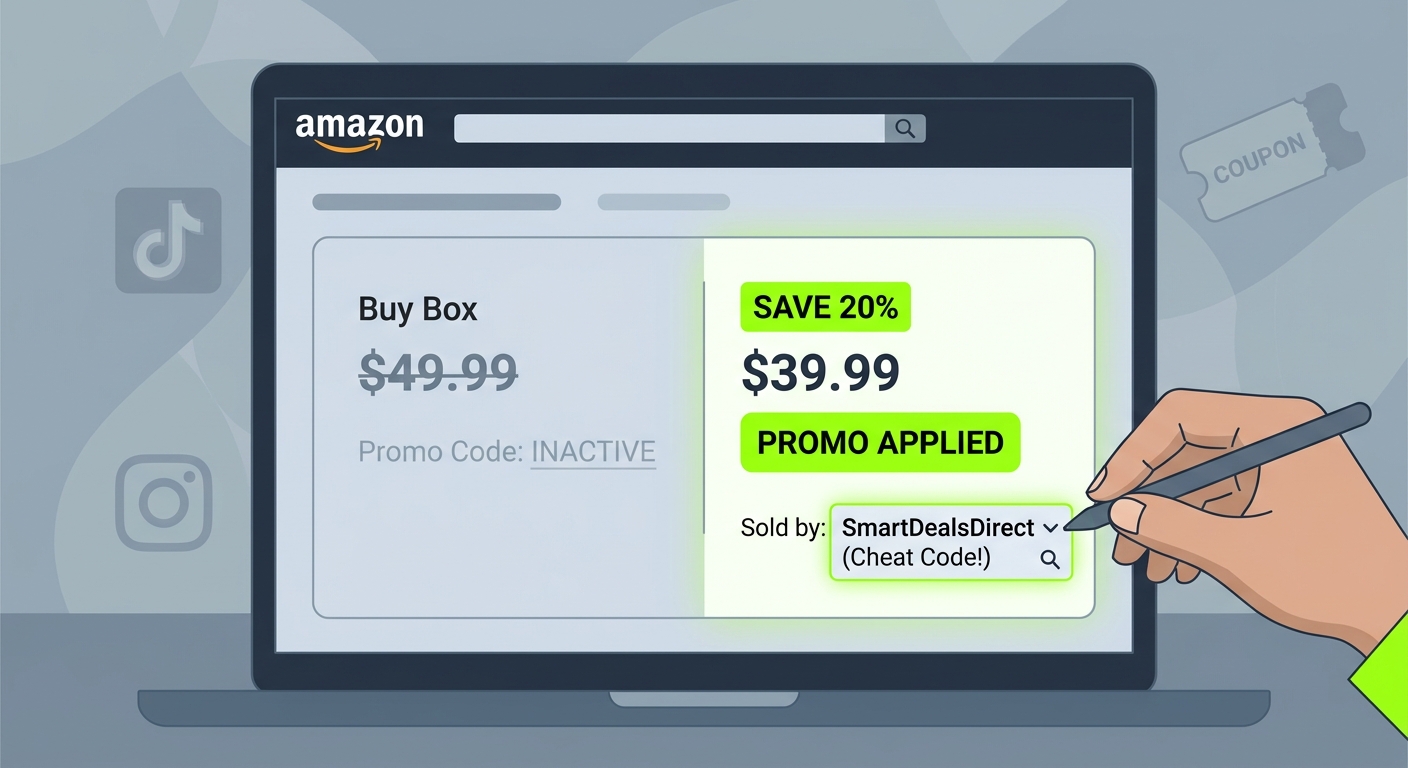
You are not imagining it. Few shopping annoyances are more irritating than finding a “working” Amazon code on TikTok or Facebook, copying it exactly, and then getting hit with “Code not eligible” at checkout. Same product. Same color. Same size. And yet somehow other people say it worked for them. The missing piece is often not the item itself. It is the seller sitting quietly behind the listing. A lot of Amazon discounts are tied to one specific seller, one variation, or one exact “Ships from” and “Sold by” setup. Change that hidden combo and the discount disappears. The good news is this usually does not mean the code is fake or dead. It often means Amazon quietly swapped the Buy Box to a different seller. If you know where to look, one tiny seller switch can bring that discount right back and save you from paying full price.
⚡ In a Hurry? Key Takeaways
- When an amazon promo code not working for this seller message appears, the problem is often the wrong Buy Box seller, not an expired code.
- Check the product page for “Ships from” and “Sold by,” then tap other sellers or other variations to match the exact listing the promo was meant for.
- Avoid “site-wide Amazon code” lists and code generators. Many viral codes only work on one seller, one region, or one item version.
What the “Hidden Buy-Box Bounce” really means
Amazon does not always show one fixed seller for a product. It rotates the main seller, often called the Buy Box winner, based on price, stock, shipping speed, and other behind-the-scenes factors.
That matters because many promo codes are attached to that exact seller setup. So if a creator shares a discount from Seller A, but by the time you click the listing Amazon has switched the Buy Box to Seller B, the code can fail even though the page looks almost identical.
This is why shoppers keep searching for “amazon promo code not working for this seller.” It is usually not user error. It is listing mismatch.
Why the code works for other people but not for you
There are usually four reasons.
1. The seller changed
This is the big one. Same product page, different merchant. The code is often locked to one seller account.
2. The variation changed
That means color, size, pack count, scent, model, or bundle. The red version may qualify. The blue one may not.
3. The region is different
A code posted from Amazon.com may not work on Amazon.ca, Amazon.co.uk, or even for all US delivery regions.
4. The shipping setup changed
Sometimes the promo only works when the item is sold by a third-party seller but fulfilled by Amazon. Other times it only works when both “Ships from” and “Sold by” match exactly.
How to turn the discount back on
Here is the simple fix.
Step 1: Go back to the product page
Do not stay stuck at checkout refreshing the code box. Open the item page and scroll near the price or purchase box.
Step 2: Look for “Ships from” and “Sold by”
This is the hidden clue. If the deal post mentioned a seller name, compare it here. If it did not, take a screenshot from the creator’s post and zoom in. Many of them accidentally reveal the seller in the order panel.
Step 3: Tap “Other sellers on Amazon”
This is where the bounce happens. You may see several sellers offering what looks like the same item. Switch to the seller that matches the promo source.
Step 4: Recheck the variation
After changing sellers, make sure Amazon did not quietly swap the size or color. It does that more often than people realize.
Step 5: Add it to cart again
Do not assume the old cart entry will update properly. Remove the wrong seller version, then add the corrected one fresh.
Step 6: Apply the code at checkout
If the seller, variation, and shipping combo all line up, the promo often starts working again.
Where shoppers usually get tripped up
The product title can look identical across sellers. That is what makes this so sneaky.
You think, “I already have the right item.” But Amazon’s backend sees something different. It sees merchant ID, fulfillment type, variation ID, and eligibility rules. A promo can be valid for one version of that setup and invalid for another.
This is also why some viral “works on everything” claims are nonsense. Real Amazon promos are often much narrower than the post makes them sound.
A quick real-world example
Say you see a creator post a 40 percent off code for a water bottle. You open the listing. It matches the photo. You choose the same pink 32-ounce version. The code fails.
Then you scroll down and notice your item is sold by “Daily Home Outlet,” while the creator’s screenshot shows “FitHydra Official.” You switch sellers. Add the item again. Suddenly the code works.
That feels like magic, but it is really just metadata.
How to check if a deal is worth chasing
Before spending ten minutes trying random code combinations, do three fast checks.
Check the seller name
If the post or video never shows the seller, be cautious. Good deal posters usually show the listing details.
Check the comments
If people say “worked on black only” or “had to switch seller,” that is useful. If comments are full of “doesn’t work” and no one explains why, move on.
Check whether there is a coupon box too
Many Amazon deals stack. You may need a clipped coupon plus a promo code, but only on the correct seller listing.
If you want a faster way to sort through messy coupon claims while you shop, our guide to The “Hidden AI Checkout Swarm” Hack: How One ChatGPT Prompt Hunts Live Amazon Promo Codes While You Shop can help you spot which discounts are actually live before you waste time at checkout.
How to protect yourself from fake promo lists
This part matters even more during heavy deal weeks.
When October deal season heats up, junk coupon sites and shady “generator” pages come out of the woodwork. They promise site-wide Amazon discounts, then send you into a loop of copied codes that never work.
Here is the simple rule. If someone claims one code works across dozens of unrelated Amazon products and sellers, be skeptical.
Amazon promos are usually specific. Specific seller. Specific listing. Specific variation. Sometimes specific account or region, too.
That does not mean every broad deal is fake. But broad claims deserve extra caution.
What to do if the seller you need is gone
Sometimes the code really is finished. The seller may have run out of stock, lost the Buy Box, or ended the promotion cap.
In that case, try this:
- Refresh the listing in a private browser window.
- Check again on desktop if you started on mobile, or vice versa.
- Look for the same seller under other variations.
- Save the item for later and revisit in a few hours. Buy Box winners can rotate back.
Just do not keep hammering the same broken code forever. If the seller is gone and no alternate listing matches, the deal is probably over.
Signs a promo is tied to a seller
Watch for these clues:
- The discount only appears in one influencer’s checkout screenshot.
- The code works for one color or size but not another.
- The listing has multiple third-party sellers.
- The product is from a brand storefront, but several resellers also carry it.
- The page says “Visit the Store” yet the sold-by name is something else entirely.
That last one gets people all the time. The brand page and the seller name are not always the same thing.
At a Glance: Comparison
| Feature/Aspect | Details | Verdict |
|---|---|---|
| Promo code fails at checkout | Often caused by the Buy Box switching to a different seller than the one tied to the code. | Check “Sold by” first before assuming the deal is dead. |
| Same item, different variation | Color, size, pack count, or bundle can break eligibility even when the page looks nearly identical. | Match the exact variation from the original promo post. |
| Viral “site-wide” code lists | Many are outdated, exaggerated, or tied to one seller session rather than all of Amazon. | Use with caution. Specific listing details matter more than the headline claim. |
Conclusion
The next time a TikTok or Facebook Amazon code dies at checkout, do not assume you did anything wrong. A lot of these promos are not truly expired. They are just attached to a hidden seller, variation, or shipping combo that changed under your feet. Once you start checking “Ships from,” “Sold by,” and the exact item version, you can often turn a dead-looking deal back into real savings in under a minute. That is especially useful right now, because influencer-driven Amazon codes and viral deal accounts are exploding this week, and October deal season only adds more confusion. Knowing how to line up the right seller, region, and item details helps you skip fake site-wide code lists, avoid shady generators, and shop with a lot more confidence. In other words, less guesswork, fewer checkout fails, and more of the discounts people keep bragging about.