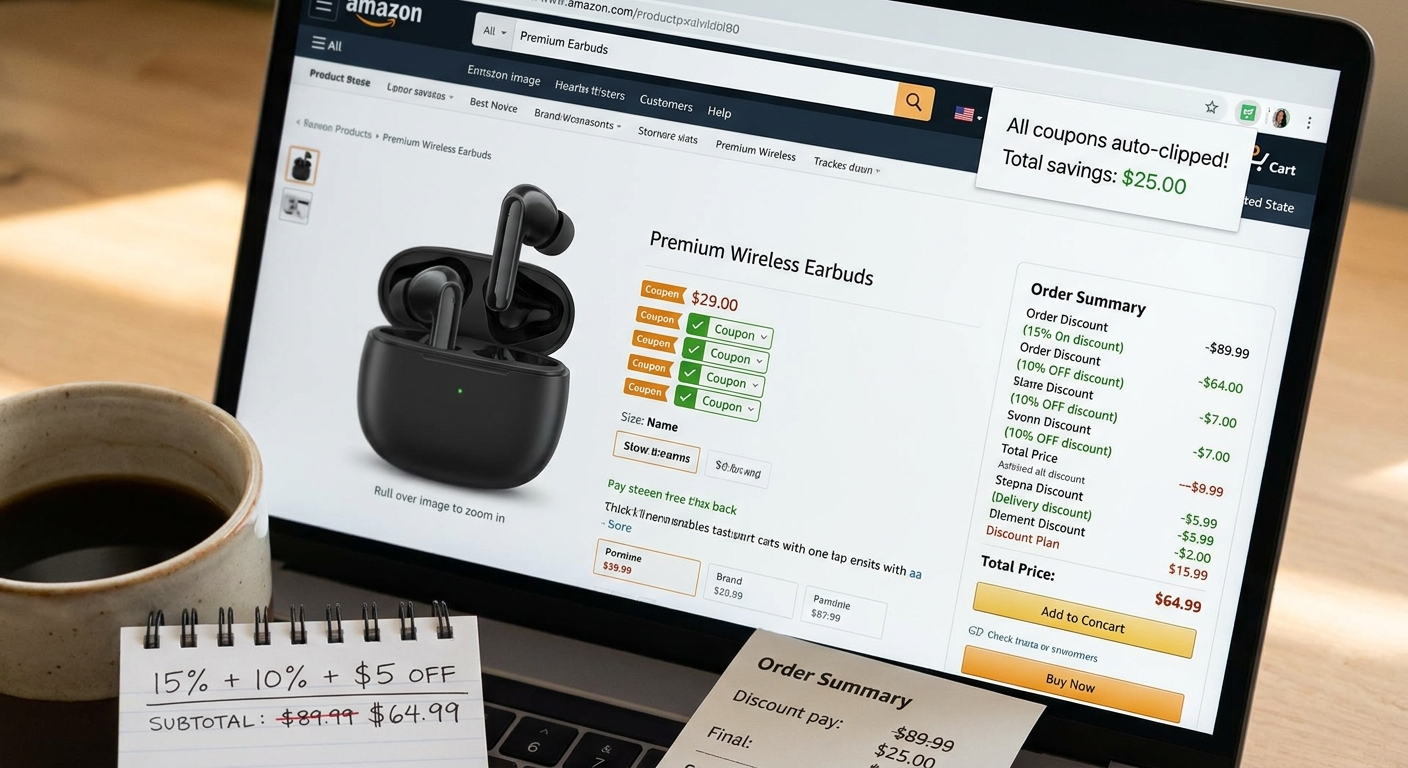
Missing an Amazon discount by one tiny click is maddening. You spot a decent price, add the item to your cart, and only later realize there was a small green coupon box on the page that would have knocked off a few more dollars. Then you try a promo code, it fails, and now you are left wondering what still works and what Amazon changed again. That is exactly why the amazon auto clip coupons hack is getting attention right now. It is not some shady trick. It is simply a faster way to make sure those easy-to-miss coupons get clipped before you check out, then quickly test whether they stack with a promo code, Subscribe and Save, or both. Done right, it takes less than a minute, saves real money on everyday stuff, and cuts out the guessing that wastes the most time.
⚡ In a Hurry? Key Takeaways
- The amazon auto clip coupons hack is just a simple Chrome-based routine that helps you catch and apply Amazon’s hidden green coupons before checkout.
- Best results come from clipping first, then test-stacking with any on-page promo code and Subscribe and Save in a separate cart check.
- Stick to Amazon’s own coupon boxes and seller promos on the listing page, because random code lists are far less reliable right now.
What the “auto-clip” trick actually is
Let’s clear this up first. There is no magic button inside Amazon called “clip everything for me.” The hack is really a small habit, often helped by a Chrome extension or browser routine, that makes coupon clipping harder to miss.
Most people lose savings because the coupon box is tiny, easy to scroll past, and sometimes buried near the price or under a promotion section. If you never click that box, the discount does not follow you to checkout.
The fix is simple. Use Chrome to speed up the process, then verify the discount in cart before you pay.
Why shoppers are frustrated right now
Amazon’s discount system has gotten messy. Some items have a green coupon. Some have a seller promo code. Some work with Subscribe and Save. Some do not. And a code that worked yesterday may suddenly fail today.
That leaves regular shoppers doing what nobody wants to do. Guessing.
The good news is that you do not need to chase questionable coupon databases. You just need a repeatable routine that starts on the product page and ends with a quick cart test.
The dead-simple Chrome routine
Step 1: Open the product page in Chrome
Chrome works well here because many shoppers already use it, and it makes it easy to compare tabs, keep carts open, and use lightweight shopping helpers if you want. You do not need a complicated setup.
Step 2: Look for the green coupon checkbox first
Before you add anything to your cart, scan the price area for the green savings box. It may say something like “Apply 10% coupon” or “Save $5 with coupon.” Click it.
If the box changes to “Coupon clipped,” you are set.
Step 3: Add to cart, then test any promo code separately
If the product page also shows a promo code, copy it exactly or click the on-page promotion if Amazon gives you that option. Head to checkout and see whether the clipped coupon remains while the promo code applies.
Sometimes both work. Sometimes only one survives. That is normal now.
Step 4: Try Subscribe and Save in a second pass
If the item offers Subscribe and Save, test that too. Do not assume it stacks. Add the item one way, note the price, then test the Subscribe and Save version. Compare totals.
This is where people save money without getting fooled by flashy percentages.
What counts as “auto-clip” in real life
For most shoppers, this means one of three things:
- Using a browser shopping helper that surfaces available Amazon coupons more clearly.
- Keeping a set tab-check routine so you always scan the listing before checkout.
- Opening similar listings side by side and clipping coupons before deciding which seller wins.
That may sound basic, but basic is the point. Reliable savings usually come from not missing what is already there.
How stacking works now, in plain English
Amazon discounts can mix, but not always. Think of each listing as having its own rules.
Usually stack-friendly
- Clipped coupon plus sale price
- Clipped coupon plus some seller promo codes
- Clipped coupon plus Subscribe and Save on certain household items
Often blocked or inconsistent
- Two separate promo codes on one item
- Coupon plus lightning deal
- Coupon plus a seller discount that quietly replaces the coupon at checkout
This is why a test-stack routine matters. Clip first. Add to cart. Apply code. Compare final total. If the price goes up or one discount disappears, back out and choose the better version.
A smart way to test without wasting time
Here is the one-screen cheat sheet version:
- Open item page.
- Clip green coupon.
- Add item to cart.
- Check subtotal.
- Apply seller promo code if shown.
- Compare final price.
- Test Subscribe and Save only if the savings look better.
That is it. No spreadsheet. No endless code hunting.
If you want to push savings a little further, pair this with The “Hidden Gift Card Stack” Hack: How Discounted Amazon Credit Quietly Turns Every Promo Code Into a Bigger Deal. It is a nice next step once you have the coupon-clipping part down.
What not to do
Do not trust random expired code sites
A lot of them are packed with dead codes, recycled offers, or deals that only worked for one seller weeks ago.
Do not assume the discount appears automatically
If you did not click the coupon box, Amazon usually will not “do the right thing” for you later.
Do not rush through checkout
The order summary is where stacking success or failure shows up. Give it ten extra seconds.
Is this safe?
Yes, if you stick with normal browser use and Amazon’s own on-page coupons and seller promos. You are not breaking into anything. You are just making sure listed discounts are actually applied.
The main safety rule is common sense. Avoid sketchy extensions that ask for too many permissions. If you use a shopping helper in Chrome, pick one with a clear reputation and review what it can access.
Who benefits most from this hack
This works best for people who buy repeat household basics, personal care items, pantry goods, pet supplies, and simple tech accessories. These categories often have quiet coupons that get ignored.
If you only shop Amazon once in a while, this routine still helps. You do not need to become a deal hunter. You just need to stop giving up those easy green-box savings.
At a Glance: Comparison
| Feature/Aspect | Details | Verdict |
|---|---|---|
| Hidden coupon clipping | Green coupon boxes are easy to miss on Amazon product pages, but clipping them first often unlocks instant savings. | Always worth checking |
| Promo code stacking | Some seller codes stack with clipped coupons, but many now fail or override each other at checkout. | Test before buying |
| Chrome helper routine | Using Chrome tabs and a simple scan-clip-test flow makes repeat savings faster and more consistent. | Best low-effort method |
Conclusion
Right now, a lot of Amazon shoppers are getting tripped up by broken promo codes, hidden coupon boxes, and stacking rules that seem to change without warning. That confusion costs real money. The good news is that the fix is not complicated. A simple auto-clip plus test-stack routine helps you catch the discounts Amazon already shows, then quickly figure out what still works before you place the order. That means less time chasing bad code lists and more repeatable savings on the stuff you already buy. If you want a clear, no-nonsense way to keep up with this mess, Best Amazon Coupons can be your one-screen shortcut for translating all that seller promo jargon into deals you can actually use.